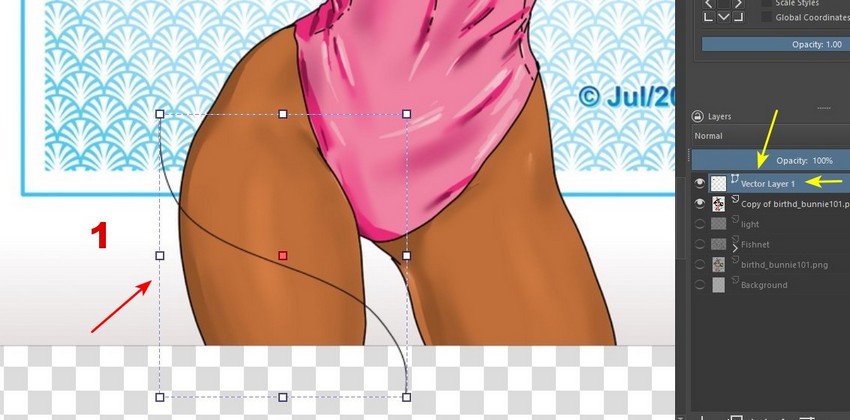
I was experimenting here with a drawing of mine from July and I took some screenshots. It seems that instead of making a circle, it is better to create a curve, in a vector layer (1):
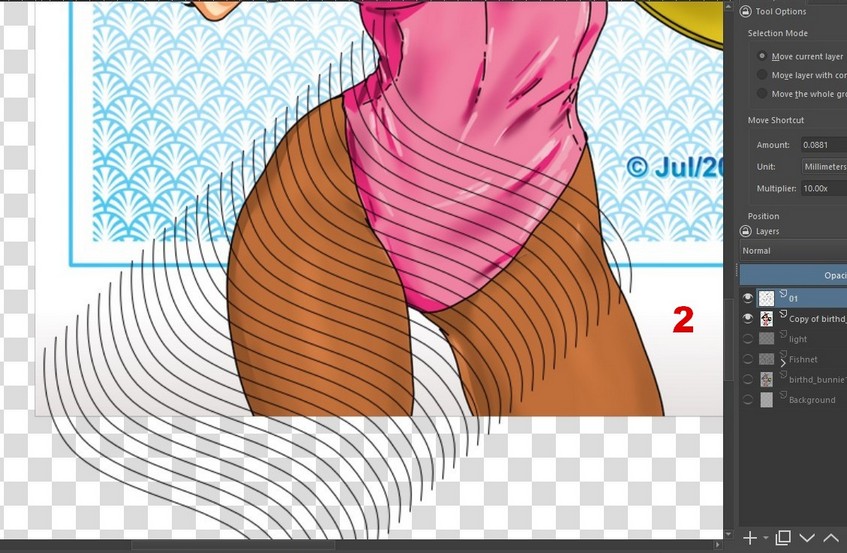
Then I converted the vector layer to paint layer. I duplicated the layer and shifted it using the keyboard (as I explained in this post), thus (2):
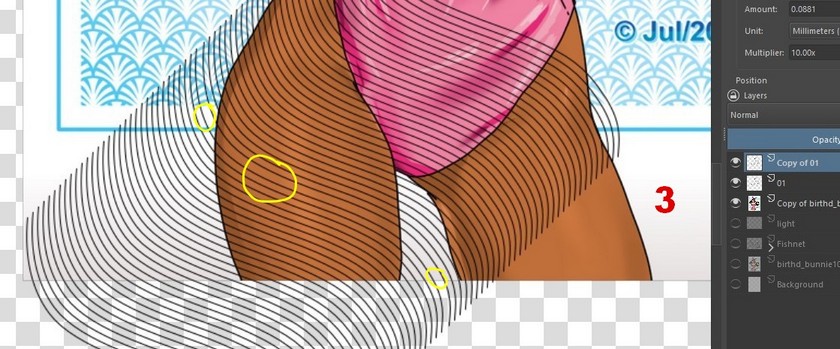
I duplicated this layer and dragged it to the location (3). Note, however, that the space was not correct (in the areas marked in yellow), I corrected that later.
With the lines corrected, I duplicated the layer. I applied a Horizontal Mirror to this copy layer and shifted it…until it looks more or less good (4):

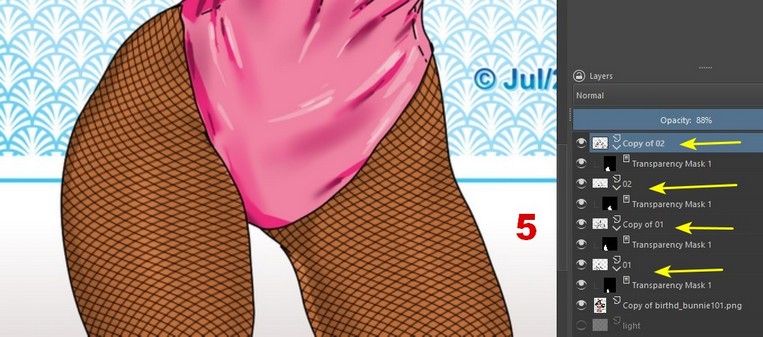
I completed by applying transparency masks (5). The result pleased me more than using circles. Of course, it doesn’t come off 100% realistic… but, in the eyes of a layman, it’s reasonably convincing.
I hadn’t seen the video yet, I went to see it now. My opinion is as follows: First, the author used a very closed texture… and with this transformation he is applying, I think it will be more distorted, no?
He went to great lengths to adjust the texture to the leg. Does this program not have a transparency mask like Krita? If it has, it would be enough for him to let the texture go beyond the limits of the leg and apply a mask…
