I found this video tutorial for Clip studio paint of how to make a paint brush of a fishnet stocking.[TUTORIAL] Fishnet Brushes in Clip Studio Paint! - YouTube I am currently doing the same via Krita and have almost nailed it but now I have a problem. at the 3:04 mark, he use distort and curve surface to give the image the illusion of a cylindrical shape so when used as a brush it looks like it is wrapped around something, I tried to do this via the mesh, cage, liquid and wrap tool but they all look very artificial as I need to manually drag them all into place which ended up looking like a bunch of panels combined together to look like a polygonal cylinder. does Krita have some kind of tool where it can do the same thing as demonstrated in the video so I won’t have to rely on my hands to curve the image thank you.
Hi @AKIBATAKU_39 - I moved your topic out of the tutorial category as you are asking a question, not posting a tutorial. I also added some descriptive words to the title – hopefully someone with the right expertise will now see it and be able to help.
I see, thank you for the help, sorry for the mess up
No worries. I hope you get the info you’re looking for. 
Thank you Sooz, also i want a POV, how clear is my current question? is it clear enoguh?
Yes, I think you added a good description.
thank you, now I must wait for someone to come
I do not think there is a cylinder map filter in Krita. Your best bet is to use mesh transform in the transform tool option.
I see, that is unfortunate, thank you anyway
There is a cylinder feature in GIMP though. If you need you can check it out.
My computer may not be able to take on another software but i will keep this noted
Wow looks like Gimp did the job, now I got the cylinder curvature. but now I need another help, now that i have the image i cant make it into a seamless brush like demonstrated in the video, I tried to mess with the settings in brush editor but all it just ended up like a bumch of PNGs sprayed across. Do you know how to convert this into a brush like shown in the video? (do i need to make this a separate question?)

You can play with adding rotation parameter and setting it to drawing angle sensor so that the brush follows the direction of your drawing and also auto spacing.
I was about to warn you  there is no ribbon feature in Krita it is a requested feature - Ribbon Brush Vote for this feature
Firstly, thank you for the introduction to the vote, I know where to focus now, secondly, looks like i have ways to go, thank you for your time
I do it manually, see here. Maybe it’s possible to adapt the idea to create a brush (I can’t help on this part…).
I feel like if the Halftone Engine were more customizable (just don’t ask me how), it would be a good candidate for this type of brush.
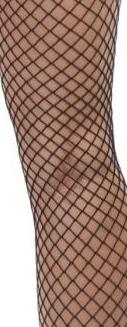
Unfortunately, it doesn’t work: in a sock, both stylized and real, the crossing of the lines form diamonds. That is, they are two lines that intersect, not three. In this example the lines are more separated and this characteristic can be noticed:
And now I see that even my solution, indicated above, is still not ideal. The lines follow the curvature of the leg, and to depict this, circles are not suitable…
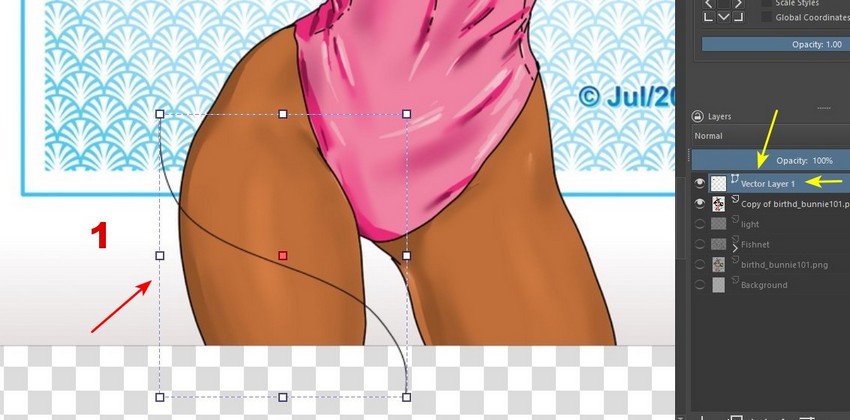
I was experimenting here with a drawing of mine from July and I took some screenshots. It seems that instead of making a circle, it is better to create a curve, in a vector layer (1):
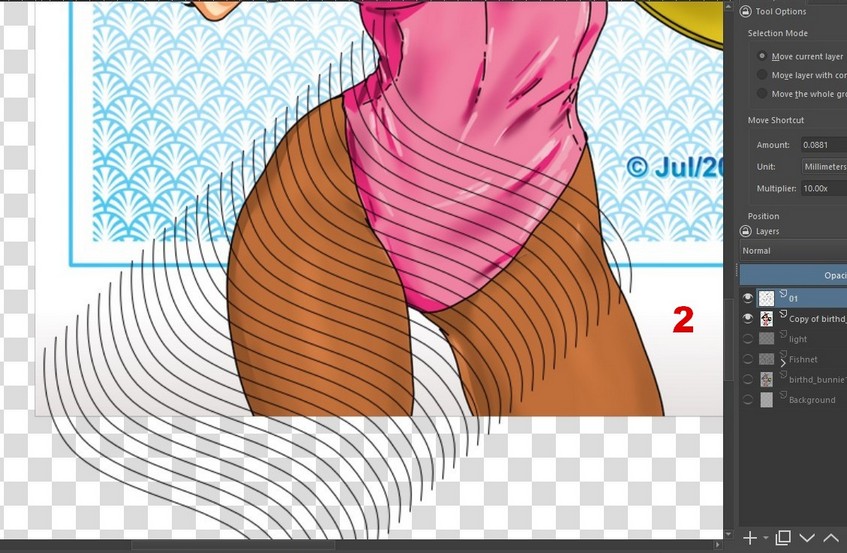
Then I converted the vector layer to paint layer. I duplicated the layer and shifted it using the keyboard (as I explained in this post), thus (2):
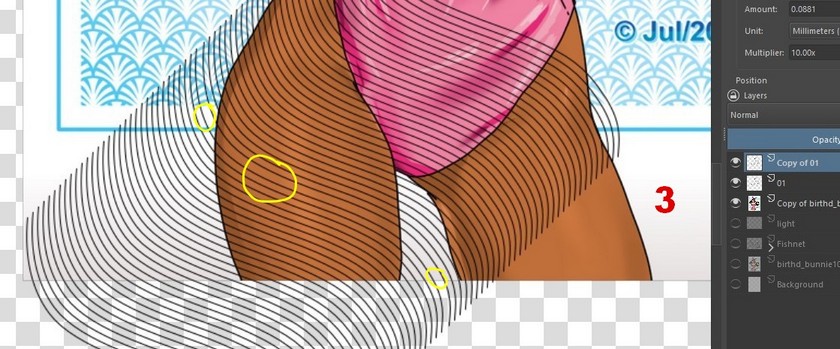
I duplicated this layer and dragged it to the location (3). Note, however, that the space was not correct (in the areas marked in yellow), I corrected that later.
With the lines corrected, I duplicated the layer. I applied a Horizontal Mirror to this copy layer and shifted it…until it looks more or less good (4):

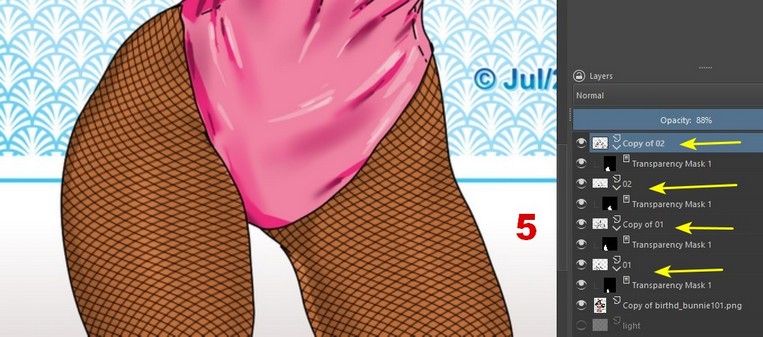
I completed by applying transparency masks (5). The result pleased me more than using circles. Of course, it doesn’t come off 100% realistic… but, in the eyes of a layman, it’s reasonably convincing.
I hadn’t seen the video yet, I went to see it now. My opinion is as follows: First, the author used a very closed texture… and with this transformation he is applying, I think it will be more distorted, no?
He went to great lengths to adjust the texture to the leg. Does this program not have a transparency mask like Krita? If it has, it would be enough for him to let the texture go beyond the limits of the leg and apply a mask…
