I searched for a solution but found nothing. And in the settings there is not even a hint of similar functions.I would really like to use Krita, but my muscle memory is holding me back. Is there really no way to fix this?
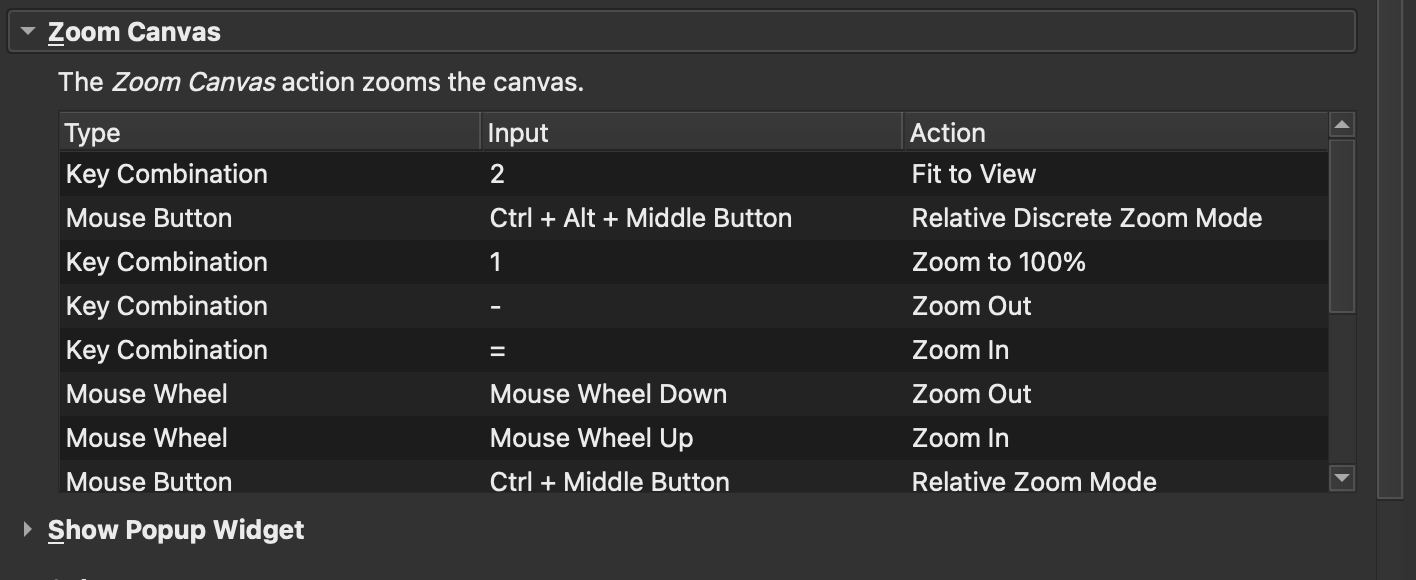
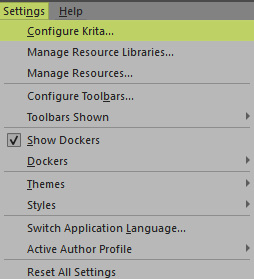
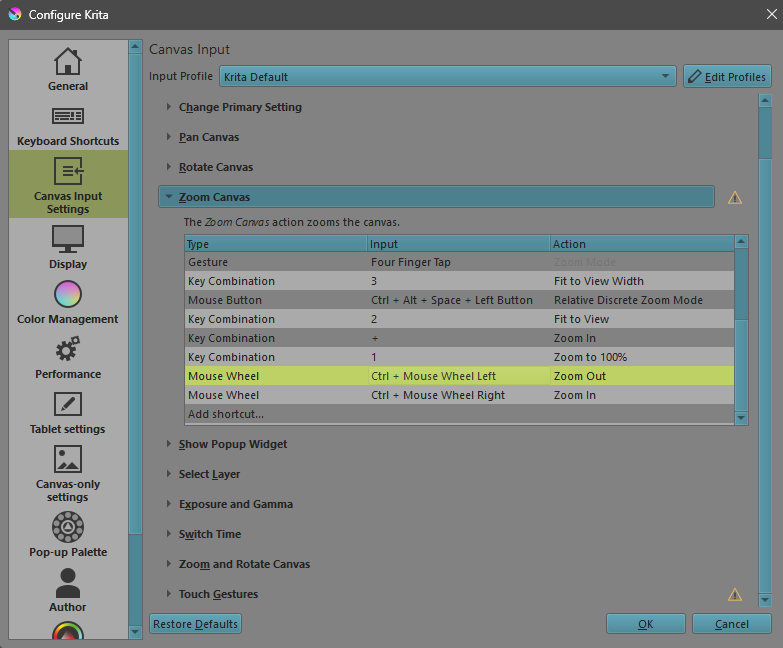
Muscle memory can be a tricky one indeed. Although once I got used to it, just using the mouse wheel actually works much better for me (but as usual YMMV). This will of course not work if you have to go back and forth between Krita and Photoshop. Maybe look at the canvas input settings and see if you can get it to work there:
I’ve been drawing on a cintiq 13 tablet for 9 years now. And I’m used to moving the stylus left and right when zooming. I found very old post on reddit where people changed this parameter. There you had to change the kritarc file. But since the program has changed in 7 years, this no longer works. Is it possible to change something in the new version of kritarc? Or for the developers to add this functionality? I’m sure many people were grateful for this. And the transition between Photoshop and kritarc became easier.
Even if I understand the desire not to have to rethink and retrain, I know from my own experience that people can do this very well and quickly, because for years I had to switch and rethink every day between my private car and various company cars and vans. BMW and Mercedes in particular have some controls and switches arranged/assigned differently. And if you don’t have a chance, as with such design decisions, then it suddenly works quite quickly to change over. You just have to be able to free yourself in your mind! Think about what you gain, maybe it will help you.
And, if you want to use Krita mainly for painting and drawing, then you probably won’t want to go back to PS because of the brush engines.
But one thing is clear, each provider, Krita, Adobe, Celsys & Co. have features that are unique and that you miss in the others. That’s life.
You can zoom, rotate and pan the canvas with the mmb on your pen by also pressing ctrl or shift in addition. Then put the stylus on your tablet and move it. I do this all the time and lets me navigate the canvas fast and smooth in my opinion.
Haha, if you look at a regular mouse, its wheel only rotates up and down. That is, you do not have a standard mouse model that allows you to rotate up and down! But I have a regular mouse and I can’t enter left and right! That’s why I was so surprised.
I do exactly as you say. But the problem is that when I pull down the canvas moves away, and when I pull up it moves closer. But I need it to be the other way around!
It is not rotating left and right, but you can push the mouse wheel of some mice to the left and right to perform left and right scrolling/movement, it is very convenient. For instance, the widely spread Logitech 502 belongs to the mice offering this feature.
Most bog standard mice that cost more than ten bucks can use the mouse wheel to press left and right (often mapped to horizontal scroll, I often press them by accident and prefer mice with extra buttons on the side) nowadays. But they don’t rotate sideways they just tilt a little like a switch. However that won’t help you on a stylus/pen.
What keeps you from simply keep using photoshop? Because you will find many more things where Krita is a lot different. Have you considered Photopea? Heard it’s a good free PS clone.
You are not the first asking for it, but from what I remember this is a hardcoded feature and couldn’t be changed simply. If one is able to access this via a script or plugin is unknown to me, but maybe our scripting wizard @AkiR has an idea on this? If @AkiR can’t do it, then it will need a deep dive into Krita’s code, and I’m sure the dev’s won’t change that, you have to do it by yourself.