Great, time to try 
1 Like
Update:
- Reference Mode Performance
- Packers are now context sensitive
- slight touches for UX
Well did a review and it should perform faster over all I changed the render method quite a bit for the images and slimmed down the Qthread for the packing. it should be far better now. if it hangs up while packing tell me how you did it please.
But please do remember packing is a costly activity time wise because it does not do linear bad packing but tries to make as efficient packing as possible from the get go without trying all combinations. The less images you give it to pack the faster it performs. On my 11 year old pc if you select 200 images you should have a solution in 1m:29s. Hope it goes faster on better specs because it should I think.
Context sensitivity is the packing going around the images that were not selected to be packed so you have solution that match the background. if it hangs it is because of this. if too many issues arise from this I will re think this.
2 Likes
Does it support pasting images into the board?
@karemuvar
yes it does support drag and drop on reference mode.
you can also add pins by using the context menu on the other modes.
1 Like
Thanks. How do I remove individual images from the board?
As far as copy paste or drag and drop into the board goes, it does not work for me. I am only able to point it to a folder to load images. Any other way to add image does not work for me including dragging images from the file explorer and dropping into its window.
I am on Windows 11
Thanks but I do not think those work for me.
I get a white triangle when I am dropping an image but image is not put in there after that. I am not sure maybe it is a bug.
I do not have a delete item in the right click menu. I am not able to get a righ click menu anywhere else except an image, and that is the one in the pic.
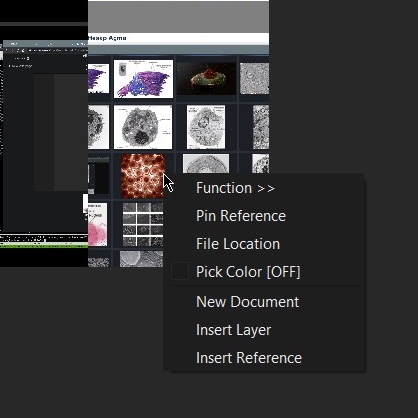
your in Grid mode, change it to Reference mode.
1 Like
Thank you!
By the way :
- when in preview or grid mode drag and drop is to trigger the function option. It does nothing by default so people don’t mess it up like you did. It is no bug but design. You can drop things in but you need to select the function for it and the arguments you want to use. The drag and drop for imagine is like one of it’s stronger points it has.
- delete option does not exist on right click because if I create that files will be instantly deleted into the ether as they will NOT be sent into the trash. Also I don’t trust users to use it well with that much power and also people will blame me for loss of data. If you want to delete I would recommend picking location and the use your operating system to do the work. If I discover how to send stuff to trash on all operating systems I could do it.
2 Likes
Currently exploring this plugin. Where do you keep the settings? How do you reset back to factory setting? Right now I get a lot of errors. It was working fine earlier but changing a few things messed it up.
You have to go to the kritarc file and clean all the imagine board variables there.
And why do you need to do that what are these errors?
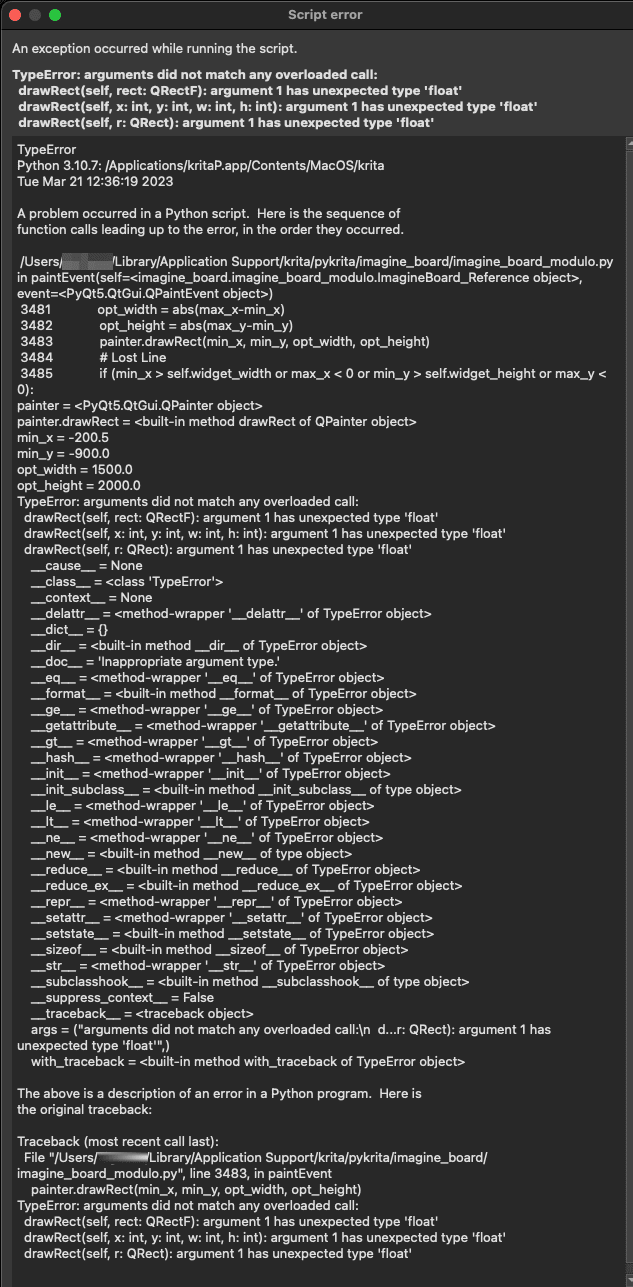
@TheScroll Updated. check if error persists.
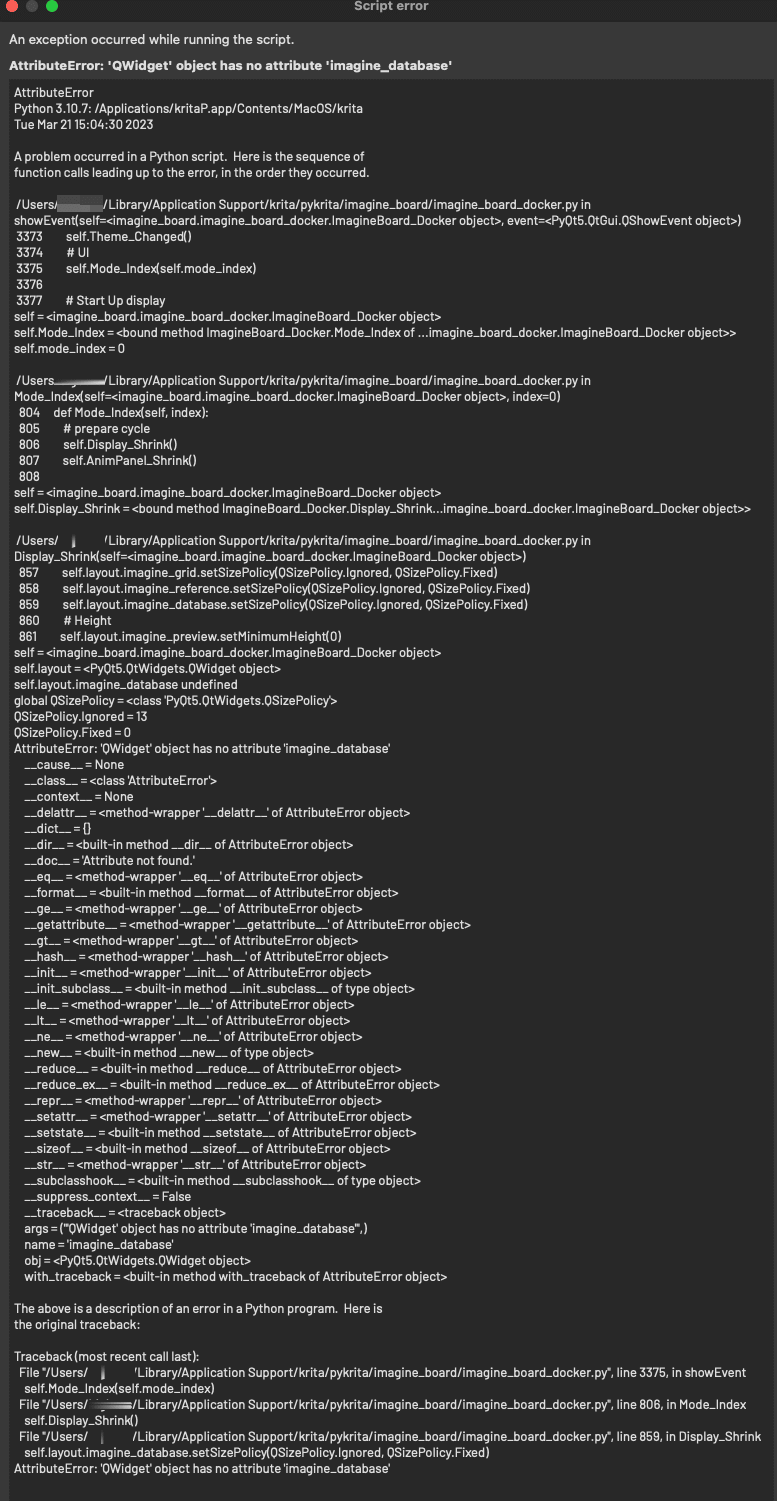
Those are left overs from development don’t worry about that. Try again and see.
1 Like
The latest code update is working. Much smoother without any error box. I rarely use the Reference mode so the minor error that appear randomly isn’t a big deal.
I know a lot of people use this plugin for photos so text isn’t a big problem. But I tend to find multiple usages for things so this is just a suggestion on ways the plugin can be improved.
In Preview mode, it can be helpful to zoom in and out without having to enter Reference mode. This is great for following a tutorial or if you have a photo of texts that you’re reading and following along, and need to zoom in to the text part to read what it’s saying. And speaking of text, currently as of this writing, the plugin doesn’t smooth out the text to make it readable. Smooth scale helps a bit but things can still be unreadable. In other software the anti-aliasing (is that what it’s called?) makes the text readable when zoom in/out. Obviously this isn’t a big problem for those using the plugin for photo references to help them draw or paint, but for text based photos and those following tutorials, this is something to take into consideration: both the zooming and anti-aliasing of texts.
EDIT: Just to clarify, I believe the Smooth scale only affects the Grid mode. In Preview mode, even photos aren’t affected by it.
Do appreciate the enthusiasm but do check the manual for the controls for zoom.
Preview mode is smooth scaling only, it is grid mode that is fast scaling for performance but you can still activate smooth for it if you don’t mind it loading up the thumbnails for a moment.
So both suggestions are made.
As for the text images you should be able to read comics even in grid mode. Imagine Board shows the best resolution for the space it was given. Few are the cases where the resolution is sub optimal and this only applies to Grid. Preview is always best display.
As for popularity. I have no idea but I would guess not many people use it.
1 Like
Update:
- Important Bug fixes
- Quality of life
- Wiki update
So I noticed a couple of big bugs nothing critical but would break basic experience. Made due to me overlooking my release cycle. So I had to go back and fix my mistakes. in the mean while I reviewed a couple of boring things and kinda made things more clean and stuff.
The most noticeable changes are:
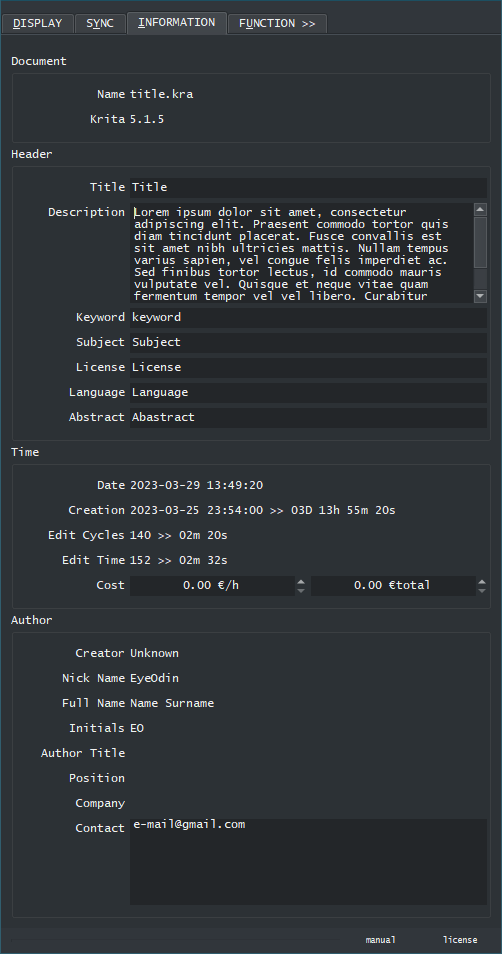
- Information tab - This tab was reviewed to be better organized. But the main thing was to have a small identifier now that exposes in which krita version was the document saved in. This identifier however is not compatible with documents that are too old as that tag is rather new. My idea with this here is to make in the future old files expose their version so if something happens you can revert krita back to the exact version you need.
-
Export tab - this was working but not really useful to, so it was really stale and opted out constantly so I just deleted it in favor of simplicity. My original idea was to merge this into the function tab buuuuut the idea only really worked in paper but I might still be tempted to do it in the future.
-
Function tab - Now this tab had a lot of back and forths and kinda came back to what it was essentially. Without boring with the behind the scenes problems what happens here different is that there is a Source Path and a Destination Path that can be used for the operations. If no destination path is selected for save operations the display folder path is used just as before. Also some minor tweaks to the searches that hopefully goes faster. And I made a really curious set up now that allows for quicker debugging of threads possible.
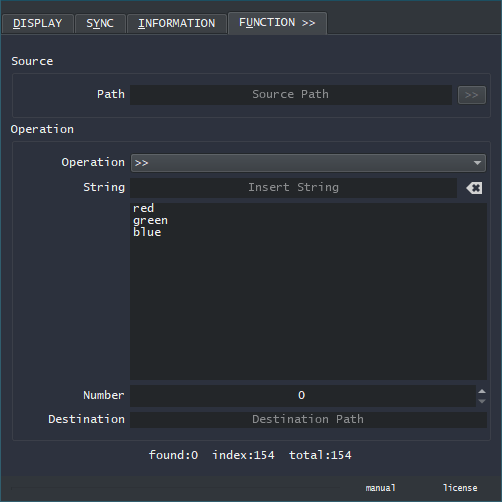
- Drag and Drop (Preview and Grid) - when dropping from a web browser to save a file with Function>> now saves with less confusion by creating its own temporary folder to operate on. However if you wish to drop from a web browser into Reference mode this will not work and throw a error message because you should not do that. Imagine board is a bridge between Krita and your computer it is not a place to park your car. the only way to do that would be to give Imagine Board a folder in your computer to save files in the long term.
3 Likes