Hello,
Recently I figured out how to use .gih files from GIMP. However, it seems the implementation for .gih files for animated hose brushes is bugged.
When a .gih file is created in Krita with Dimensions and Ranks, and saved, the file despite showing up in the resource folder for brushes in Krita, does not show up in the browser despite being imported and it appearing in the krita resources folder’s brushes folder. To check, I found that other animated brushes WITHOUT ranks and dimensions to work just fine and also appeared in the browser and the resource folder.
Alternatively, when a .gih file is exported from GIMP itself, it is able to upload just fine and it not only appears in the resource folder but also the brush tip browser in the Brush tip creation settings. However, when utilizing the brush tip, it only utilizes the “constant” setting despite uploading from GIMP as seen while looking at the .gih file in Notepad. (see below image)

Figure 1: .gih file being edited in Notepad, showing the various settings saved. This particular instance is the GIMP export. Without a GIMP export, being saved in Krita, does not show placement:constant in the string and also does not show up in the browser despite being in the resources folder
Note in the figure above that the .gih file has the rank and dimension settings, along with the appropriate selection variables. For mine I chose pressure with 4 ranks, then random with 2 ranks, and finally incremental with 2 ranks again.
Animated brushes without ranks and dimensions worked just fine. However, it was obviously limited to only the Stamp selections of incremental, random, etc etc.
I tried editing the file by deleting the entire string for placement:constant in Notepad, and the .gih file did show up in both the resource folder for brushes and the brush tip browser, but Krita immediately crashed upon using the brush. Restoring the string for this fixed it but left me with the selection mode from the Stamp leaving only the first cell of the animated brush instead of the full 16 being painted when being used. While I haven’t tried switching out the placement:constant string for other selection modes like random or incremental, I assume it will just ignore my dimensions and rank settings just like constant does.
While one is able to save .gih brushes in Krita while inputting dimensions and ranks, inputting the ranks and dimensions correctly crashes the system and seems to only work with stamps. And using the stamp method of uploading .gih files, you can’t select dimensions and ranks only having one selection mode.
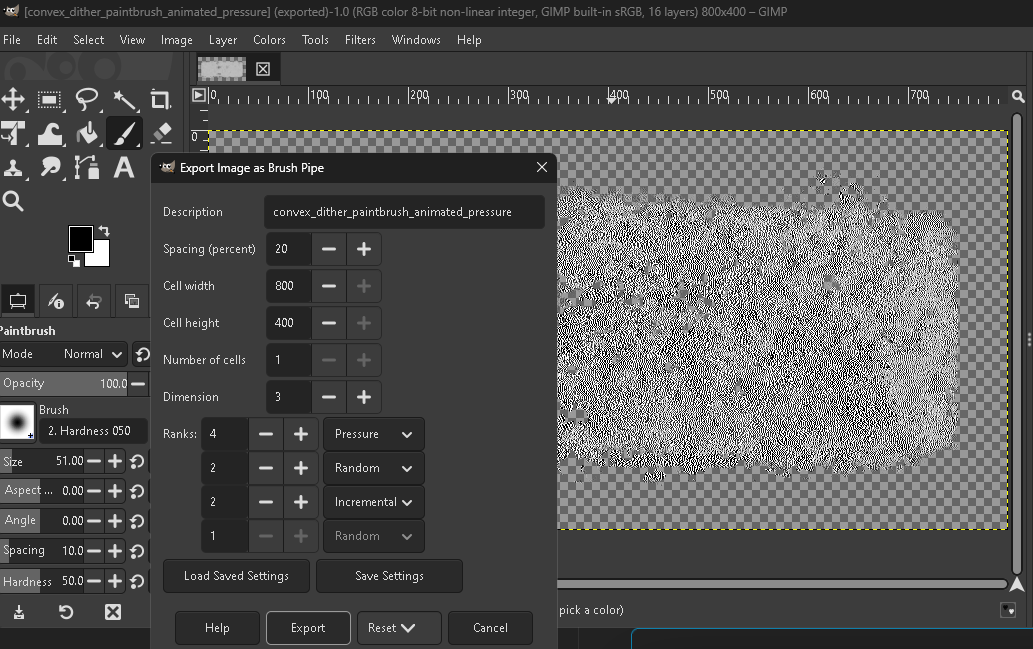
Figure 2: uploading via GIMP lets Krita import smoothly but leaves selection mode to constant for some reason when in the import folder.
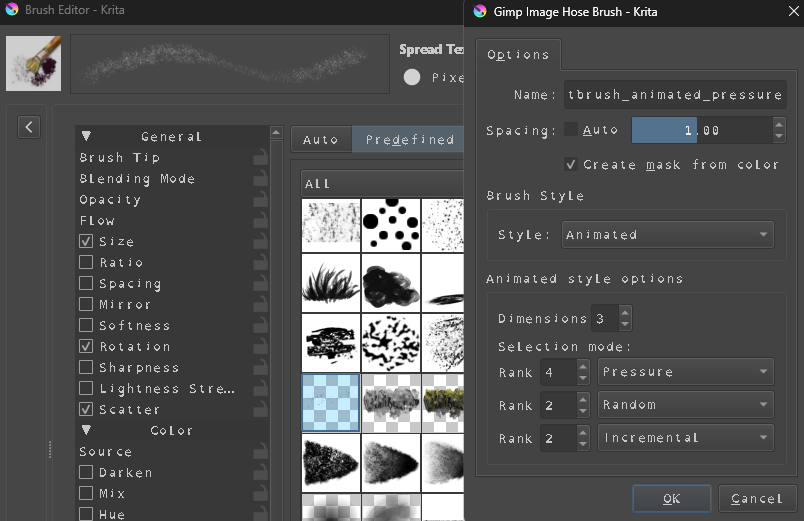
Figure 3: Krita allows you to save with Dimensions and Ranks but importing it into the Krita brush tip browser does not yield any results
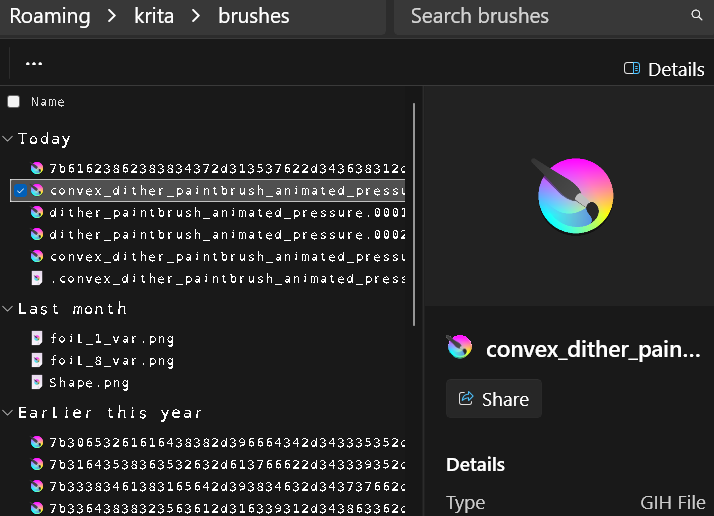
Figure 4: Despite the animated brush file with ranks and dimensions appearing in the resources folder, it does not appear in the browser. File in question is the gih file starting with “convex”. Other .gih files WITHOUT rank and dimensions are not only visible in resource folder but visible in Krita as well.
Any help would be appreciated!!