Here’re some questions for you, I’m putting it in front of the thread in case you will skip some content and miss them.
Do you think the support for v1 and v2 abr bundles is still required? Most bundles are v6 these days, and some are higher, like v10, and I’m only implementing advanced importing feature for v6 bundles. Keeping the two different logic is kinda complex. I also have difficulty with modifying code for v6 while keep v1 and v2 code not to break. There’re also tools to convert bundles into v6 one. But obviously, removing them will introduce some inconvenient.
So recently, I dived into .abr format and try to do the rest of importing. Previously, Krita’s only able to import brush tips. It’s extremely inconvenient to manually set every single parameter, but now, the program can do it for you.
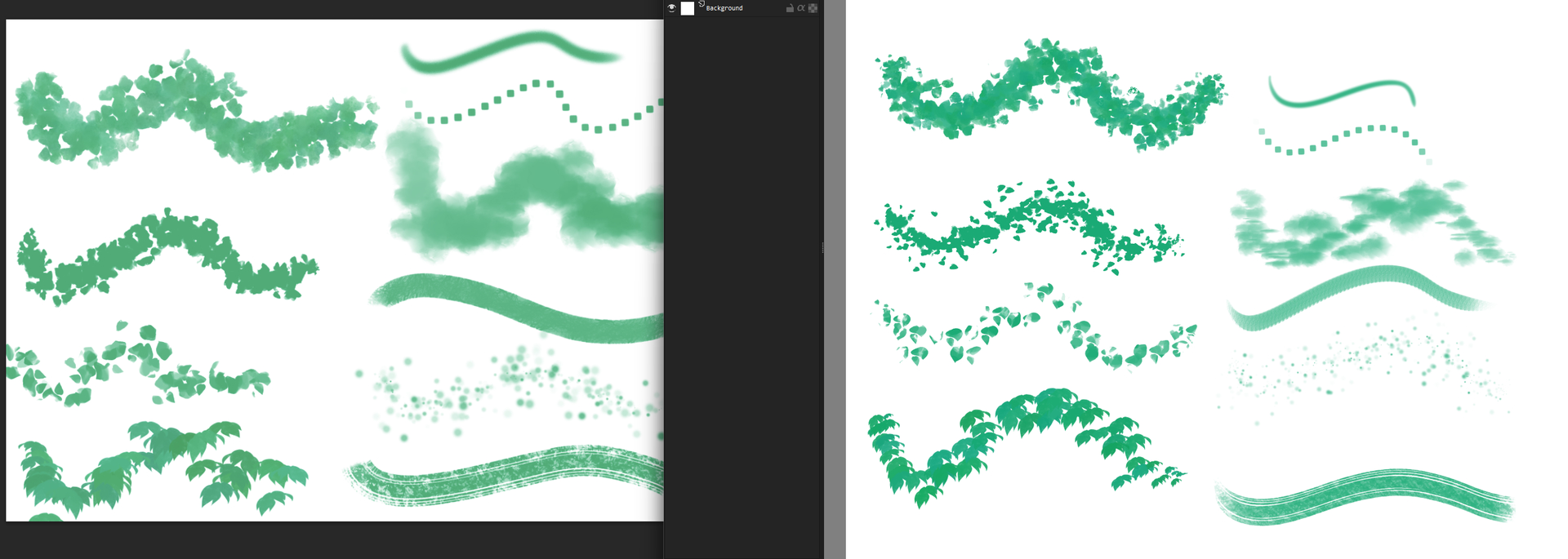
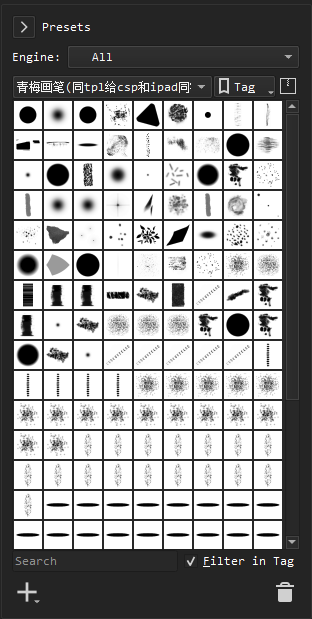
Here’s latest result achieved (I’ll update this image (irregularly)).
Here’re some reason why they look not very similar.
Krita don’t support adjusting aspect ratio of the brush tip. (Although it can be achieved by setting a constant curve in ratio options, but that won’t affect the cursor decoration.)
Krita don’t have minimum diameter/ratio. This is a major cause of the different appearance of cloudy brushes like the third one in column two in the screenshot.
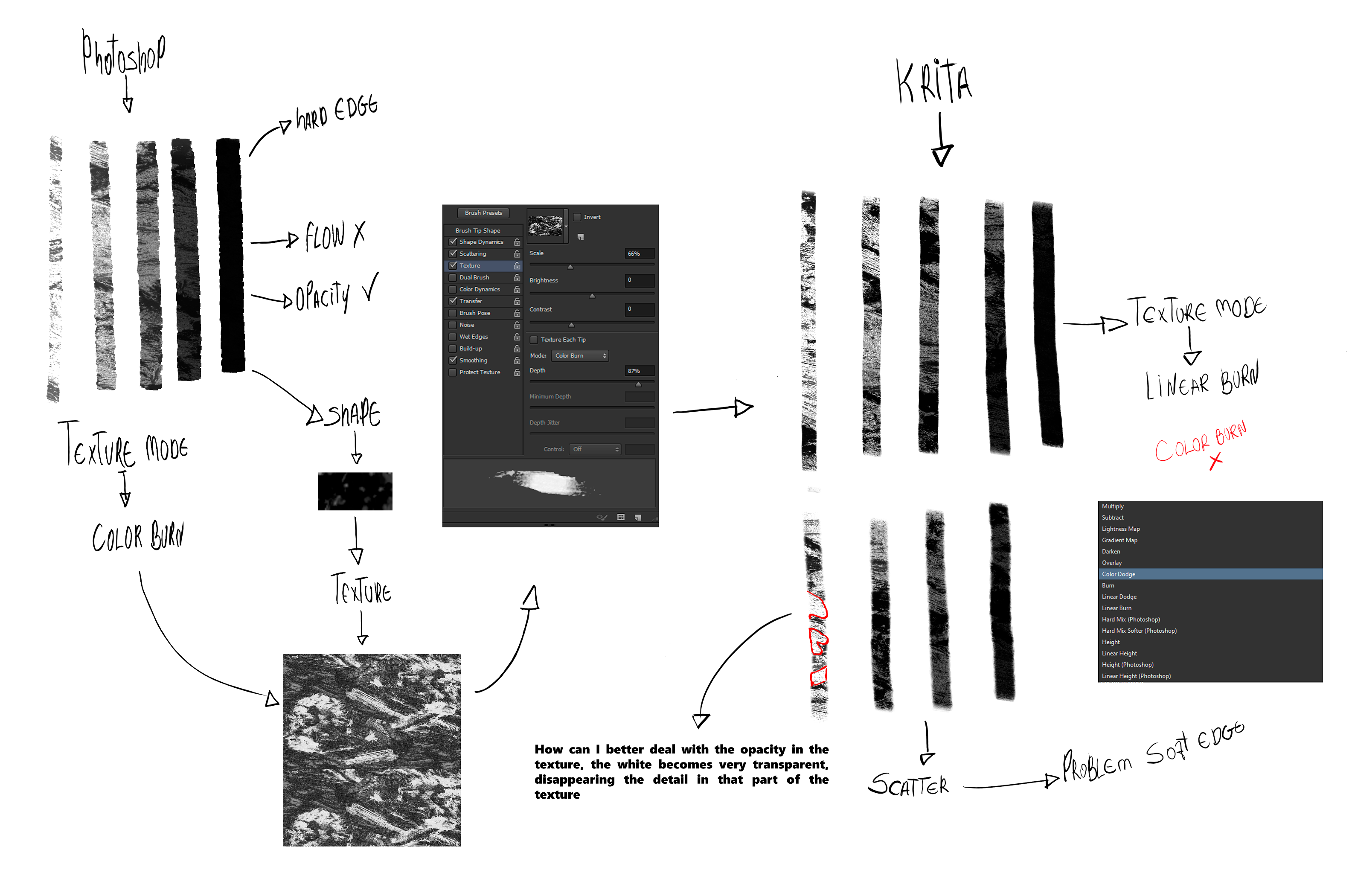
Depth in photoshop is the strength of texture, but that’s not strength in Krita. So the depth value is discarded.
Scatter strength seems to be stronger in Krita.
Finally, Krita and Photoshop are distinct software, and it’s impossible to make the same brush looks exactly identical in them.
Some limitations(will update):
Only supports normal painting brush. Smudge brushes will be added in the future, but not sure if mixer brush is possible.
Only supports v6 abr bundles. For v1 and v2, still, can only import brush tips. But don’t worry, since most abr bundles that you can get are v6 (or higher).
v10 abr bundles are theoretically unsupported, but I tried to cheat Krita that the abr bundle I put in resource directory is v6, by setting the second bit of bundle to 06, instead of 0A, it surprisingly works. It’s a bundle of 242 MB, with 464 brush tips, 73 patterns, 848 presets parsed from it. Not sure if all resources are correctly parsed but at lease it didn’t crash or freeze
Cannot reset the brush preset from abr bundle.
Many many other bugs that might not haven’t ben discovered yet.
You can try to convert them beforehand using abrMate, this is how I made the new ABRs usable for me:
If you go for the setup or the portable version found in this shared folder is up to you, but they are identical in function. It is not impossible that they use the same trick to convert the bundles, but since they differ in size, I think they do more with them than exchanging this bit you named.
First of all thank so much, for this epic and awesome Feature that you has been work, its amazing.
I have some questions but most of them you have implemented and mentioned in the list.
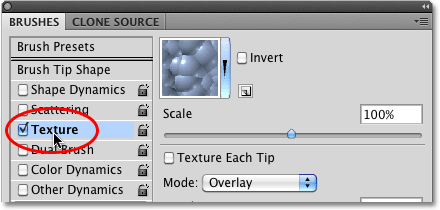
But i was thinking is this is related to the texture each tip? It has been discussed as a missing part of the Krita brush engine as a feature.
Not sure if this related to Texture each tip, in the list, i mentioned because i have a curiosity of which are the parameters of having a better way to import ABR brushes.
I believe there is other missing features since Krita coding its different. But it was one of my doubts related to that , i am not sure if this would be an important component for the importing abr brushes.
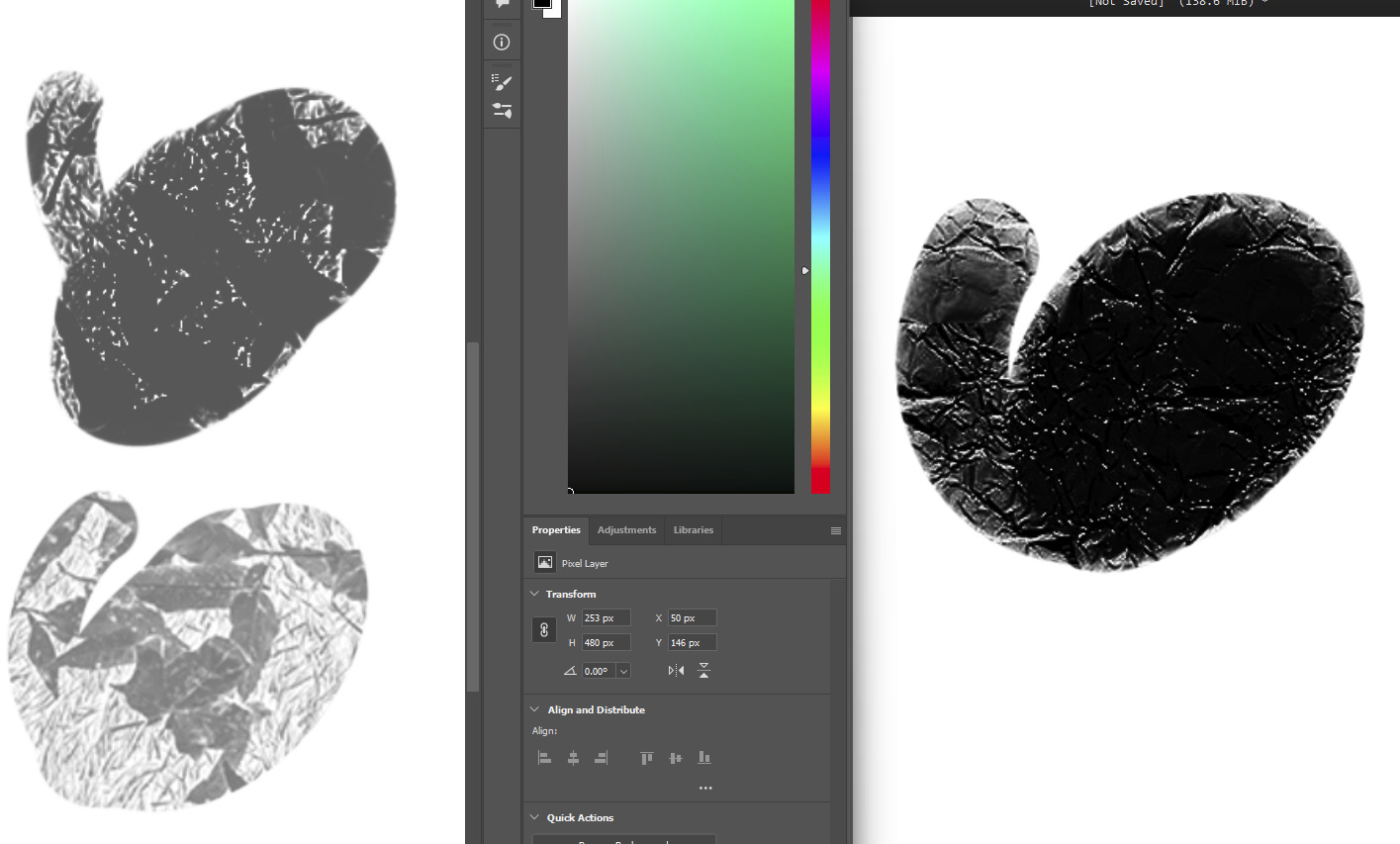
It looks like the texturing method in krita is the same as photoshop with texture each tip enabled. The texture is getting darker and darker when I draw repeatedly at one place.
Left top with texture each tip, left bottom without that. Not quite obvious though. The texture is not the same one.
It doesn’t related to the depth of texture I guess. Maybe I need to implement it for krita in the future. Also the texture each tip toggle, if possible.
I also did some tests trying to recreate the Tonko House brushes, but I just couldn’t solve the texture problem and get the edges to be hard, so I gave up.
Hi, now you will be able to try out your .abr brushes in your regular version of krita!
The latest build will export the bundle on startup, and you’ll be able to get the converted .bundle in krita resource folder. It will have the same name with your .abr.
Also you don’t need to backup the cache database because the develop build is using another database and it won’t override your original database. Don’t forget to remove the .abr file before you start your regular version of krita.
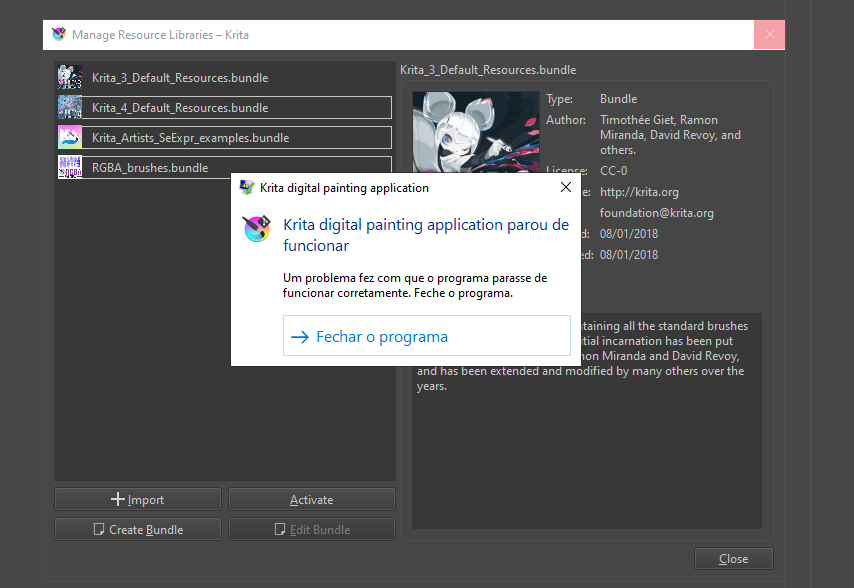
I’m trying to use it, but it keeps crashing when I try to import. I’m trying to use the same brush that worked in the previous version, and it’s crashing.