There might be some features that are in development that you might want to test. Now that we have this amazing system with CI pipelines that create a proper Krita build for Windows and Linux for every Merge Request, you can easily test a feature without building Krita yourself, even if that feature isn’t finished yet.
It’s not very obvious how to get from a Merge Request to a downloadable file though, hence this topic.
Note that the builds only last for a week (or two?..), so if a Merge Request wasn’t worked on for some time, or you want to test an older commit, in which case you need to ask a developer to rerun the pipeline for you (it doesn’t have to be the same developer, just someone with the rights to rerun it).
-
Find the Merge Request you’re interested in on the list: Merge requests · Graphics / Krita · GitLab and click on it (or get the link from Feature Requests category etc.).
-
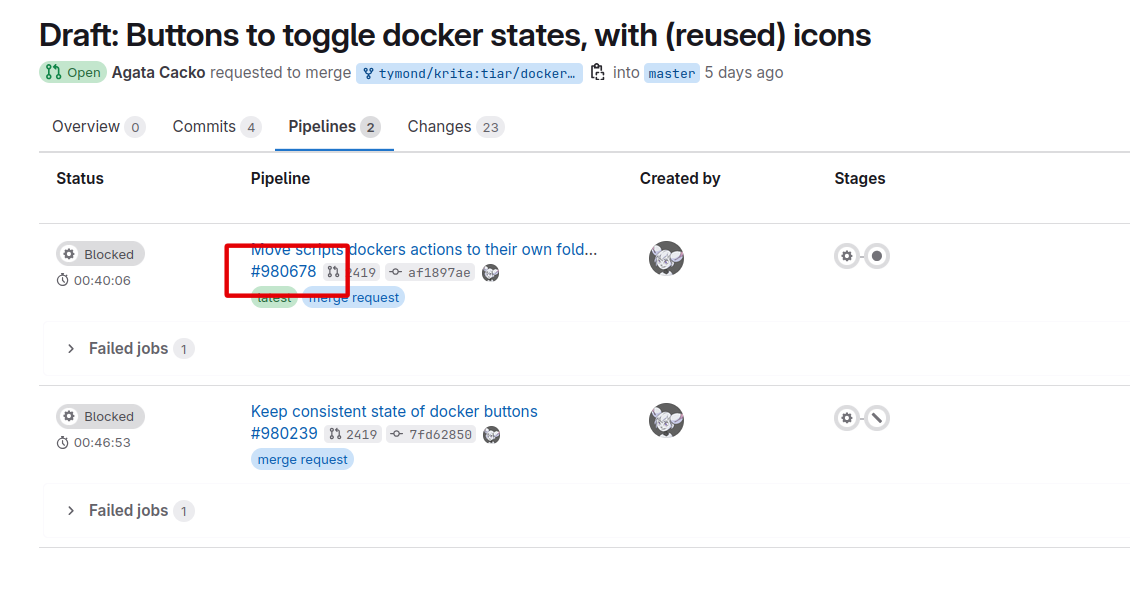
Click Pipelines:
-
Click on the latest pipeline → find a number that starts from # and click on it (it should be just underneath the Merge Request title, next to a MR number and a commit hash; none of the other numbers start with #, thankfully)
-
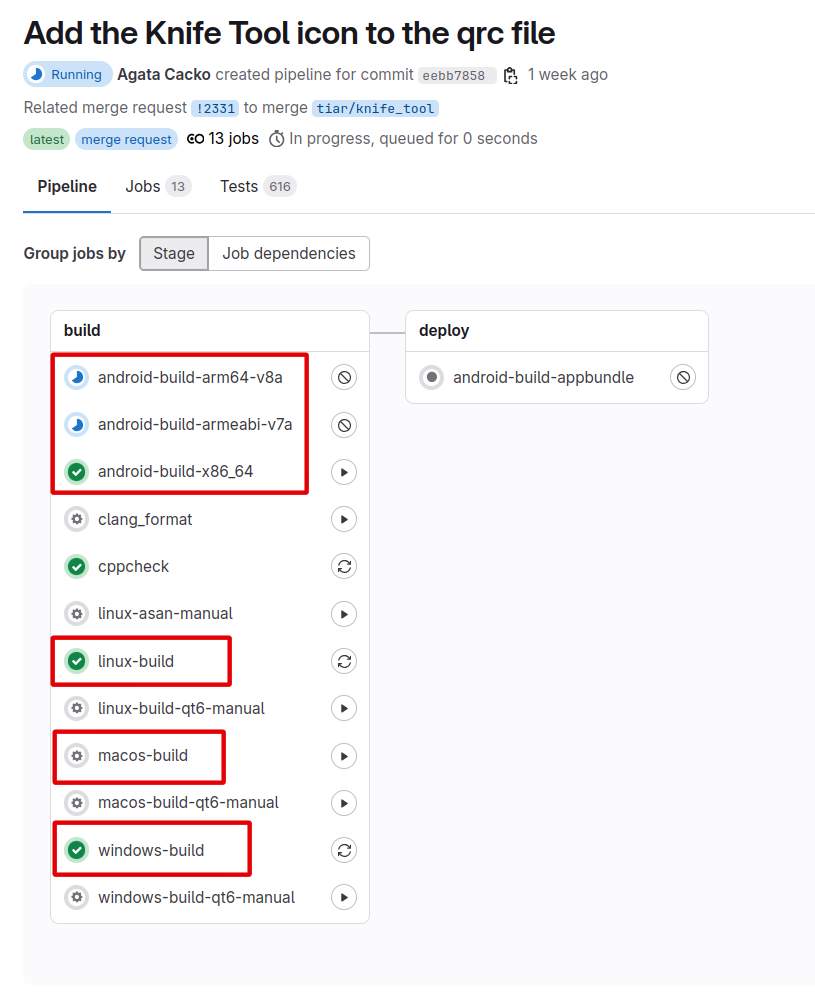
Click
windows-buildorlinux-buildor ormacos-buildany of theandroid-builds (try to match your architecture). If your choice is blue or yellow, wait until it becomes a different color; if it’s red, complain to the person giving you the link; if it’s green, go ahead.
-
On the right, you’ll see section called “Job Artifacts”, click “Browse”
-
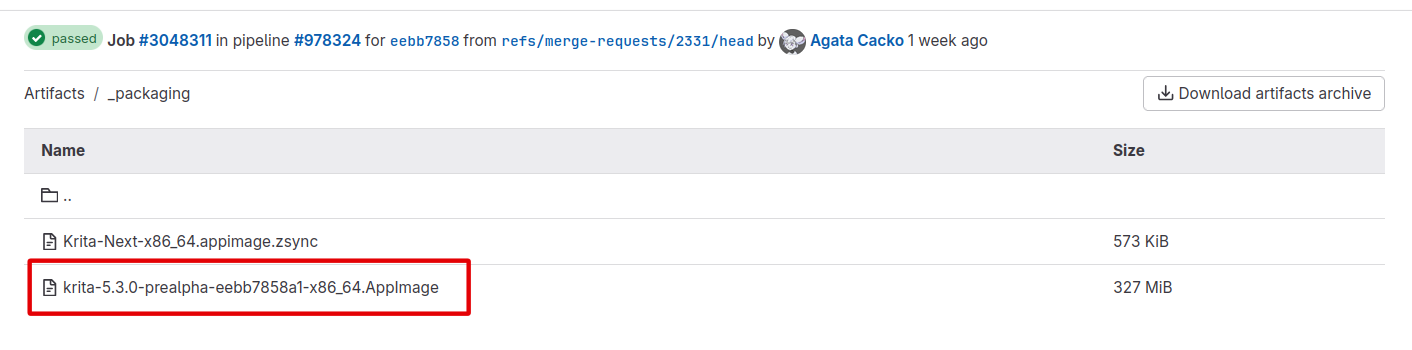
On Linux, first click the
_packagingfolder:
And then the .AppImage file:
Then give it execution rights and run it. -
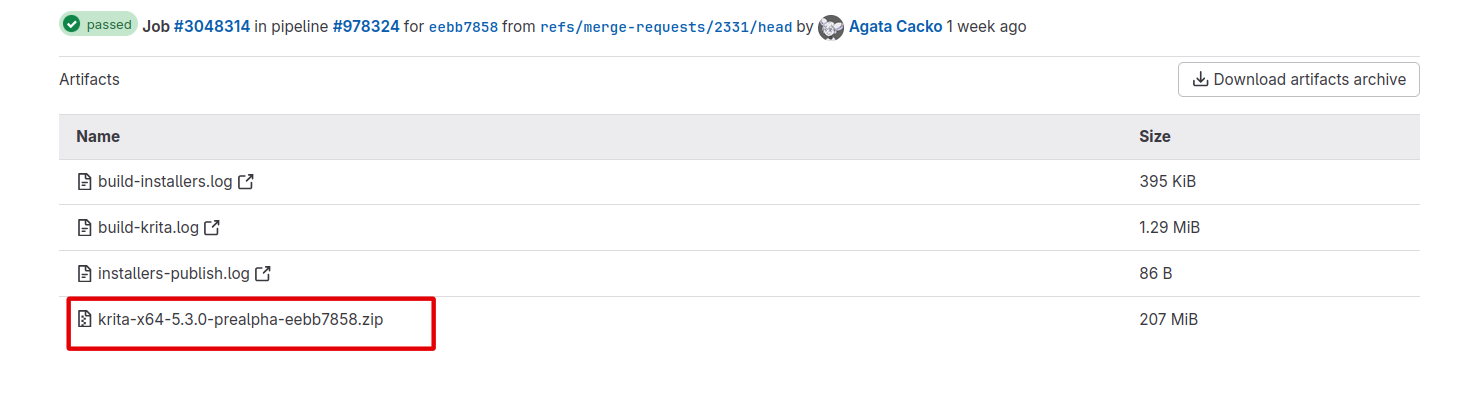
On Windows:
Then unpack the .zip file and run thekrita.exefile. -
On MacOS:
-
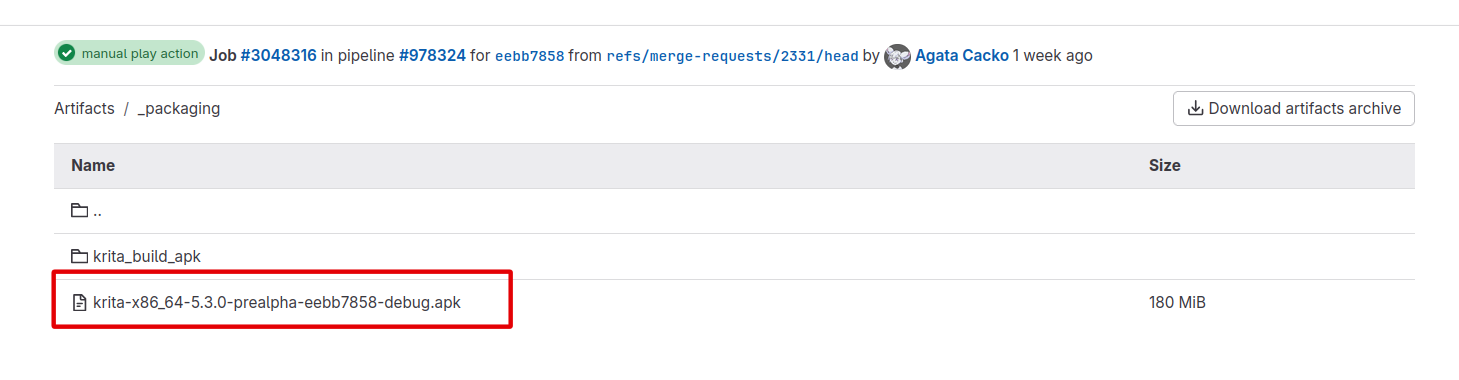
On Android:
Then install the .apk file.




If you are curious to try it but don’t know what to test, you can try my current MR for the comic panels: Draft: Add Knife Tool prototype to Krita (!2331) · Merge requests · Graphics / Krita · GitLab