Similar to an older feature request by @eishiya ,
but strictly focused on the ability to open the layer styles tab quickly.
What if right clicking on the glowing “Fx” icon (found on any Fx layer) directly opened the “Layer Styles” tab to the currently active style?
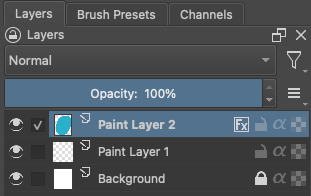
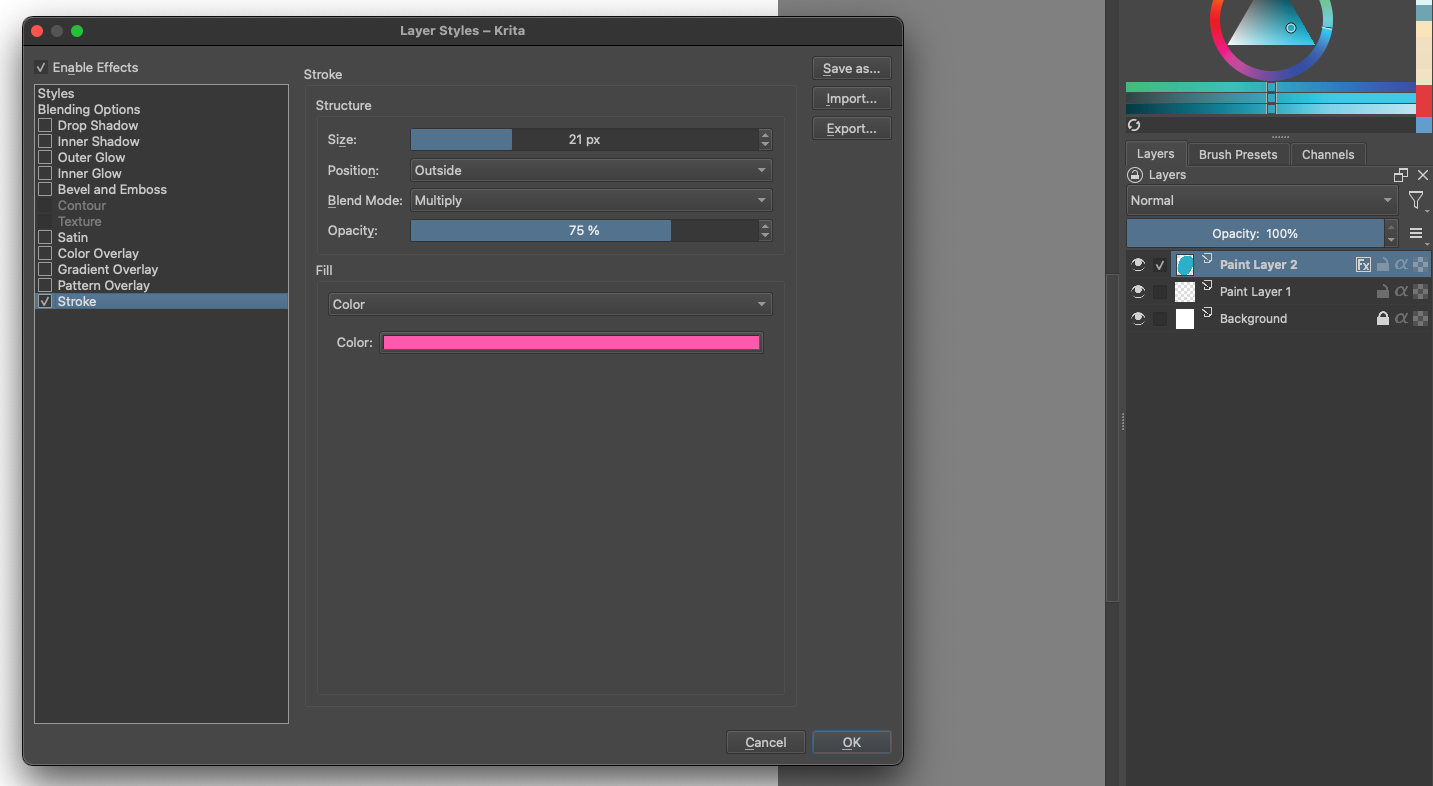
This could be really helpful when the Fx settings have not been finalized and still need further adjusting because it would allow for significantly faster and easier changes. As an indecisive artist, I often change Fx settings A LOT while trying to find the combination I want so this feature would save me (and potentially other artists) a lot of time.
Now, it’s worth noting that @wolthera had mentioned a potential solution to this.
But I feel like their solution might be unnecessarily complicated if not just inconvenient. (At least to me), a single right click seems a lot easier to do than a ctrl+click, especially considering this action might be repeated dozens of times for different layers.
To change Fx settings on a layer, it’s currently like this:
(Right Click Desired Layer) > (Click “Layer Style”) > (Click Desired Style) > (Start Editing)
But it could be like this:
(Right Click “Fx” on Desired Layer) > (Start Editing)
This might not seem like much of a time saver, but when you consider how many clicks you need to use on a more complicated edit (such as the one below), it begins to make more sense.
To change the hex code of a stroke layer style, it’s currently like this:
(Right Click Desired Layer) > (Click “Layer Style”) > (Click Desired Style) > (Click Color) > (Double Click Hexcode) > (Paste New Hexcode) > (Click OK) > (Click OK)
But it could be like this:
(Right Click “Fx” on Desired Layer) > (Click Color) > (Double Click Hexcode) > (Paste New Hexcode) > (Click OK) > (Click OK)
And when you are making equally complicated edits on numerous layers (that all have different layer styles), the time saved can really start to add up.