Improvements to PSD compatibility (clipping mask) in Krita

This thread is a continuation of Add ability to save clipping masks in PSD files and make it cross compatible as much as possible, which meandered quite a bit and contained a lot of digressions. In this thread, I would like to ask any participant to stay on the topic.

Topic:

improving the PSD import/export functionality in Krita, so that it can detect clipping masks and import and export PSD files so that the end result whether opening in Krita or Photoshop (or potentially other programs) the inherit alpha or clipping mask is applied correctly.

Rules for the discussion:

  1. Do NOT talk about improving inherit alpha system in Krita. Assume the system works the exact same way it works right now. (Only when we establish and agree that there is no way we can make it work without changing the system - which we didn’t yet - maybe then we could talk about it, but I am making another topic for inherit alpha anyway.)

  2. Do not digress or go on tangent. Pondering over how professional Krita is if it can’t support clipping masks is a tangent, please don’t do this - we already know the reasons for bigger compatibility, if it isn’t implemented, it’s not because we don’t understand. Discussing how Krita shouldn’t need to read PSD files is also a tangent. Discussing how ORA should be the industry standard is also considered a tangent in this thread. (It all might be a very good topic for Lounge if you want, but this is a Feature Requests subforum, so please stay on topic).

Current issues to discuss/wonder about:

  1. Whether it’s possible to read from PSD file which layer is clipped and to what etc. From my reading of Krita’s code, it seemed like it might be actually easy; but I was told that the PSD file format is very tricky and the obvious answer might not be true. Maybe it just needs testing, though.

  2. Algorithm how to convert from purely clipping masks structure to inherit alpha structure; and then algorithm how to convert from inherit alpha to clipping masks. There are two possibilities:

    a) Everything happens automatically, which means the algorithm needs to cover all possibilities and be always correct.

    b) The PSD must be in a correct special structure to be converted to inherit alpha structure; and then, when you export to PSD, the layer stack must also be in a compatible layer structure to be converted into clipping mask structure. This one might be easier, but more tedious for the user, so it’s better to first try to figure out (a).

With 1., it probably needs a developer’s input. The 2. topic might be something that artist can hep with, especially if they are already familiar with visual programming. But even if not, it should be doable.

It could be written in English; like a list of steps to go through. For example: step X, check if the layer has an older (higher) sibling (layer on the same level, in the same group); if yes, go to step Y, if not, go to step Z. Or, step A, do this, step B, do something more. Or it could look like this graph: https://www.deviantart.com/tiarevlyn/art/Krita-onion-skin-issues-chart-788623742 (something I’ve made to quickly answer users on reddit, this was a very common issues back in a day; maybe now there are more tutorials).
Thank you for this!

I’ll just copy/paste my proposal from the previous thread, when I was operating under the assumption that implementation of layer clipping mask functionality into Krita is unfeasible:

" I’m pretty sure an additional inherit alpha mode isn’t necessary at all, provided that:

  1. Krita is able to recognize and interchange clipping mask and inherit alpha enabled layers when importing/exporting PSD
  2. Automated creation of groups around these clipping mask enabled layers, and the layer they are clipped to, is possible when importing PSD

These are big assumptions though, so IDK if this is actually possible.

But essentially, compatible export is already possible if the user uses the proper folder structures, and #1 is possible. Import would be made compatible by automatically grouping layers with clipping mask enabled, with the layer they are clipped to, and converting them to inherit alpha layers. I think this would allow for functional clipping relationships when interchanging files, but I could be missing something since I haven’t tested.

If automated grouping isn’t possible, enabling inherit alpha for the clipping mask enabled layers when importing would be 3/4 of the battle at least, since the user can more easily see points of breakage and manually fix them when importing (as it is now, you have to know each and every layer meant to have layer clipping enabled in advance). So, if #2 is impossible but #1 is possible, cross-compatibility would still be much improved. "

One additional tweak I would like to add, is that I think the user should be able to toggle the default behavior of folders as pass-through mode enabled/disabled when importing PSD, or better yet, have automated detection of which folders should be set to which. For example, a group containing only unclipped layers of various blending modes should have pass-through enabled to behave properly, while a folder containing only layers clipped to a base layer, should have it disabled, or all clipping relationships will not be functioning properly.

Also, regarding point 2. from the OP, I’m pretty sure no algorithm can convert all possibilities of inherit alpha structures into clipping mask structures, at least not ones compatible with PSD. If the format for interchange was .CLIP, I think it could be done, but Photoshop’s clipping is much more limited. The only way to get the same composited result, would be destructive editing through merges and rearranging, at least as far as I can see.

Sorry for the wall of text, I’ll try to keep those much fewer and farther between this time and be as concise as I can, as I feel most of the walls weren’t being read last thread anyways, and contributed much to the talking in circles problem. Thanks again, and thank you if you read this!

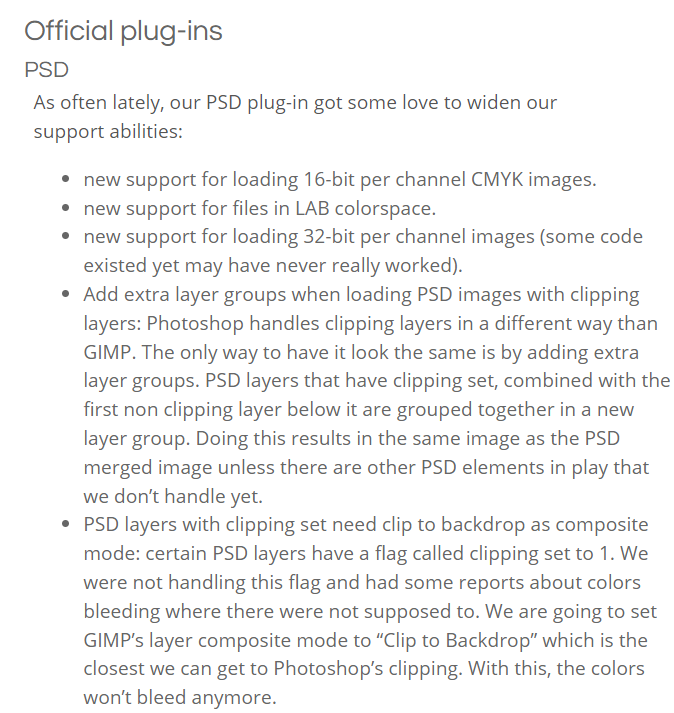
May this plug-in in gimp 2.99.10 bring some inspiration?

I don’t know if this counts as an off topic.

I learned the following from relevant discussions in the local community.

  1. Some people do not understand the compatibility of PSD.
    It’s common for them not to know that importing or exporting PSDs requires some processing.
    It’s common for them to think that supporting PSD equals full PSD compatibility.

  2. Even if they understand the compatibility issues of PSD, they will feel that it is better if the inherited transparency and clipping mask can be automatically converted to each other.
    This can reduce manual work for some users.
    For example, it is necessary to provide PSD to other software or other people for further work.

Personally, I think it’s better to provide automatic conversion as an option, so that users can handle it manually if they find problems with automatic conversion.
If it can only be converted automatically, then the user cannot handle it manually.

If you need a specific situation to automatically convert, I think this may not be much more efficient than doing it manually.

I have been painting more recently and I think the group setup is the issue. How PS has it really is the more practical way because creating groups for the new layer and the one below really is a chore.

Maybe having a layer mode that virtually nest with the layer below really would be the answer for a workflow stand point as much as a import export stand point if the PSD rubrics cube is ever solved.

Not to mention that creating groups sometimes takes up a bit of space in the layers panel and also looking through each group can get tedious.

I find this mr just now:
psd clipping layers import improvement (!1561) · Merge requests · Graphics / Krita · GitLab (kde.org)

glad someone already found it, i created this to be able to at least one-way import psds for now, but i’m planning to implement export next too. so far this can already import clipping, but left to do is still:

  • a prompt to ask the user if the folder structure should be adjusted (otherwise directly translate clipping to alpha inheritance)
  • checking if the clipping layer is already in a clipping folder so my code doesn’t create more and more groups on repeated imports
  • set clipping folder blending modes to the blending mode of the base layer
  • export alpha inheritance as clipping

let me know what you guys think

Since we will be getting photoshop style clipping mask too, will it be good to implement exporting without group too later.

@Radian-art has provided us with test build for an implementation of PS style clipping mask please test it out and check out the thread here - Krita with clipping (test build)

Hello!

I just want to ask if there is any update about exporting alpha inheritance as clipping mask in Photoshop.

Spine 2D - the leading 2D skeletal animation software - just added the possibility to import PSD directly.

However Krita PSD exported files just does not set anything for the clipping mask property making this workflow more complicated.

All users from other graphic editor software are super excited about importing PSD into Spine. But Krita users have this problem that break their workflow.

Hello @iamdjj and welcome to the forum :slight_smile:

If there was any update, it would have been stated here or in the linked test build topic.
Please try the test build and make any relevant observations or report in there.

Thanks for your welcome :slight_smile:

I tried the test build and on my test files it works as intended.
However since no updates were present on the topic, I’ve just wanted to understand if there’s anything planned to support it in official builds.

I would like to respond to this by paraphrasing.

I don’t think one of the longest working developers on Krita would have created this topic if this interest didn’t exist.
The question of when it can be implemented is a different one, and depends on external circumstances, such as the low level of donations at the moment.
But of course a definitive answer can only be given by official sources, so this is just what I think.

Michelist

Sure, I wasn’t questioning the interest of Krita team about this feature.

Mine was just a sincere interest in knowing if this feature has a spot on Krita roadmap (since it wasn’t mentioned on 2024).

Actually, I’ve just found on the latest news the following:

Various other aspects related to development

  • How to handle PS style clipping mask - Deif Lou has done an awesome job in researching and investigating the clipping mask, layer effects and blending mode technicalities. The team intends to look into this and tackle this feature together.

So it seems that Krita team is definitely wroking at this features.

Meanwhile, thanks for your answers :slight_smile:

Sorry to revive this topic and surely you are no longer working on this or even on the forum, but really the feature you were developing would help a lot of people who very often make posts asking for clipping mask compatibility (myself included).

Definitely! I have had many other personal projects in between and never that much time in general to look at this again, but I do have a coding related job now so the time spent waiting might be for the best in the end. If i do come back to this, I’m definitely not gonna stop at just converting psd clipping so it looks the same with krita’s alpha masks, but instead I want full blown clipping support. Though that’s gonna be unforseeable for now :frowning:
(Did start regular donations to krita tho, in the off chance one of the full time devs has time for this feature)