Incorrectly triggered touch gestures when drawing on an Android tablet.
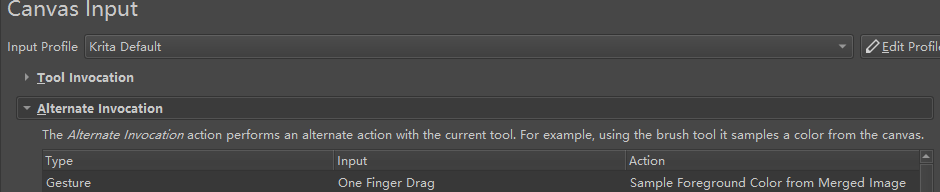
In krita5.1 (Android tablet), after turning off “touch painting”, “one-finger drag” is a touch gesture of “sampling foreground color from merged image”.
Since the side of the hand touches the screen before the pen when drawing starts, the side of the hand touching the screen is recognized as “one-finger drag”.
This will keep triggering the touch gesture incorrectly when continuing to draw after a touch operation such as lifting the pen to zoom the canvas…
So, the constant bug triggers “sample foreground color from merged image”, which keeps messing up the foreground color…
Notice:
I’m not talking about triggering every time, but it still triggers no matter how careful you are.
This should be handled for this case to avoid triggering the wrong touch gesture when drawing.
I think the sides of the palm are obviously larger than the fingers, and maybe this can be used to handle this kind of erroneous touch gesture input.
Currently I can think of ways to avoid it.
Carefully move the pen into the sensing area first. (This is difficult to achieve in painting.)
“Sampling foreground color from merged image” and “Show Popup Widget” do not use a one-finger gesture(One-finger gestures are not available.), and the “Show Popup Widget” is set to the spen button.(Remove the middle mouse button shortcut in “Pan Canvas”.)
If you are using a Samsung tablet, I’d recommend you to try to get used to move your hand with the pen very close to the screen, when the tablet recognize the pen hovering the screen it ignore all the touch inputs so you would not have this problem.
Now if it’s something you didn’t had before it may be a bug,
I will test this later on last 5,1 build to see if I get the same results.
Also, try testing the color picker on the S-Pen button, is how I use it and it’s way better in my opinion.
The S-Pen button is recognized as a middle mouse button, so you just need add a “mouse button” on the canvas input settings, click the S-Pen button on input , and set the action to
“sampling foreground color from merged image” as you know.
My android tablet is a Samsung Galaxy Tab S7 FE wifi.
I know this.
But it is difficult to do in practice, the hand always touches the screen first.
I am using 5.1.
I also know that the button of the spen works in the canvas input settings.
Currently I can think of ways to avoid it.
Carefully move the pen into the sensing area first. (You also say this, but it is actually very difficult to do.)
“Sampling foreground color from merged image” and “Show Popup Widget” do not use a one-finger gesture(One-finger gestures are not available.), and the “Show Popup Widget” is set to the spen button.(Remove the middle mouse button shortcut in “Pan Canvas”.)
Obviously these are only temporary solutions.
It is still necessary for krita to deal with this situation, which is the most thorough solution.
Ok, i just tested the last Krita Next Build on my phone and my palm isn’t recognized at all, only when i touch with a small part of my skin it is recognized, I’ve not truly tested it before since i use a phone and my skin don’t touch the screen much of the time, but it actually works very well testing it properly now, so the palm rejection feature that exist inside Krita is working great, it looks like is a tablet issue on your side.
I will ping another Tablet users to test this as well @CrazyCatBird@Reitei17.
I just gave it a go on my S7 tablet running Krita 5.0.6 (without glove) and I did accidentally make a mark on the screen while drawing elsewhere. Yes, the tendency is to put the hand down first. When I got to the right side of the canvas, sometimes my hand would rest where the Dockers are and then I couldn’t make any mark until I repositioned my hand.
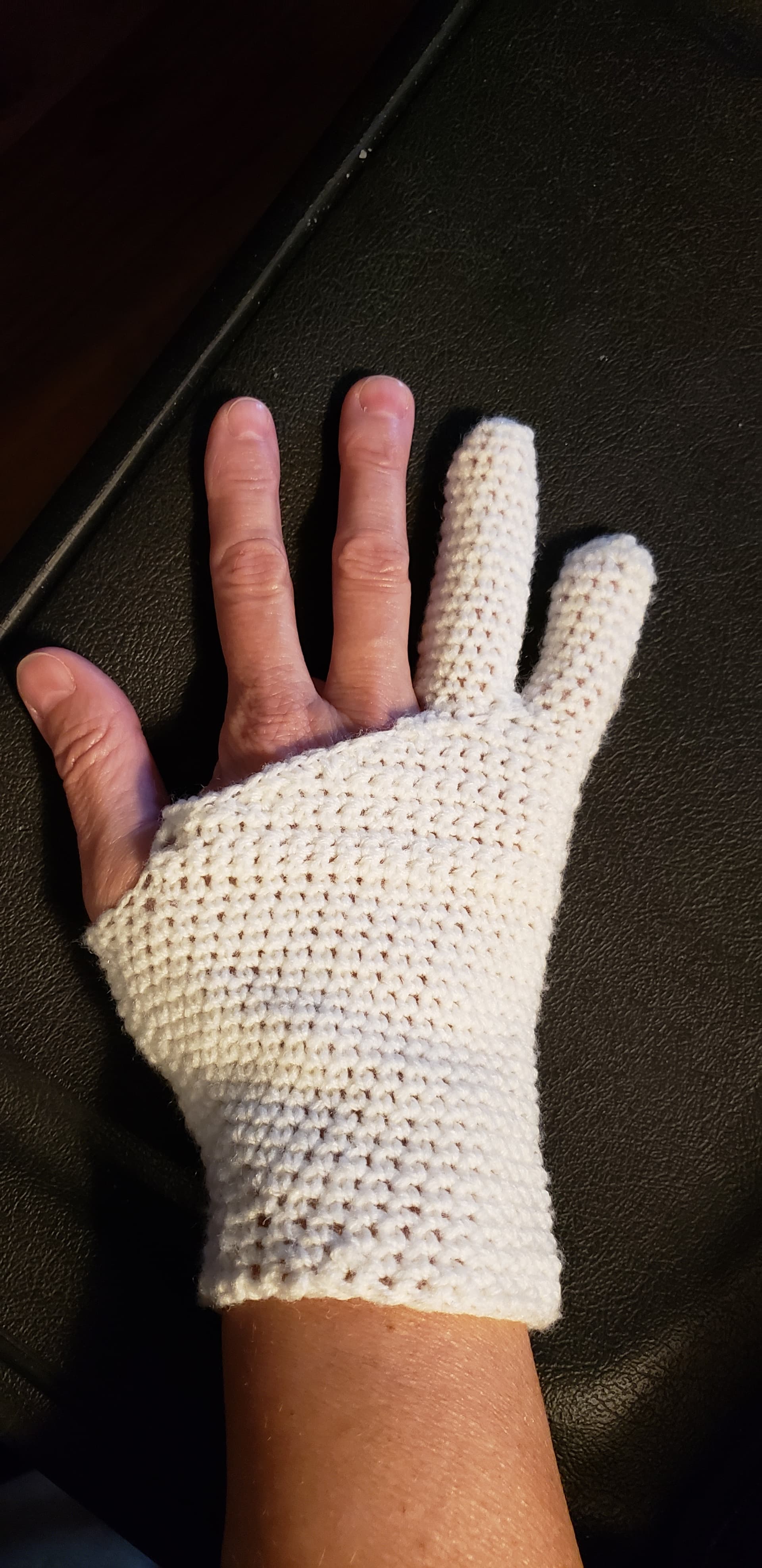
Most of the time, I use my home-made artists glove to prevent that from happening but due to the yarn that I made it from, it gets sweaty after about 20 minutes and causes the same result. (P.S. I’m allergic to the materials in the commercially available gloves and I had enough baby yarn laying around that’s why I made one.)
But i don’t think this is a Krita problem as it’s working great to reject palm here, i guess one or another mistouch can happen, but not all the time as you are describing.
The problem is not only with Krita. I’ve read the exact same problem with Infinite Painter. The users keep asking the developer to improve the palm rejection for that app as well. It’s pretty much universal.
This is my home made glove (showing just for kicks)
Touch painting is enabled by default.
When drawing, the hand touches less incorrectly.
Disable touch painting, one finger gestures are available.
When painting, the hand touches more incorrectly.
And this is hard to find on Android phones, because the phone screen is too small.
I’ve also used krita on an android phone and I didn’t notice that at the time.
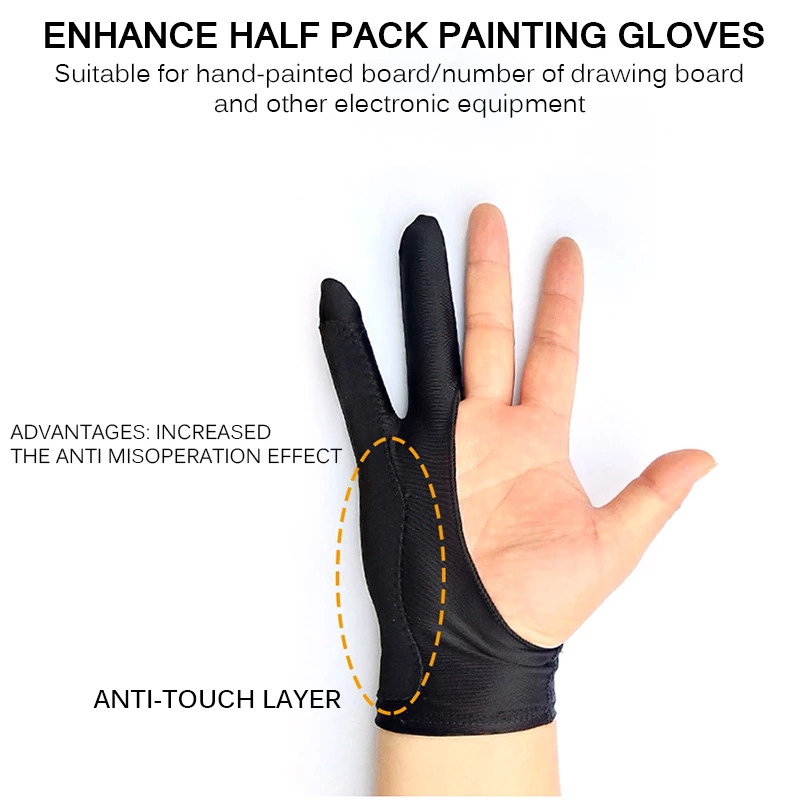
I think gloves are limited.
I have consulted with people in the local community who have purchased these gloves.
They told me it didn’t work very well.
I also tried it with the gloves I had on hand…it didn’t work well.
I’m pretty sure that the palm rejection in equal in phones and tablets despite the screen size, anyway triggering all the time as you describe isn’t normal, but looks like i’ts not a Krita problem.
We would need another tablet users to confirm this well, as @CrazyCatBird don’t use the last 5.1 build with gestures implemented.
Because the phone is smaller and likely to be used upright, it is less likely that the side of the hand touches the screen first while drawing.
I did not say that there is a difference between the touch recognition of mobile phones and tablets.
@CrazyCatBird, already said before that 5.0.6 would also have this problem, so he made gloves to avoid it….
This is not something that only appeared in 5.1.
If there are other Android tablet users who also explain this problem, it will indeed enhance the persuasion.
I found that after CSP turned off the touch painting, there was no gesture of “one finger”.
So it avoided the error touch.
This approach is very similar to what I said earlier.
The following is what I said before.
Currently I can think of ways to avoid it.
2.“Sampling foreground color from merged image” and “Show Popup Widget” do not use a one-finger gesture(One-finger gestures are not available.), and the “Show Popup Widget” is set to the spen button.(Remove the middle mouse button shortcut in “Pan Canvas”.)
There could be a button that is handy that quickly turns off touch painting on the fly. Sometimes I like to paint with my finger (to test things) and other times I want to use the SPen.
Oh, sorry, I understood that @CrazyCatBird had it touching just occasionally and not all the time as you described it.
Looks like an universal problem so, i don’t have a tablet so i can’t really know, hope we get to gather more Android users on the future for this kind of problems.
What i can say it’s on my screen it works very well to not recognize the touch, and i tested it extensively here, but maybe tablets are different indeed.
I use one finger on CSP to use lasso tool, and the palm rejection worked great there too, just works with a small portion of the skin touching.
It would be nice to have this option to quick acess instead to go to the options and turn it on or off, but i think you are the only person i know that request this feature @CrazyCatBird haha.