Hi, first of all, thanks for developing and maintaining this project, I think it’s awesome that Krita is so powerful and yet it’s FOSS.
My use case is pixel art (but I think this is not strictly related to it, although small brushes amplify the behavior).
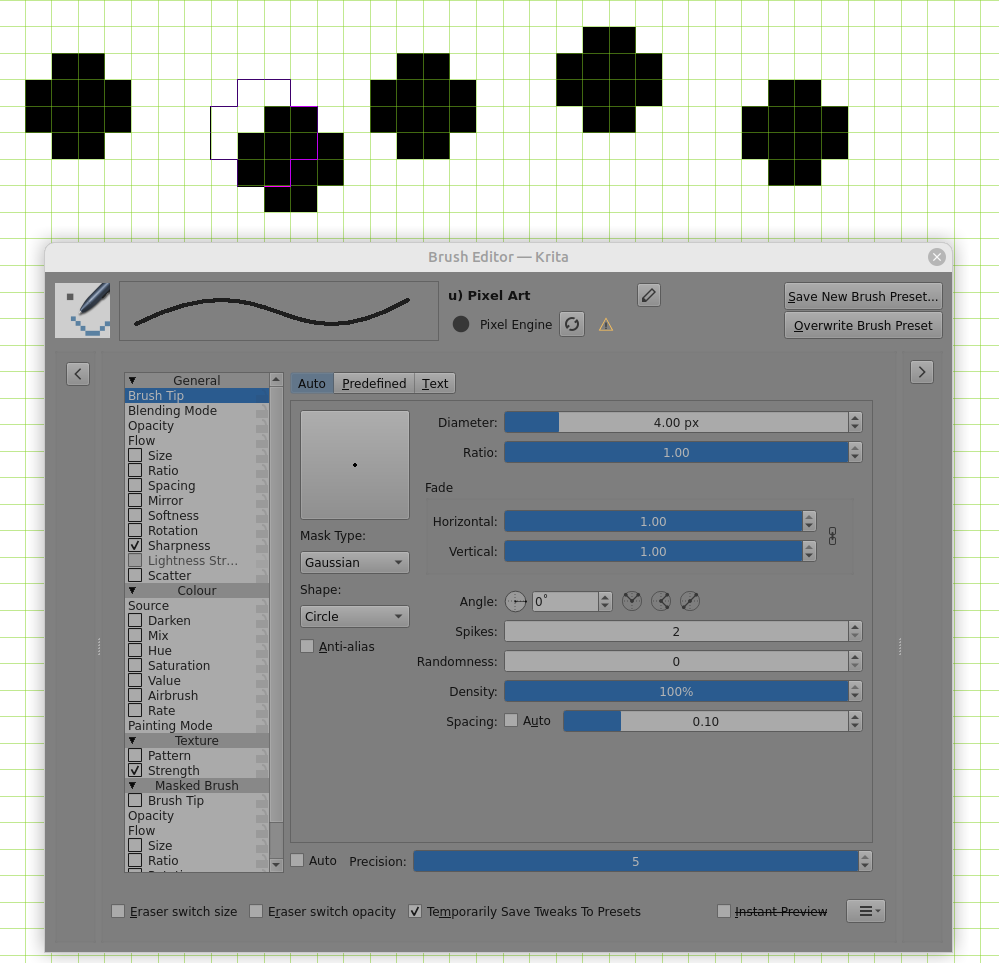
I’d like to know if there’s a way to make painting instant, that is - I don’t have to drag the cursor for at least 0.5 px (I think) to register the brush stamping the canvas. If I use a pixel art brush with size of 1px, then it’s instant. But anything above 1px, like 2px or 3px and I suddenly need to move the cursor enough to paint.
I’ve attached a short recording of what I mean. First you see instant painting with 1px (you can move the cursor by a super tiny amount and the color gets painted). Then I switch to 2px and I no longer have that instant painting feature, I need to drag the cursor for quite a bit before the color is registered on the canvas. This can also lead to cases where you draw a line and the first pixel is not registered (shown at the end of the recording) - which is kinda misleading given the black brush preview outline shows the pixel should get painted.
If this is just how the Krita engine works, I’m fine, I think I can accept it. But wanted to confirm with more experienced users if it’s changeable before I give up on this.
For the record, I’ve tried:
setting brush smoothing to none
setting instant preview mode to disabled
setting mouse polling rate at 125 Hz (from 1000 Hz)
snapping to grid with spacing set to 1px
other brushes
setting brush spacing to minimum (0.02) or to auto or to 1
forcing X11/XWayland
enabling “use mouse events for tablet”
I’m using Ubuntu 26.04 LTS and Krita 5.4.0-prealpha (compiled from source) if it matters.
Please let me know if you need more data. Thanks in advance.
Although I don’t think you’ll use it, I think I’ll ask, because you’ll never know, so I guess you have disabled brush smoothing completely? If not, you should try it, it is found in the Tool Options Docker while you have the Freehand Brush Tool selected.
But beside that, if you are deeply involved in pixel art, then you should consider spending five bucks for @Suzuka’s SZK Pixel Art Suite. Very probably these $5 will be the best investment in pixel art you ever make/made:
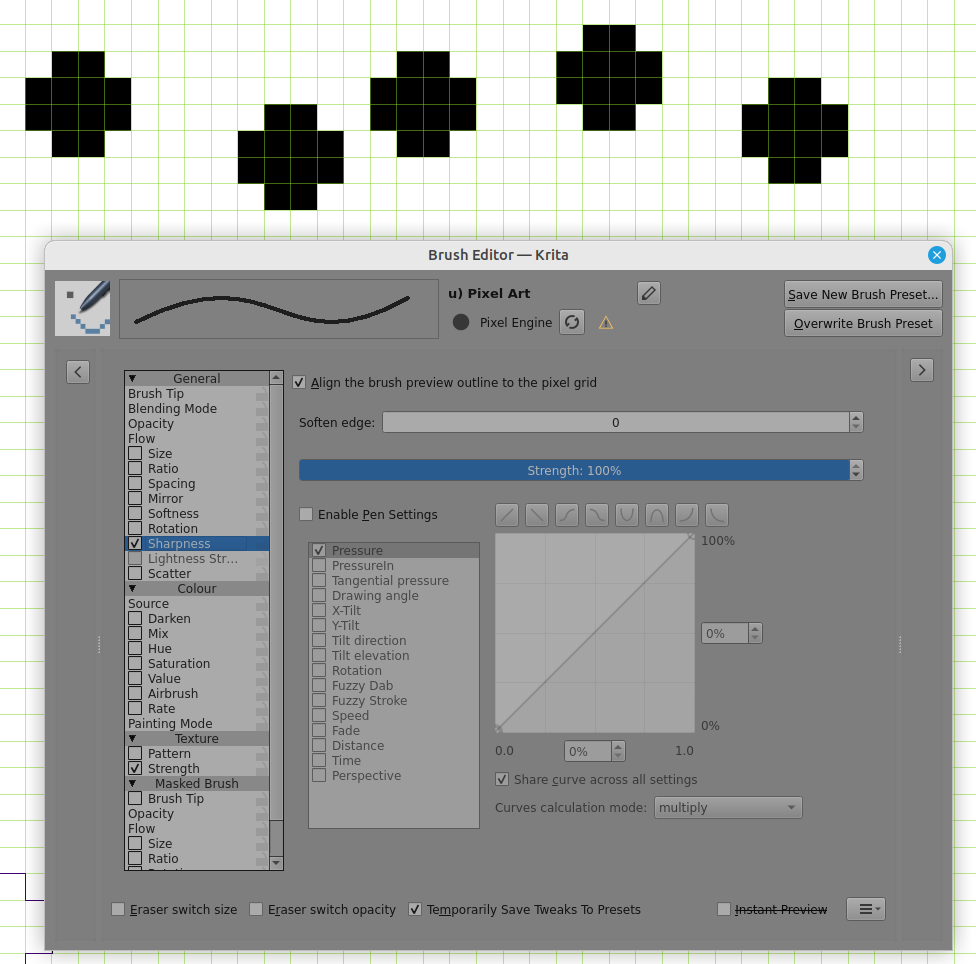
Using the 5.4.0 appimage from the krita website, with Sharpness enabled and selected, if I enable ‘Align the brush preview outline to the pixel grid’ and disble anti-aliasing then a single mouse click gives me an instant ‘dab’ with no cursor movement needed, even with high spacing.
Thanks a lot @Michelist. SZK Pixel Art Suite looks cool. Yes, I have brush smoothing disabled all the time.
@AhabGreybeard thanks for testing this. Can you share a bit more about your setup? I’ve downloaded 5.4.0 appimage, but I still get the same behavior (pixel art brush with sharpness and aligning to the pixel grid enabled).
Are you perhaps talking about the 1px brush size? If not, do you do this by clicking the mouse button and releasing it? Because that works totally fine for me too.
The behavior from the recording happens when both conditions are met:
brush size is at least 2px
the mouse button is pressed but not released (it’s being held the whole time the cursor is being moved)
If this is indeed what you do and still get a different result, then that’s super cool because it means I might be able to fix this somehow on my end.
The painted ‘dab’ appears when the left-mouse button is pressed and then released.
A continuous stroke is painted when the left-mouse button is held down and the cursor is moved.
I hope you can get behaviour according to your needs somehow.
“A continuous stroke is painted when the left-mouse button is held down and the cursor is moved.” - this is the part I’m interested in. Specifically, if you need to move the cursor more with a 2px brush compared to a 1px brush. For me a 1px brush is instant, I can move the cursor by the slightest possible amount and the color is painted. With 2px brush I need to move the cursor much more before the paint is registered and hits the canvas.
Is the above what you see as well? If yes, I will assume it’s just how Krita engine works which is probably optimized for drawing on larger canvases and larger brushes, hence the slight delay in these edge cases.
For what it’s worth, Aseprite works differently and the painting is always instant, no matter the brush size, but this is due to a different drawing model probably.
With the brush spacing set to minimum (0.02) and Align off to enable smooth cursor movement:
1px brush - left-click-hold mouse button then the smallest movement gives a painted dab. After that, a 0.5px movement is needed to give the next dab then further dabs need a 1px movement.
2px brush - left-click-hold mouse button then a 0.5 px movement is needed to make the first dab. After that then dabs are every 1px movement.
I think you’re probably right that the Pixel Engine being used with very small brushtips is an edge case in its operation.
A krita developer would be needed for further discussion of this.
Thanks for confirming. This is what I thought. In that case, unless there’s a dev that can chime in, we can close this. Thanks a lot for all the help so far.
Wouldn’t turning on airbrushing solve this somewhat? From what I remember, it solves all the cursor movement problems & just keeps putting down dabs as long as you press down. It might be a workaround, but it’s worth a try! :-]
This is how Krita and many other programs work, yes. The reason being that various properties of a stroke are undefined or unreliable at the moment the stylus hits the surface: there is no direction, your stylus pressure is inconsistent because you’re still depressing the tip, the tilt jitters from the impact and probably other stuff.
As mentioned above, using the air brush setting can be used as a workaround, it’ll just keep spraying dabs where you’re pointing. As long as you don’t use any random scatter or brush tip rotation or similar, that should make no visual difference.
Thank you so much @wakocima and @Drawpile. Yes, the Airbrush setting in the Brush Editor is exactly what I needed. Painting is now instant and perfectly aligned with the preview outline. I wouldn’t consider it a workaround, it seems there are no drawbacks in my case so it feels completely native.
Thank you all for solving my issue. Krita and its community are so cool
 Hello