Published on krita.org 11th October, 2023
Animation
We’re happy to share that two major pain points for animation got tackled: synchronized playback of audio (MR 1323) and simplifying video export (MR 1599).
https://krita.org/wp-content/uploads/2023/10/animatic_waiting.mp4
In order to fix various audio-visual sync issues when playing animations with attached audio, Emmet and Eoin reworked much of the animation playback to use the MLT framework behind the scenes. MLT is a proven and flexible framework used by video editing programs like Kdenlive and designed with frame-by-frame synchronization in mind, and should help Krita animators feel confident that their key frames will stay lined up with their voice work or background music, both inside of the program and in their exported animation videos.
Speaking of the video export option, FFmpeg is a massively important program that manages (among other things) rendering and conversion of audio and video formats. Previously, Krita required users to point to an FFmpeg executable somewhere on their system in order to use many of the features pertaining to video, such as animation video export, video import as animation, and the Recorder Docker for recording your painting sessions. This was mostly good enough for studio use, but it was still difficult to set up for users who aren’t that technical, and almost impossible to do on locked down systems like Android or even a school computer. To make this better for almost everyone, we spent some time to include a basic build of FFmpeg into Krita itself, which should include “out-of-the-box” support for every free and open container and codec format under the sun. (Along with Emmet and Eoin, big thanks to Amyspark, Ivan, Sharaf and Dmitry who put in a lot of effort to help get every possible format building and working across various platforms.) Oh, and by the way, Krita continues to support the use of alternative FFmpeg binaries in the rare case that you need to additional features that we aren’t able to provide.
 Note: As of the writing this, animation export via FFmpeg is sadly still not working on Krita for Android due to restrictions of the platform itself, but we are looking for solutions to this going forward.
Text
Because our original one didn’t give artists enough control over the underlying text (making it hard to use and extend, as well as write a better text tool on top of), Wolthera completely rewrote Krita’s text layout engine.

Demonstration of some new text layout features include (but are not limited to): text-in-shape, text-on-path and color font support.
With the new layout engine, we can handle everything the old engine could, as well as text-on-path, vertical text, and wrapped text and text in shape. We can now also access OpenType features as well as render emoji (bitmap and colrV0 types) (MR 1607, MR 1767).
This was no small feat and is only just laying the foundation for more improvements to come! For Krita 5.2, you’ll still have to use the SVG code editor to access these new features, but for Krita 5.3 we’ll be working on the text tool proper, making it on-canvas and allowing you to configure the new features with menus and presets.
Tools
Dmitry Kazakov overhauled the cumulative undo feature (MR 1780), this feature allows merging undo operations, which is useful when painting many strokes. We’ve simplified the code and made the options more intuitive to use.
The ability to anti-alias the results of the Sketch Brush Engine has been added by Przemysław Gołąb (MR 1425).
Freya Lupen added the ability to transform all selected layers at once with the transform tool (MR 1792).
Fill Tool
Deif Lou has added a new mode to the fill tool: Fill areas of similar color (MR 1577). In addition, both the fill tool and the enclose fill tool have gained Stop growing at the darkest and/or most opaque pixels and Fill all regions until a specific boundary color (MR 1549, 1560), as well as a toggle to use the same blending mode as the brush tool, or to have its own (MR 1749).

From the manual, filling the example in image A at the red dot will result in B for regular fill, in C with expanding the fill with a number of pixels and in D with the ‘fill to boundary color’ enabled.
Selection Tool
The Contiguous Selection Tool also received the same selection extending option as the Fill tool (MR 1549), and the ability to set the opacity of the selection decoration (MR 1697). Furthermore, the selection decoration has been made DPI-aware (MR 1774).
Shortcuts
Several new actions have been added:

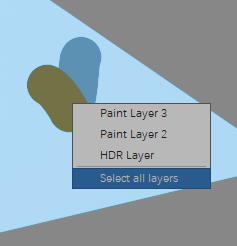
Demonstrating the “Select Layers Menu” option, this menu shows the layers under the cursor.
- Toggle Eraser Preset by Freya Lupen, (MR 1689) allows you to switch to the preset that would otherwise be stored for the ‘eraser’ end of the tablet stylus. Not all stylii have an eraser side, and some people really prefer to activate it by hotkey.
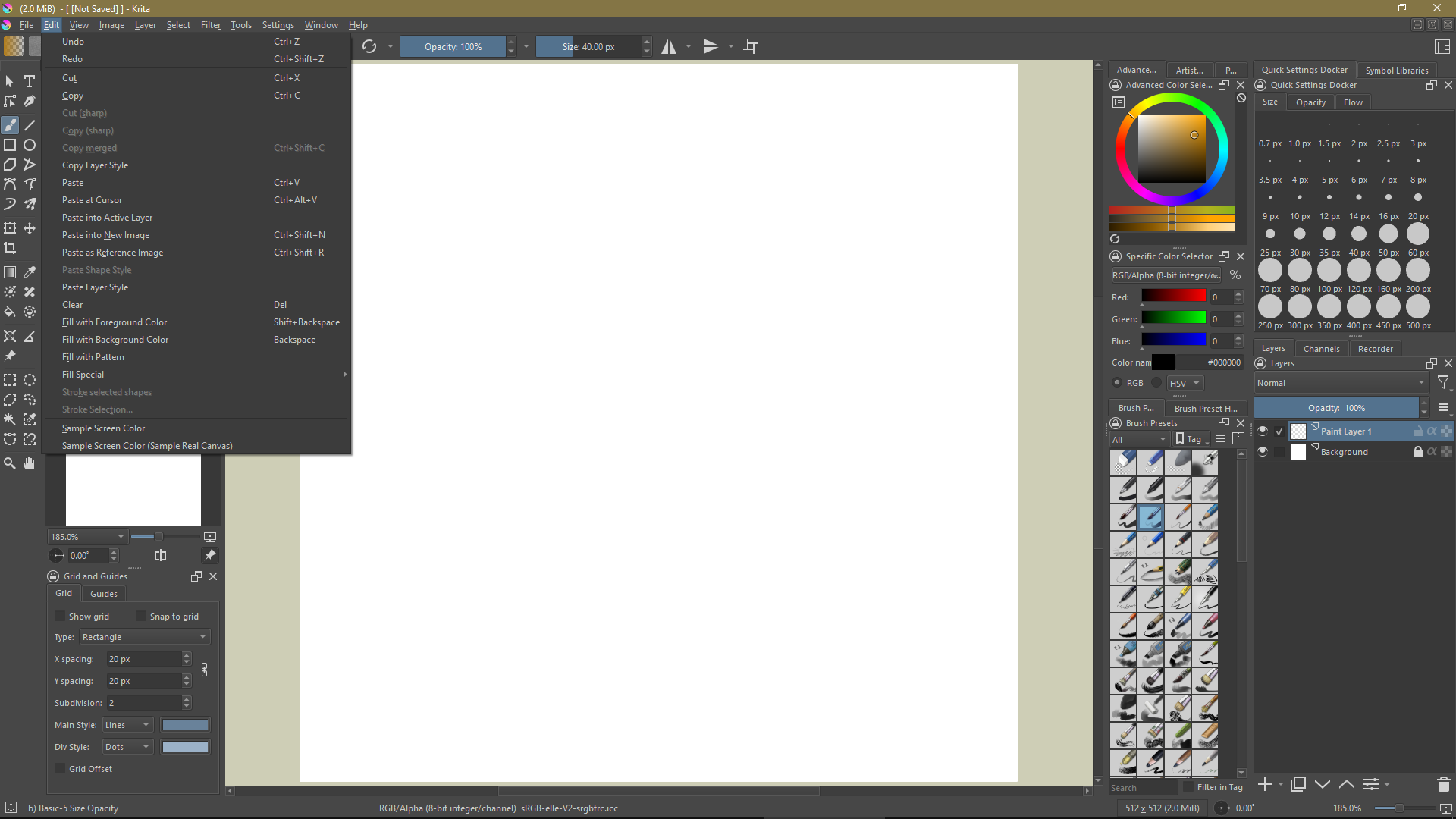
- Sample Screen Color by killy |0veufOrever, (MR 1720) allows you to select a color anywhere on the screen, even outside Krita, similar to the Sample button in the Select a Color dialogue.
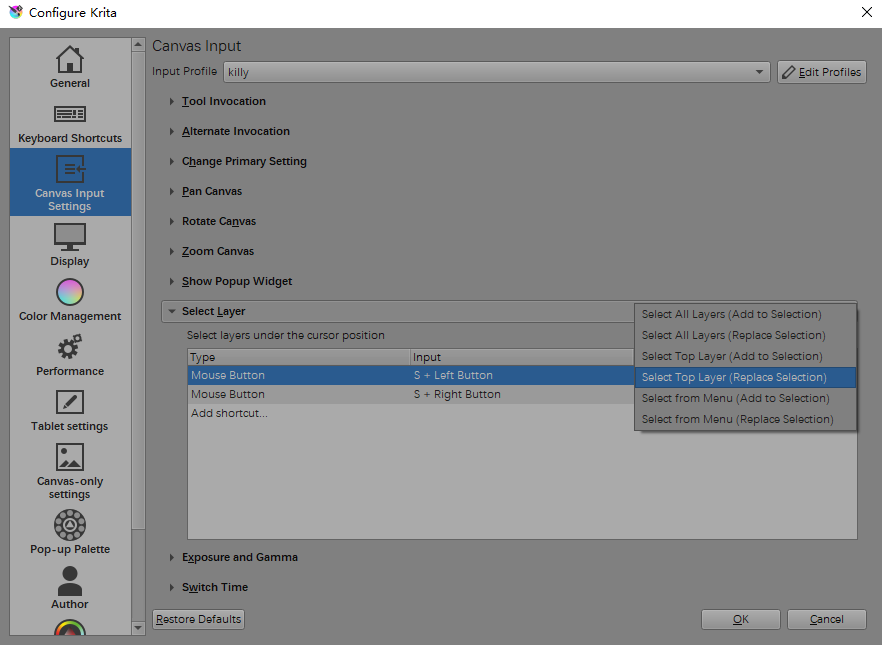
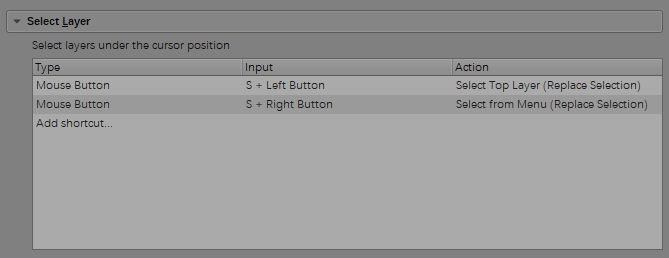
- Select Layers From Menu canvas input setting by killy |0veufOrever,
(MR 1766) allows you to select a layer on-canvas from a dropdown menu.
- Krita now have a Clip Studio Paint compatible shortcut scheme, courtesy of Freya Lupen, (MR 1565).
- Krita can now detect conflicts in the canvas input setting shortcuts thanks to Sharaf Zaman, (MR 1725).

Pardon the interruption but did you know that, as a free and open source project, Krita relies on your help! Please consider supporting the project by becoming a member of the development fund. We have no shortage of plans for how to make things better, but only with stable community contributions can we keep a core team of professional developers working on Krita.
Dockers
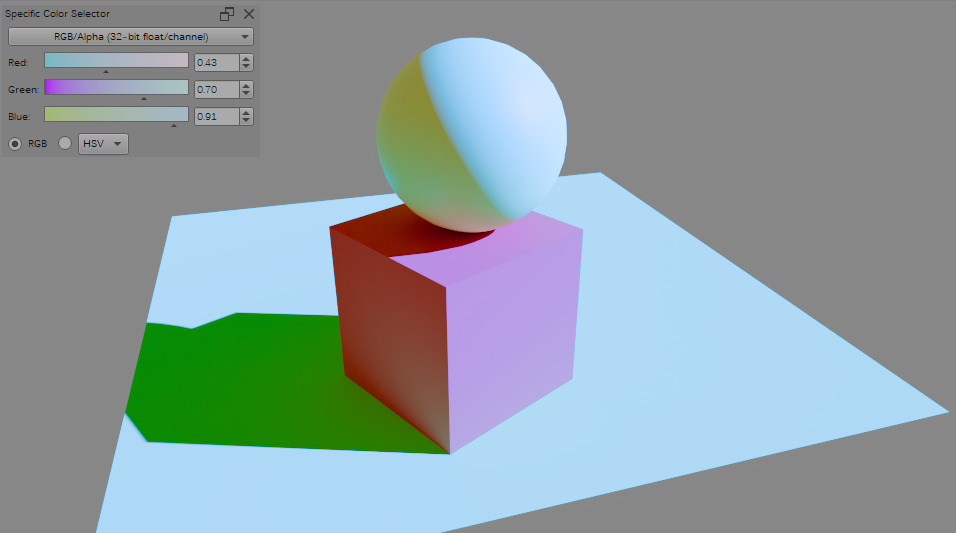
Mathias Wein brought us a ‘Wide Gamut Color Selector’. This selector almost the same as the advanced color selector, except it’s capable of selecting colors in wide-gamuts instead of just sRGB. We eventually want to remove the Advanced Color Selector in favor of this one, when we’re sure we haven’t lost any functionality (MR 1600).

The new wide gamut selector allows for new selector shapes as well as colors outside the sRGB gamut.
The Layers docker got some extra display options:
- On Android, selecting multiple layers is tricky, therefore Sharaf implemented extra checkboxes on the side of the layers (MR 1665).
- Freya Lupen added the ability to see extra information about the layer opacity and blending modes (MR 1501, MR 1520, MR 1615), as well as making the automatic layer suffixes optional MR 1498. On top of that, it’s now possible to change the scaling filter of file-layers (MR 1784).
- Măcelaru Tiberiu has ensured the brush preset docker looks good in horizontal mode: MR 1670.
- Brush Preset History is now configurable (MR 1623).
- Undo, Redo and more for the palette docker (MR 1617).
File Formats
We changed how CMYK blending modes work (with a toggle in the config), (MR 1796), this aligns the blending modes to the way Photoshop handles blending modes in CMYK, simplifying exchange of PSD files with clients that require CMYK PSDs.
Rasyuqa A. H. has been improving the JPEG-XL saving and loading code, implementing CMYK for JPEG-XL, improving compression by giving the JXL library more color space information, better metadata handling and support for saving and loading raster layers to JPEG-XL, (MR 1656, 1693, 1673, 1722, 1795). He also improved WebP compression (MR 1785), as well improving ICC transfer characteristic code (MR 1667 and 1690).

By using JPEG’s XYB color space instead of the original profile, the JPEG-XL encoder is able to give much better results both in terms of artifacts and compression on images with extreme highlights, like those that are 40 times as bright as regular white.
- Cedric Ressler has improved EXR multi-layer handling (MR 1677).
- Amyspark has improved the RAW import, both the UI (MR 1679) and sped it up by using tiles (MR 1694).
- Amyspark has also improved the webP exporter by adding better metadata handling and animation support. (MR 1468).
Other
One of the other big technical updates we did was to rewrite the brush settings code to work with the library Lager. Our old code had the brush presets and the widgets entangled in increasingly convoluted ways, which made it hard to extend the settings. We hope to use this work as a basis to redesign the brush settings widget (MR 1334).
https://krita.org/wp-content/uploads/2023/10/2022-09-07_wrap-around-mode-direction.mp4
Wrap around mode can now be limited to vertical or Horizontal direction, making it simpler to creating looping backgrounds.
- Freya Lupen has added wrap-around directions for the wraparound mode (MR 1524).
- Freya Lupen has also added ability to remove single Recent Document entries (MR 1666).
- Joshua Goins has improved the tablet tester, so it now has access to tilt data (MR 1678).
- Sharaf Zaman implemented easier resource location selection for android (MR 1771).
- Stephen Wilson has made sure that Krita resets document metadata when using a template (MR 1769).
- Agata Cacko has spent a significant amount of time on getting better display names of color profiles (MR 1768).
- Amyspark has been cleaning up the UI left and right (MR 1683, MR 1696, MR 1702, MR 1701, MR 1732, MR 1744, MR 1742, MR 1772).
- Shuqi Xiu has added a Lambert shading blending mode (MR 1566).
The following fixes were made in response to all your bug reports for the first release candidate:
- Set updateRect to widget rect on fractional hidpi screen (Bug 441216)
- Fix link to Scripting API in About splash (Thanks, Matt Alexander)
- Fix loading swatchbook CMYK palettes (Bug 474583)
- Remove a warning from KisTransactionData…possiblySwitchCurrentTime() (Bug 474123)
- Several QImage optimizations from Fushan Wen
- Fix crash when copy-pasting a transformation mask (Bug 474673)
- Make sure that saved encoder settigns are supported by ffmpeg (Bug 474559)
- Fix external ffmpeg not working on Linux due to clash in LD_LIBRARY_PATH (Bug 473603)
- Make sure that splitter state is saved in Preset Chooser (Bug 474669)
- Update webp to the latest version
- Fix setting size of text brushtip
- Fix removal of duplicated frames in “Only Unique Frames” mode (Bug 450449)
- Added openh264 presets to the recorder plugin (Bug 474803)
- Fix layer selection menus piling up until closing the canvas
- Fix a crash after removing a vector layer with active selection of shapes (Bug 474476)
- Fix detection of FFMpeg in AppImages (Bug 474927)
- Fix misbehavior in the “grow until darkest pixel” selection filter (Bug 475014)
- Welcome Page: Added bare minimum close/hide button to dev fund banner.
- Update libvpx to 1.13.1 that fixes 0-day vulnerability
- Fix brush rotation when using Airbrush mode (Bug 455627)
There is also an updated welcome screen with larger thumbnails for recent images:

Thank You
And that’s it! We hope that Krita 5.2 has a little something to help everyone make art.
Finally, a massive thank you to the everybody involved, including all of our contributors, development fund members and, of course, our community of artists. As an open source and community-driven project, Krita simply wouldn’t be what it is today without an entire community of people testing, coding, writing documentation, creating brushes, translating, chipping in, spreading the word, and generally supporting the project however they can.
And if you’re reading that wondering if you can help too, don’t hesitate to get in touch–because there’s always more to be done on our mission to make a better tool for every human artist.
Download
Windows
If you’re using the portable zip files, just open the zip file in Explorer and drag the folder somewhere convenient, then double-click on the Krita icon in the folder. This will not impact an installed version of Krita, though it will share your settings and custom resources with your regular installed version of Krita. For reporting crashes, also get the debug symbols folder.
Note that we are not making 32 bits Windows builds anymore.
Linux
The separate gmic-qt AppImage is no longer needed.
(If, for some reason, Firefox thinks it needs to load this as text: to download, right-click on the link.)
macOS
Note: if you use macOS Sierra or High Sierra, please check this video to learn how to enable starting developer-signed binaries, instead of just Apple Store binaries.
Android
We consider Krita on ChromeOS as ready for production. Krita on Android is still beta. Krita is not available for Android phones, only for tablets, because the user interface requires a large screen. RC1 packages for Android are signed as usual.
Source code
md5sum
For all downloads, visit https://download.kde.org/stable/krita/5.2.0/ and click on Details to get the hashes.
Key
The Linux AppImage and the source .tar.gz and .tar.xz tarballs are signed. This particular release is signed with a non-standard key, you can retrieve is here or download from the public server:
gpg --recv-keys E9FB29E74ADEACC5E3035B8AB69EB4CF7468332F
The signatures are here (filenames ending in .sig).
 :
: