I’ve made quite a few paintings in 5.3 without that happening. Maybe it’s associated with the brush? If you name the brush I’ll test it on my device.
Linux Kubuntu 25.10, using 6.0.0 B2 appimage. Trying to get rid of bundles off Krita I don’t use, though I still have the bundle tucked away on my ext SSD. Went to “Manage Resources/Open Resource Folder”, found the bundle file and moved to trash like I have done before. Restarted Krita and get this pop up message. Tried restarting a few times, because I know Krita is touchy sometimes, but still the same message. Add the bundle file back in the resource folder, Krita starts up, no problem.
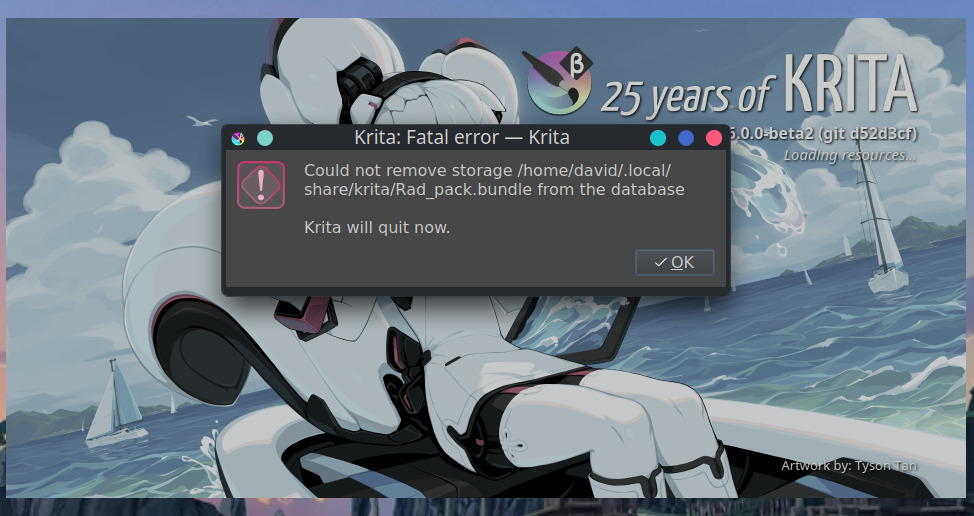
That’s a bug in Krita, I’ll look into it. Will edit this post with more.
Edit1: It’s because it tries to delete tags from the bundle, but those tags are still being referenced by other stuff in the database, so the deletion fails and it panics like this. Doesn’t look too difficult to solve.
Edit2: Fixed it, it is pending inclusion at https://invent.kde.org/graphics/krita/-/merge_requests/2672
4 Likes
I noticed that if you remove or rename the resourcecache.sqlite file (ex. resourcecache.sqlite_old) to make Krita make a new updated one, resources you have deleted from the bundles reappear in Krita. Is this supposed to be normal behavior? I don’t remember that from before, but it has been awhile. I have deleted tags and some brushes out of bundles just for them to reappear in Krita, even these type of items in my own resource folder, but when I go to my resource folder I find them not there. I have noticed this mostly in the paintpresets folder, but some of the bundles have shown this behavior. When the new resourcecache.sqlite is created it also loses where everything was placed, as in what tag was assigned to what preset. When I started Linux, I tried all the stuff, Snap, Flatpak, through the terminal, then finally decided to stick to the appimage. For a while I thought maybe leftovers from the different installs, but was able to get rid of everything not connected directly to the appimages, except I left icons from Snap and Flatpak. Luckily I always have the old file to fall back on.
If you delete the database tracking the resource information, you lose the resource information, yes.
1 Like
I can’t remember, but when I went from W11 to Linux, I think I did just copied all of the resource folder to the ext SSD, then back to the computer after I had Krita downloaded the first time on Linux.
You can save the tags to the resource folder with ‘Manage Resources->Save Tags to Folder’.
In my opinion that should happen automatically, though, since I thought the resourcecache was supposed to be a cached version of what’s in the resource folder and not store anything that can’t be recreated? But I could be wrong.
I saw that, but thought that would just save my tags to the paintoppreset folder only. I will try that tomorrow. Thanks
krita5.3.0 beta2
Using keyboard shortcuts on the Android version causes a blue overlay to cover the Krita interface.
For example, this happens when you use the keyboard shortcut ‘E’.
STEPS TO REPRODUCE
- Create a new file.
- Press the keyboard shortcut ‘E’.
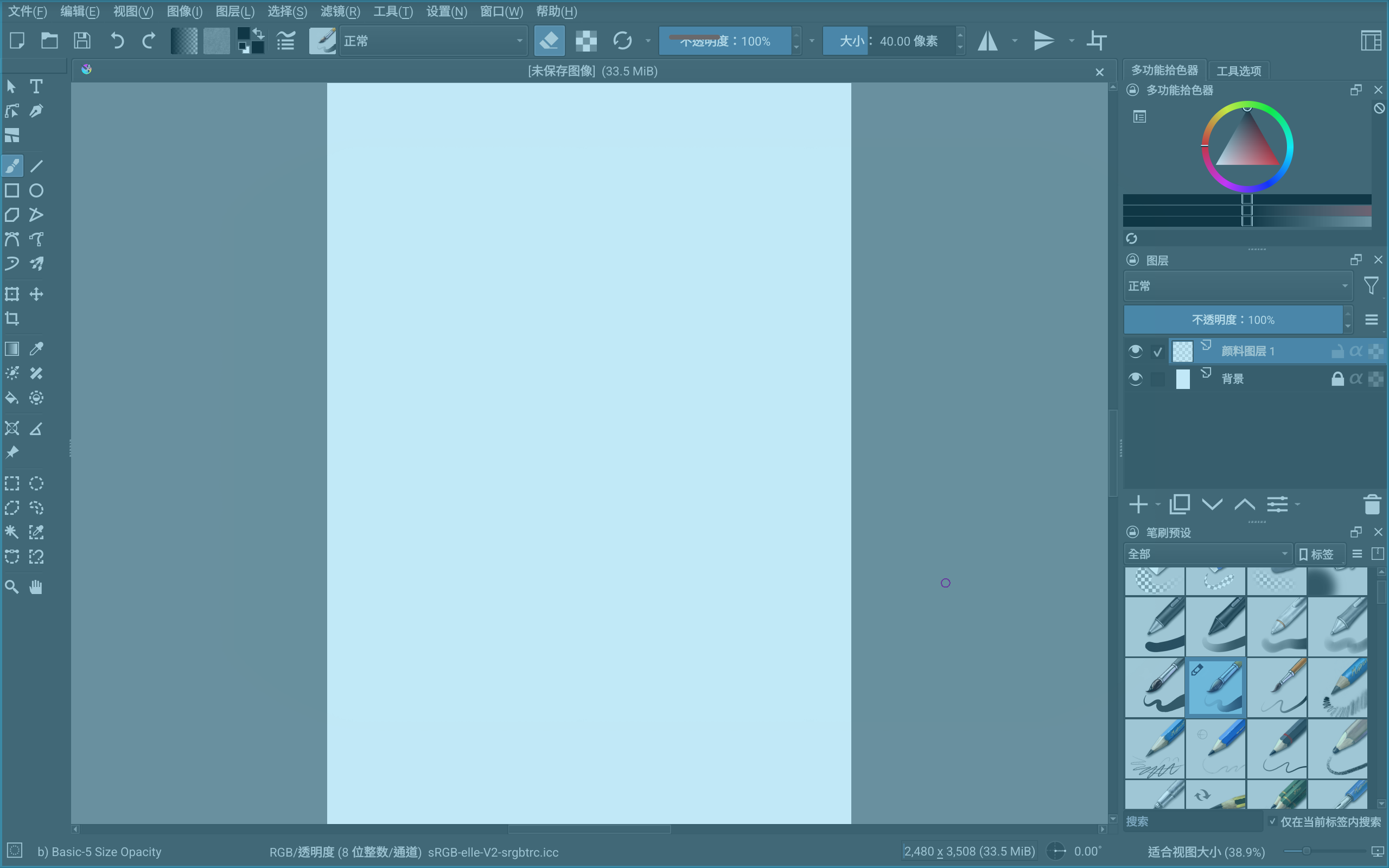
This one is not related to 5.3, it occurs for some people on 5.2 as well. Unfortunately I still have not been able to reproduce it, some piece of information must be missing.
1 Like
Beta 3 just released:
I’ve updated the top post.
6 Likes
I’ve been experiencing a weird lag since months, and I just recent discovered that the problems are caused by google drive desktop, only in the 5.3.0 and 5.3.x alpha builds after august of 2025, only on windows. Is very weird.
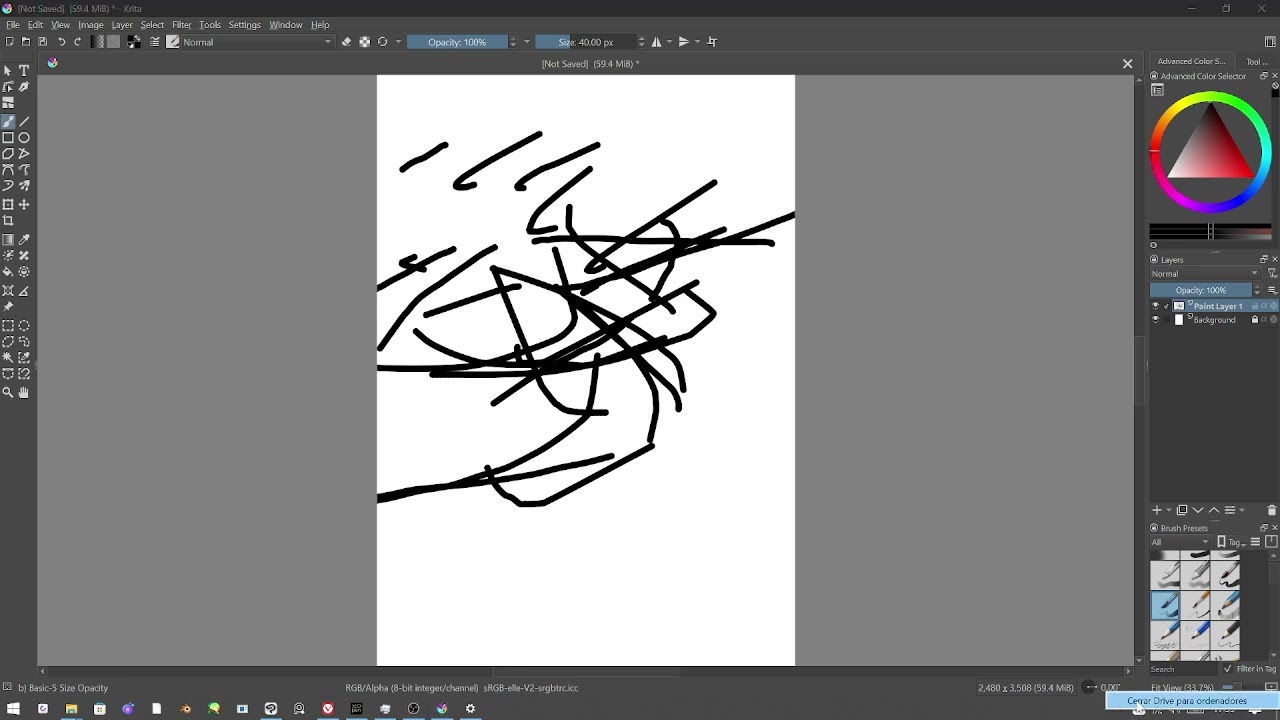
I don’t see any lag in your video. Can you describe in words what is happening?
when google drive desktop is on, everytime I click or do a brush there is an input lag, in the video you can notice at the start when I click to create a new document the windows appears first in white and then normally, that’s the time of the duration of each input lag, after I disable google drive the windows open normally and the input lag disappear.
This only happens with krita and only in the 5.3 versions, the 6.10 works fine
Could that have anything to do with syncing? What if you paused the syncing for your drawing session then turn it back on when you’re done? 
3 Likes
Yes ^^, that’s what I’m doing it right now, as soon I discovered was a google sync thing, I found it that today, also luckily now I use mega sync for drawings, and I have 0 problems with it. But I wanted to give the feedback :3.
1 Like
I used to run Krita on a very low-spec laptop and Google sync gave me non-stop problems but that’s not Krita’s fault. If you run an app like Krita that uses a lot of RAM, the syncing process can get in the way.
Also, you should know there’s a warning in the Krita manual about using synced files with Krita.
2 Likes
If you sync files while working on them you eventually will have a problem in your hands.
2 Likes
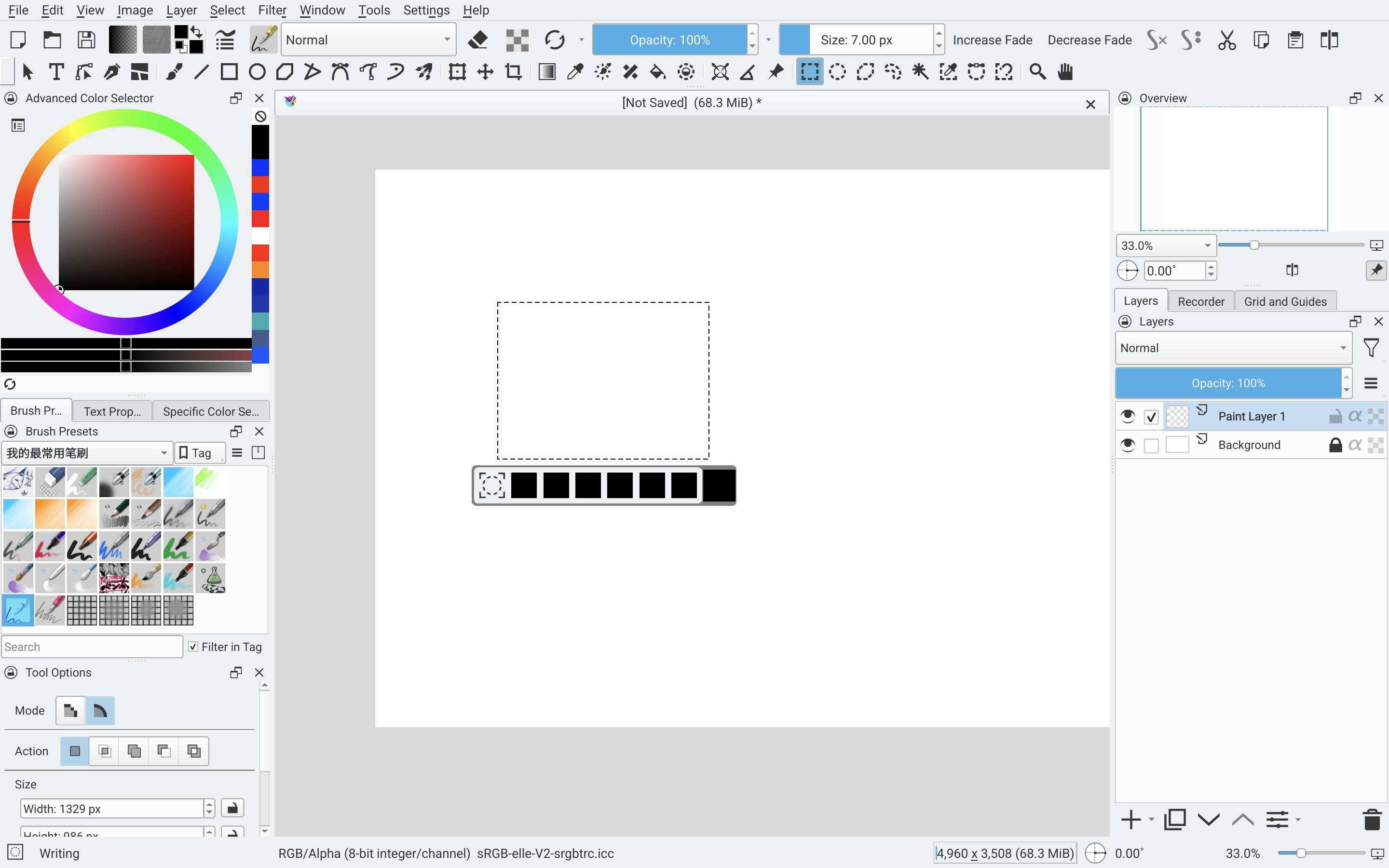
Hello, I have met a bug of “Selection Tool Action Bar“ on my Samsung Galaxy Tab S10 FE+。The icons didn’t appear correctly. And when I press them, nothing happened. It’s a new bug in 5.3.0 beta3. It didn’t occur in 5.3.0 beta2. I also tried 5.4.0-prealpha-dd46adf7-nightly, there’s the same problem. Does anyone met the same problem? I wonder if this is related to Exynos SoC.