So, we want to keep making bugfix releases for the 5.3 series and 6.0 series simultaneously. However, after that (so, Krita 6.1) we’ll switch to Qt6 completely.
Krita 6.1 won’t be released this year, we haven’t even started development, so you should have some time to port and test your plugin
The link leading to the debug symbols is mistyped (https://download.kde.org/unstable/krita/6.0.0-beta1/krita-x64-6.0.0-dbg-beta1.zip), to be able of downloading them it has to be: https://download.kde.org/unstable/krita/6.0.0-beta1/krita-x64-6.0.0-beta1-dbg.zip.
so the update that I got from the “Next” build that says 6.1.0 prealpha presently has nothing different than the 6.0 released today? What I got as a update last night
No, that just means that we’ve opened up the main branch for new features, after making a separate ‘stable’ branch for 6.0. In practice what is going to happen is that we’ll be focusing on bugfixes for the stable branch for the rest of the month until 5.3/6.0 are officially out.
So what you’re seeing is mostly just a version change because you are on the development branch when you use the nightlies. It will get the same bugfixes as the stable branch, but if there’s something that we cannot put in the stable branch (particularly because of things like text-label changes), it’ll only go into the development branch.
Krita 6.0 will become the new ‘default’ version of krita for most of the users? People on Windows who know nothing about Qt and will decide to update, will most likely switch to 6.0? Or will it be described as ‘test’ or ‘unstable’ release on the krita website?
so before I go and download the stable 5.3/6.0, one final question. All the features I am seeing in that update is in 5.3/6.0 presently? The plugin I use everyday seems to be not presently compatible at the time in the update (6.1), guessing the Qt version. But I am liking the features I am seeing and would have to decide on the plugin or features.
From your perspective 5.3 and 6.0 will contain basically the same features. 6.0 will break most of the third-party plugins though, so if you use any, you should consider updating to 5.3 first.
Plugin developers will likely release updates for 6.0 as porting the plugins to Qt6 shouldn’t be much of a deal. For my plugin Shortcut Composer I plan to have separate builds for 5.3 and 6.0 on day one.
i want to give a small report with Krita-5.3.0-Beta. My System ist Xfce Win-Manager on Tumbleweed. So i downloaded the new wonderful Krita version, fired it up, pressed Ctrl-N for a new document, choosed a preset and …….BANG, Krita crashed!. This is not a bug report, but just an explanation, what i did, to made the new amazing Krita get running.
I renamed my resource folder and start Krita again, and guess whats happening, it could create a new document. Then i remember, it was mentioned, overhauling the plugins is needed against the new codebase from Krita. After testing some plugins, one after another, i found the plugin that cause the crash. Without the plugin Krita runs smoothly. And after that i switched back to my recent resource folder without any problems.
Plugin that crashed Krita is: recent_color (Watercolor simulation)
Plugins that i have get running are:
bulicommander, PaletteGenerator, preset_groups and style_sheet_loader.
Try disabling the News widget (in a version of Krita that doesn’t crash) first. That bug (specific to Krita 6 on Windows) has been known for a while, but doesn’t actually have a bug report, so it might’ve been forgotten.
Or if that doesn’t fix it and it’s a different crash, check the crash log in a working Krita’s Help->Show Crash log for bug reports.
As far as I know, we’ll be making 5.3 the official stable release, specifically because we know that 6.0 is going to have the most bugs, because 6.0 will have all the same bugs as 5.3, but also have potential qt6 bugs.
Text resource related: https://bugs.kde.org/show_bug.cgi?id=506086
Currently Debian specific (from what I can tell?), due to its system font “Noto-serif Hebrew” family.
Another related issue is that with an HDD drive and 100+ fonts installed, it tooks more than 7 minutes for the first run to build sqlite database.
Wayland specific
(Krita 6.0 launched with env export QT_QPA_PLATFORM=wayland)
Always “crosshair” cursor while using drawing tablet, cannot change to anything else, no matter which cursor setting or tool is used. https://bugs.kde.org/show_bug.cgi?id=515611
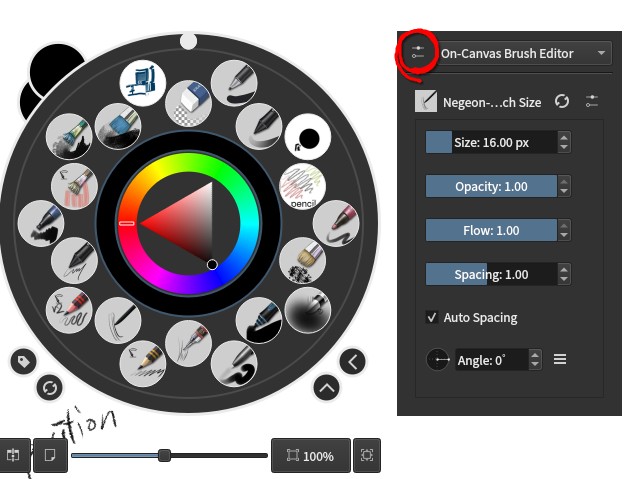
On Canvas popup widget stays at “mouse position” rather than “stylus position” if using keyboard shortcut to trigger. https://bugs.kde.org/show_bug.cgi?id=515618
Edit: Color selector popup will close once the cursor leave it (which is expected behavior), since the stylus cursor is not in the same position as the color selector popup, it just close, hence looks like flicker.
OK this is on 6.1prealpha, so 6.0 beta (?), I am on Kubuntu 25.10 (Wayland). Is anyone else unable to preview a file in my file chooser before opening? As soon as I click a file it starts to open in Krita, even though I have my preview enabled. This seems to be only happening in Krita, as the three other places I tried worked fine. Just want to know if it is me or Krita before reporting as a bug