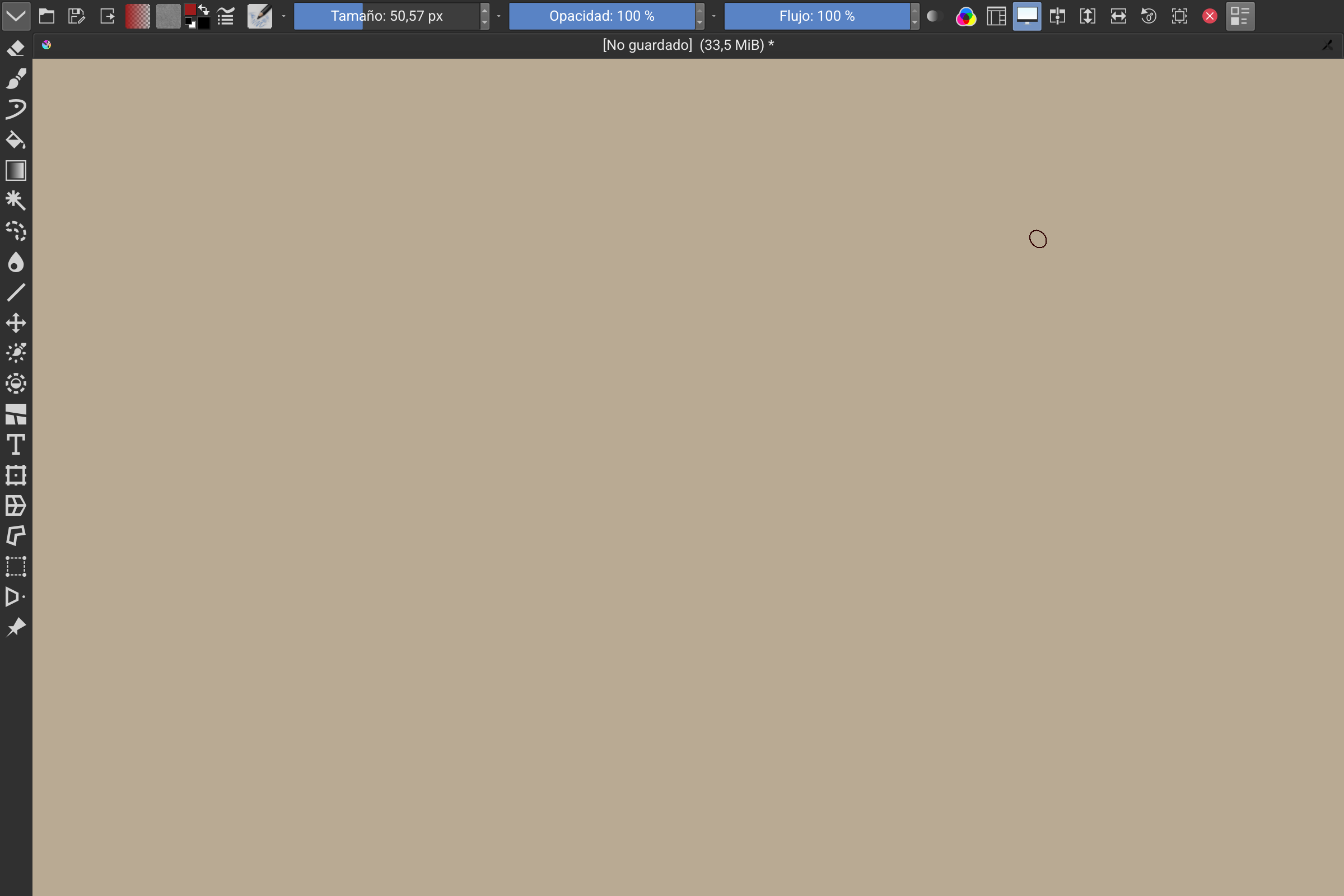
The menu at the top of the application, starts with File, Edit, View, etc.
Edit: should be noted I am running Arch, so Kubuntu might be different here
The menu at the top of the application, starts with File, Edit, View, etc.
Edit: should be noted I am running Arch, so Kubuntu might be different here
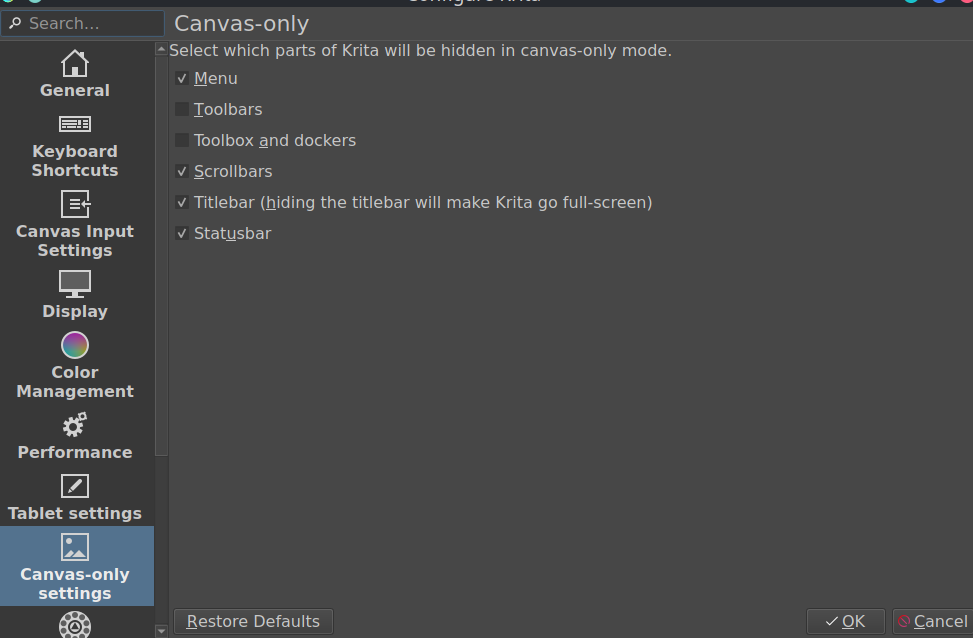
I have my App Menu (Title Bar) and I only see about hiding or not hiding if you are going to full screen. Sorry I can’t help.
This seems to happen pretty regularly, not just with 6.0 and not just with Krita. You can get around it by running Krita with KDE_NO_GLOBAL_MENU=1 ./Krita-xyz.AppImage
There’s also this thread on a different forum that has people discussing some other options.
We haven’t heard of any activity in that area…
It should be no vsync by default in 5.x
Tested 6.0 under native Wayland mode QT_QPA_PLATFORM=wayland seems to also fix the issue, so vsync only happened with 6.0 under x11 (Xwayland?)
bug reported: https://bugs.kde.org/show_bug.cgi?id=516267
that did not work at all 
EDIT: Found the problem (though not the cause of said problem):
org.kde.plasma.private.appmenu says it’s missing entirely despite plasma-workspace being installed. This breaks pretty much everything that relies on getting window information, such as the Global Menu applet. My solution for now is to use something that is not Plasma, so I’m using Cinnamon now.
If you’re not sure this is actually a bug, instead post about it at https://discuss.kde.org
If you’re reporting a crash, attach a backtrace with debug symbols; see Guidelines and HOWTOs/Debugging/How to create useful crash reports - KDE Community Wiki
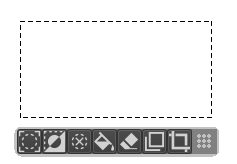
Hello, I’m very happy to see the new “close area” feature and the popup bar showing when selecting with a tool. But I meet a little bug with this bar.
SUMMARY
Popup attached to a new selection stay on first selection
STEPS TO REPRODUCE
OBSERVED RESULT
The popup window attached to a selection (great) is blocked at first position.
EXPECTED RESULT
This window should pop up again under new selection
Another little glitch with 5.3.0 beta 1 (Win 10) : export file option does not populate automatically with the original name of the file but shows an empty entry. It’s a little boring as I think the common behavior is to populate with the original name - and you don’t have to type again the name and eventually change it.
Qt5 based Krita(5.3) hangs/freezes during Python loop:
Race condition between addShapesFromSvg and Shape.remove
About:
I have identified a critical freeze issue when performing batch operations on vector shapes via the Python API. The freeze occurs not on a single command, but when multiple shapes are processed in a loop involving both creation and deletion.
This will only happend in 5.3beta.
Other versions are no problem(5.2.x and 6.0).
How to reproduce:
- Create a Vector Layer with multiple shapes (e.g., 2〜3 shapes).
- Select all THE shapes(e.g., 2〜3 shapes).
- Run a sample script by scripter(Copy and paste it)
- Replaced the shapes are changed to text.
The script execution prints all messages to the console, suggesting the Python interpreter finishes its job. However, Krita hangs immediately afterward.
Simple Test script is here.
from krita import Krita

def main_loop():

    # Test code for a freeze in Krita 5.3.0.
    # The issue occurs when addShapesFromSvg and remove() are called
    # repeatedly within a single loop.

    doc = Krita.instance().activeDocument()
    if not (doc and doc.activeNode()):
        print("Error: No active document or layer.")
        return

    node = doc.activeNode()

    # Target all selected shapes to simulate batch processing
    selected_shapes = [s for s in node.shapes() if s.isSelected()]

    if len(selected_shapes) < 2:
        print("Please select at least 2 or 3 vector shapes to trigger the race condition.")
        return

    print(f"Starting batch process for {len(selected_shapes)} shapes...")

    for i, old_shape in enumerate(selected_shapes):
        print(f"Processing shape {i+1}/{len(selected_shapes)}...")

        # 1. Capture current transformation matrix
        matrix = old_shape.transformation()

        # 2. Add a new shape via SVG
        # Rapidly calling addShapesFromSvg seems to stress the undo/event queue
        svg = '<svg><text y="20" font-size="20">Replaced </text></svg>'
        new_shapes = node.addShapesFromSvg(svg)

        if new_shapes:
            # 3. Apply transformation to the new shape
            new_shapes[0].setTransformation(matrix)

            # 4. Remove the old shape

            old_shape.remove()

    print("Loop execution finished in Python.")

    # Explicit refresh
    doc.refreshProjection()

    print("Success:the bug did not occur.")

main_loop()
This issue happen in Krita 5.3.0 only.
This is not affected by the OS version or whether the Mac is old or new.
Krita5.2.9 with Mojave(MacOS 10.14.7) → OK
Krita5.2.14 with Mojave(MacOS 10.14.7) → OK
Krita5.3.0-beta(6b6785d) with Mojave(MacOS 10.14.7) → Freeze
Krita5.4.0-beta(027815a) with Mojave(MacOS 10.14.7) → Freeze
Krita5.3.0-beta(6b6785d) with Sonoma(MacOS 14.7.1) → Freeze
Krita6.0.0-beta(6b6785d) with Sonoma(MacOS 14.7.1) → OK
See these logs for the details.
------------------------------------------------------------
Krita5.2.9 with Mojave(MacOS 10.14.7)
==== Warning: Script not saved! ====
Please select at least 2 or 3 vector shapes to trigger the race condition.
==== Warning: Script not saved! ====
Starting batch process for 3 shapes...
Processing shape 1/3...
Processing shape 2/3...
Processing shape 3/3...
Loop execution finished in Python.
Success:the bug did not occur.


Krita5.2.14-prealpha (git a504879) with Mojave(MacOS 10.14.7)
==== Warning: Script not saved! ====
Starting batch process for 3 shapes...
Processing shape 1/3...
Processing shape 2/3...
Processing shape 3/3...
Loop execution finished in Python.
Success:the bug did not occur.


Krita5.3.0-beta(6b6785d) with Mojave(MacOS 10.14.7)
==== Warning: Script not saved! ====
Starting batch process for 3 shapes...
Processing shape 1/3...
    (Freeze)

--------------------------------------------------------


Krita5.3.0-beta(6b6785d) with Sonoma(MacOS 14.7.1)
==== Warning: Script not saved! ====
Starting batch process for 3 shapes...
Processing shape 1/3...
    (Freeze)

Krita6.0.0-beta(6b6785d)with Sonoma(MacOS 14.7.1)
==== Warning: Script not saved! ====
Starting batch process for 3 shapes...
Processing shape 1/3...
Processing shape 2/3...
Processing shape 3/3...
Loop execution finished in Python.
Success:the bug did not occur.
I can reproduce the hang on 5.3.0-beta1, 6.0.0-beta1, and my own bulid with Qt 6.9.2.
Backtrace from the latter (from running in Terminal and hitting Ctrl+\, SIGQUIT):
Thread 0 Crashed::  Dispatch queue: com.apple.main-thread
0   libsystem_kernel.dylib        	       0x1992b53cc __psynch_cvwait + 8
1   libsystem_pthread.dylib       	       0x1992f409c _pthread_cond_wait + 984
2   QtCore                        	       0x1076c8e68 QWaitConditionPrivate::wait(QDeadlineTimer) + 72
3   QtCore                        	       0x1076c8db8 QWaitCondition::wait(QMutex*, QDeadlineTimer) + 108
4   libkritaimage.21.0.0.dylib    	       0x104357888 KisUpdaterContext::waitForDone() + 84 (kis_updater_context.cpp:214)
5   libkritaimage.21.0.0.dylib    	       0x10437421c KisUpdateScheduler::tryBarrierLock() + 68 (kis_update_scheduler.cpp:336)
6   libkritaimage.21.0.0.dylib    	       0x1043741b0 KisUpdateScheduler::isIdle() + 20 (kis_update_scheduler.cpp:313)
7   libkritaui.21.0.0.dylib       	       0x1032b37a4 KisDelayedSaveDialog::Private::checkImageIdle() + 20 (kis_delayed_save_dialog.cpp:28) [inlined]
8   libkritaui.21.0.0.dylib       	       0x1032b37a4 KisDelayedSaveDialog::blockIfImageIsBusy() + 160 (kis_delayed_save_dialog.cpp:102)
9   libkritaui.21.0.0.dylib       	       0x103750f08 (anonymous namespace)::busyWaitWithFeedback(KisSharedPtr<KisImage>) + 508 (KisPart.cpp:142)
10  libkritaui.21.0.0.dylib       	       0x103756884 decltype(std::declval<void (*&)(KisSharedPtr<KisImage>)>()(std::declval<KisSharedPtr<KisImage>>())) std::__1::__invoke[abi:ne190102]<void (*&)(KisSharedPtr<KisImage>), KisSharedPtr<KisImage>>(void (*&)(KisSharedPtr<KisImage>), KisSharedPtr<KisImage>&&) + 36 (invoke.h:149) [inlined]
11  libkritaui.21.0.0.dylib       	       0x103756884 void std::__1::__invoke_void_return_wrapper<void, true>::__call[abi:ne190102]<void (*&)(KisSharedPtr<KisImage>), KisSharedPtr<KisImage>>(void (*&)(KisSharedPtr<KisImage>), KisSharedPtr<KisImage>&&) + 36 (invoke.h:224) [inlined]
12  libkritaui.21.0.0.dylib       	       0x103756884 std::__1::__function::__alloc_func<void (*)(KisSharedPtr<KisImage>), std::__1::allocator<void (*)(KisSharedPtr<KisImage>)>, void (KisSharedPtr<KisImage>)>::operator()[abi:ne190102](KisSharedPtr<KisImage>&&) + 36 (function.h:171) [inlined]
13  libkritaui.21.0.0.dylib       	       0x103756884 std::__1::__function::__func<void (*)(KisSharedPtr<KisImage>), std::__1::allocator<void (*)(KisSharedPtr<KisImage>)>, void (KisSharedPtr<KisImage>)>::operator()(KisSharedPtr<KisImage>&&) + 52 (function.h:313)
14  libkritaimage.21.0.0.dylib    	       0x1042d67d0 std::__1::__function::__value_func<void (KisSharedPtr<KisImage>)>::operator()[abi:ne190102](KisSharedPtr<KisImage>&&) const + 24 (function.h:430) [inlined]
15  libkritaimage.21.0.0.dylib    	       0x1042d67d0 std::__1::function<void (KisSharedPtr<KisImage>)>::operator()(KisSharedPtr<KisImage>) const + 24 (function.h:989) [inlined]
16  libkritaimage.21.0.0.dylib    	       0x1042d67d0 KisBusyWaitBroker::notifyWaitOnImageStarted(KisImage*) + 376 (KisBusyWaitBroker.cpp:61)
17  libkritaimage.21.0.0.dylib    	       0x104393d00 KisImage::waitForDone() + 40 (kis_image.cc:1956)
18  libkritalibkis.21.0.0.dylib   	       0x1698b47a8 VectorLayer::addShapesFromSvg(QString const&) + 1900 (VectorLayer.cpp:136)
19  krita.so                      	       0x169e1234c meth_VectorLayer_addShapesFromSvg(_object*, _object*) + 132 (sipkritapart0.cpp:25527)
Seems it gets stuck in KisImage::waitForDone().
So, the vsync problem is caused by an oddity in the opengl interface. There’s a test branch here that will auto set it, but it needs testing:
Edit: I’ve updated the thread to be beta-general, since now the second beta is out, and we’ll have some more testing builds coming up.
[krita5.3beta2] The ‘Selection Actions Bar’ is missing the commonly used ‘Transform Tool’.
It would be convenient to switch to the ‘Transform Tool’ if it’s available here.
This is especially useful for Android tablets where keyboard shortcuts cannot be used.
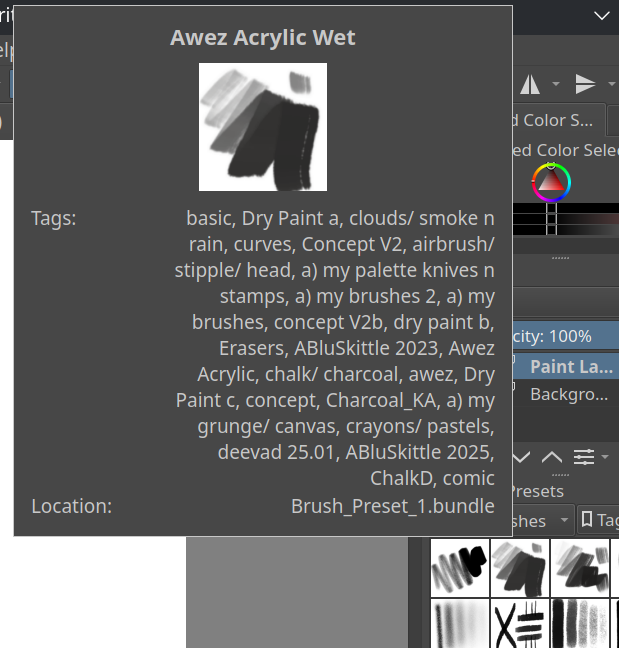
I tried the new default Bundle Creator and not sure if this is how it is supposed to work. Every brush preset was put in every tag I picked in the creation process. Am I supposed to make a bundle for each tag or was there something needed to be done to the presets before to link only the assigned tag? I have 6.0.0 B2 on Linux as my appimage presently.
3 posts were split to a new topic: Linux distro recommendation for color management in 5.3/6.0
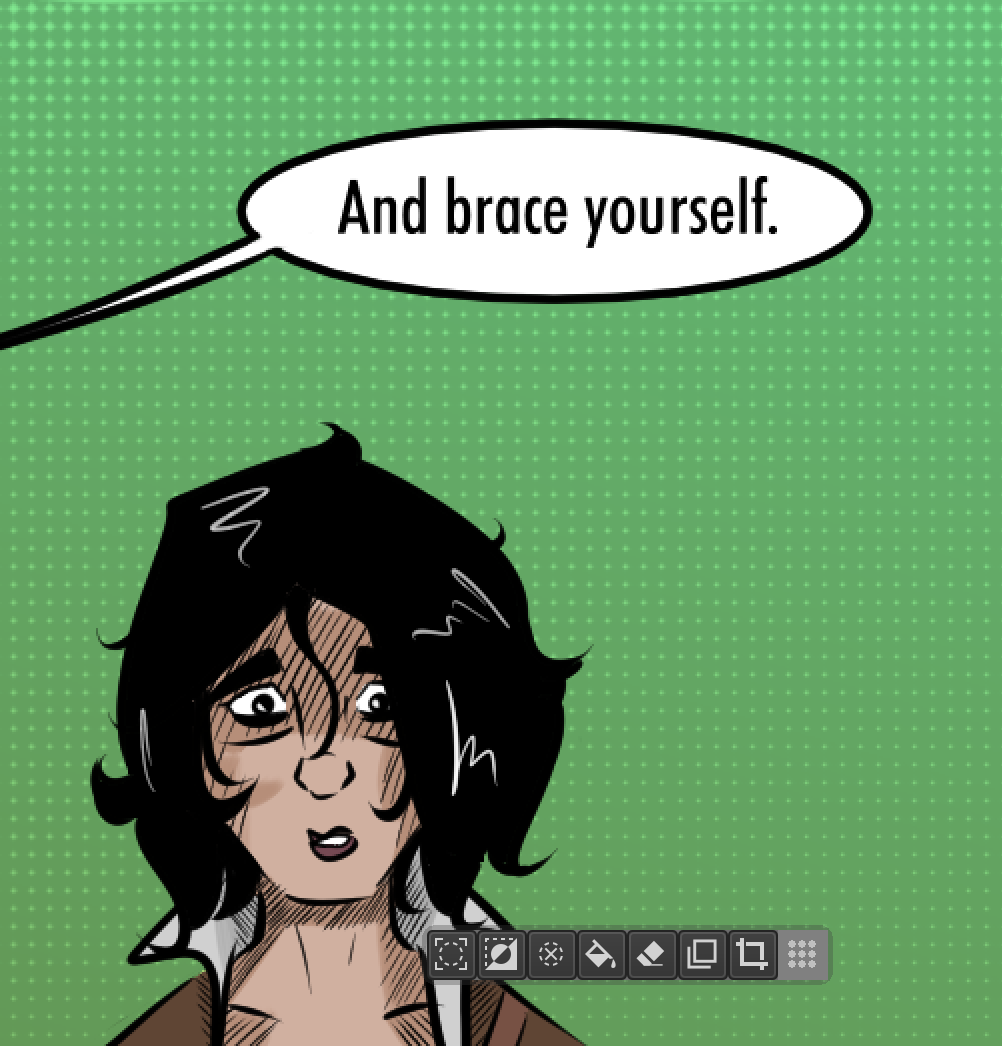
This could just be because I’m clumsy, but I have twice now accidentally pressed the “Crop to selection” button on the mini bar that pops up when you have a selection, and have chopped off chunks of my pages because I wasn’t paying attention and then saved and then due to me still not paying attention had to cobble the new chunked page with an older save.
Is there a way to disable this mini toolbar from popping up? I do like it sometimes, but overall I am much too sloppy to keep it around as I fail about deleting 1/4th of my pages at will. Thanks!
Yes, it is in the preferences, under Settings → Configure Krita → General → Tools, “Enable Selection Actions Bar”.
This is an interface I adopted due to the Krita beta 5.3 update. I hope it’s useful, and I’m not sure if you agree, but I think it’s missing brush size indicators.This is an interface I adopted due to the Krita beta 5.3 update. I hope it’s useful, and I’m not sure if you agree, but I think it’s missing brush size indicators. To return to them, for example, leave the numbers 10, 25, 55. Another thing would be ideal if they placed 3D models of characters or objects, like Clip Studio does.
Just tried out the recorder for the first time in 5.3 with the real time capture mode and I rendered the speedpaint but the colors where being weird there where different colors in de speedpaint than the ones I used on the canvas. I checked the folder and the seperated PNG files where not weirdly colored.
Video link because I can’t upload it here: https://drive.google.com/file/d/1HLW_-a4bC_m7JvqoNzv0F91MXZMXXJ52/view?usp=drive_link
and I also noticed that copy/pasting isn’t getting recorded.
Are you by any chance working on a 16bit or 32bit image? (You can check the status bar). What’s probably going on here is that the recorder docker was updated to allow 16bit recording, but the video generation itself wasn’t updated to take into account color space differences.
If not, then you will need to share an image, or at the very least color data with the original colors, so we know what “different” means.