All tested in Krita 5.3 prealpha on Windows 11.
I solved my two recent feature requests by finding something in Krita I didn’t noticed before.
The requests were both about getting a customizable toolbox.
I use Krita in a way where I hold the pen tablet with the left hand and the pen with the right hand. The notebook is slightly out of reach. In this “workspace,” neither hand is free, and the keyboard is difficult to reach.
So I searched for a way to add the functions, I use the most, to buttons.
First Idea:
Customize a toolbar.
But it didn’t work because toolbars are limited in how to place them in the UI and you can’t assing icons to functions which come without one:
First feature request:
Second Idea:
Customize the Toolbox itself.
But the Toolbox can’t be customized.
Second feature request:
SOLUTION:
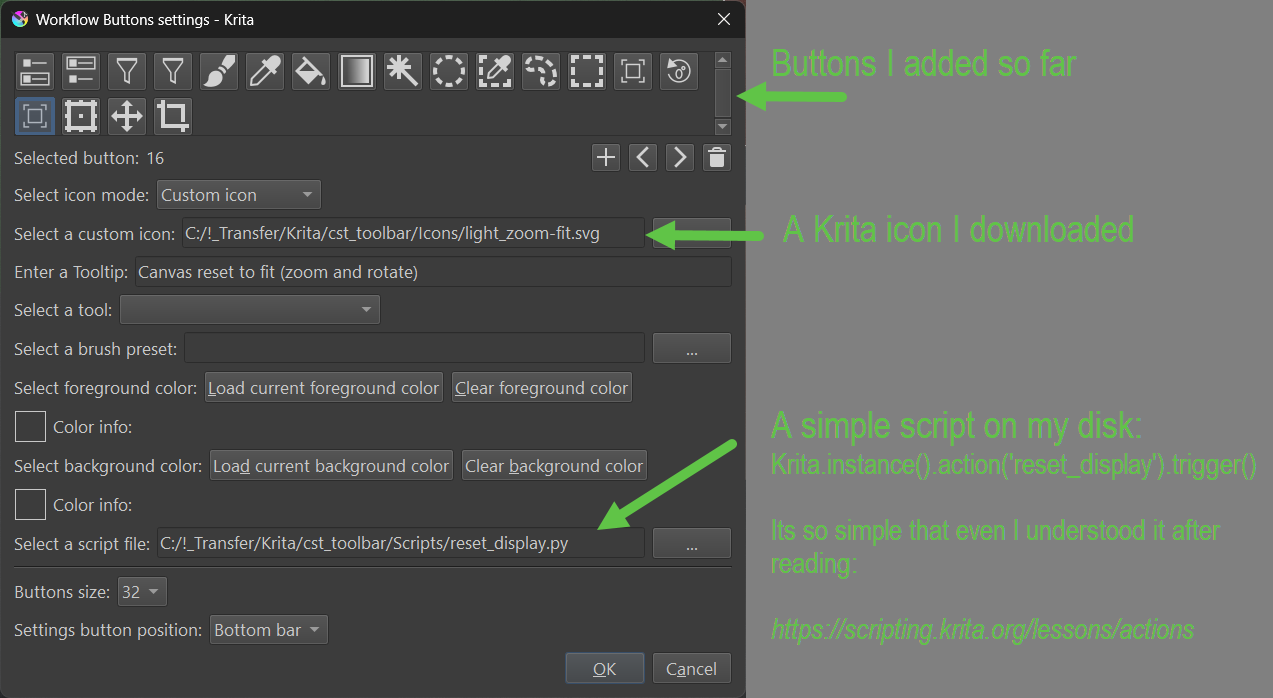
I stumbled upon something called “Workflow Buttons”.
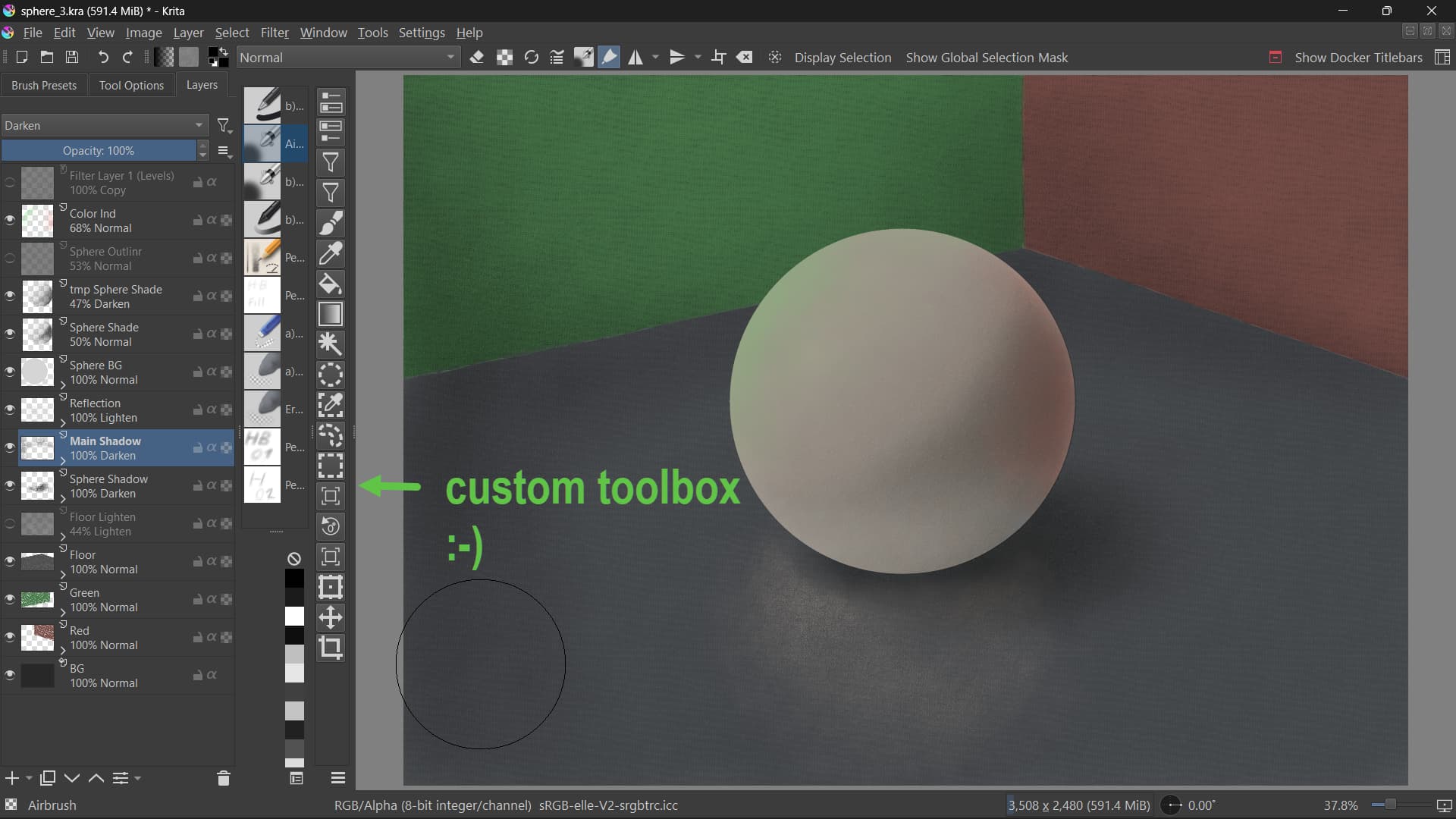
And, guess what, that is more or less the solution to create a custom toolbox.
It allows for making buttons and assigning Krita’s default tools to them.
But wait, there is more:
- You can also assign brush presets to your liking
- And that’s not all, you can also assign your scripts to the buttons (I took some default Krita actions I needed).
- Furthermore, it allows for assigning icons without the need to do programming.
- And, contrary to the toolbars, it is a docker and therefore more flexible regarding its size and position within the UI.
Find it in Settings → Dockers → Workflow Buttons
Is it the perfect solution? No, but better than anything else I found and good enough for me.
(Shown image is WIP that’s why light and shadows etc. look wrong.)

