Krita 5 beta1: Brushes don't work like they should from bundles

Hello

I just tried Krita 5 and recognized that many brushes don’t work how they should from many bundles.

I tested now the Digital Atelier Bundle and this Brushes don’t work correctly in my opinion:

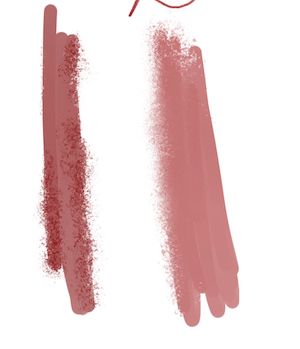
DA Oil 08 Diluted (wrong spacing?), DA Oil 14 Round Wet (no paint and nearly no smudge), DA Pastel 02 Wibbly lines (no grain), DA Pastel 10 Soft touch (wrong spacing, jitter? idk, looks wrong to me), DA Pastek 12 Blender smear (no texture for smudge?), DA Pastel 13 Blender Soft (looks a bit wrong to me, but i am not sure) same as DA WaterC 04 Flat, no sure.

@RamonM what do you think about this?

Also i have to test any brushes from other bundles too. Some don’t work but i tested other bundle just random, i post the whole list if i tested a complete bundle. Could someone help me? About the Bundles in The Krita Videos? (KDE - Experience Freedom!)

And i think every creator of a brush bundle should check every brush they created. Somethimes patterns or tips are not loaded, or spacing settings are wrong and so one.

EDIT: It is even worse, all brushes for Pastel uses custom patterns, but they aren’t loaded in Krita 5, all pattern Texture falls back to 01_canvas.png and all brushes looks wrong, but sometimes hard to see. Also the WaterC 11 and maybe even more brushes!

2 Likes

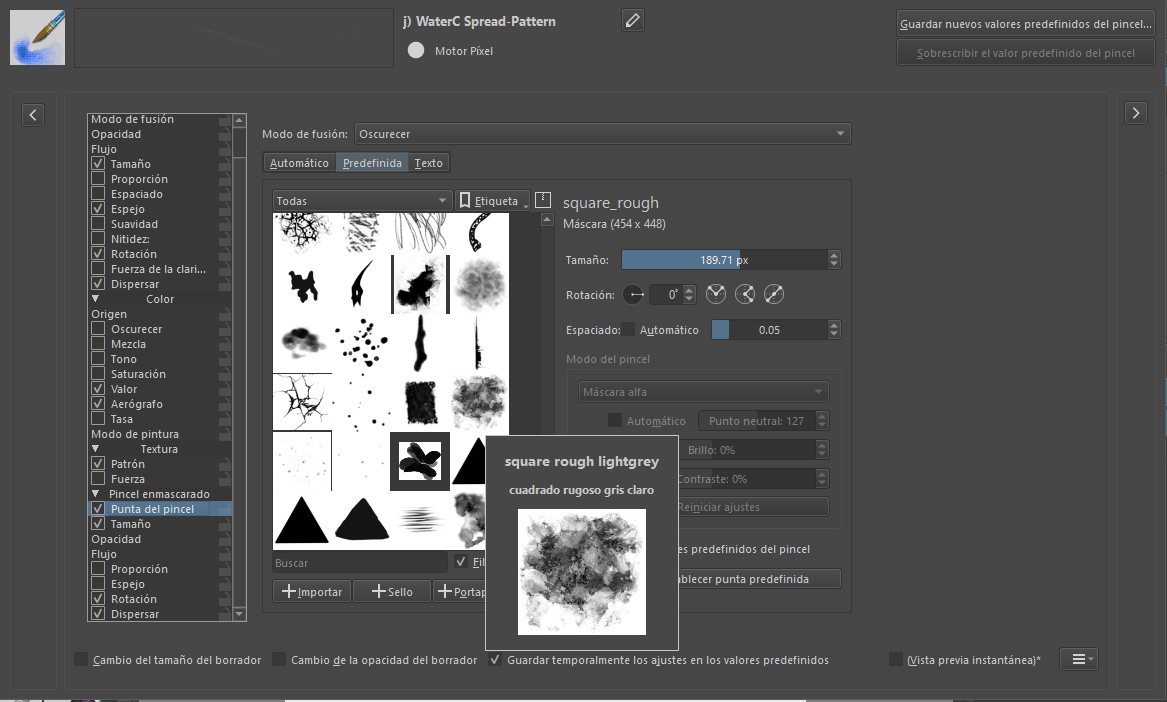
I’ll add on to this: “wojtryb6_N_06_oil_DA_impasto” from @wojtryb’s brush pack now seems to do dashed strokes instead of continuous strokes. However, the dashed behavior stops when tweaking any brush setting. Notably, the masked brush tip it uses, “square_rough” (which should belong to the default Krita 4 resources), appears to be missing.

3 Likes

Nearly all brushes form @Deevad 's Bundle 2021 doesn’t work correctly in Krita 5. It looks like the bundle do’t have a pattern, but nearly all brushes uses a pattern that is created in Krita 4 in the pattern library if you use a brush (then in pattern library you see a new pattern called: 4-paper-soft-grain_testdark-black55.png and another one. Maybe cause this the pattern is not loaded vor all brushes in the package. And then it falls back to the 01 canvas sometimes.

I don’t list all brushes, cause too much. And idk if there is other issues like wrong spacing or other options that are not correctly loaded in Krita 5, idk.

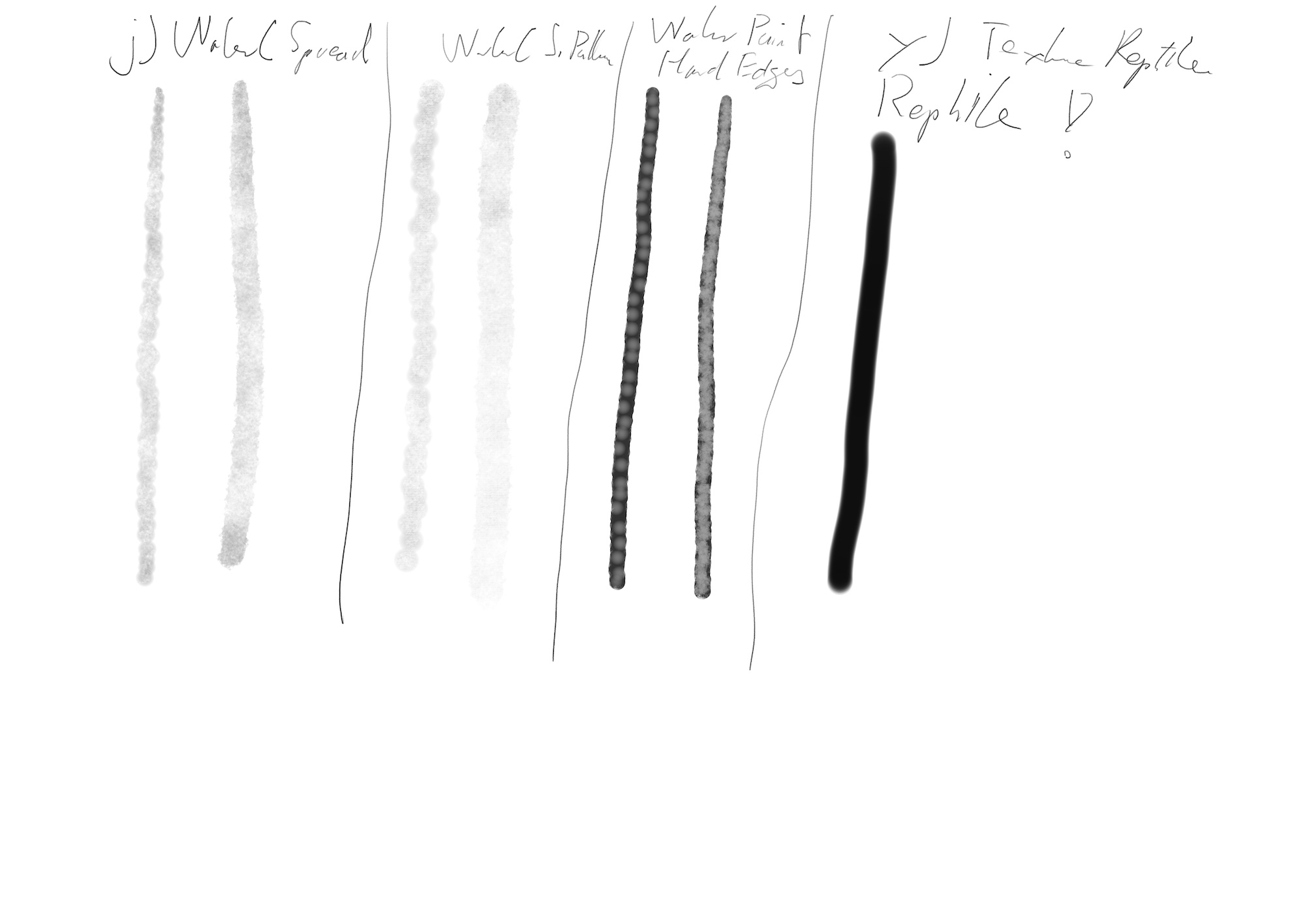
I have noticed that this also happens with “j) _WaterC_Spread-Pattern

Edit: I used the mouse, the pattern is not showing unless it is reselected.

Hi SchrodingerCat

You also press very softly with this brush in the first try, or only in the second? With this brush the more you press, the less it paints. You have to press very soft. For me this brush works. :grin:

I used the mouse, what I mean is that the pattern is not shown, I tried this on my two PCs and the same thing happens on both.

Heh, no major version beta can survive real users :smiley:

(Will check it out. Someday. Pinky promise.)

4 Likes

Oh yes, this is weird, if you reselect the same pattern, the brush feels better an more like it should be. It seems this is another issue. In the other brushes i described, there was not the correct pattern loaded and it falls back to a wrong pattern.

@Pesi 's Watercolor bundle is also broken for some brushes, same as for the digital atelier brundle. Patterns are wrong for PW 3, 4, 8, 9, 10, 12-16.

In the case of some David Revoy brushes, it’s because the patterns don’t exist (I don’t know if, they don’t come in the bundle). What I do is create the pattern with the help of Krita 4.

This is one of those brushes, with the existing pattern I just select it and save the new brush.

This is what i try to explain. this brushes maybe saved the pattern in the brush preset in krita 4, or linked to another and created by opened the preset. I don’t know exactly. Same for Pesis. And now they couldn’t loaded in Krita 5 maybe. But for some other brushes, the settings are also wrong like spacing or smudge settings.

It is not possible for me to go more deep into this and check every brush which settings are wrong or patterns not laoded.

Could this be part of the problem?:
440740 – Changing any attribute of a brush that uses texture patterns, can cause the brush's pattern to reset to the "01_canvas.png" pattern

Pinging @fizzyflower

1 Like

Not for me, this behavior is initially after loading the bundle, and they are even more bundle with this problem, i tested some random brushes from other bundles too. Also if i change something and reset the brushes settings to standart it is the same problem. It falls back to 01_canvas.png because the needed pattern is not there, but it is in krita 4. you see my explanation on post above.

Also i found a brush with missing brush tips but this worked normal in Krita 4. Same brush tip as tom posted.

And the DA Oil 14 Round Wet from Digital Atelier bundle uses the brush tip “A -2 Sparkle 3” from the Krita 4 Bundle, but this is not avaiable in Krita 5 in the “Krita 4 Default Resources”. But it is listed in the same bundle in Krita 4. Why is this?

Rechecking all my bundles. This is what i call a good feedback, thanks.:+1:


Weird that Spray brush with black x because it is using spray brushengine. no missing tip is posible i think.
I am fixing also the Red ones. wow! a lot of time since i created them.

6 Likes

I have this issue with the waterc spread and waterc spread pattern brushes too in 5.0 now

I have checked all brushes that are included in Krita 5 from the Krita 4 default resource and local in Krita 5. This is the result:

The brush y) Texture Reptile doesn’t work, the pattern is not selected: 22_texture_reptile.png. But it is avaiable in Krita 5.

This brushes doesn’t work correct. To make it work, you have to select another pattern in the brush editor and then go back to the right pattern before. This changes the behavior of the whole brush:
j) WaterC Spread (for this brush this is very weird, cause it uses no pattern! you have to enable it, select one, deactivate it)
j) WaterC Spread pattern
j) Waterpaint Hard Edges

Cause of this weird pattern behavior, it is maybe good to check the followed brushes too. They work at the moment, however the pattern is not listed in the brush editor and not avaiable in Krita 5, this is super weird. And the pattern falls back to 01_canvas.png, but it is not activated. But they work internaly with the right pattern, idk why. After the Brush you see the name which pattern is used in Krita 4:
f) Dry Roller (4-paper-soft-grain-testdark-black55.png)
g) Dry Brushing (4-paper-soft-grain-testtweak2.png)
g) Dry Textured Creases (tex9.png)
h) Chalk Details (4-paper-soft-grain-testdark-black15.png)
i) Wet Paint (4-flathack-black55.png)
i) Wet Paint Details (4-flathack-black55.png)
i) Wet Textured Soft (4-paper-soft-grain-testdark-black55.png)
k) Blender Basic (4-flathack-black55.png)
k) Blender Textured Soft (4-paper-soft-grain-testdark-black55.png)
y) Texture Wood Fiber (4-paper-soft-grain-testdark-black15.png)

@tiar
Is it possible that Krita 5 checks the patterns for a checksume and if one is duplicated it is not displayed. And in Krita 4 these brushes are linked to patterns that are duplicated but with a different name? However, I cannot find a pattern for the above named that are in the default patterns. Maybe I just haven’t found them and they would be there with a different name.

However, this does not solve the problem that other bundles have and simply lack the pattern and sometimes brush tips and masked brush tips. So many brushes from other bundles don’t work anymore that Krita 5 is not usable for me at the moment. I know, it’s a beta!

But you would have thought that there was enough time to load an external bundle, and if more than half of the brushes did not work, you would have noticed that quickly, even before the beta. Especially since the bundles are also hosted by the krita kde webpage and promoted by krita youtube.

This is not an accusation, rather a surprise that this could happen. I really like krita and it is really nice that so much is offered as opensource. I appreciate all the hard work from everyone.

In addiiton, some Brushtips for the default and local resources are missed in the Krita brushtip library and resource manager, but the brushes works correct in my opinion:

f) Bristles-5 Flat (rake_flat)
f) Charcoal Rock Soft (3_eroded)
i) Wet Textured Soft (A -2 Sparkle 3)
j) WaterC Basic Round-Grunde (square_rough)
j) WaterC Basic Round-Fringe 02 (U Circle shape 5)
k) Blender Textured Soft (A -2 Sparkle 3)
y) Texture Crackles (A_craqules)
y) Texture Noise (P_Graphite Black Grass)
z) Stamp Herbals (A-4 random vegetal2)
z) Stamp Bokeh (U Circle shape 5)
z) Stamp Floor (A-4 Forest)
j) WaterC Spread-Pattern (square_rough (masked brustip)
j) WaterC Spread (square_rough (masked brustip)
j) Waterpaint Hard Edges (square_rough (masked brustip)

Fully tested bundles by me now, but no guarantee that i see all issues: @RamonM
Default and Local Resources, you see all above.
Airbrush
Spray
Crayons
Classic Chalk
RGBA Brushes
RGBA-wet
Charcoal_KA
RM_Sketch_V1
Impression_2021_v3

What i recognized:

Spray Bundle:
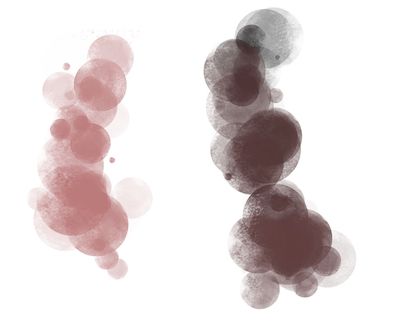
y) Spray Object Mix FG BG: Applies wrong color, is A LOT darker than in Krita 4!
Spray

Crayons_V1:
h) Crayon 10 Blend-Smear: Blendbehavior is other than in Krita 4, but i think it is an improvement in Krita 5 :wink:
Crayons

2020 Classic Chalk (Folder with Presets):
All brushes uses a one of two patterns: 4-paper-soft-grain-testdark-black55.png or 4-paper-soft-grain-testtweak2.png they aren’t in the pattern library, however it seems like all brushes works correct to me.

Charcoal_KA:
h) charcoal 04 Chamois (brushtips: square rough missing, but works in my opinion)
h) Charcoal 10 Willow BlockGrainy (masked brushtip: A-4 Forest missing) looks wrong (spacing maybe), After use a pattern and deactivate it, the brush looks okay, even if it doesn’t use a pattern before.

Impression_v3:
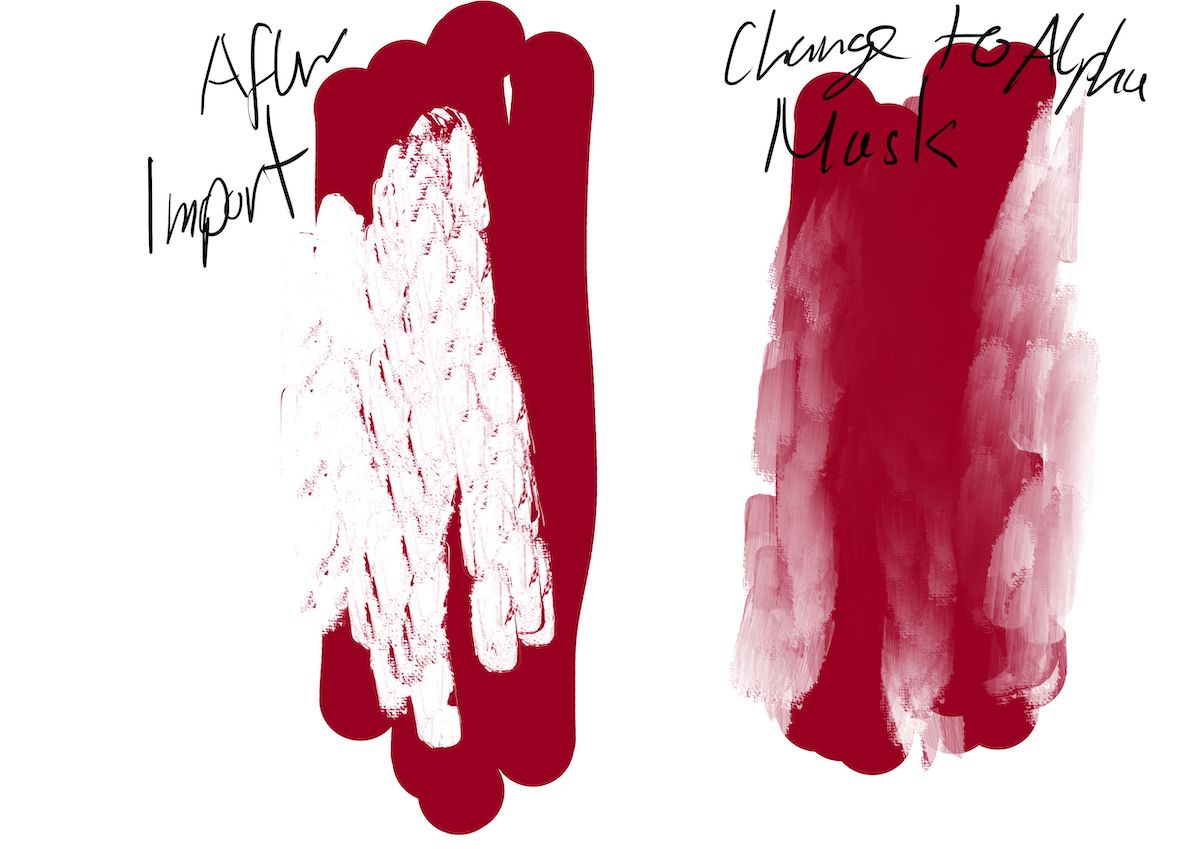
v) Texture Impressionism Wet Blend-Big: looks weird, maybe cause in the smudge engine it is „Color Image“ activated by default now, and this was not in Krita 4. Maybe for the same effect in Krita 4 „Alpha Mask“ is required?

A minor suff that i recognized about the new resource system:
There is also a weird behavior in krita 5. Lets say i load bundle digital atelier and then RM_Sketch_V1. All is fine for the RM Pencil Supersoft. But when i deactivate digital atelier bundle, the brushtip is not avaiable the library for this brush. it looks like krita 5 uses the brustip from digital atelier and don’t laod the same from RM_Sketch_V1 Bundle, but when you deaktivate digital atelier, you see the brushtip not in the library cause krita thinks it has loaded from another bundle, which is deactivated now (maybe cause the checksum was the same for this brush)

And it looks like the most brushes are broken in Digital Atelier, which i mostly use and cause this thought they were much more brushes broken… i’m sorry :upside_down_face:

It is the same error I have but as I used the mouse it shows differently.

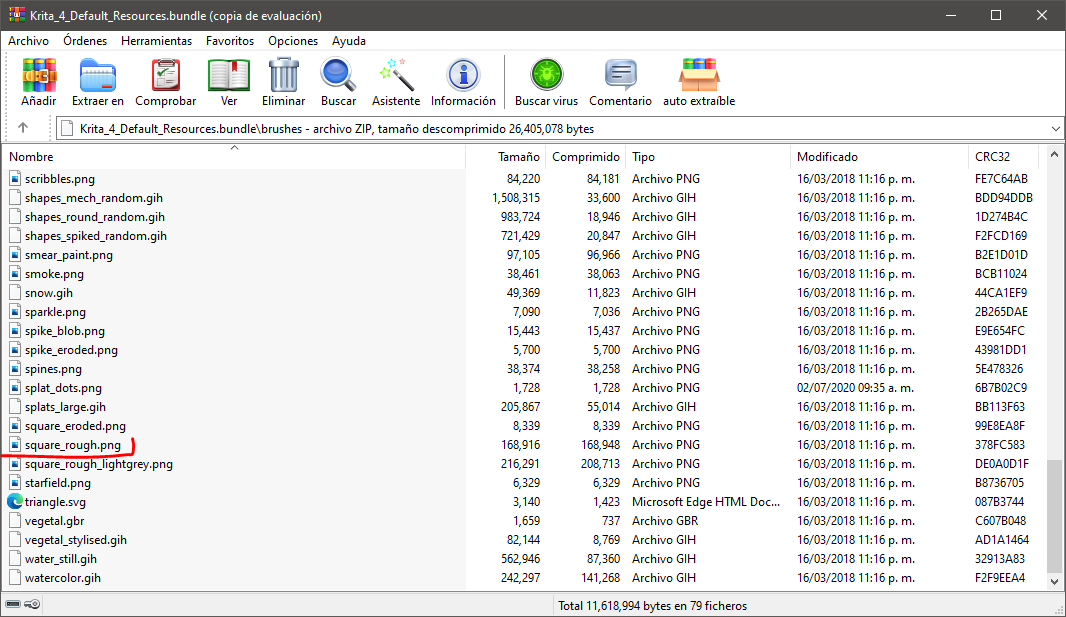
I discovered that the error is not due to the pattern, but rather krita is not recognizing all the resources, for example in said brush what is missing is the tip of the masked brush, which is called “square rough”, it is only found " square rough lightgray "

I checked and this exists in the Krita 4 bundle but maybe it is not being recognized because it’s similar to the other one.

1 Like