Krita Bundle Creator

What is it?

Krita Bundle Creator is a Python addon for Krita 5.x that lets you build custom .bundle files from your installed resources.

Spanish and English languages

Just click on a brush and the addon takes care of everything: it detects all dependencies (brush tips, patterns) and packages them automatically, including properly formatted tags that Krita reads correctly right after import. No manual work, no broken brushes.

Download: https://drive.google.com/open?id=1NNXL8ZvgOt7MjlaRjpcvSUJLVmI7X4aP&usp=drive_fs

Features

  • One-click packaging — Select a brush and click :play_button:. The addon reads the preset, resolves all its internal dependencies (brush tips, patterns), and adds everything to the bundle automatically. Nothing gets left behind.

  • Correct tag generation — The bundle includes properly formatted tags that Krita recognizes natively. Your brushes appear organized in Krita’s brush panel immediately after importing, no extra setup needed.

  • Browse all installed resources — Scans your Krita resource folder and lists every paintop preset, gradient, palette, and workspace available, whether they come from installed bundles or loose files.

  • Filter and search — Filter resources by name, tag, or source bundle to find what you need quickly.

  • Thumbnail preview — Brush presets display their thumbnail directly in the list.

  • Custom bundle metadata — Set the bundle name, author, description, and a custom tag that will be assigned to all included resources.

  • Custom icon — Choose any square image from your disk to use as the bundle’s preview icon inside Krita.

  • Save and load selections — Export your current resource selection as a .json file and reload it later, so you can rebuild or update a bundle without starting from scratch.

  • Multiple resource types — Supports paintop presets (.kpp), gradients, palettes, and workspaces.

How to install

  1. Download the .zip file from the link below.

  2. Open Krita → Tools → Scripts → Import Python Plugin from File.

  3. Select the downloaded .zip and click OK.

  4. Restart Krita.

  5. The addon will be available under Tools → Scripts → Bundle Creator.

Compatible with Krita 5.x on Windows, Linux, and macOS.

How to use

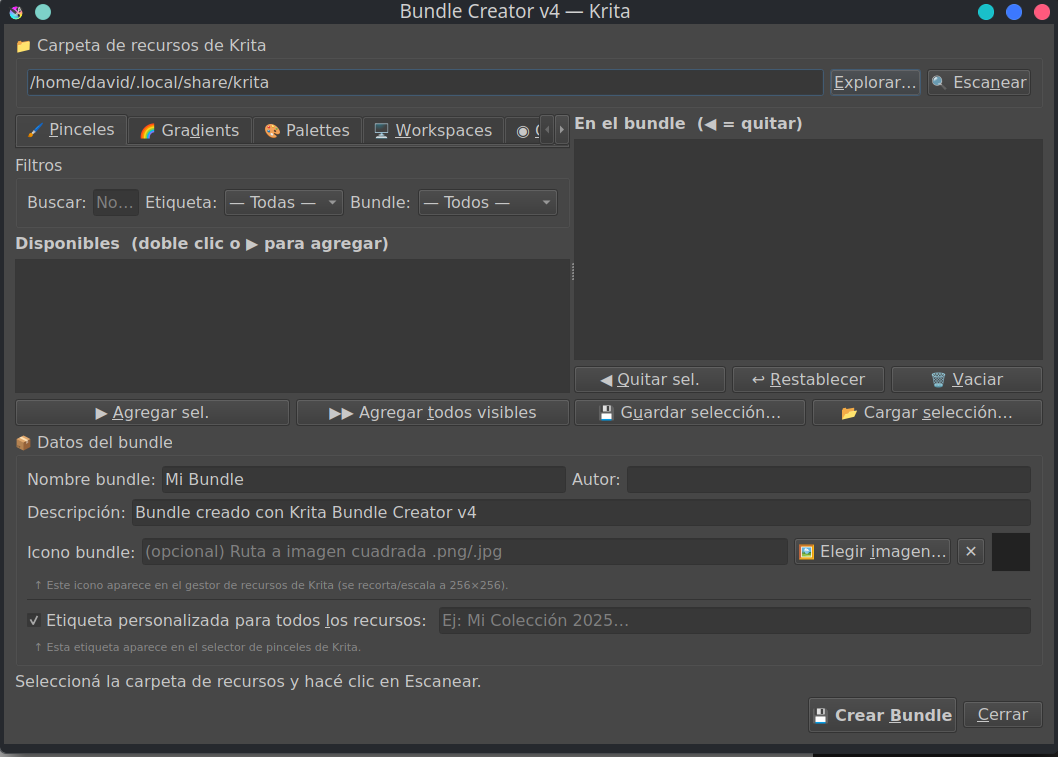
Step 1 — Open the addon Go to Tools → Scripts → Bundle Creator.

Step 2 — Scan your resources Click Scan to load all resources from your Krita resource folder. This may take a few seconds depending on how many bundles you have installed.

Step 3 — Add resources to the bundle Browse the left panel. Use the search bar and filters to find specific brushes, gradients, palettes, or workspaces. Select one or multiple items and click :play_button: to add them to the bundle, or double-click to add a single item.

Step 4 — Configure the bundle Fill in the fields on the right panel:

  • Name — The bundle’s display name inside Krita.

  • Author — Your name or studio name.

  • Description — A short description of the bundle’s contents.

  • Tag — A tag that will be assigned to all resources in the bundle, making them easy to find in Krita’s brush panel.

  • Icon — Click “:framed_picture: Choose image…” to select a square image (.png, .jpg) to use as the bundle icon.

Step 5 — Save your selection (optional) Click Export selection to save a .json file with the current list of resources. You can reload it later with Import selection.

Step 6 — Build the bundle Click Create bundle, choose a save location, and the addon will generate the .bundle file with all selected resources and their dependencies included.

Step 7 — Import into Krita Go to Krita’s Settings → Manage Resources → Import Bundle/Resource, select your new .bundle file, and activate it.
15 Likes

Thank you for sharing all your hard work with everyone.

1 Like

Thank you! Please let me know later if it worked for you and if you were able to use it.

It would be absolutely great if you could upgrade it so it will be able to also bundle templates with their possible dependencies, which can be hard bread to bite! ¹ That is something I already asked @Srirupa_Datta for, back then when she was developing the new Bundle Creator that we will get with 5.3. ² But I have to admit, this won’t be easy!

And then I would like to be able to bundle all the resources we currently can’t add to bundles, so all those resource types the original Krita bundle editor lets out, but that do not depend on dependencies to fulfill. That means you simply have to add them to the BUNDLE (ZIP file) to create and to unzip them in their respective folders when importing a bundle into Krita, which should be easy to add.
Here, for me, would be especially important layer styles, which, other than you would expect, are saved as ASL files in the folder asl in Adobe Layer Style format, but also color-schemes, input-schemes, predefined image sizes, preset icons, shortcuts and symbols would be greatly appreciated, although they are mainly niche resources most users will never touch.

Michelist

¹ In the subfolder tetimpressio\layers\ of the respective KRA file for each template, you must scan all *.filterconfig files, of the individual templates, for file references to patterns that may be used in the template so that they can then be added to the BUNDLE (I think I explained this in Pesi’s watercolor brushes thread, as he had an error in his template that referred to a local resource that only existed on his computer and made it hard to use his “watercolor page” he offered in his “template construction kit” for that “watercolor page”. Therefore, I offer there a fixed version of that “watercolor page” template).

² The topics were: Bundle Creator: Improving the UI/UX design and Bundle Editor (New Feature), but she let it out, probably because it is not easy, or was not easy back then, maybe AI may help writing a routine scanning for the dependencies.

3 Likes

Hi @Labi - I would do so but I work on Android which doesn’t accept plugins.

1 Like

Am I missing language support? I just opened the plugin and most of it is not in my native language, which I, myself can grasp most of it. This being said, the ability to read in one’s native tongue would help all.

1 Like

I’ll think about it. This plugin is optimized for typical workflows. However, it’s true that recovering workspaces, shortcuts, and templates can be annoying at times. I think all of that should be handled in another plugin. When I return to refine this plugin, I’ll evaluate your request. The only thing I don’t understand (probably because I’m unfamiliar with it) is the value of Adobe Layer Style or ASL files. Please tell me what they are for.

1 Like

You’re right, I focused a lot on the design and making sure it worked well. It’s a complex plugin. Next week I’ll pay attention to the translation.

2 Likes

I tried to follow your instructions posted here, but got lost on some of the buttons, because of translation. It looks to be a well thought out plugin and I will definitely be using it.

1 Like

Krita has layer styles itself, they are more or less an incomplete version of those from PS, probably because more wasn’t possible at the time it was reverse-engineered and implemented into Krita.
And now comes the interesting thing, you can save your self created layer styles and this happens in Adobes ASL format. You can also download and use original Adobe ASL’s as far as their feature set is compatible with that implemented in Krita so far. Because of this fact, I have a lot of self created ASLs as well as tons of downloaded Adobe ASLs, and it would be great if we could share our own creations via this way. For me, these all are convenience questions, because I know how to use and handle these layerstyles as well as all the other requested additions, but for most users this is out of scope, they can import a bundle, but not a few already have issues when it comes to import a few loose brush tips or brush presets via Settings > Manage Resources... > Import Resources, and that although it is nearly identical to import a bundle.

You could say, for me, I’m asking for a convenience enhancement of your plugin, but for large parts of the community that would open up access to resource types that they can not use right now, because they don’t know how to import them.
But with the templates I fear it may be hard if not impossible because of the dependencies deeply hidden in the KRA’s belonging to that template, and they can but must not exist, most of the time you are searching for nothing.

Michelist

2 Likes

it is now translated :wink:

2 Likes

Thanks. I will give it a try tomorrow

1 Like

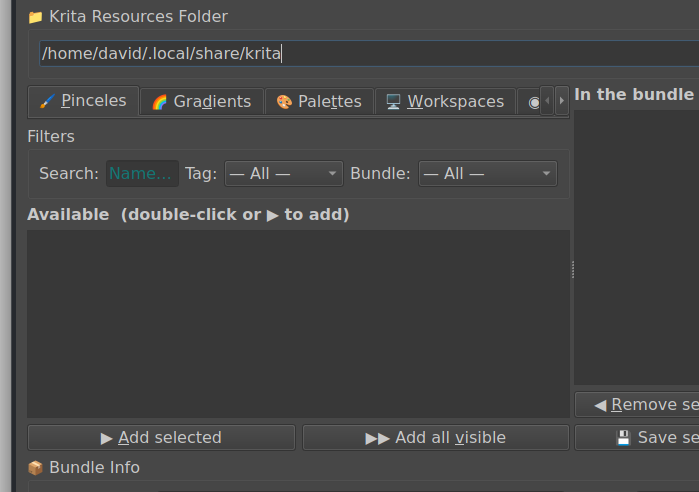
After trying it out, I saw a few things that might be good to add/ change. First is the add, a tab for “brush tips” to be able to bundle all the tips not currently attached to a brush. I have hundreds of brushes, but even more of brushtips. The work spaces can be bundles, but not the extra brushtips. This might not be able to effect everyone, as I have a large monitor. Here is the original

You have the “Tabs”, then the section for “Filters” and “Available”. If I heighten the whole window, the space between the “Tabs” and “Filters” gets larger making a lot of empty space that could be used in the “Available” window. It would be nice to be able to, once you have heighten the entire window, be able to adjust the height of the “Available” window

With the above out of the way, the rest worked great. And above is just my suggestions, that might only effect me.

3 Likes

thanks i will try to fix it

1 Like

Thanks for the useful plugin.

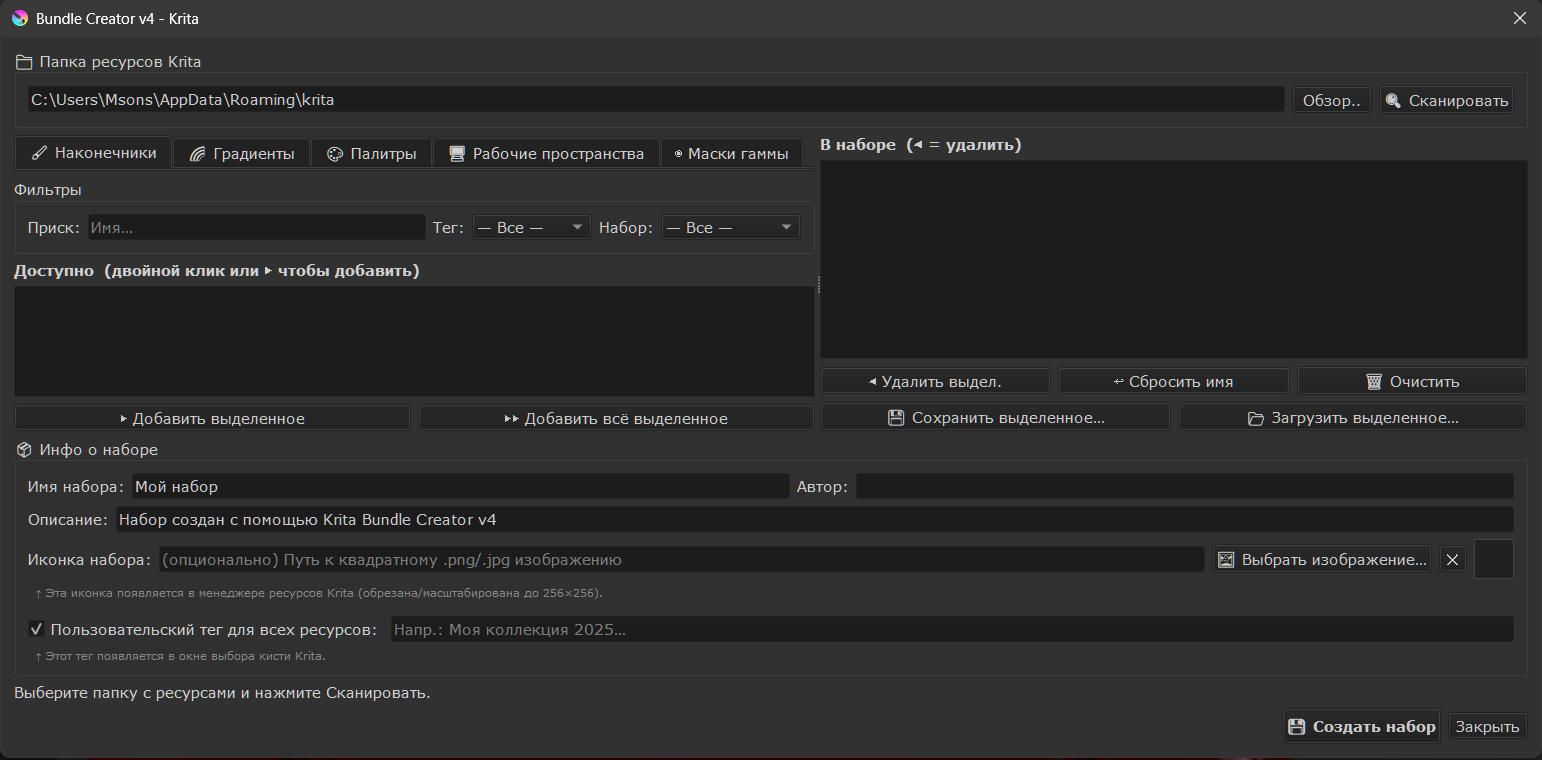
Перевод на русский язык.
Russian translation. Unfortunately, I didn’t figure out how to add new language as the additional language to the localizations, so I just replaced the text in the english localization.

Установка: скопировать содержимое архива в папку для плагинов
Installation: copy the contents of the archive to the plug-in folder %APPDATA%\krita\pykrita

Google Drive: DOWNLOAD

1 Like

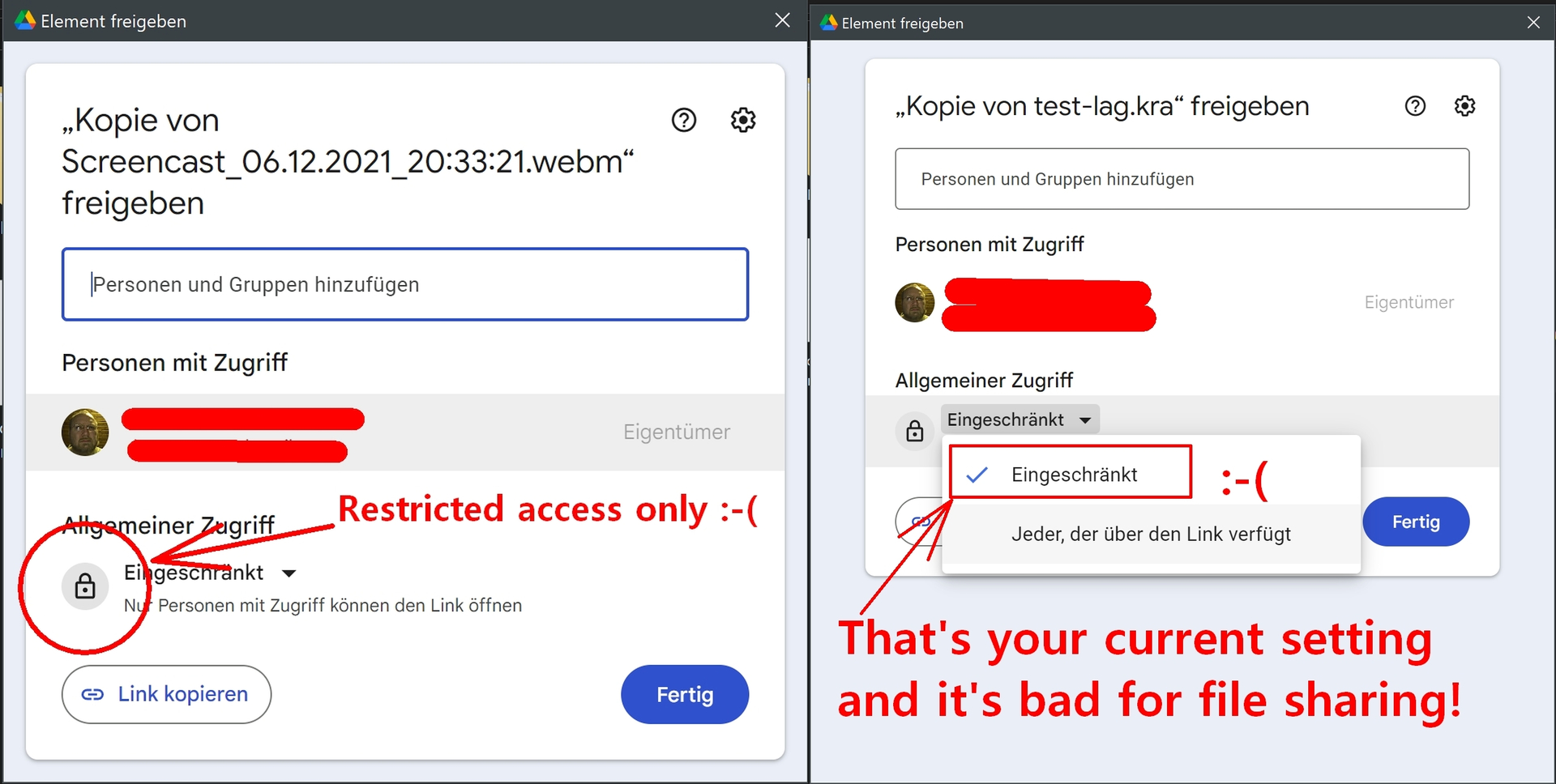
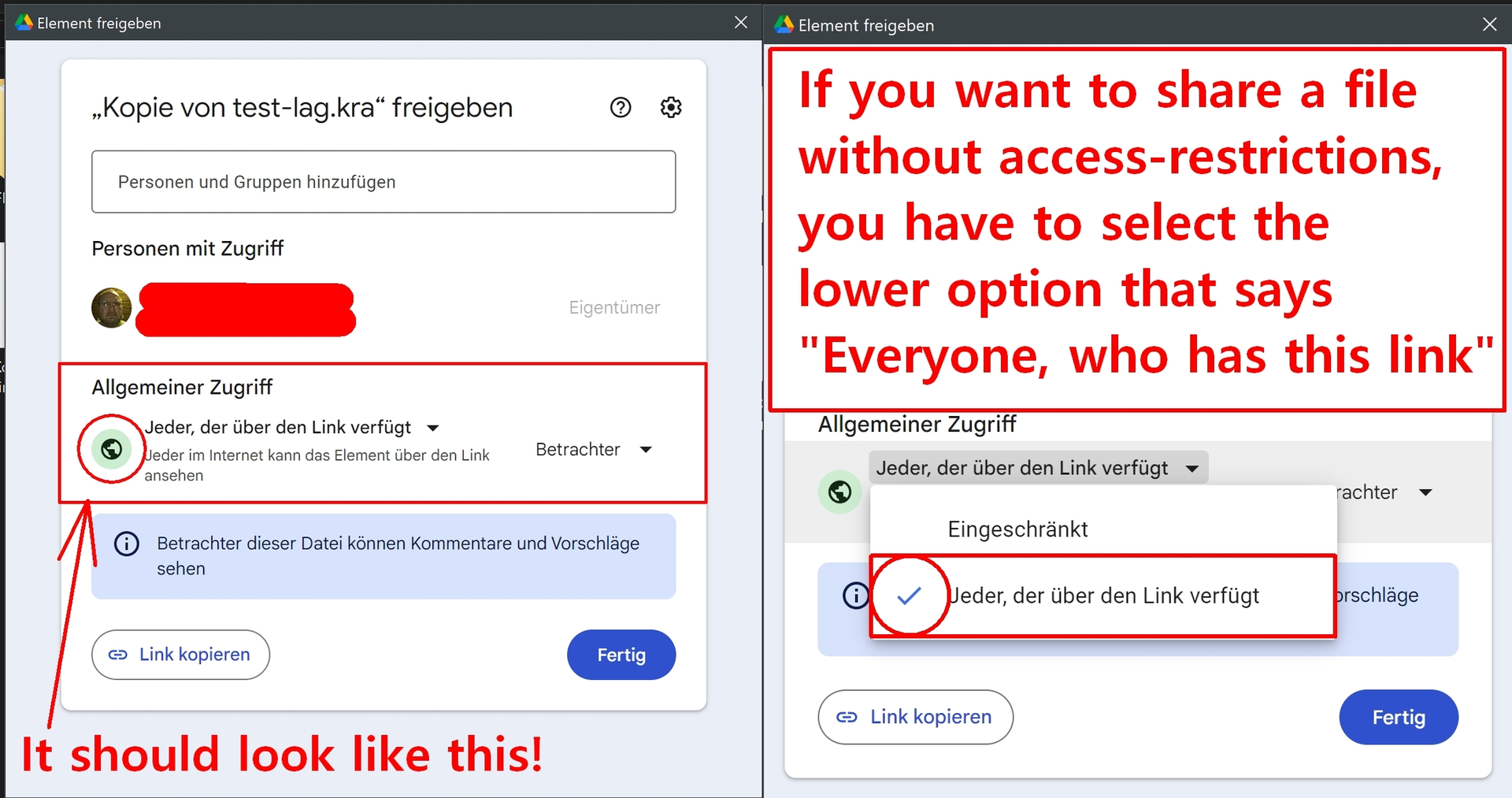
You need to create an open shareable link for your fix, because without nobody will download it only to hand over their mail to you and Google.
These are the important settings to make it freely accessible for all, your current selection (or probably you selected nothing at all):


To what it has to be changed:

Michelist

3 Likes

Strangely, I did so, but for some reason it didn’t save, I changed the access setting. Thanks for the comment.

2 Likes