So this is kinda-sorta a follow-up to [my other post I made earlier this year] (Krita doesn't open when I click on it); I recently tried installing different versions again (still no success, even made sure my firewall lets it through too), but this time I realized something new!
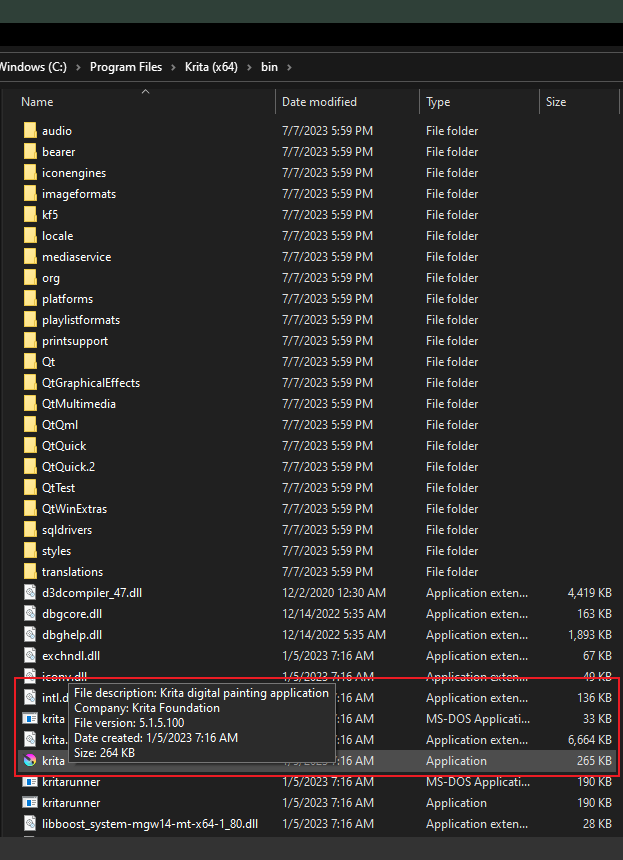
Not only does setting up/installing Krita not create anything to go in the App Data folders or the kritarc/kritadisplayrc files, the application (the one that’s supposed to open Krita when I click on it) has either just 265KB or no listed size at all. I’d like to get some help/input on this before I just accept I can never use Krita on my computer again?
I can’t even imagine what I could’ve done to make it fail on me in the first place; when I installed it for the first time a couple years back, it worked just fine for a while. I was able to make a couple art pieces with it with no problems, and didn’t touch any of the files that were created upon installation before it stopped working.
I’ve read your previous topic on this issue from February of this year.
Do you still have the same situation with the Vega 3 graphics driver? If you do then I’d assume that has to be fixed first, which seemed impossible at the time.
It’s running krita for the first time that creates the kritarc and kritadisplayrc files in -\AppData\Local and the krita resources folder in -\AppData\Roaming
If you don’t have those files/folders and krita will not run then it won’t create them.
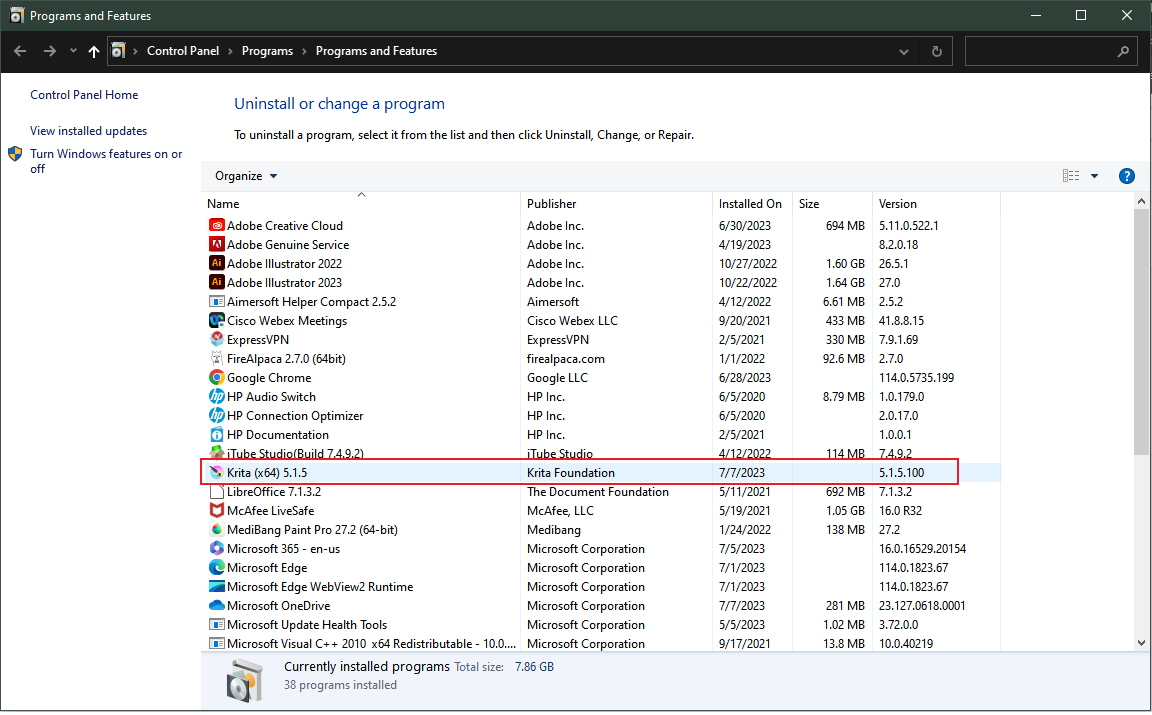
What you show in the screenshot is exactly what I have on my Windows 10 system.
In the February topic, you said:
I’m pretty sure I don’t have anything besides the Virus & threat protection that comes with Windows 10
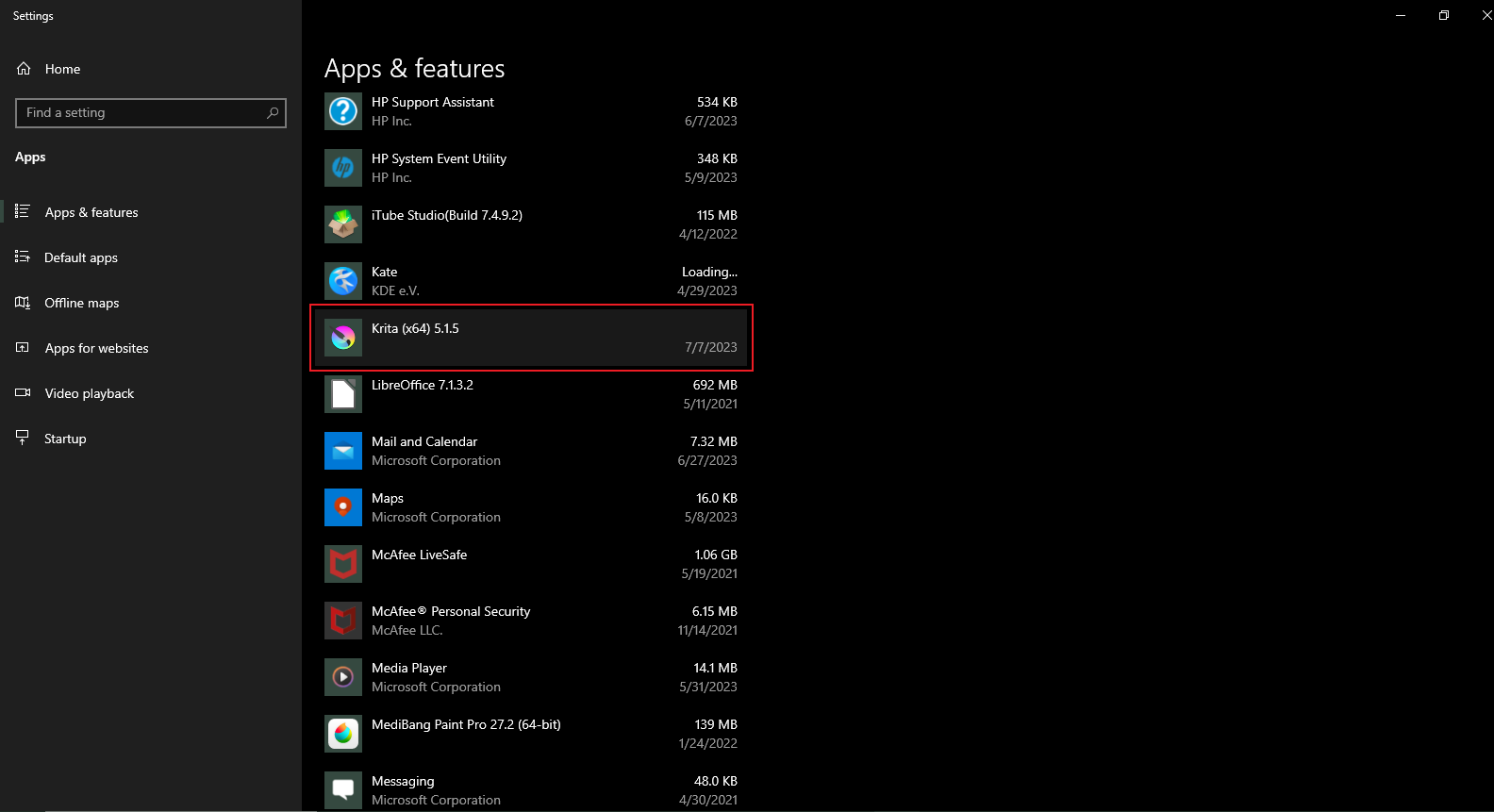
Your screenshots above show that you have McAfee Live Safe and McAfee Personal Security - whatever they are.
Do the system error logs etc show the same results as you had in February?
Have you tried all this with the McAfee software turned off or disabled or nuked?
Note: The Windows 10/11 built-in Microsoft firewall and ‘Defender’ software is perfectly ok to protect you from viruses etc.
I have an AMD Radeon graphics driver with no updates pending.
I’m gonna be honest, I completely forgot I had McAfee when making and replying to my February post, but my McAfee trial expired since (or before) then. Should I still try to disable it?
Were the system error logs you’re referring to McAfee’s error logs or just my computer’s system error logs?
My very personal opinion would be to nuke it. An out of trial period ‘security’ utility could be doing all sorts of silly things. However, it’s your computer so it has to be your decision what to do with it.
I meant the types of logs that were obtained and examined in the February topic to see where the problem was happening and what might be the cause.
It’s a very sweary situation and you have my sympathy. I’m mostly a Linux user and the depths of Windows are a mystery to me.
I think I could try nuking McAfee (is nuking uninstalling with extra steps?), but wouldn’t that not work anyway if I don’t have the App Data?
Here’s my latest Krita-related error log (it’s from yesterday); there are a lot of zeroes replacing the numbers present in one of the logs from February (Krita doesn't open when I click on it - #14 by EmilyV), and I don’t remember how to access the other error information that I provided for the February log.
It’s uninstalling then full power down restart then check for any trace of anything McAfee running then check for any knd of McAfee folder or config file and delete it then full power down restart and cross your fingers that you’ve managed to get rid of it.
Commercial anti-virus software is notorious for hanging around.
I assume you mean the files that are normally created by krita in -\AppData.
It may be that McAfee has been ‘protecting’ you by stopping krita from running.
It may be not that. Nuking McAfee will remove that possibility and since your trial period has expired it’s probably useless anyway.
However, your February experience and reports seemed to indicate that there was a big and confusing and unfixable problem with your graphics driver.
I hope that somebody who knows more about that side of things can give advice but it seemed to have been dealt with in February in terms of conclusions.
I think I’ll try nuking McAfee if you’re sure that won’t be detrimental!
Also, I don’t know how dumb this is going to sound, but do you think I could get Krita working if I downloaded/installed it for the first time on a different computer and moved all its files to my own?
There are two situations in which that might be detrimental:
If you break something else in your attempts to nuke it.
If it is actually providing some kind of protection and you regularly do something risky with downloaded executables from ‘dodgy’ sources.
It’s your computer and your responsibility to make the decision what to do with it.
There are many people, including me, who do not have any third party security software on their Windows 10 PC and never have any problems because of that.
I’d run a Windows update as well, whatever you decide to do.
It doesn’t sound ‘dumb’, it’s an interesting act of desperation but I have a feeling that it wouldn’t help. All it will cost you is your time though so you may as well try it.
Yeah, maybe I won’t risk nuking McAfee after all. I’m currently updating Windows, but I don’t think that’ll help with Krita.
Thank you so much for your help and input! We might not have made progress but I still really appreciate that you were willing to spend your time on this!


 Should I still try to disable it?