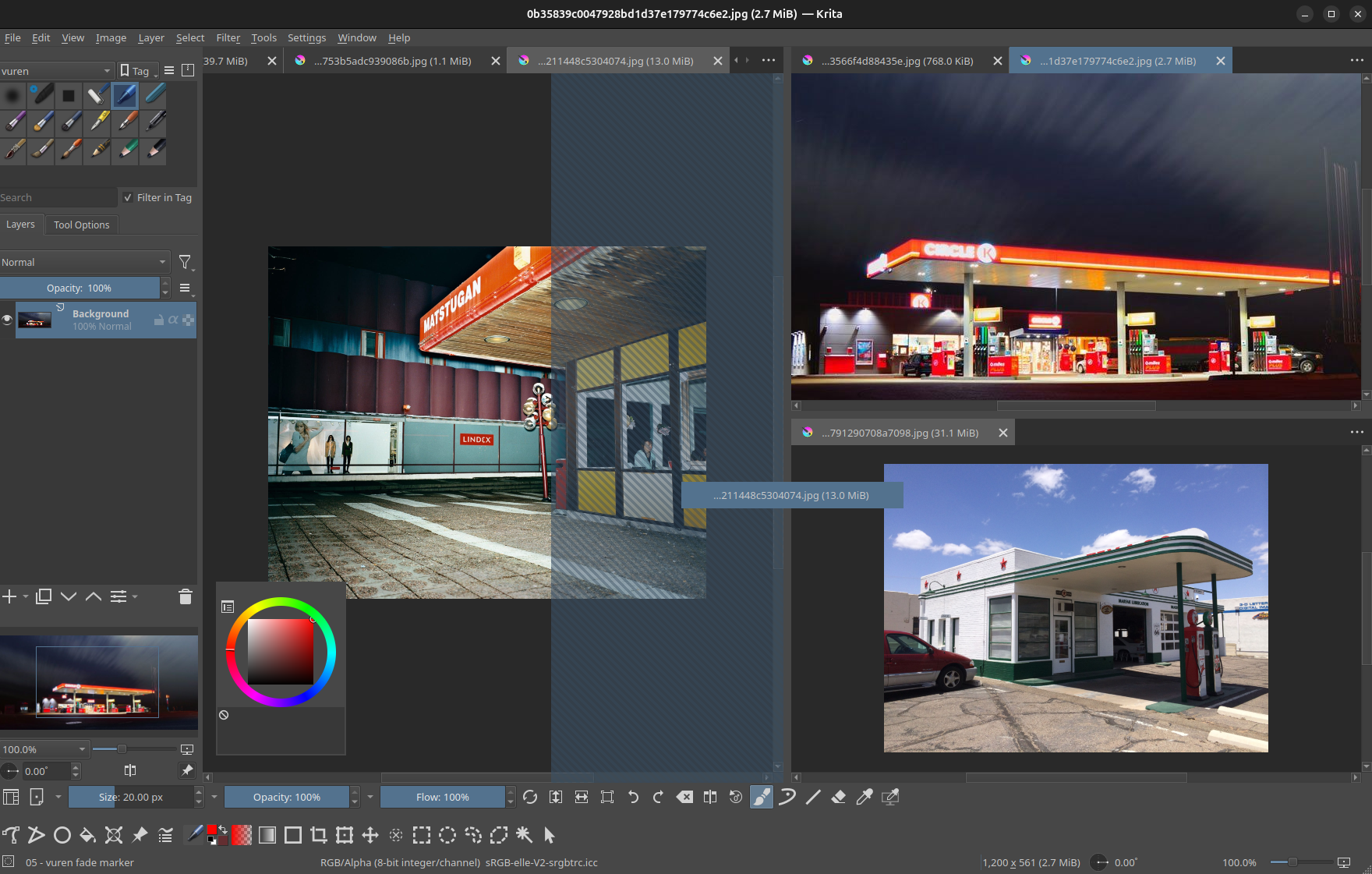
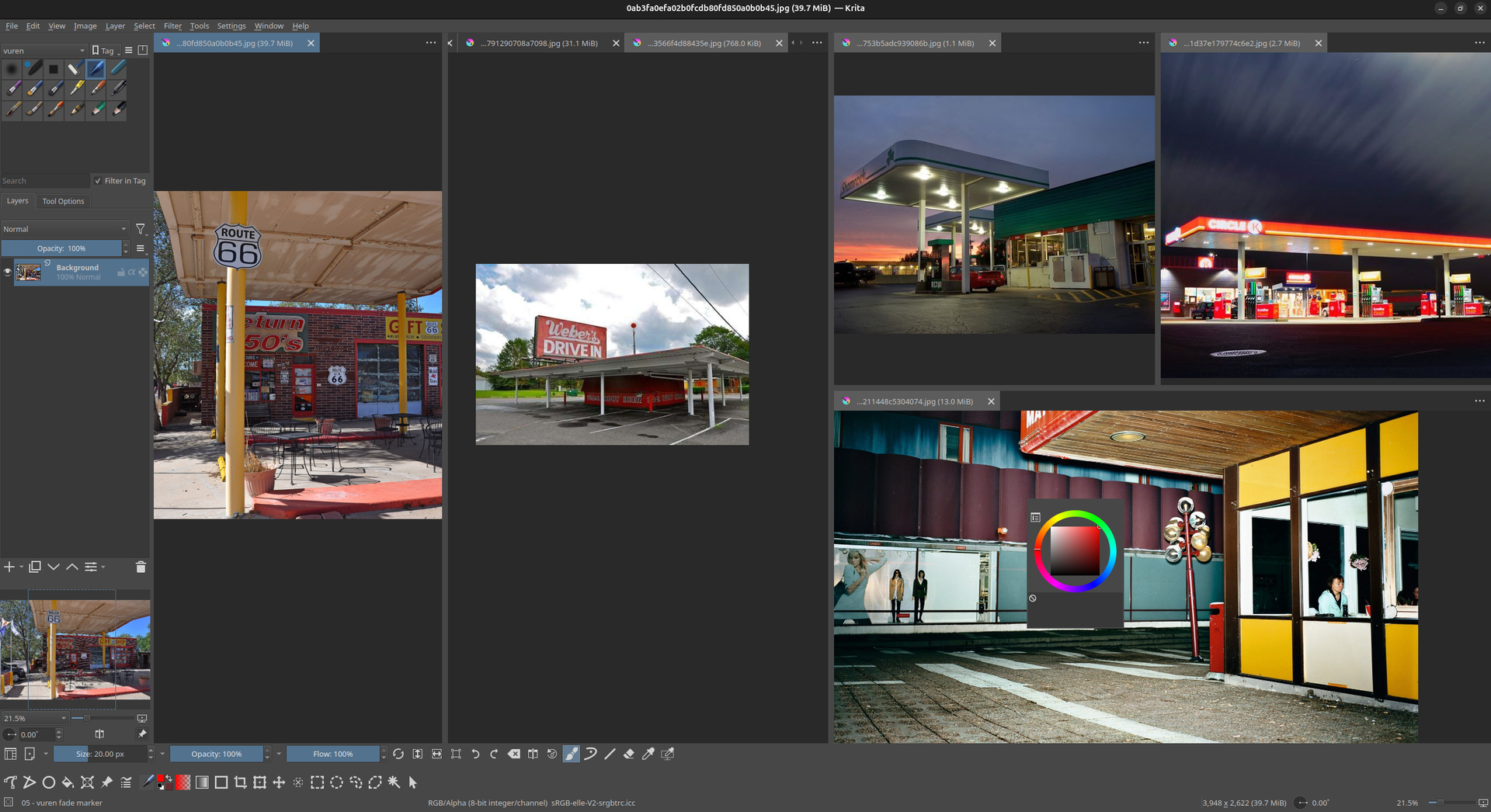
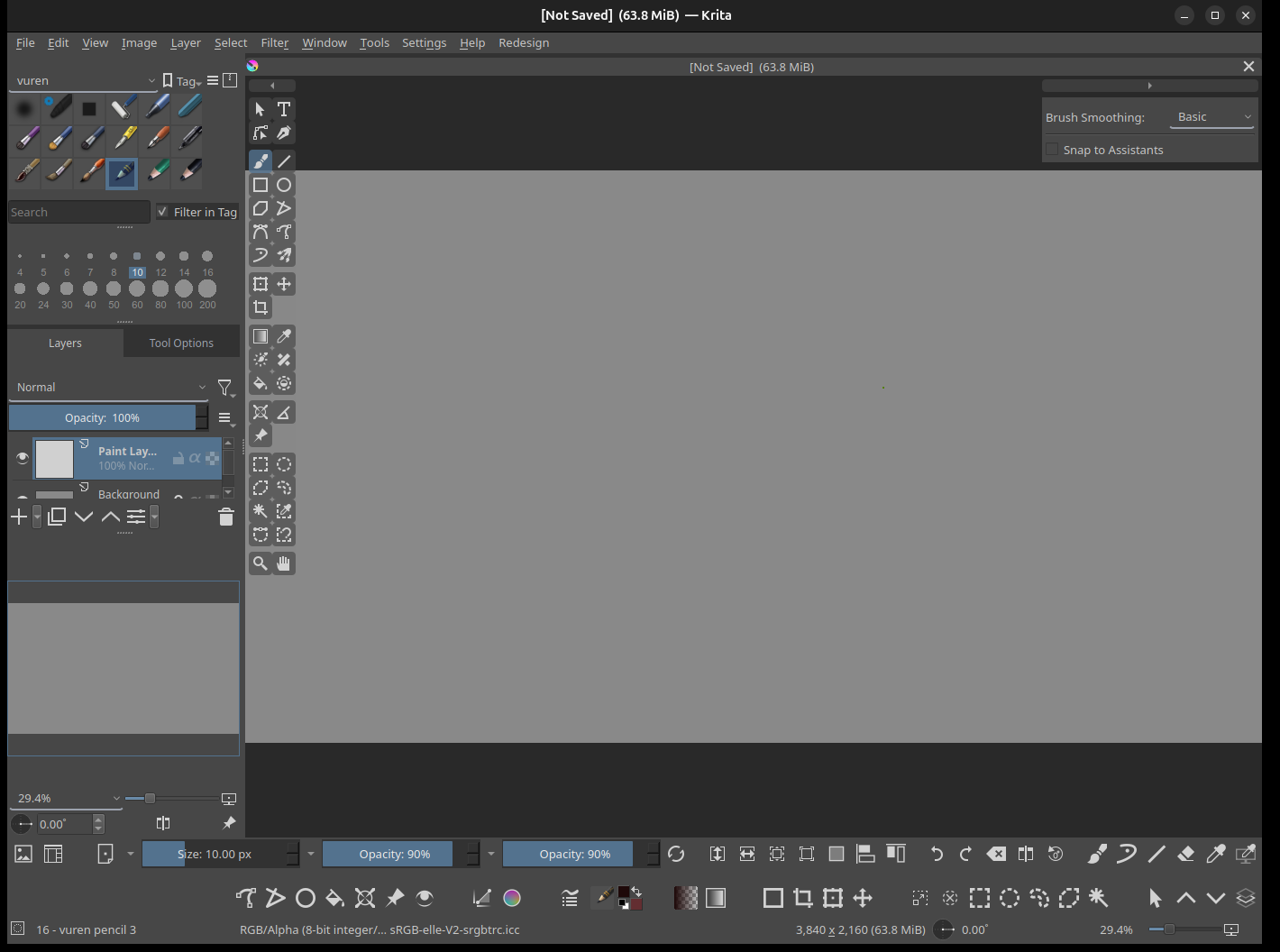
I’ve been working on a few tools and tweaks for the Krita interface. I’ve put them into a plugin called Krita UI Tweaks.
It can be found here with more info: GitHub - vurentjie/krita_ui_tweaks: Various tweaks for Krita's interface.
Some things that folks might find useful:
- Split Panes: create split tabbed panes and arrange documents side by side
- Toggle Docking behaviour: instead of holding ctrl when dragging dockers around, you can assign a shortcut key to toggle (enable/disable) docking only when it is needed
I use Krita on Linux (Ubuntu), so am not entirely sure how this works on other systems. But would like feedback if possible.
Here are a few previews:
49 Likes
 Hello @vurentjie and welcome back to the community!
Thank you for sharing your plugin with the community!

Michelist
1 Like
Hi @Michelist
No prob.
I just pushed an update to fix an issue.
If you did download it earlier to try, please re-download the latest version.
If you do try it and find any problem I guess the easiest will be to open an issue on GitHub.
Have a good day.
2 Likes
Absolute Cinema
I’ve been craving for this because i like using a separate document for references. Now i can just split them and not be in subwindow with force on top enabled for references thanks!
Honestly, Krtia should implement this!
Wow, amazing plugin.
Middle-mouse + drag to rearrange tabs like a tile manager, docking toggle, and even a highlighter for the currently selected tool in your toolbar.
Thank you for sharing this!
ps: It’s working well on Windows 10, no issues
Thanks for the feedback. Good to hear.
After installing the plugin, I noticed that the font size in Krita’s top toolbar changed (smaller than before). However, whenever I go to Settings > Configure Krita > Save Settings and click to save, the font immediately reverts to the original size it had before the plugin was installed.
This behavior repeats every time I restart Krita—the altered font size from the plugin reappears until I manually open the Save Settings dialog again.
I’m also investigating whether this plugin conflicts with my other plugins.
Are you using krita-redesign? It might be conflicting with that plugin
You’re right. There is indeed an issue when both plugins are enabled at the same time.
Interesting. I am setting the window title at times, but can add an option to skip this step.
I will check out that other plugin as well to see what might be happening.
I was planning on another update next week so will include this.
@Jinr_Stan is is possible to share a screenshot so that I can be sure exactly what you are talking about?
I downloaded that plugin and it did not work very well for me on Linux. So it will be too difficult to try and fix.
Here is a screenshot what it looks like on my system without my plugin enabled.
Just testing this plugin and working like a charm ! One tiny detail would be to add the ability to customize the tabs height, I always found krita’s tabs too big and so I used the subwindow system to hide it ^^ The middle mouse click to drag and manage display is an amazing feature ! Thanks for your hard work !
Edit : I’m on linux ( opensuse slowroll kde ) using the 5.2.14 appimage and it’s working very well !
I will add a config option to adjust the height in the next update.
1 Like
Hi @vurentjie, I opened a pull request for a feature to allow the user to left-click drag up or down on a tab to activate the split mode. It looks like this:
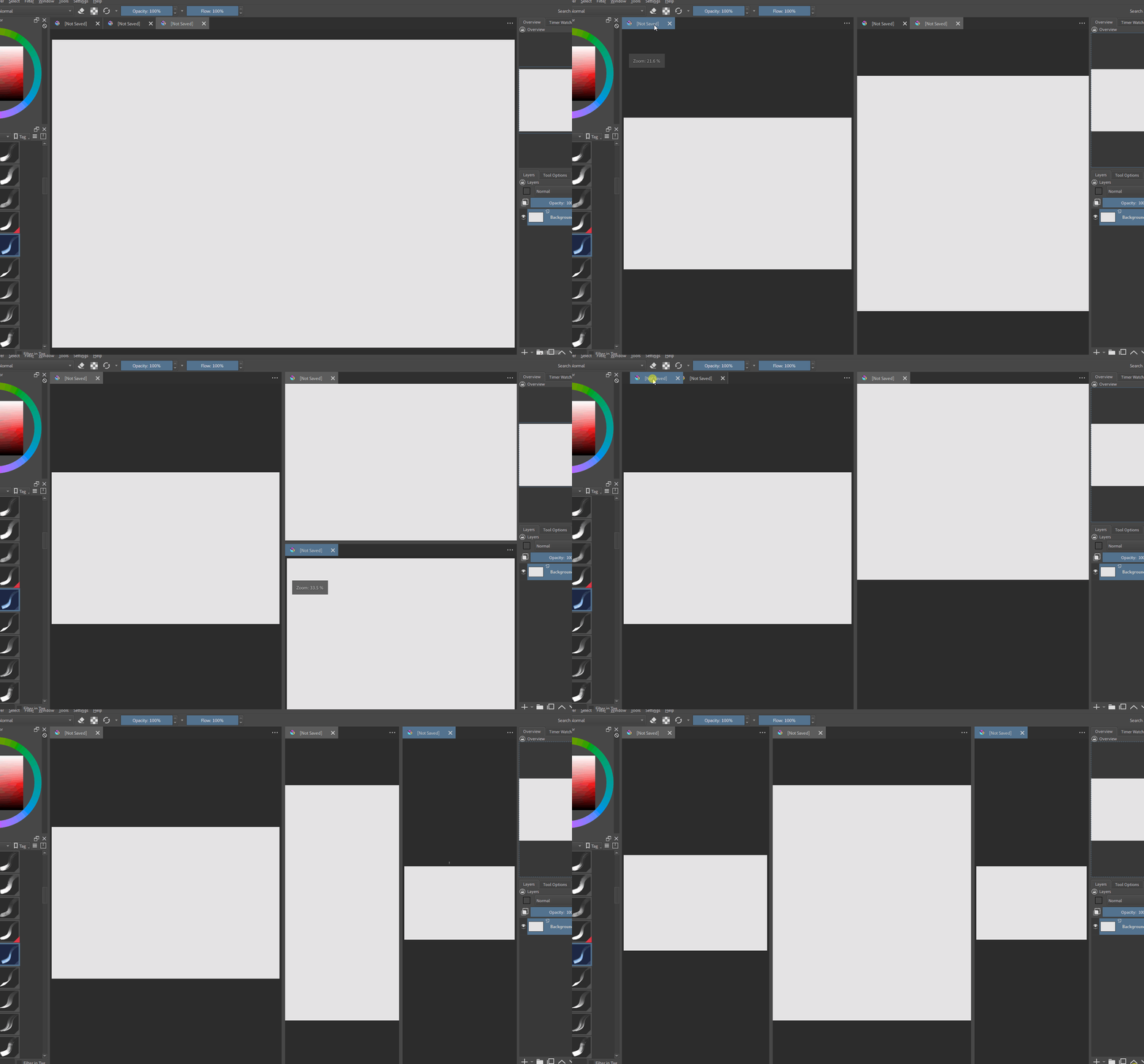
I thought it might be useful since not everyone may like using middle mouse and find just left-click dragging vertically to be more convenient.
2 Likes
The font size shown in this image is what it looked like before I installed the plugin.(krita_ui_tweaks is disabled; krita-redesign is enabled.)

(krita_ui_tweaks and krita-redesign are enabled at the same time)
the font changed unexpectedly.

I need to open Krita’s settings and adjust the font size, but when I click OK, the font size reverts back.
Hi, I am not sure about that. My plugin does not do anything with that top bar, so it is very strange.
I created a new release today with a couple of extra features.
I have added downloads links to the GitHub README. If the newer release has issues you can download the older one.
The things that were added:
- @tenzindraws added left mouse dragging now.
- Options have been refactored, you will need to reconfigure. This shouldn’t happen with future releases.
- Added options for tab appearance (max chars, height, etc).
- Added options to choose left/middle mouse dragging (both can be enabled)
- Added options to save and restore layouts. You can choose to reload your previous session when Krita starts, and you can save layouts to JSON files.
- Other fix/change: in the first version I was trying to hide the floating message that appears in the top-left of the canvas during some operations, but I realized it was not working as expected. Instead now there is an option to permanently hide it if you want to.
- Fixed some typos
Last release is great ! thanks for the ability to resize tab height, even changing font size is great, I can finally have my workflow the way I want ! It’s working slightly faster than the previous version, but dunno if it’s just me or real optimizations ! Keep up the good work !