* graphics tablet/display tablet/2-in-1 laptop/Android tablet
** Windows/Linux/Mac/Android, + version (you’ll find it in Help -> Show system information for bug reports)
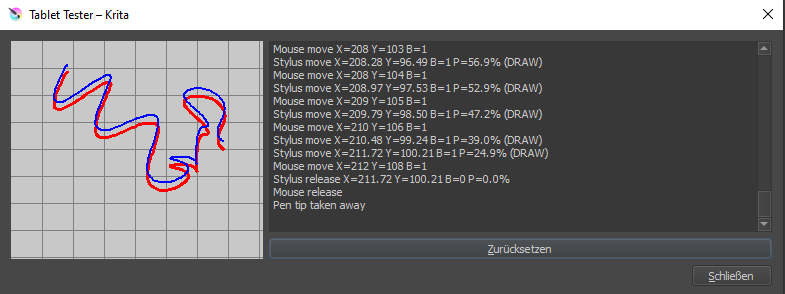
Description of the issue (you can include screenshots):
That would have been an easy fix, albeit a bit magical. Though changing the order of the devices in the list does not fix the issue in Krita for me. Though all the conditions apply to me.
Maybe an issue with my mouse driver (I have an ASUS mouse)?
It seems like Krita can’t align mouse and pen or distinguish between them.
I don’t think it’s the mouse – and Krita actually doesn’t talk to the tablet at a low enough level to be the culprit. You can try to switch to wintab/windows ink (both in the wacom desktop app and in Krita), or back to wintab.
Ah, and if you backed up your settings, did the order swtiching thing, then restored your settings, that would also have restored the bug.
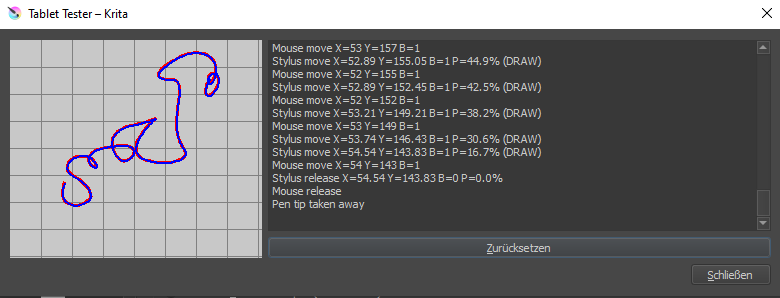
Ok, so I completely wiped my Wacom prefs which really hurt because there is a good year of fine tuning in those settings but behold Krita more or less works now:
In my experience, I cannot go a month without the wacom driver breaking the settings. Maybe I’m doing weird stuff, but it happens all the time for me. It was worse with the Mobile Studio Pro than with the Cintiq, but then, I’ve only got my cintiq for a couple of months… And I bought it to investigate this issue so I could report it to Wacom.