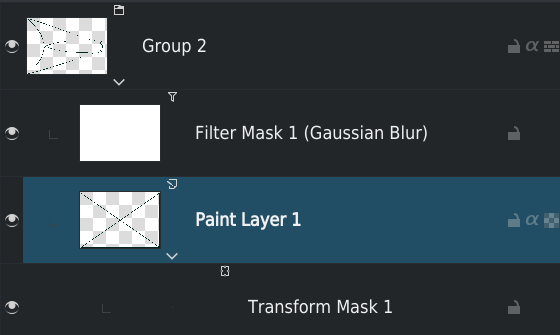
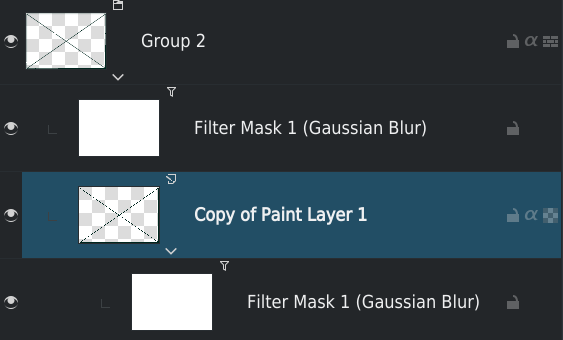
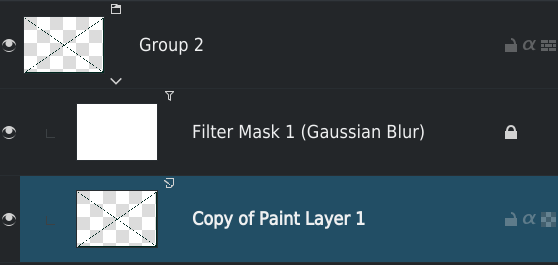
Currently drawing something where some layers have transform mask that need ~30s to compute transformation, I’m surprised to see that when I lock/unlock the layer, the layer is updated:
Update progress bar visible in status bar
Visually I can see refresh of the layer on canvas
I’m not sure why this occurs, but from my point of view just lock/unlock a layer shouldn’t have any impact in rendering…
Can it be confirmed by someone else?
Do I open a bug?
This is also one of my oldest pet peeve when working on big canvas. I don’t have a good way to reproduce and show it . Do you have it. I have noticed this when I have transform mask and filter layers. They get updated for no apparent reason or change
And often you can see the process uses only 1 core so it becomes slow and tiresome on big document.
I’ll try this week-end to determinate more precisely when the problem occurs and provide a step-by-step process to reproduce problem.
And create a bug report.
While I don’t know how related it is to this issues I saw your MR for caching and only recompiling parts which are changed. Can that be expanded to other parts like folter masks.
I’ll test more and tell when I encounter this, as @Grum999 has found out one scenario is locking and unlocking, I have encountered some others where I found that filter masks try to update themselves for no apparent reason. I’ll try to find those again
That is very specific of the tools that use color labels ss reference. Basically the merged copy of the reference layers is only re-computed if any of them was changed.
One with I don’t know exactly what, probably transform mask, for which my Krita is currently dying with only 3 layers…
I can confirm it, only one CPU is used on the 24 I have…
As Krita is extremely slow with this test it will take me time to provide detailed tests; I’m currently on 5.2alpha but I want to test 5.1, 5.0.6 and 4.4.8 to compare
Lock/Unlock (on layer and/or filter mask) generate an update process, only if layer is visible (if not visible, it’s Ok)
Alpha Lock/Unlock generate an update process, only if layer is visible (if not visible, it’s Ok)
In case 4/6, Lock/Unlock the group doesn’t trigger an update
In case 7, Lock/Unlock the filter layer generate an update process, only if layer is visible (if not visible, it’s Ok)
In case 7, Lock/Unlock the paint layer generate an update process of filter layer, only if filter layer is visible (if not visible, it’s Ok)
– If paint layer is not visible, Lock/Unlock paint layer generate an update process if filter layer is visible
When update process is started, and especially for cases 3/4/6 that’s just hell: no real refresh applied to layer content but it seems there’s a kind of loop, like the refresh made on the locked layer generate multiple update of filter layers above (be patient if you test it!)
It easier to see the case when using a transform mask like Mesh or Perspective than Free (as they need more computation)
– Probably with filter layer that need more intensive computation, problem is more visible too
There’s clearly 2 distinct problems that need 2 bugs to be opened:
– One about Lock/Unlock that generate a refresh
→ Started from Krita 4.3.0 for what I can see from my tests
– An another one about how a refreshed layer is impacting/impacted by other filter layer
Not possible for me tonight to open it, I’ll try to do it for Sunday evening at the latest
I’m wondering if problem could be linked with this one:
@raghukamath with these precisions if you’re able to confirm that you can reproduce cases systematically it could be a good thing to get another point of view before opening the bug: you may have other cases or information that can be used to open bug (especially if on your side you’re not able to get the problem systematically, but I think on my case I saw the problem due to my use of mesh transform mask for which computation is CPU consuming)
Myself it was a little bit hard to find time for it and I know that’s everybody have a life aside Krita
Just hope theses bugs will be easy/fast to fix, especially the second one
I also found this out just now. I have a file layer (imported CAD PDF) that I want to draw over. When I lock and unlock this layer, Krita also needs to recompute it. But there’s no visual change of course.