where do I download memileo brushes from and how to install in Krita 5.2.1
The video… https://www.youtube.com/watch?v=-697JJoSZ6Q&t=58s
shows how to use the brushes but now where to obtain them or install in Krita.
 Hello @jmcharg and welcome to the forum!
You can download the brushes from the links in the first posting of this topic:
There you find these two links (they will work too, but you don’t get the additional information from the topic):
In that first post, and in the whole topic you will find more information about those bundles, the brushes they contain and more.
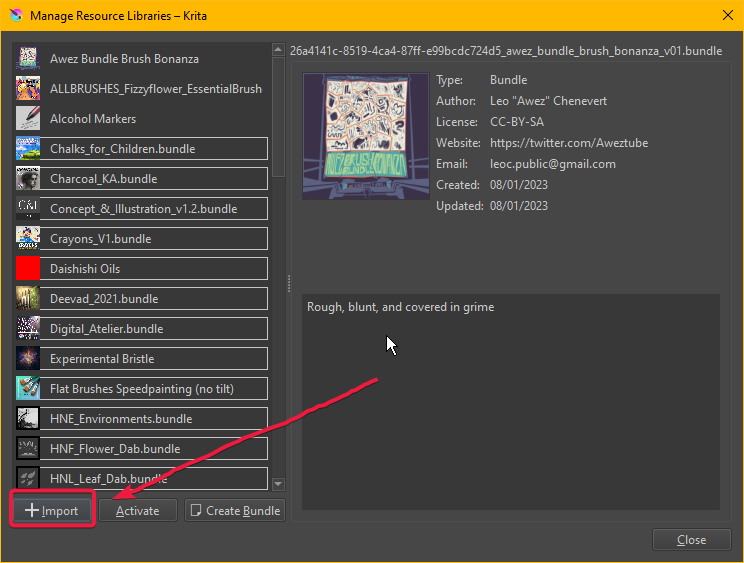
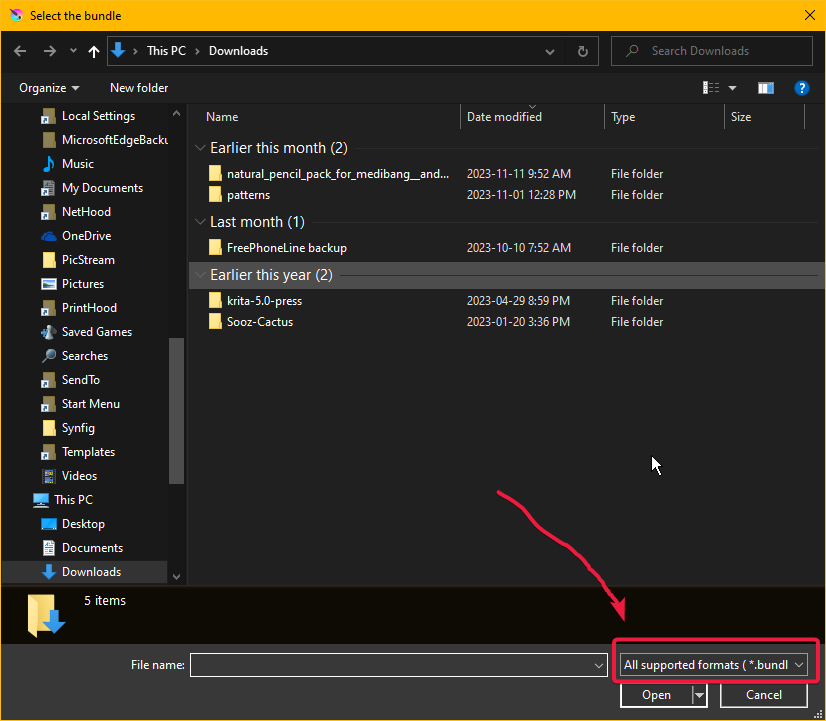
A bundle is installed in Krita via the menu ‘‘Settings’’ >> ‘‘Manage Resource Libraries…’’ and in the opening dialog you have to click the button + Import in the next dialog browse to the downloaded bundle, select it and confirm the selection. Now Krita imports that bundle, and you can use its content, so the brushes in case of this bundle.
In case this BUNDLE comes in an archive-file, like ZIP or RAR for instance, then you have to unpack the archive to get the BUNDLE-File it contains, then you can proceed as described above.
Michelist
I am trying to import the memileo brush bundle. It has been downloaded to my “download” folder. I go to “manage resources” and “import resources” but the screen only recognizes image files (.jpg and .png). I have several different file types in the download folder but none are recognized except the image files. I am running Krita 5.2.1. I have restarted the computer and restarted Krita but the results are always the same.
Your newest topic has been closed. Please don’t start new topics when you already have one open for the same question.
Take a moment to re-read what @Michelist shared with you in the original post. I’m sure that will clear things up.
I followed Michailist’s instructions but hit a problem when “import resources” would not recognize any files or folders except images (.jpg and .png). I do not know whether that is a bug in the new version (5.2.1) or if I am doing something wrong, or if there is a problem with my computer.
Just to be clear, you are opening Manage Resource Libraries and then tapping ‘import’ (red rectangle)
Then, your file manager opens and the selector is automatically seeking .bundle files (see red rectangle).
If you are seeing something other than these screenshots, please attach screenshots. Don’t just tell us it isn’t working.
Additionally, tell us the operating system you are using.
Did your browser maybe download them as ZIP-Files?
Or did you perhaps download out of the shown folders? ↓
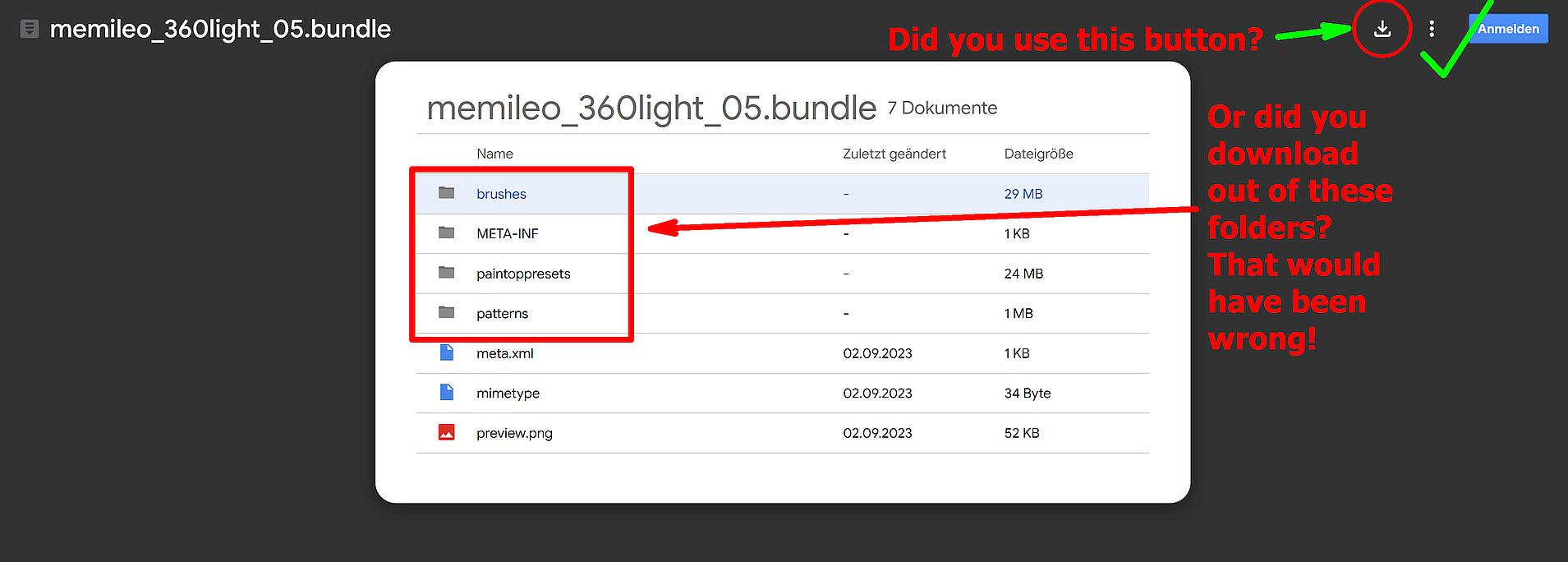
If so, use the download-button in the upper right corner, don’t select and download out of the presented content of the bundles, that’s not the way bundles would be downloaded. Some browser and also Google believe they do us a favor to present it that way, but they only mess things up!
Michelist
Thankyou