Hello, Have a nice day or night:
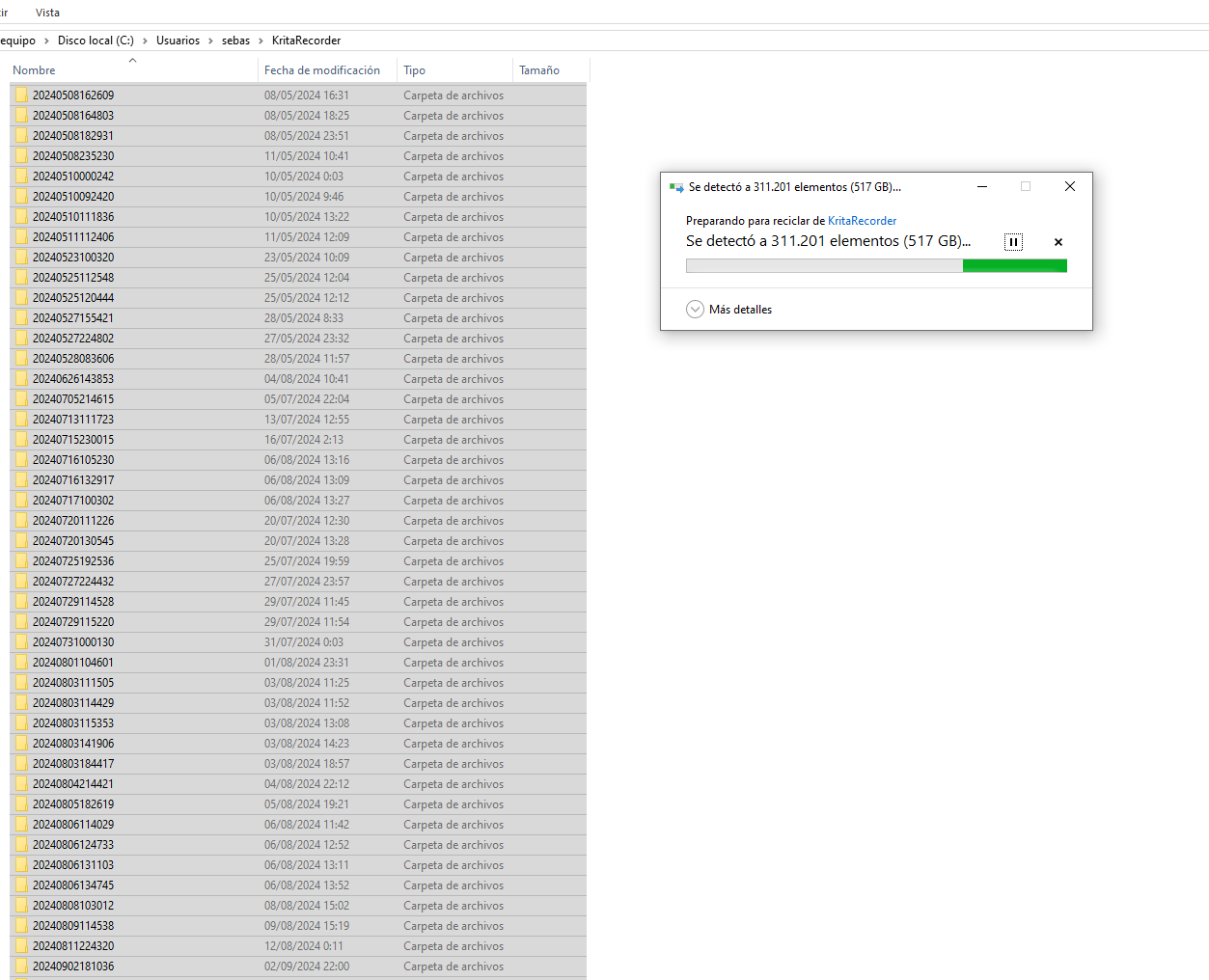
I found out that my hard disk was more than half full, I use this disk for programs and operating system, for the files I have another exclusive one. I was investigating and I found that the krita recordings occupied almost everything, it happens that if you set the recorder to automatic, it records every time you paint, even if the recorder is not in the doquer and even if it is a new file.
The recorder should run in automatic only on the file that is assigned.
I don’t understand. If you don’t want automatic recording, turn it off. Otherwise it wouldn’t be automatic anymore when you have to start it manually for every file.
In my opinion the software did exactly how it was told.
2 Likes
Record automatically
Start recording the instant an image is created or loaded. This option is useful for those who want to record each of their drawings.
Yes I know but that is a problem, because if I forget to turn off the automatic recording it records absolutely everything and that takes up space. in my opinion, the automatic recording should only work on the file that is selected, I had more than 500 gb of recording that I didn’t want.
Just leave it turned off then, that’s what you want, isn’t it? Just press the record button manually when you want to record and leave the checkbox alone.
1 Like
Hello, I understand that this is the current solution, but I believe it’s more of a design issue. When selecting automatic recording, the expectation is that it applies specifically to that file when opened, rather than having to manage it manually every time. I also use multiple workspaces as required by my work, and having the recording panel constantly visible can make the workflow a bit uncomfortable.
Additionally, even if the recorder is in the docker, I still have to double-check whether it’s on or off. Perhaps it would be more convenient if the recording state (on or off) were tied to each individual file, making the process more intuitive.
This is just a suggestion based on the challenges I’ve encountered . I absolutely do not intend to offend any developer. I rarely post feedback like this, but when I do, it’s because I genuinely believe it could help improve the program’s usability.
Hi Ahab,
I was wondering if there’s any possibility of adding two automatic recording options: one for global recording (which would capture everything painted in Krita) and another for local recording (that would automatically record only the specific file)?
Thank you for considering this!
@Labi
I have no idea. I’m not a developer, I just walk around the forum with a broom, a mop and a bucket.
My expectation would be that it applied to every document, when opened or created.
Maybe if it was turned off at every session Quit and then started up turned off.
Then you could turn it on if you wanted it and it would apply for every document in the session.
Your suggestion above is another possibility.
The developers will decide, if they notice this Feature Request topic which I’m sure they will despite their very busy schedule.
Oh, sorry for the confusion. Okay, I’ll submit it through the feature requests. Thanks! Best regards!
1 Like
I just wished that it could be like CSP: right away, when creating a file, there could be an option down there
Would be neat
1 Like
You mean on the file creation screen? That’s a neat idea. But Krita also needs to remember for the file that it was set to recording for this to work, if you don’t finish in a single session. I think it currently doesn’t, does it?
2 Likes
These ideas/suggestions should go in a Feature Request topic so I’ve changed the category to make it one. I’ve also changed the title.
If you want it, Vote for it and make sensible suggestions and have useful discussions.
Don’t just say “Yes please, when will it be done?” to bump the topic.
2 Likes
I mean, doesn’t Krita have a “save session when exiting” option around? Plus the “always automatically record” thingie
please vote for the feature request
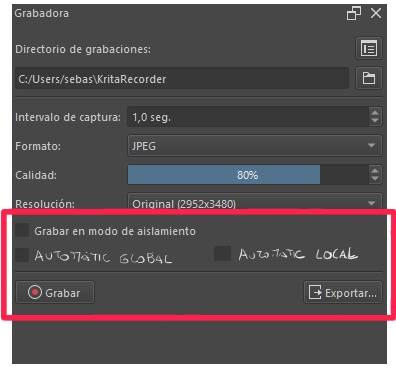
This would be an example of what the recorder options would look like
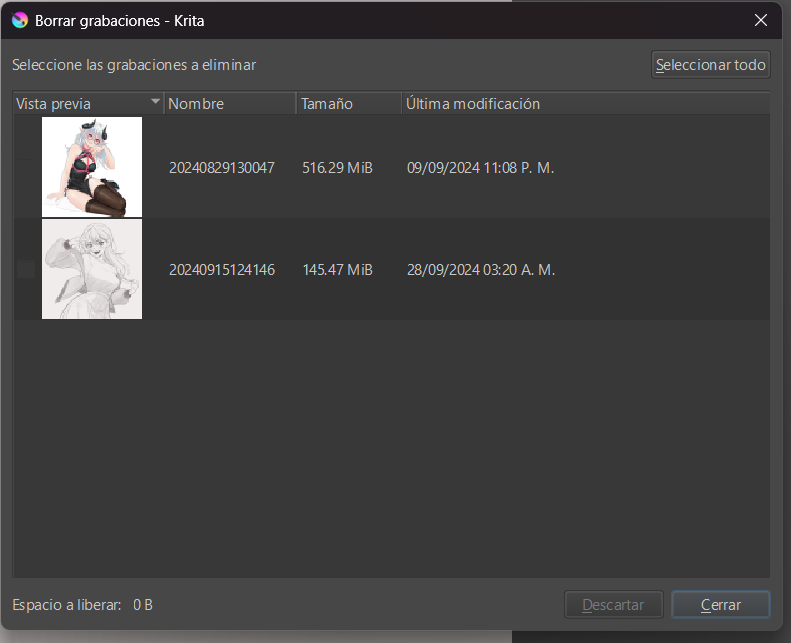
There is also the option to go to the delete recordings window to delete the recordings that you do not want to keep.
2 Likes
I agree with you and I’ve suggested this before here.
The problem everyone else is ignoring with the “current solution” is that if you turn off automatic recording, if you close and reopen a previously recording document then it will no longer be recording.
The only options being “remember to hit record every time you open a document” or “record every document ever opened all the time” is a terrible choice and should instead be saved on a per-document basis. The current recording implementation in general, while perfectly functional, is heavily lacking in user experience polish.
1 Like
Hi, thanks for the information. I know how to use the recorder. It’s not about how to delete the recordings, its about how to better manage the app.
I’d love it if the recorder settings would save with a krita file so that if I change the recording settings for one file then go to work on another it uses the last recording settings I had for that file. I realized last night that the painting I’d been working on now has frames two different sizes because I had changed the settings to quarter scale for a particularly huge canvas and then went back to a painting on a smaller canvas I’d been recording at half scale but now it several hundred quarter scale frames.
3 Likes
I don’t use the recorder myself but I imagine that would be a very important feature so you have my vote. Welcome to the forum @noadiart