Multiply Limiter for Brush Settings

I make this request because it is a feature I have never seen considered in other programs. Might be a good reason for this, but I digress.

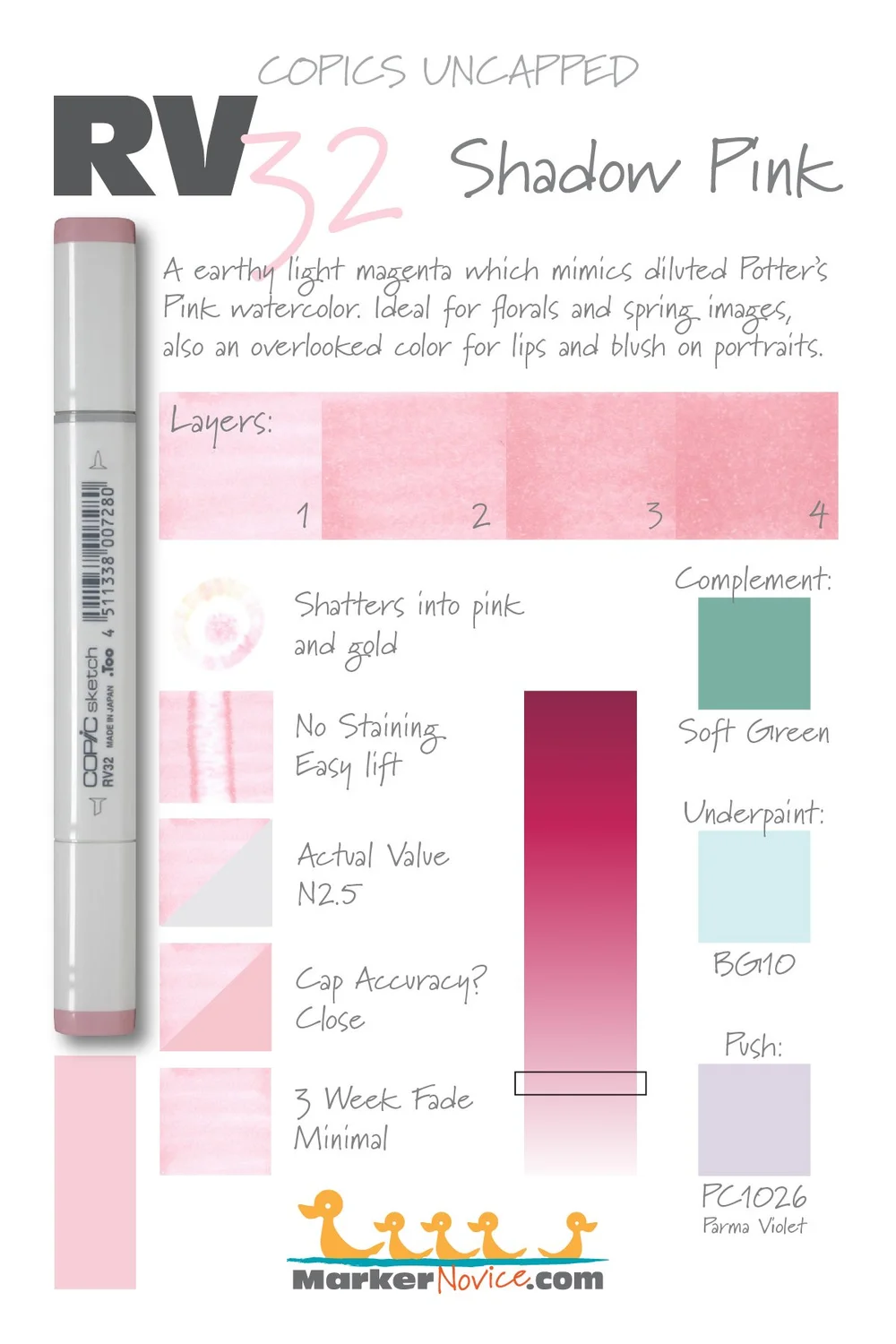
One thing this would be for would be for emulating mediums that darken a limited amount before they reach max saturation. Perfect example being Alcohol Markers. In my previous experience, trying to emulate the visual style of COPICS and similar requires you to use the Multiply blending mode.

One of the issues with this is that with each stroke, you can multiply indefinitely. Meaning you can go from light, to black, with no stoppage. With single markers, unless you’re using something close to black or mixing colors, this is impossible.

Perhaps a limiter on how far Multiply will darken your stokes isn’t what’s need, but it’s the first solution I can think of for this problem. It would make it far easier to emulate alcohol markers or similar mediums, in my view.

1 Like

Multiply is not how Copics work. The Greater Blending mode is much better but even this has its limits. That’s why Marker mode exists. I think it’s already in the latest version.

1 Like

Yes, Marker mode is in Krita 5.3. The linked thread is still a good explanation of how it works and how to use it though.

I don’t think that’s what they mean. Marker mode solves the opacity problem, but in real life, if you have an alcoholic marker with light pink, drawing over the same spot several times (over a span of time) gets you a darker pink. In Krita you can kinda simulate that by using multiply, however, if you then use a greyish-pink, it’ll eventually turn to black.

I’m not really sure how you’d solve that either…

This is precisely the issue, yeah. That’s the precise problem I’ve had in other programs I’ve tried to emulate the style of coloring in. It basically adds another layer of consideration for how you would go about coloring something, one it shares with real life alcohol markers, but to a much more severe degree.

EDIT: I think I found a better way to explain what result I’m wanting with this function: Basically I want it such that if I do a color to maximum saturation/Opacity, and then do a new color and do the same, it will never go darker than the full saturation/opacity of either color even with more strokes.

In Clip Studio Paint, the only way I know of to achieve anything close is to use layer blending or brush blending modes, which causes the problem wolthera mentions. And if you do without it, even with Perceptual color blending mode, it will eventually replace the color you’re drawing over with the new one.

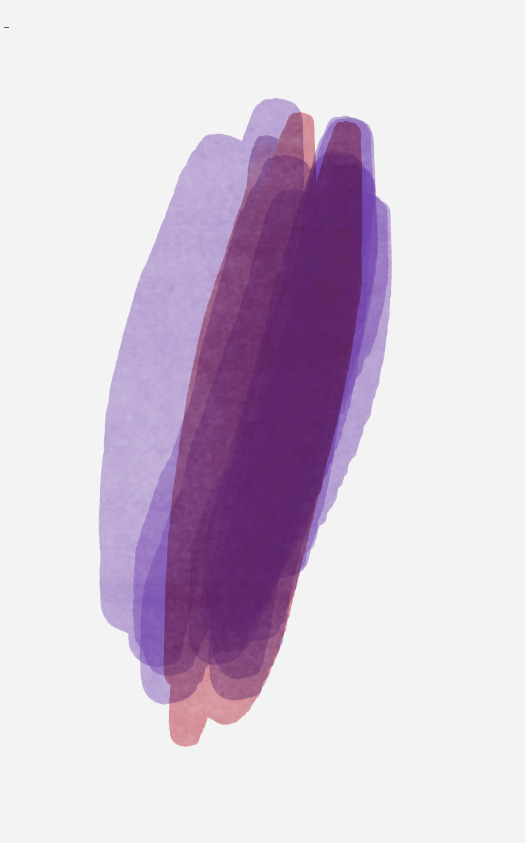
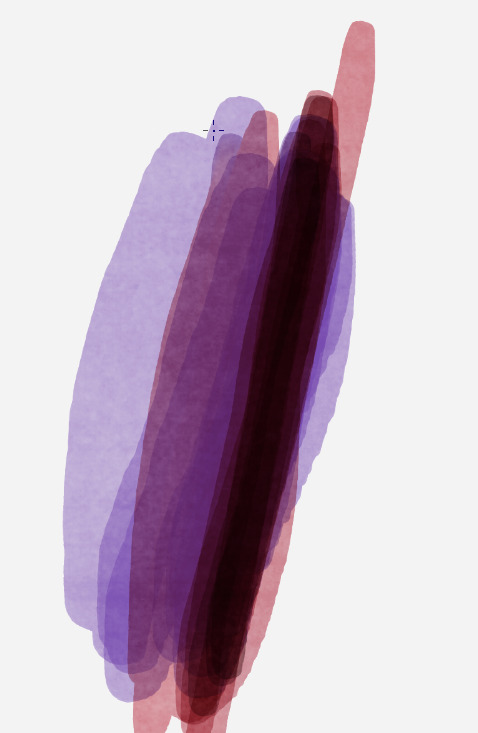
I have here an example from CLIP STUDIO PAINT I just made. This is with the brush set to 50% Opacity, you can see it will reach maximum saturation in the first pic. But in the second I tried to blend another color on top using the Perceptual Blending mode with Multiply turned on for the Smear setting. But as you see in the 3rd pic, once you get past about 4-5 strokes, it started getting to be much, much closer to black… which these markers cannot realistically do.

1 Like

The problem here is that how we digitally represent colors doesn’t actually accurately represent to how physical colors work. Digitaly, colors are represented by RGB (red, green and blue); in real life however, there is practically an infinite spectrum of colors. Each color we perceive from various materials consist of a large segment of the spectrum.

And then, we have to deal with transmission of light through the (transparent) media; i.e. dyes and pigments. Multiply blending mode actually do well enough to represent this. However, the digital RGB color pose severe limitation.

In real life, materials transmit certain wavelength of light almost unimpeded and strongly absorb others. So a red dye lets wavelengths of light around “red” to pass though and absorb most of the rest and that is why the light that pass through the red dye becomes red.

Implementing “spectrum” of colors might be enough to emulate how markers work well enough (along with other media like watercolors) even in simplified form…But! I don’t think this can be achieved at all with what we have with Krita (or any programs for that matter). Unless someone make Krita go “spectral,” working with more colors of the spectrum instead of just RGB. Similar thing is done with some physically-based rendering engines where, instead of just sampling 3 colors (RGB), they sample 9 to 30 colors (apparently multiples of three), to create more accurate results. They call that spectral rendering.

Even transparent inks (even water) become completely opaque if thick enough, ink in bottles look really dark almost black in bottles. Inks on paper though can’t get THAT thick.

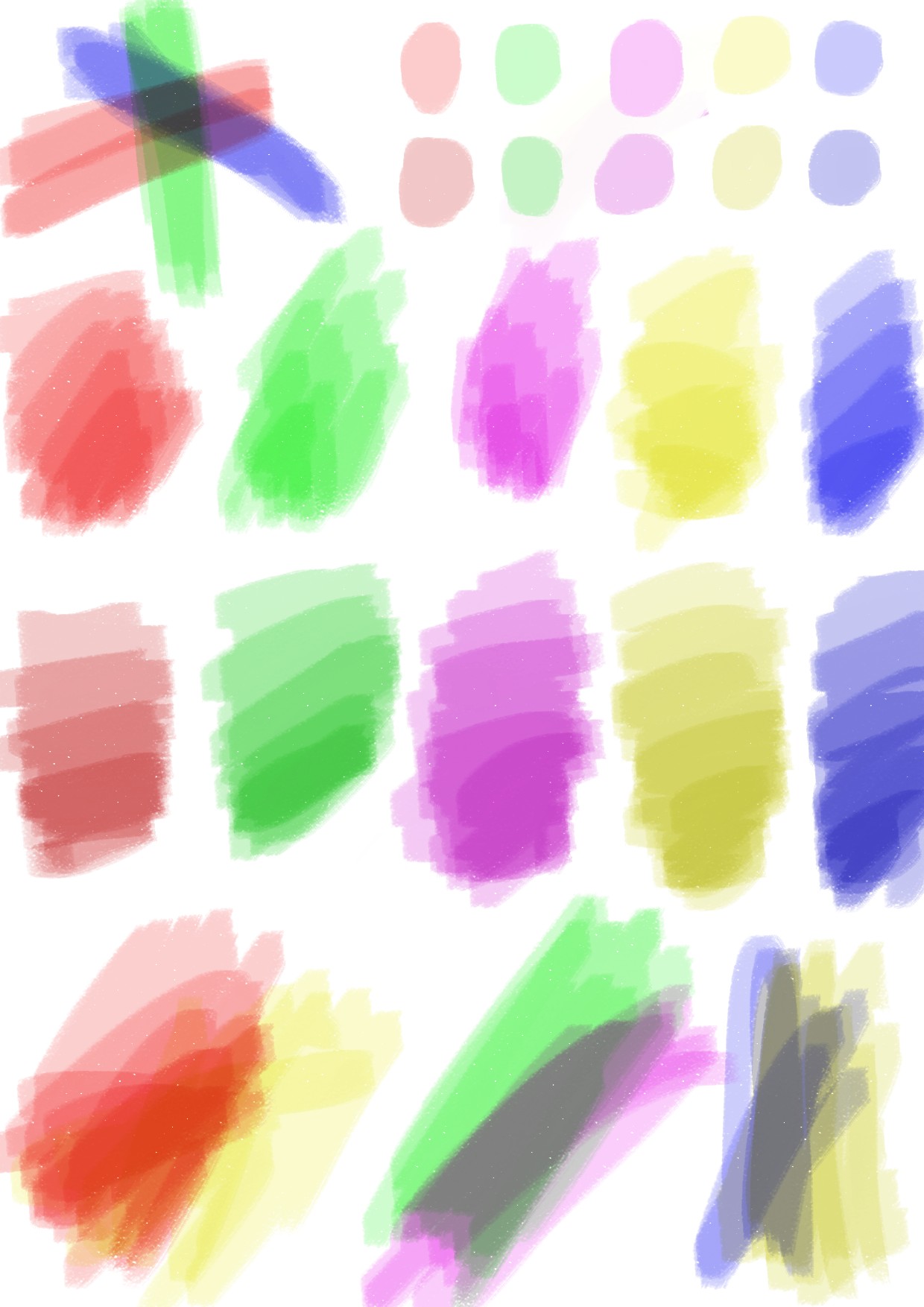
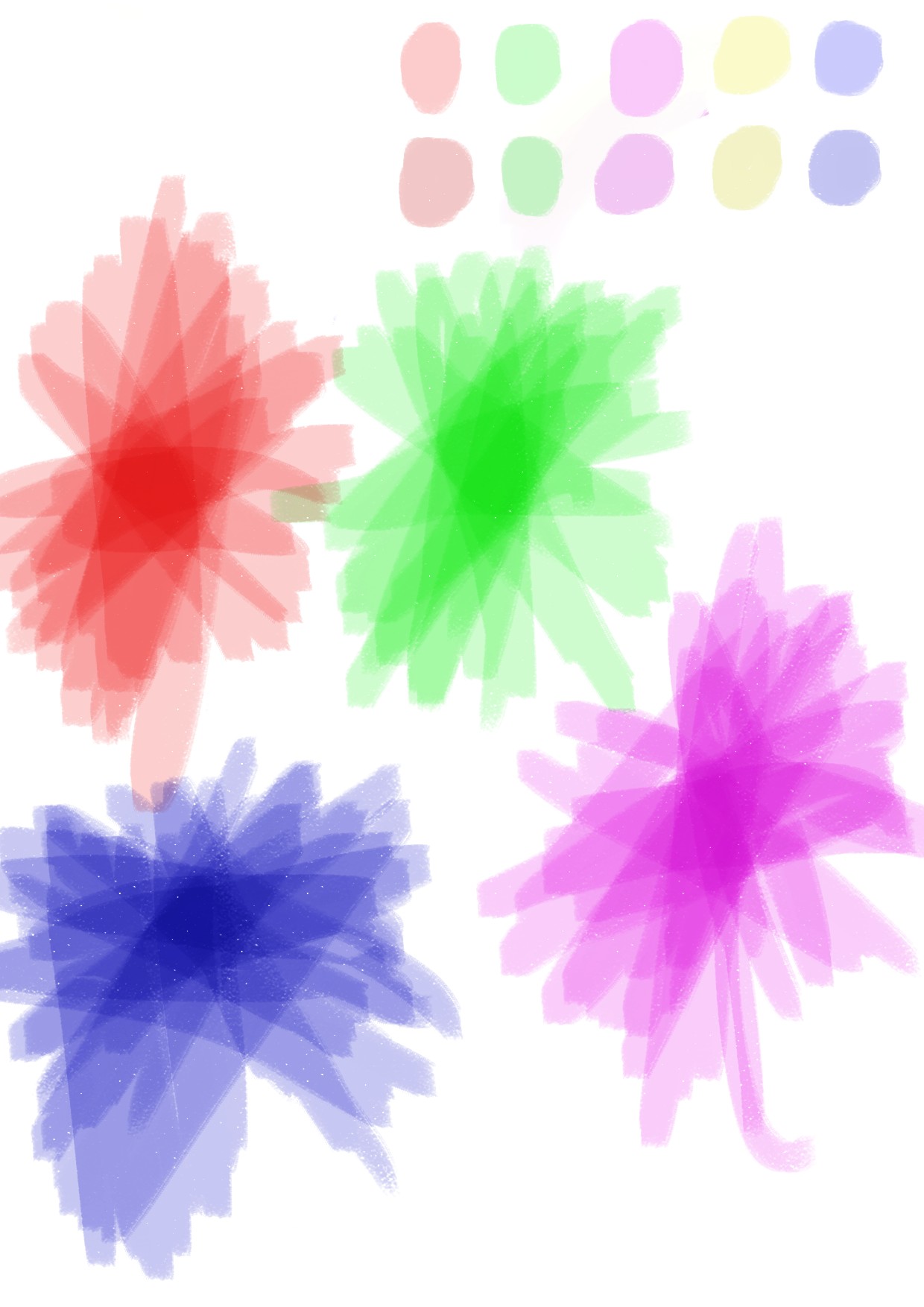
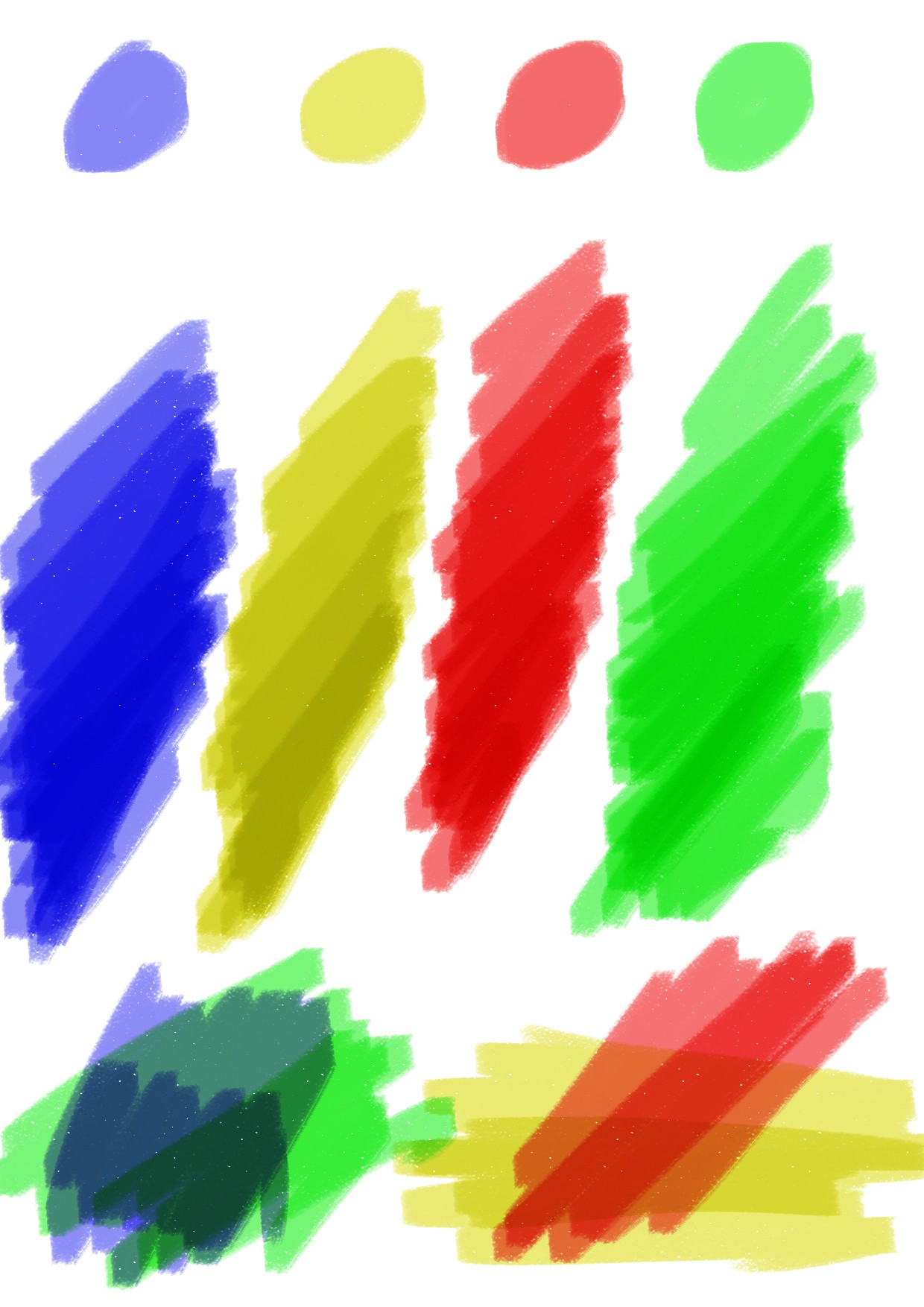
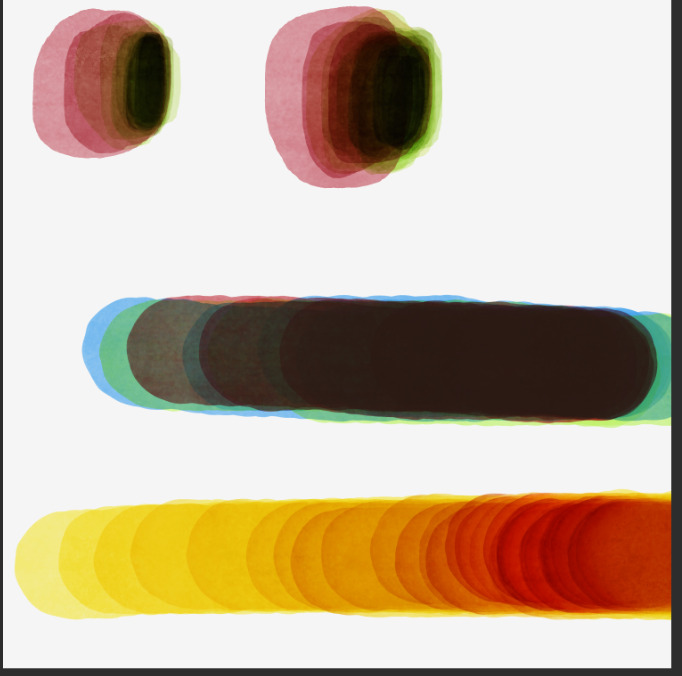
Though… kinda useless but, from my understanding of these things, you can emulate markers somewhat with existing system if you restrict your colors to these six colors: red, green, blue, yellow, magenta and cyan; corresponding to the primaries and secondaries of color system. Not much you can do much with such limited palette however. Here is some experiment I did with my speculations:

I don’t know if my ideas work but it was pretty fun though.

I… don’t believe you understood.

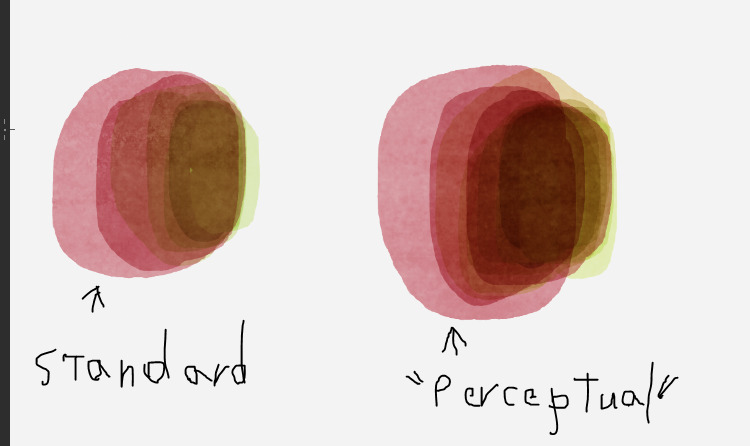
CLIP STUDIO PAINT has a brush option for color blending that allows for colors to blend “more naturally”, supposedly in a way that emulates closer to how the human eye perceives color blending.

I have here a demo of what I am talking about. Other than changing between “Standard” color blending and “Perceptual” color blending with maximum brightness correct, the settings for the brush were unchanged. Which uses a Multiply mode for layering the colors to ensure it darkens.

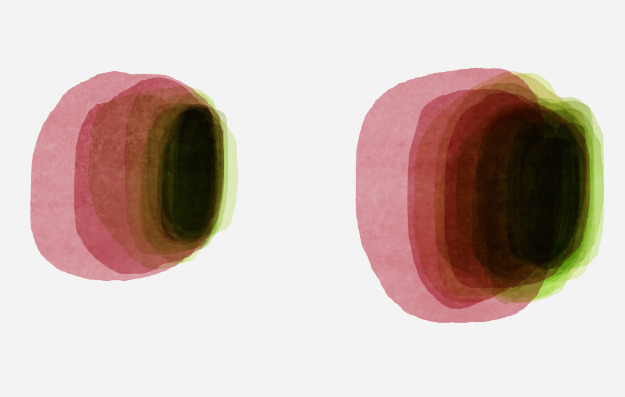
The problem here is if you keep going you will eventually reach black regardless, as demonstrated here.

The desired feature is to make it so it cannot do that.

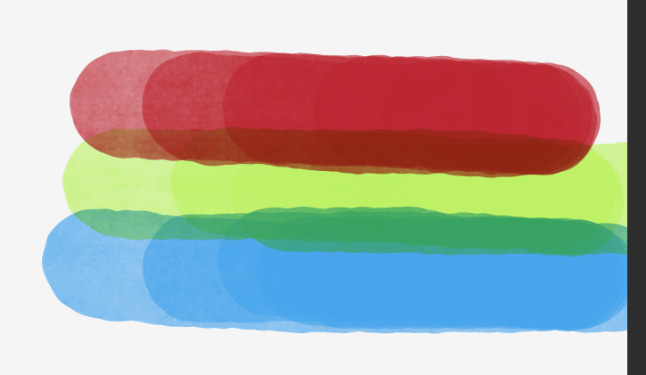
To make it so it will blend and darken, but only up until the color layered on top reaches maximum opacity/saturation, at which point it will not darken any further. To demonstrate the idea, I have here 3 colors that I chose (a Red, a Green, and a Blue) that I put the brush at 75% Opacity so that it reaches max opacity/color saturation for those colors in a bout 4 strokes.

All those layers on are the Multiply layer blending mode for the purpose of demonstration. While this is not the “Perceptual” color blending mode, this does demonstrate an idea of what the desired result is. I then layer them over the top of each other, and you get, of course, the expected result of a really muddy, dark color.

Contrast that with the previous ones shown above, where that was all done with just two colors, with the brush blending mode set to multiply, with perceptual color blending. In either case, if you keep going, even with a singular color, you will progressively reach black. I don’t show it going to black in the image below with the yellow but it does demonstrate the problem. The yellow below was done using the perceptual color blending mode, with the brush blending mode set to multiply.


If you are to emulate real markers, the color/ink/pigment cannot just continuously darken after reaching full ink saturation with a single color. The only way it should be able to darken any further, is to use a darker pigmented color of the same or similar color family, or a color that contrasts it such as blue, green, or red. But with current methods, the same problem as stated above, still applies. If you keep going, it will eventually reach black.

Am… I making any sense here, about why I think there needs to be a feature that limits this kind of thing? It would make the practice of trying to emulate this style of coloring a heck of a lot easier, and I’m sure it would be handy for emulating other mediums too whose colors work similarly.
I understand the issue perfectly but I’m just trying to explain why this happens and why this is very difficult to implement than how seems.

The darkening is kinda accurate? I think you can actually layer colors that would result to something like black. Mixing complementary colors would do that, so does with mixing the three primaries. This is called chromatic black. Payne’s Gray is one of those chromatic blacks that you can buy. I heard many artist suggesting that you should use chromatic black (at least for mixing) instead of black pigments for your work. Did you try something like this with markers? What is the result?

Also, the red, green and blue you used here aren’t the pure rgb hues but shifted slightly. That might have compounded the result.

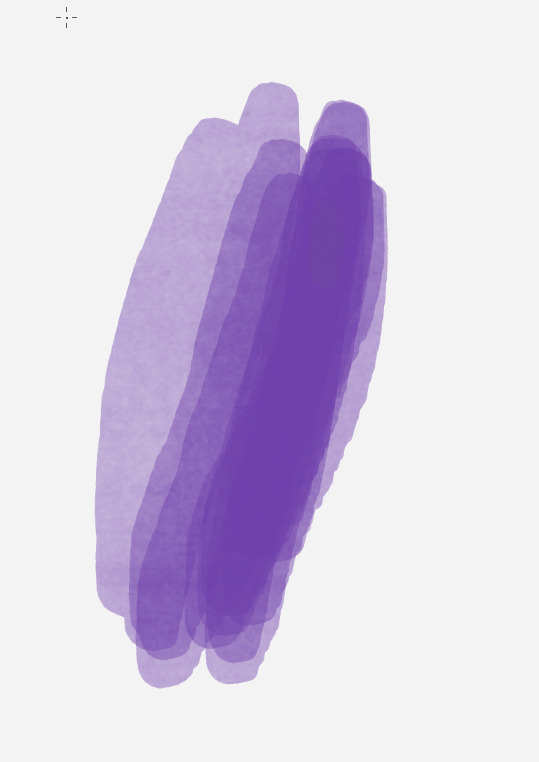
Aside from the inaccuracy of color representation that result to darkening and color shifting (like how the yellow here shifts to red). The other part of the issue (that I just hinted at previously) is how the digital media represents layering. It is akin to stacking transparent sheets but they don’t track the stack. You can essentially stack arbitrary amount of sheets and thus could create arbitrary and even infinite thickness. Most art media just doesn’t work that way. The surface and the media itself has a limited capacity. But, digital media has no way of tracking the “thickness” of the color applied or the amount of “pigment” that is collected. Like, if the color underneath the brush stroke is dark, is that just a very thin layer of a dark color and thus you have to layer over it? Or a very thick layer of various layers of colors on top of each other and thus you have to practically do nothing? No way to tell.

So, essentially, with how digital color and layering works, you can’t create a multiply limiter. Like, there is just no way to know at what level you have to limit it, unless you are willing to continuously adjust it, which just seems to be an absolute hassle. That is why I think unless they implement a more physical based implementation, at least with the layering, then what you desire just can’t be achieved. Maybe a “Physical” mode where there is a “thickness” value on the points of canvass where the way the layering is affected by the thickness. Like, if the “thickness” is small or zero, then regular layering happens but as the “thickness” becomes larger and larger, then the layering effect become lesser and lesser (essentially becomes more transparent) until you practically can’t layer anymore. So a canvass effect that is totally separate from brush effects. Implementing something like this would be suffice, I think, to get the result you want, but that is just not a simple thing to implement. I don’t think anyone would do something like that, though something like that would be awesome for not just markers but also watercolor and glazing effects among other things.

Though might not required, a better result would be achieved if they also implement a “spectral” representation of color instead of just RGB. More color than just the three. There is some complex physics going on here as to why but suffice to say that some color behavior is better represented when doing this (like it would eliminate the heavy color shifts and result to a more accurate representation of color mixing). But I don’t think anyone would implement something so absurdly complex like that so I have no hope for that.

So yeah. I don’t think there is any quick fix for what you want.

1 Like

I see….