
I don’t know if it is good or bad.
Here is the .kra, file if anyone want to improve it, then please, I will be very glad.
19 Likes
It’s good in my opinion. I would even say very good! 
Which brush did you use?
If you want to share files via Google Drive, you have to choose “Common Access” (or similar, I have to translate it) as sharing method/variant, the way you have chosen needs everyone who wants to download your *.KRA to offer its e-mail address to you, something most users refuse to do.
Your representation of our sky is a nice and beauty version, you can bring in more depth when you stack overlapping clouds with layers, it is an easy method to make them even more realistic.
Michelist
3 Likes
oh no, I forgot. 
1 Like
I like the way they glow!
2 Likes
I found the brush. I used this brush
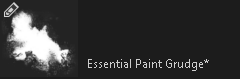
from this brush bundle
its not my custom bundle. I downloaded it from somewhere and I forgot where.
1 Like
Oh, that’s a cool one… but I can’t download it, I’m asked for authorization  oh well… when brushes are protected like that, you can’t use them in some cases, I’ll probably make my own version
Edit: forgot to say: Thank you for looking! 
1 Like
If the problem is with the file format, then please try this .zip file
Edit:
or if you want then I will give you this brush only
Will you kindly tell me about it?
I didn’t understand
What I mean by protected is “royalities.”
I don’t want to use brushes that can’t be used for commercial use, or that I absolutely need to give attribution, as I also draw royalty-free pictures to put on a website (pixabay). Sometimes using brushes like that is fun for a drawing or two (only for myself or to put on the Krita forum), but I still prefer to use the original Krita brushes or my own (either by transforming said original Krita brushes or by making my own brush tips).
Thank you for the link, but I dived in the wonders of creating animated brushes. It’s so fun and I always wanted to try!
The problem is Google Drive wants us to sign in to download it.
1 Like
@Studio-Kyubo For sharing files using Google Drive, when creating the link then you need to select Share with everybody (or whatever the option is called).
That way, anybody can download it.
The other option is to have sharing with people who log in using their Google account which is what you have selected to use.
I have just created a guide on how to share a file via Google Drive. You can find these instructions here:
Michelist
4 Likes
Thanks a lot. I think I learnt something new. 


Now here is the .zip file.
2 Likes
Hey, for resources that are already in our resources’ category in the forum, it would be enough to link to that topic.
So this would be the far better option:
Michelist
2 Likes
I think I downloaded it from there 