When I talked about Map updating, I wasn’t talking about the plugin. My plugin has NOT any updating feature… honestly, I don’t even know how to develop such a thing in python.
The update I was talking about is to update the content of the TXT file containing its own colours. And only if the TXT file was created by the very first release of the plugin (if you started using the plugin from v.1.0, it will never ask you to update something). This is because, when I developed the 1.0 version, I had just the need to add a string at the beginning of the file, containing some general information (for example, the version number with which the colour map has been created). So, when you open your colour collection in the plugin, the plugin checks if this string is there. If it’s not there, it just adds that string to the TXT file.
It’s just this!!! I don’t contact GitHub, I don’t update the plugin. If you want to update the plugin, you have to manually download it from GitHub and manually install it in Krita!
i believe it was the way this was written that sounds a lot like the plugin would download a new version on its own. when in reality was just updating the txt file.
By the way this and other plugins with colours have been on my mind recently because of formulas and such to do conversions and I was thinking most need eventually the same code essentially to operate.
I was thinking in making a importable module in pigmento for other plugins to use. Currently I wanted to make imagine board use pigmentos color conversions because of document variations and such and I don’t want to duplicate code across my plugins and instead have each handle their own topic.
Would something like this interest you? Would you have some kind of need if you used something like it? Would you want access to the formulas or just convert everything and then use values yourself?
New version 1.5
There was an annoying issue when switching among more opened documents in Krita. Basically, the Colors Map wasn’t loaded properly when passing from one document to another.
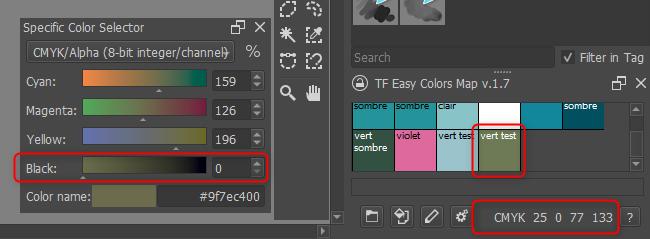
I just use the plugin for my new comic story in CYMK mode and the plugin does not “show” the same colors. If I pick them, it’s OK but they show differently. When I create the map, mode was SGB and I changed it to CYMK without difference. See capture.
Hello, could I get the 1.5 version of the plugin? I’ve got strange problems with mapping after some time working on Krita. I made a lot of tests and it may be relative to your plugin - wheel zoom not working anymore on mouse, AltGr key seems sticky. I’m not completely sure but the problem occurs when I use your plugin and I want to check with another version of your plugin just for testing.
Hi lian00,
I reply just now because in August I was on holiday.
Yes, probably there is an issue somewhere because I developed the plugin using the RGB system and I added the CMYK later. Probably I miss something.
If you don’t mind, can you tell me step by step how to reproduce your issue with my Krita?
I hope you had good vacations For the moment, I’m making tests with an older driver of my mouse decice (Contour). I met problems even with Krita not running so I suspect now it may come from these drivers. I will test with your plugin today - I have some comics colors to do.
Hi,
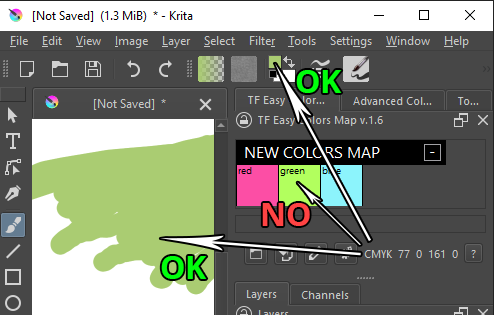
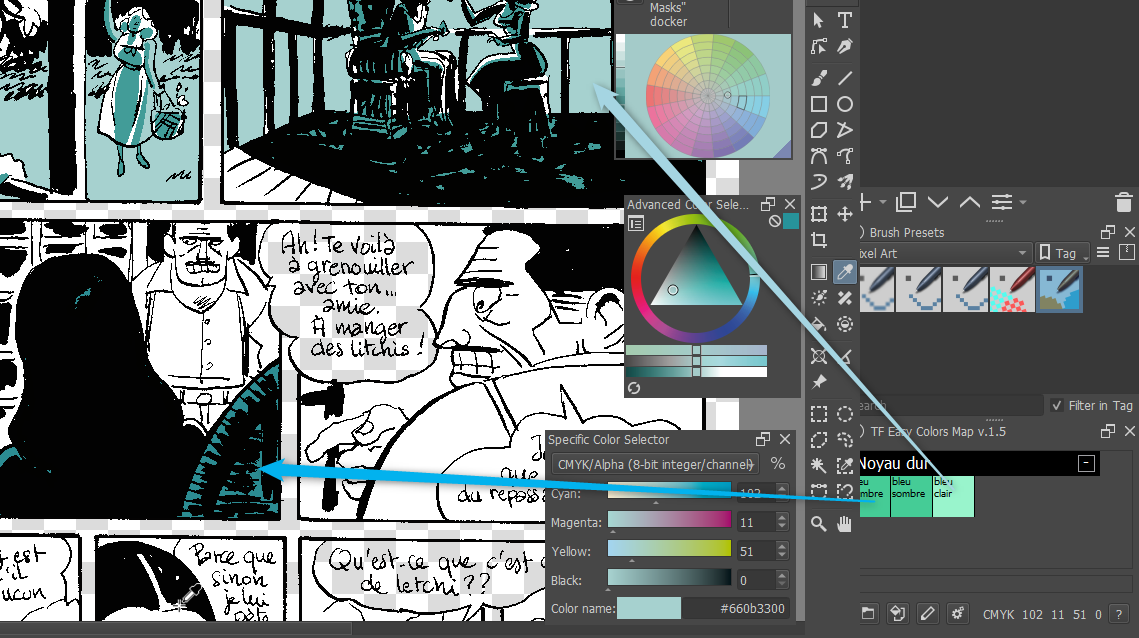
when I work with a CMYK document the only issue I see is that the colours shown in the plugin are different from the colour you get when you click on them. Basically, the problem is that the colour as CMYK values is correct, but in the plugin, the coloured rectangle is shown as RGB.
I don’t know how to resolve it. If I create a new CMYK colour with the right parameters and I use it to draw a rectangle inside the plugin, its color is different (in general, it’s brighter). Instead, if I use it for drawing or for setting the foreground colour, it works.
I am actually working on something to help with managed colours and conversions as a easy to use module. The prototype is working but all the rest might take me a good while to get it usable for others.
Sorry to say it’s impossible to use in CYMK environment for the moment.
On the capture you can see a color without black and the result when stored in Easy Color.
Ok, I found the problem. The technique I’m using for selecting a colour and setting the foreground/background colour of Krita works for RGB, but not for CMYK.
So I have to change the method and cross my fingers!
EDIT:
Ok, found the solution and it seems to work. However, this modification has effect also in other part of the script, so I have to update everything and this will take a little time!


 For the moment, I’m making tests with an older driver of my mouse decice (Contour). I met problems even with Krita not running so I suspect now it may come from these drivers. I will test with your plugin today - I have some comics colors to do.