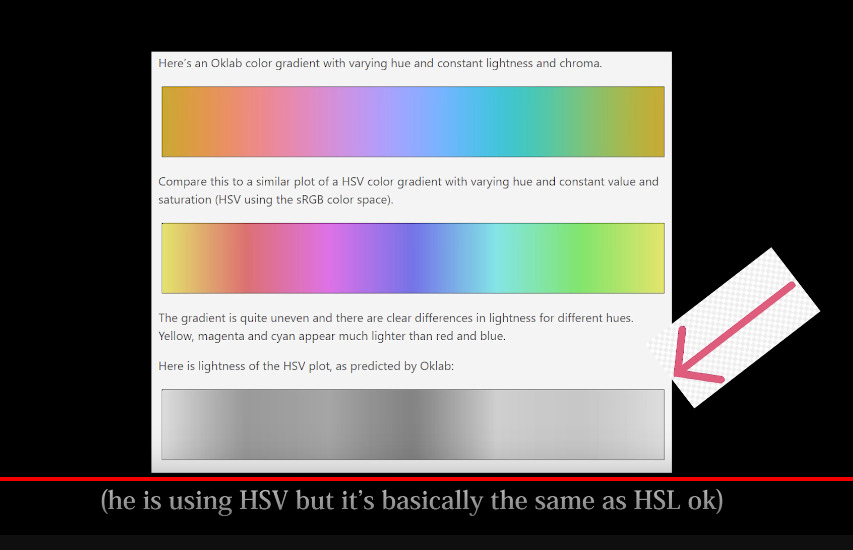
Hi all  first time poster here, wanted to ask about a color space I learned about in this video:

My question is, does Krita support this? I’m looking all over but don’t see a definitive answer either way. Thank you for helping me!
Hi all first time poster here, wanted to ask about a color space I learned about in this video:
My question is, does Krita support this? I’m looking all over but don’t see a definitive answer either way. Thank you for helping me!
Welcome to the forum, @Tatleoat. I don’t have a definitive answer for you but you can use the search function (the magnifying glass) and you will find some posts about it here.
The creator of that video breathlessly runs around all over the place and seems to arrive at the conclusion that we should be using the XYZ colour model.
I may have misunderstood that.
The XYZ colour model is available in krita but using it has consequences that I don’t understand except that they are probably bad and confusing.
Similarly, using any colour model apart from the default RGB/A 8-bit integer one can have consequences that cause problems for people, as has been seen many times on this forum.
What are you trying to do and why are you trying to do it?
You can use XYZ color spaces but before you do you should know about all the strings attached. Brushes will behave differently, colors mix different, blending modes will work different or not at all, and your screen is perhaps unable to show all the colors of the color space.
And all of this can be useless in the end because for sharing your images (like uploading them to the web) you have to convert them to srgb anyway to prevent the colors to look like garbage in other applications.
Read more about the basics here:
hi first time poster here as well 
I couldn’t help but notice that a lot of the people replying haven’t watched much of the video u linked and are somehow assuming that the point of the video is to use rgb?
even tho that seems to be the exact opposite of the point made in the video and the guy in the video makes a great case as to why nobody should ever use sRGB and you should always use oklab instead, but I digress.
I could be wrong but I think the only way to actually implement the oklab color module in krita is to modify krita’s source code and/or make a fork of it or something.
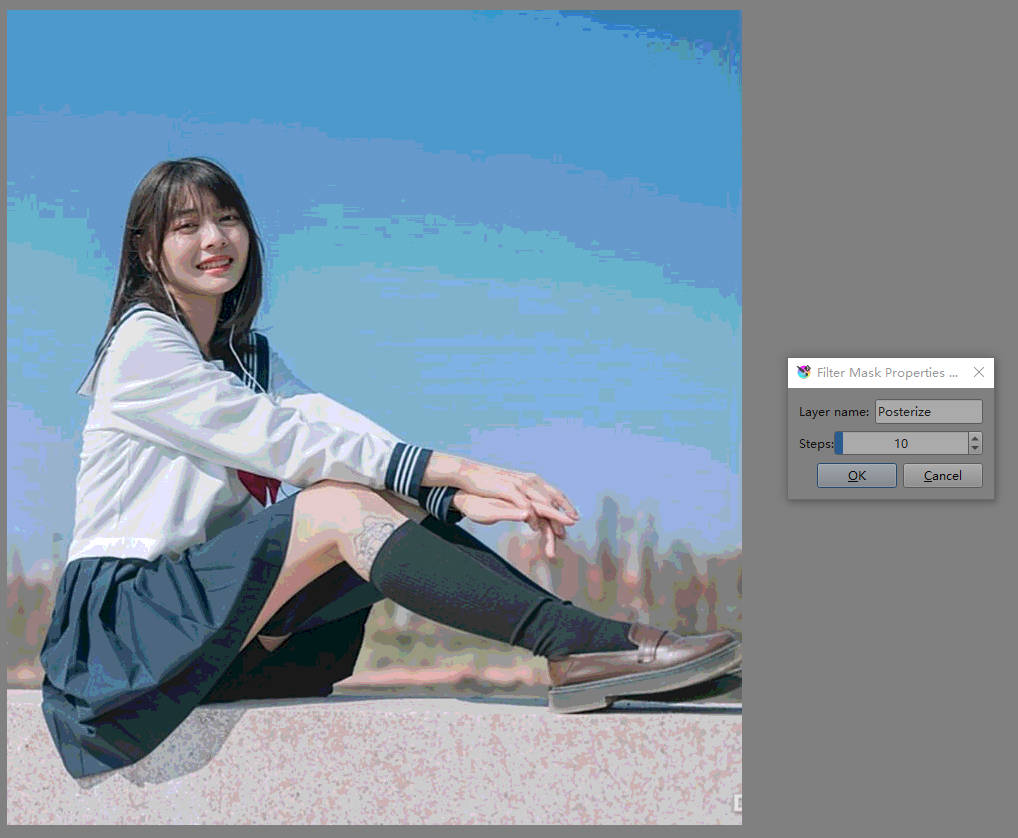
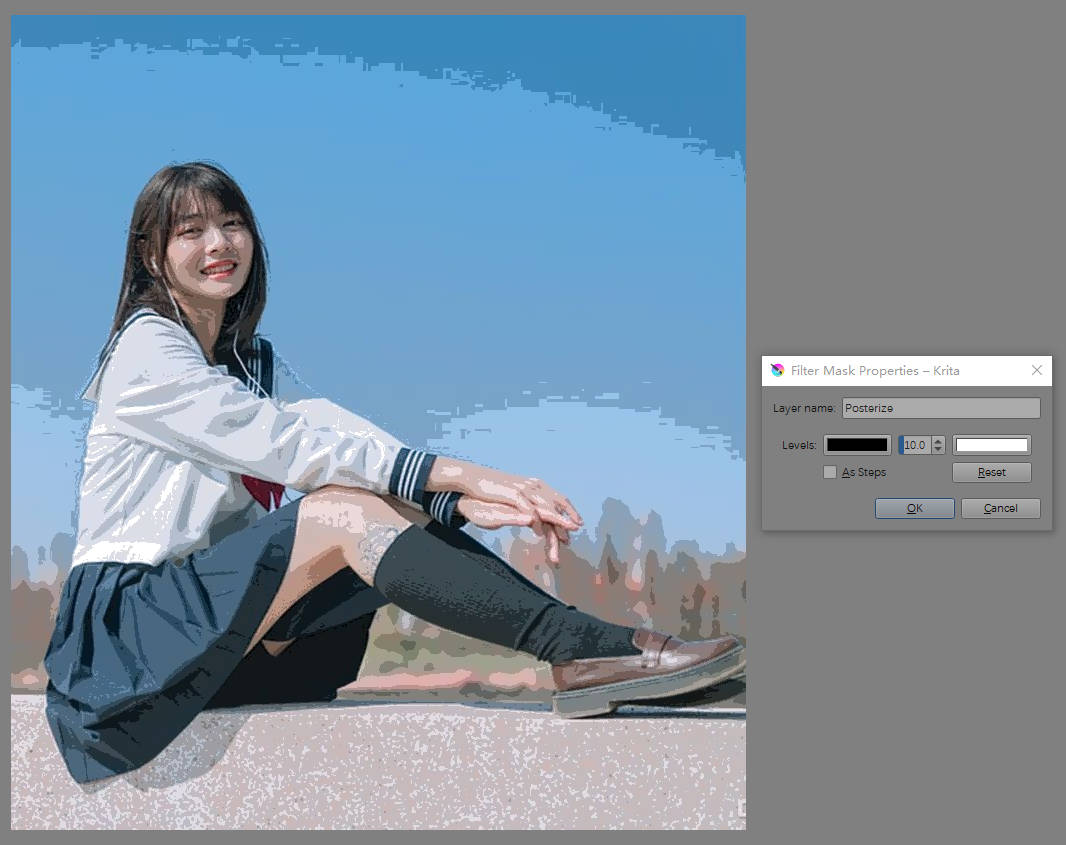
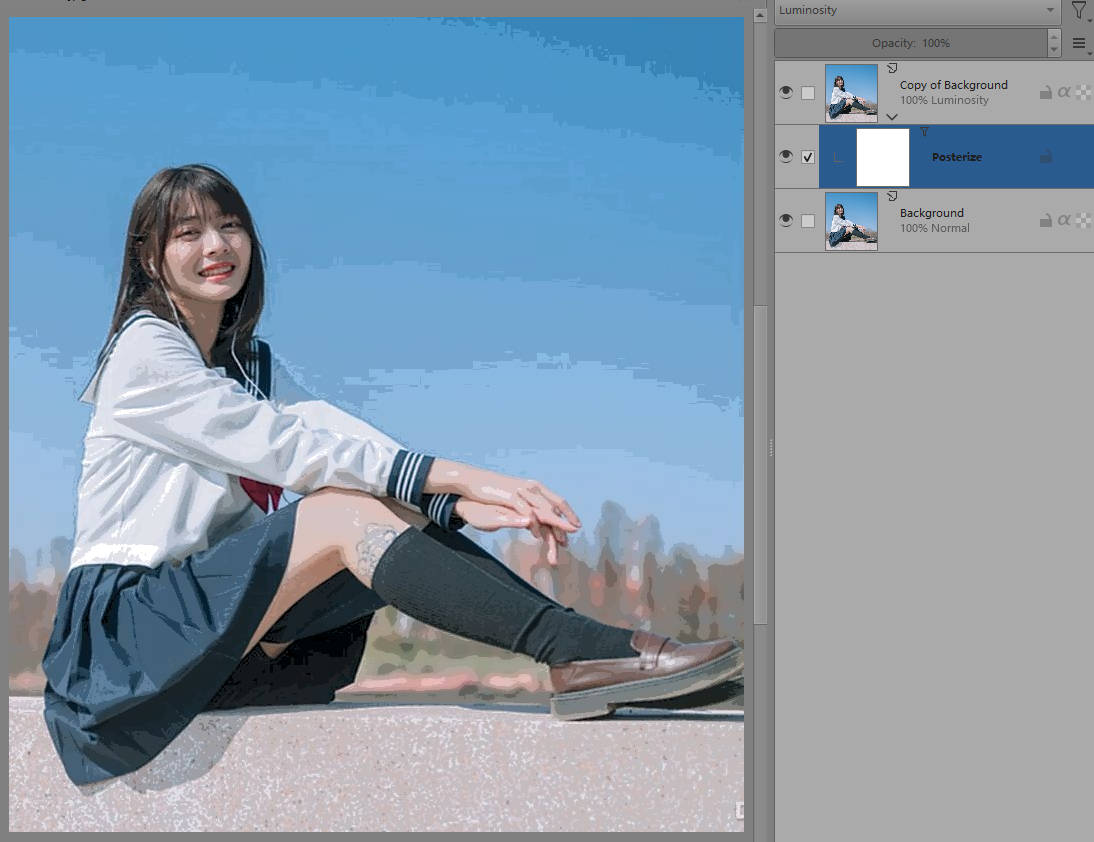
If you want to use this color space in krita, if you are not a professional programmer, you may need a lot of time to study and modify the code to achieve the desired effect. I have made some modifications to facilitate my work before, one of which is color separation. I now use it to summarize and analyze the color composition of images, which can indeed achieve the effects in videos:
If you only want to achieve such an effect, you can use the l channel of lab in krita to handle it, which will be much simpler and have almost no difference in their effects.
I think few others have requested this before or there was some thread here on KA.
Also pinging @wolthera as she might know better than me regarding this color space.
Sorry, I may have made some mistakes.
in case anyone’s interested here’s a link to the original oklab blog post
and here’s a followup blog post someone else made that compares more color spaces and goes more in depth on why cielab has such a bad hue shifts
I went to take a look and found that lab is indeed d50 in krita. The reason why I gave the above suggestion is because there are already some filters in krita that use lab color space. If you need to get similar effects quickly, using lab may be the best choice. Oklab has not yet been implemented in krita, and it may take some time. The biggest difference I know between oklab and lab is that in the blue part, the lab tends to lean towards purple.
I have added some oklab code to krita, but since I am not a professional programmer, I have also broken some of the original functions. I am also looking forward to official personnel joining the oklab color space so that we can get better color pickers, color blends, or more.
So, Krita does not support OkLab no, the main reason OkLab is so popular nowadays is that it shows up in CSS-Color-4. I wanted to implement CSS-Color-4 loading/saving (LCMS also has OKLab thing nowadays so a color selector might be possible), but then I ended up working on text instead, so none of this (from me, at the least) until I am done with text.
The creator of that video breathlessly runs around all over the place and seems to arrive at the conclusion that we should be using the XYZ colour model.
I may have misunderstood that.
The video isn’t about using the color space for processing, but just selecting colors. So a better topic for this thread would probably be “does Krita support a OKLAB color picker?” and while LAB is supported(not in the visual, but in the sliders), I don’t believe OKLAB specifically is present.
I’m not familiar with .icc or .icm files, but the appear to have something to do with display color information, a casual search for “OKLAB .icc file” didn’t return anything, but one might still exist?
I think it’s more complicated than that but you’d need someone with much more knowledge that I have about the subject to tell you.
Ah damn! Someone was working on Oklab implementation for Krita back in 2021: Add oklab color space, I experimented with some things - #2 by Alexey
Seems as though the effort was abandoned.
There is a lot of confusion in this thread! I’m going to do my best to clear up some things and explain why certain oklab features would be very valuable to me as an artist.
Edit: I’ll put my final reply and main post here since I can’t quadruple-post or triple @. For maximal coherency, read what is below this line after my two following posts. Sorry for the mess.
@Soulis
The video is actually about both. There are parts that touch on oklab as a color palette basis, but also as an interpolation basis. I think both are relevant to krita, and as I will explain later, I think interpolation might even be more valuable right now.
–
A while ago, I noticed several qualities of standard color pickers that frustrated me. Namely color-shifted pastels, non-stable lightness, and non-stable saturation. I went down a research rabbit hole about this, and came across oklab, which was a direct response to these problems.
I also discovered what is perhaps oklab’s most valuable quality - its ability to create stable perceptual gradients. This was so helpful to my color work that I developed a jerry-rigged system to incorporate oklab into my krita work even though krita does not support it.
This system takes advantage of the oklch.com color picker (oklch is simply the polar version of oklab). It also takes advantage of css color-mix, which can be used to generate gradients with oklab, oklch, and oklch the other way round the hue circle (“oklch longer”).
I create a gradient in css with enough granularity that it supercedes sRGB interpolation. I then hand-transfer this to krita using the gradient editor. In order to have live control with how this gradient is applied, I use the gradient on a gradient map. (This application of oklab is quite similar to the shader application that forms the basis of the youtube video.) If I want to select further individual colors I can transfer from the exterior color picker, which allows me to change hue without changing lightness and saturation, change lightness without changing hue and saturation, and change saturation without changing hue and lightness.
This obviously has some major limitations. I have to hand-transfer gradients which takes forever. I can’t make transparent gradients for gradient layering, which is severely limiting for my workflow. In fact there is no layer interaction that is oklab based. But oklab interpolation and stability is attractive enough that I like working with it immensely despite the drawbacks. There is simply nothing like these delightful gradients.
Currently oklab is only used outside css for ps’s “perceptual gradients”, from what I know. But as the video states, this is a matter of implementation lagging behind tech. Even if it might take a while due to limited resources, I think implimentation of oklab resources would genuinely be a game changer. If you go into the comments of the video, you will see that I am not the only person who went on an odyssey that ended in oklab. I think there is a lot of potential here.
@AhabGreybeard
@Takiro
You have misunderstood. The video author just brings up cie xyz while on a lengthy detour explaining background color theory for the benefit of the audience. The actual point of the video is that oklab has some drastic advantages over vanilla sRGB in the domains of color interpolation and color picking. The input and output of these two applications do need to stay in sRGB for them to be usable, while taking advantage of oklab’s much more perceptual distribution in the inbetween. But that is computationally trivial. In fact part of the entire point of oklab is that it is computationally trivial to translate to and from sRGB. It is explicitly built to be applied in a program like krita.
@Anseridae
They are not assuming that the point is to use sRGB, but rather to use cie xyz. This is still wrong, as I said above. It is also worth noting that oklab would only replace sRGB in very specific areas, and be optional. sRGB still has lots of value as the most universal and bare-bones option, with even its artifacts sometimes being desireable.
The screenshot you shared is comparing the interpolation of
sRGB and oklab. The d50 version of cie lab does not appear to have anything to do with the image. Both sRGB and oklab use a d65 whitepoint. Neither are cie lab.
Thank you for linking the blog posts. They are both important resources for understanding oklab, and the second one has an especially useful interactive gradient demo.
@urzeye
That is an application I hadn’t considered that seems quite useful! Thank you for your previous work on this. I am a bit confused on what each image shows specifically beyond the overall concept of using posterization to analyze color palettes.