Brushes in Krita on my notebook work very slow, are there ready-made sets of optimized brush sets for weak systems?
And is it possible to convert photoshop brushes to Krita brushes?
Not that I’m aware of.
No. You can import the tip but that’s about it, none of the settings. Even if it were possible the brushes would be different because the brush engines are different.
There is a WIP-Bundle from @RamonM which was made to achieve this goal beside others.
It is described here→
And this is the download-link.
Michelist
2 Likes
I can’t say for sure, but if you remove the size of this brush, then the standard round brush from Photoshop will come out

PS: Later you can load tips from ABR file and create brushes with simple settings
You can also reduce the spacing of the brush, it always works, and also try replacing the installed tip with the base one (for example, a square one with a soft mask type.
Some examples:
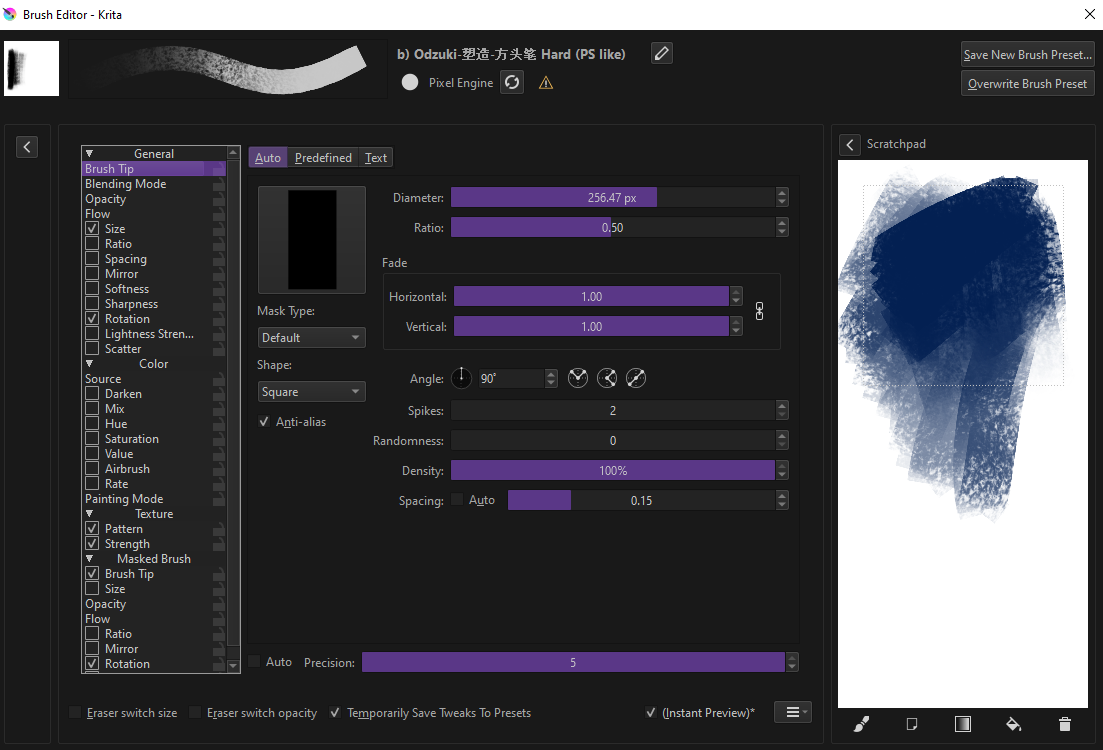
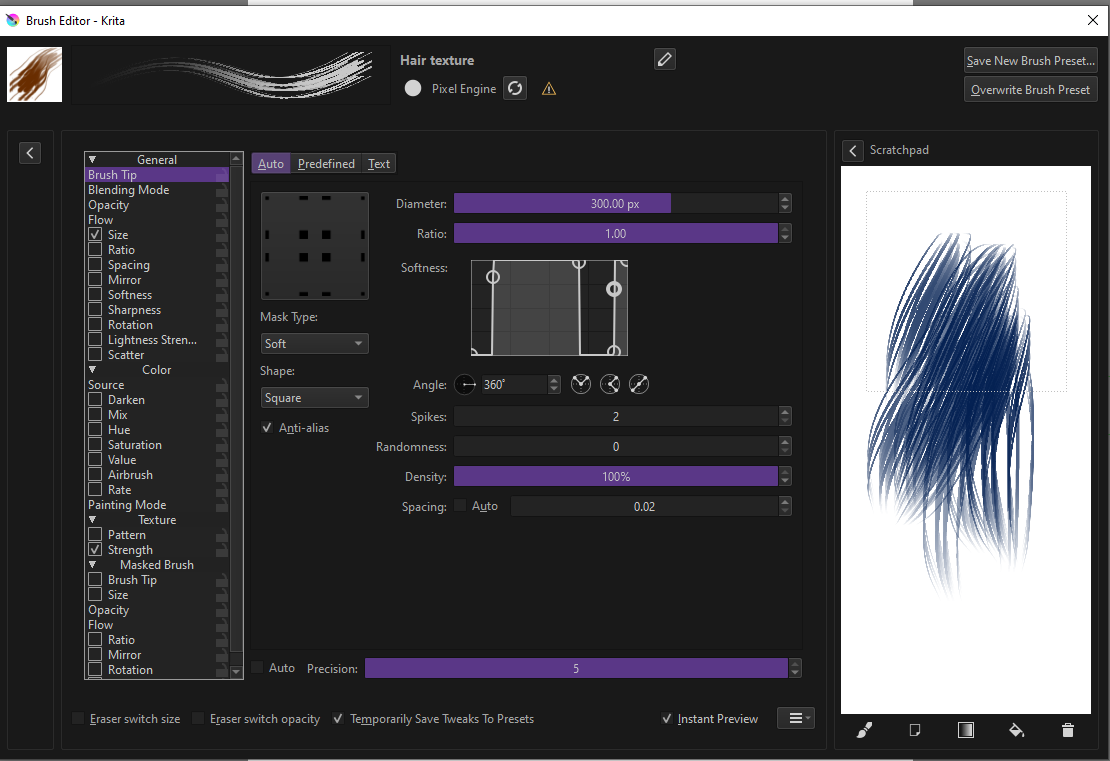
1 Like
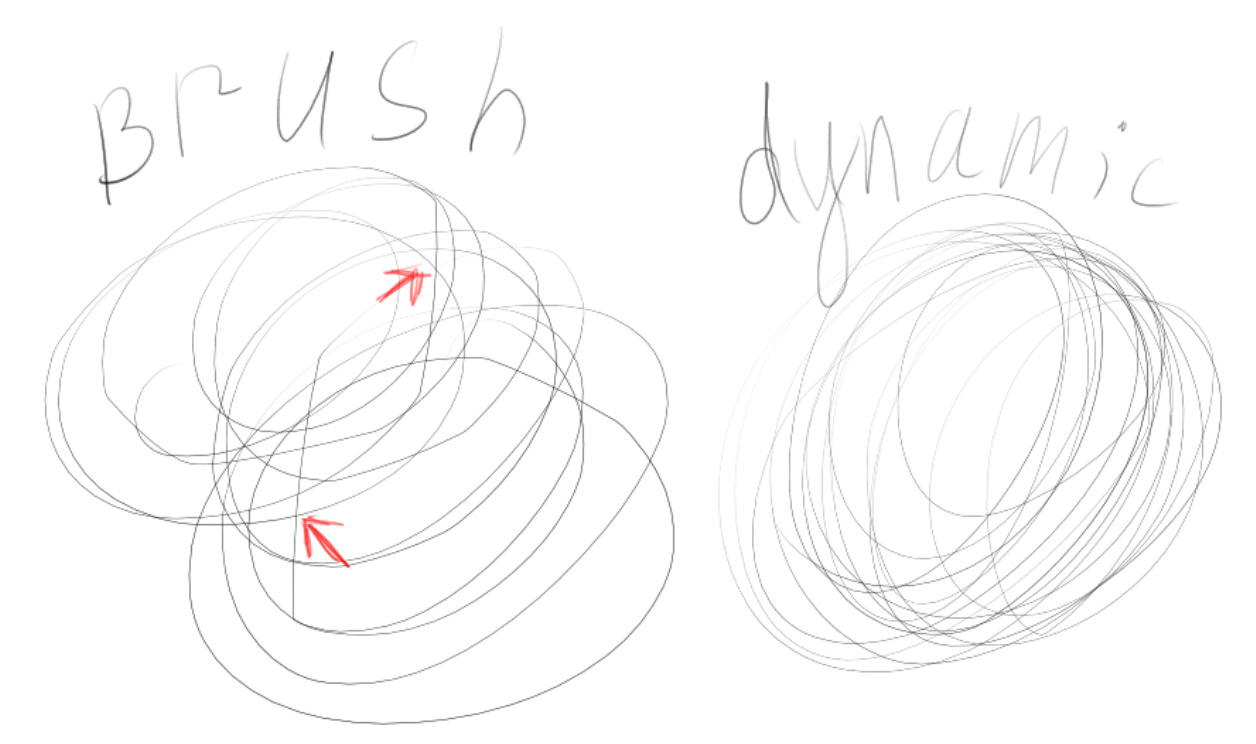
I don’t really understand, sometimes brushes work fast, but basically they work like this when i draw a circle:
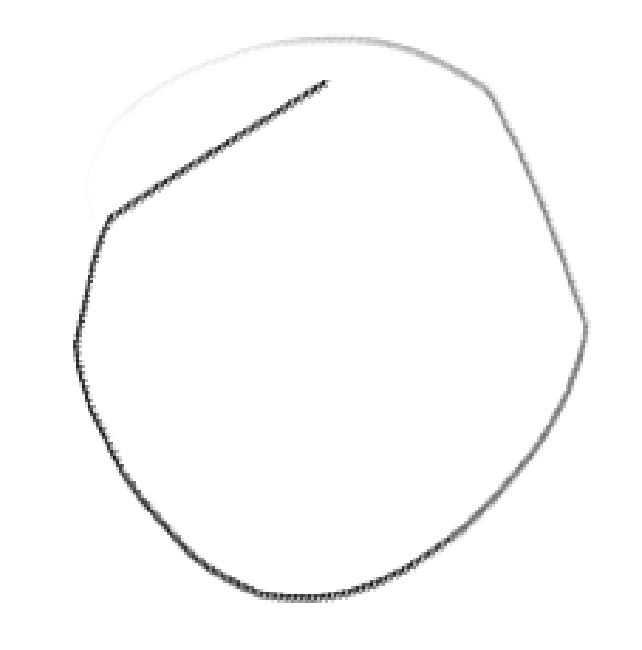
this is definitely not a driver, because in Photoshop ans PaintSai there is no such problem even on heavy brushes. Maybe the brush driver in Krita is poorly optimized, i don’t know.
Oh, that looks like too high settings in the brush smoothing called stabilization of Krita’s brushes. Try to set brush smoothing to “basic” or “none” in the “Tool Options” Docker, you’ll find it when you select the freehand brush tool, in standard Krita installations it is on the upper right side, sometimes it’s tab is below the color selector.
Another thing can be a mismatch between the driver’s setting of the used API and Krita’s setting of this API, the standard WinTab/Windows Ink issue. But first look at the smoothing, please.
Michelist
You haven’t mentioned which operating system you’re on, but many Windows users have eliminated the straight line at the beginning of a curve by switching the Windows Input API in Tablet Settings. If you try this, remember you must close and restart Krita to make it take effect.
EDIT: I see you did let us know you’re on macOS. This tip won’t help. Sorry.
I tried it, I didn’t notice much difference, it’s definitely not brush stabilization.
I think about it too, but I don’t use windows. I use MacOs Catalina 10.15.7. Besides, in other similar programs there is no such problem, even if I run them from a virtual machine. Something with performance inside Krita itself.
That’s too bad. I just looked at the specs of your notebook in your first topic and can’t imagine that they shouldn’t be sufficient to run Krita smoothly on your MacBook, even if it’s already 7 years old.
Unfortunately, I only know Macs by name and have never owned one myself. On a Windows notebook with these specs, I would suspect a misconfigured system or an aging installation where the many updates and software installs and uninstalls “wore down” the system, requiring a reinstallation. With a Mac, however, I am out of my depth. Sorry.
Michelist
Off-Topic/Joke:
Of course, it could be that you use canvases the size of soccer fields and brushes the size of brooms to bring Krita to its knees. 
But I am sure you would not have concealed this, would you?
1700x1200 canvas size. I use standart brushes without and with stabilizer.
That would have been too bizarre and was also just a joke out of helplessness.
I’m sorry, but I don’t really know what to do. You could try the standard tip for Mac problems, which is to disable canvas acceleration, this helps a good third of Mac problems, but I can’t tell you why it helps in those cases, nor if it would help you. However, trying to do this may not break anything, but it does come with other drawbacks, but if it allows you to use Krita, then it might be worth it.
Michelist
I just want to add that just because something works in one software doesn’t automatically mean there’s nothing wrong with the driver.
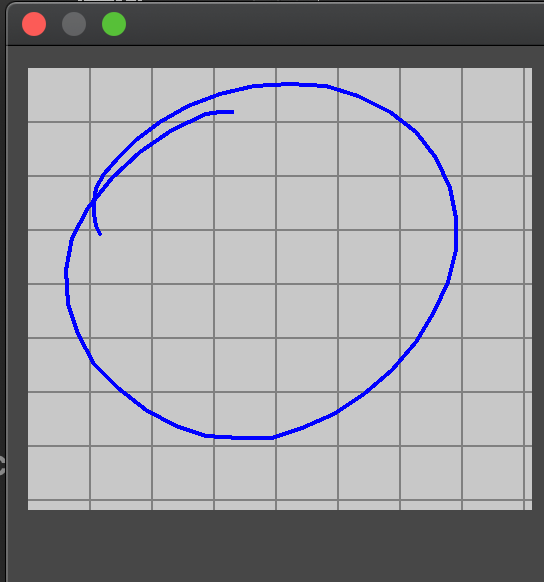
The image looks a bit like the sample rate of the graphics tablet is too low. I’m not sure if that can be changed from within Krita itself. It might be worth taking a look into the tablet tester to check if the same happens there.
Which graphics tablet do you use?
I’ve noticed this line issue a little bit sometimes as well on macOS when the computer is under load, like having something in Chromium playing in the background and can trigger it reliably when running OBS screen recording software. (Krita on OpenSUSE on the same machine have perfect lines with OBS running. Wacom Intuos4 tablet.)
You could try the dynamic brush tool. (And if that works fine replace the freehand brush tool’s hotkey for it.) 
Wacom intuos CTH-490
I tried this, there is no such problem. It feels like brush just work slow. The dynamic brush does not lag.
This topic was automatically closed 3 days after the last reply. New replies are no longer allowed.