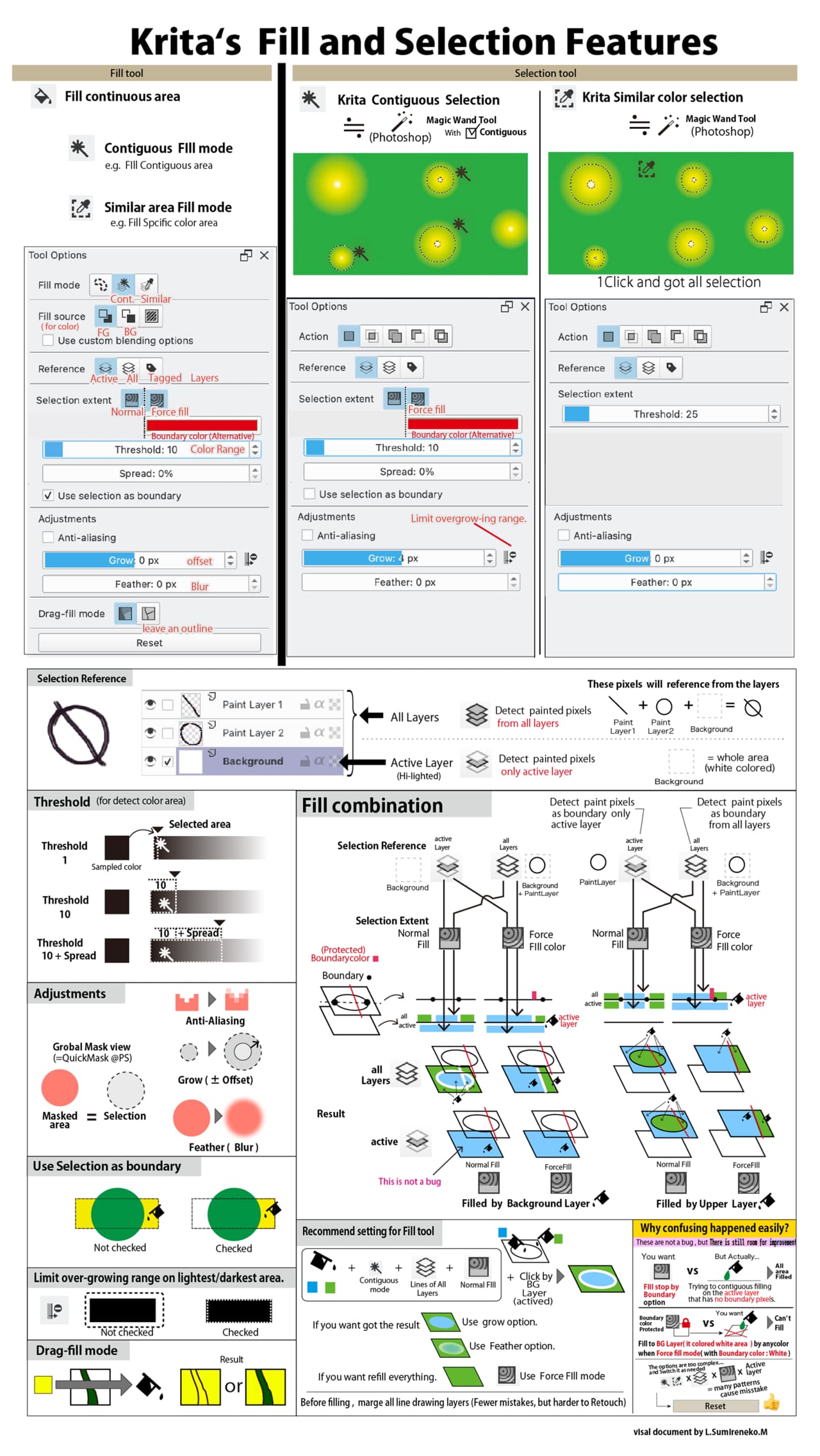
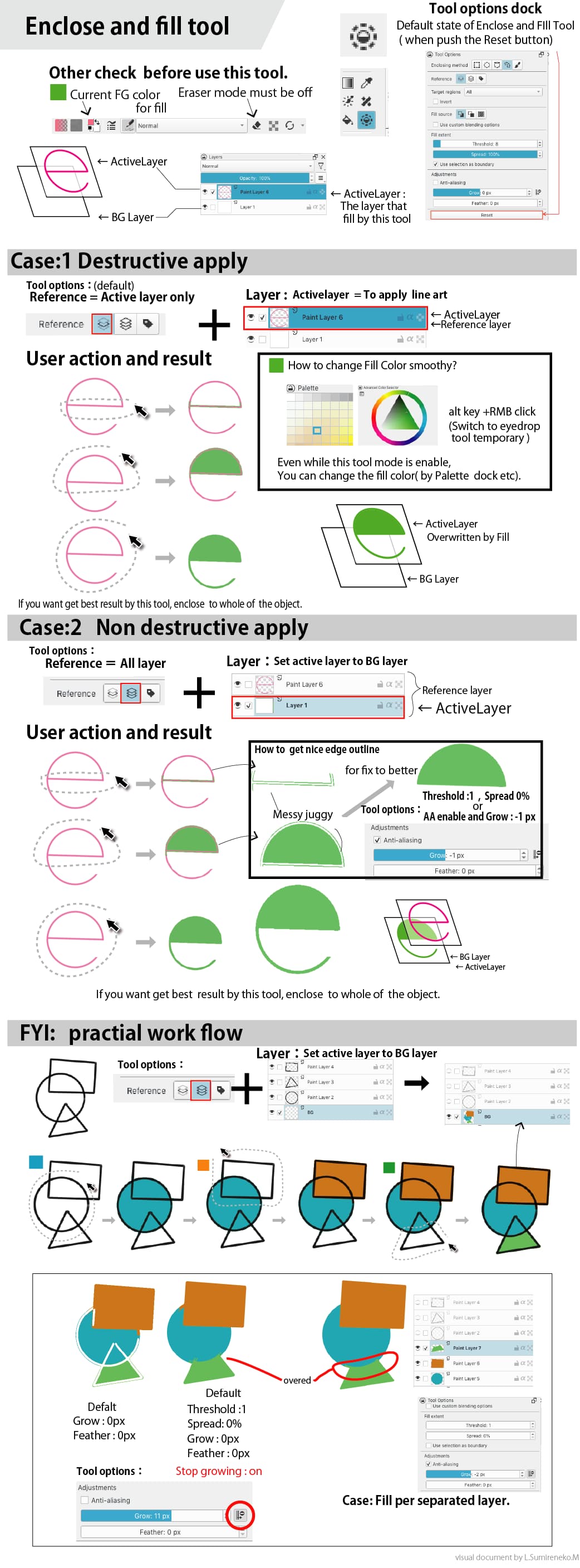
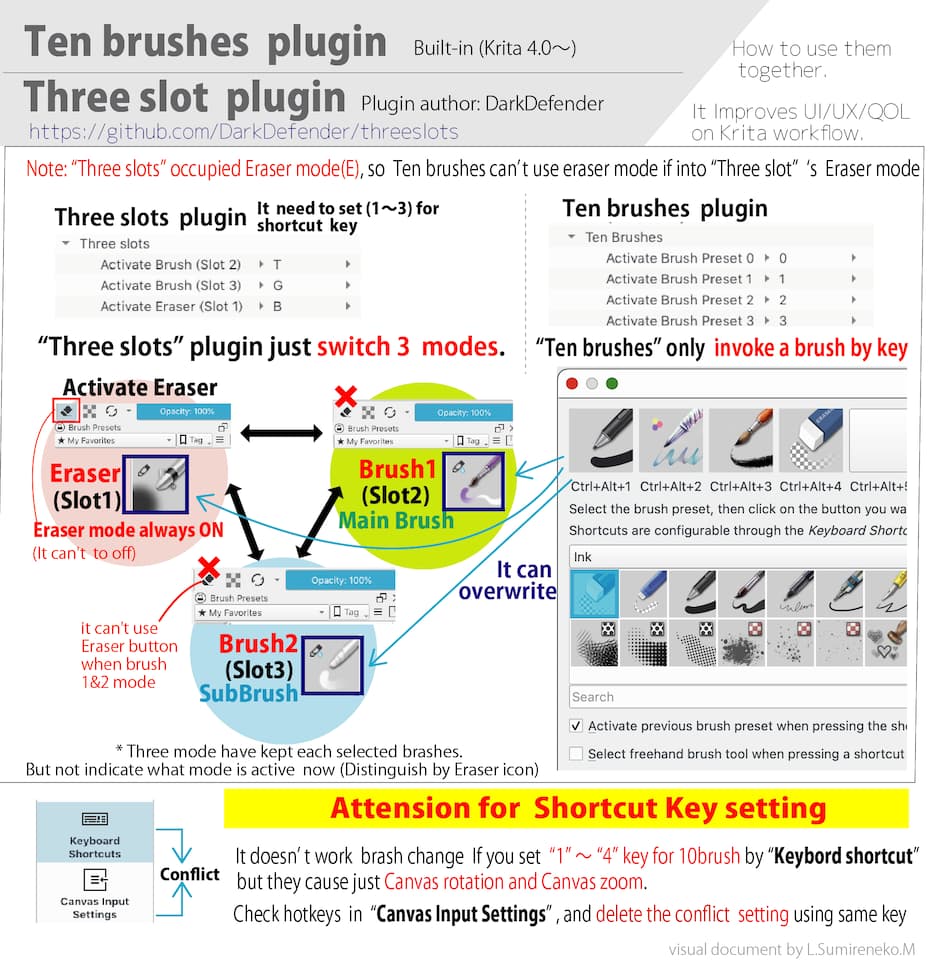
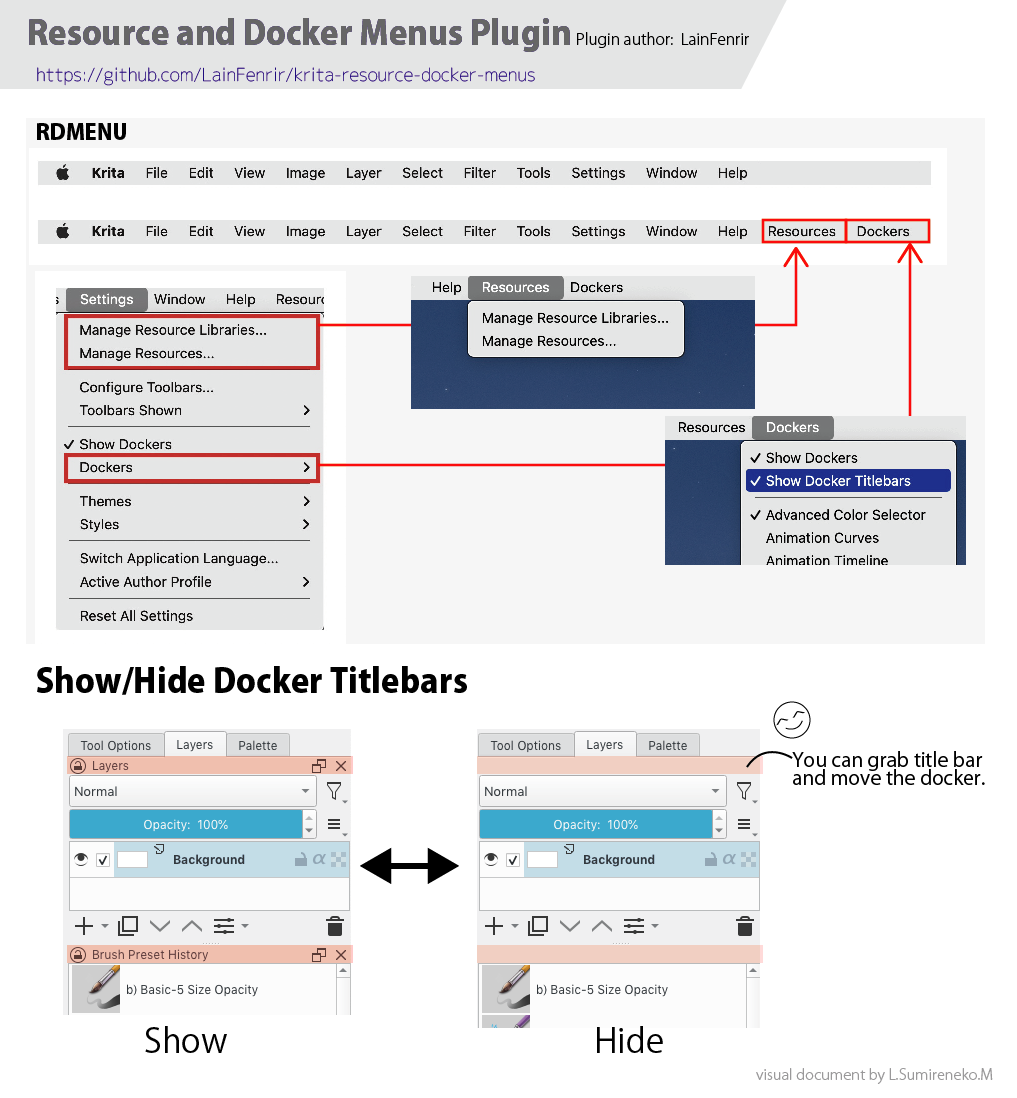
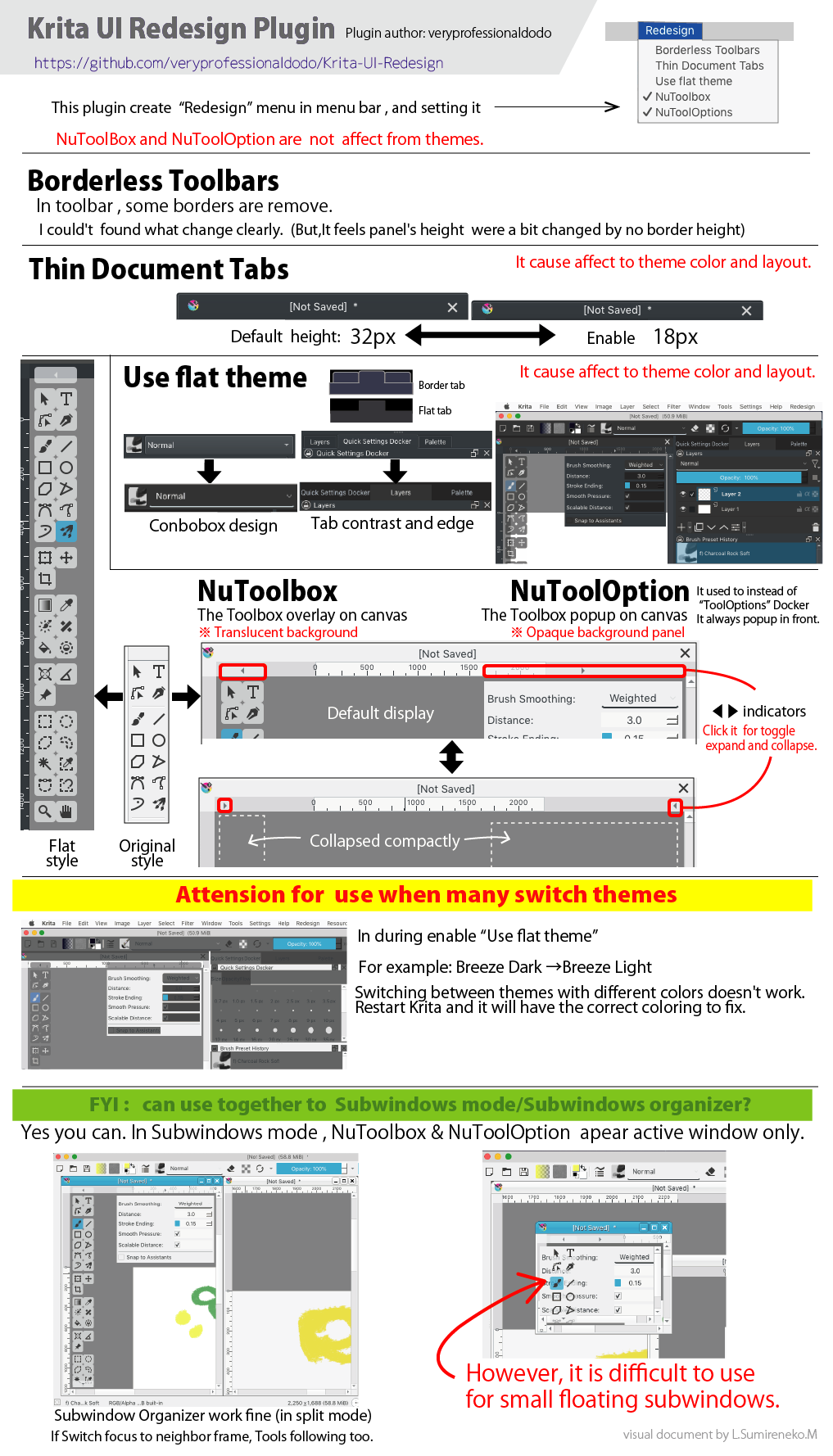
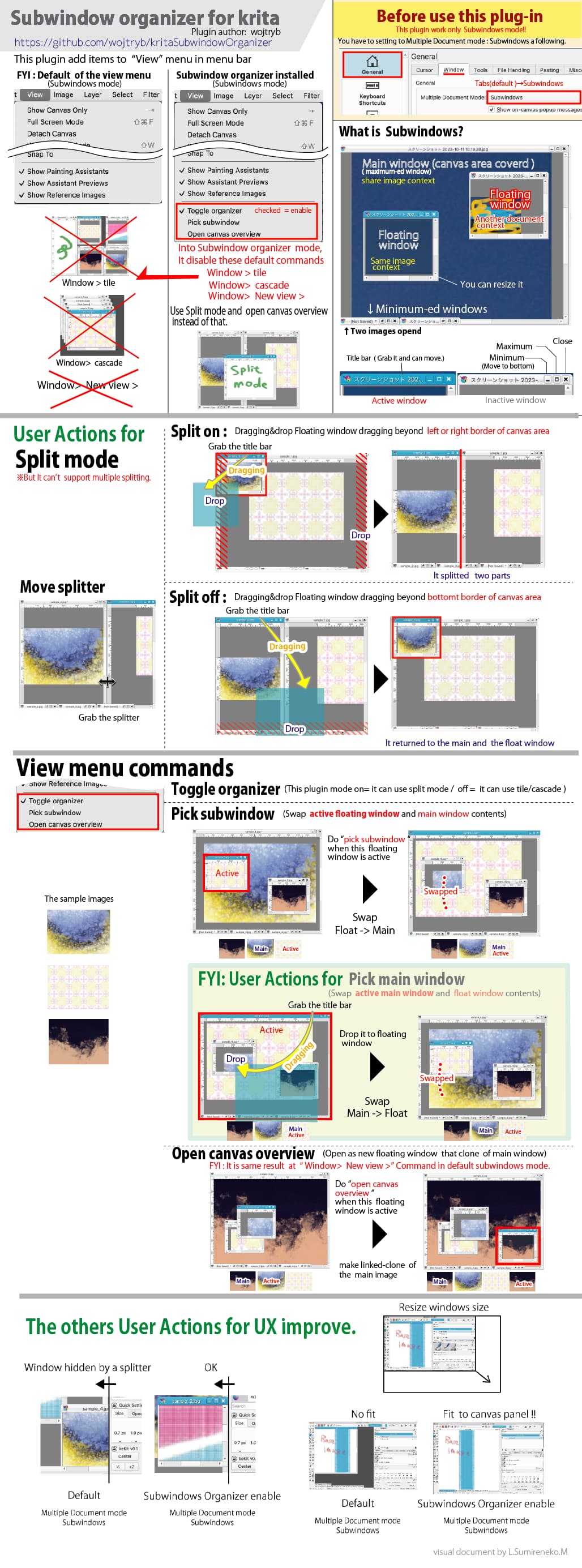
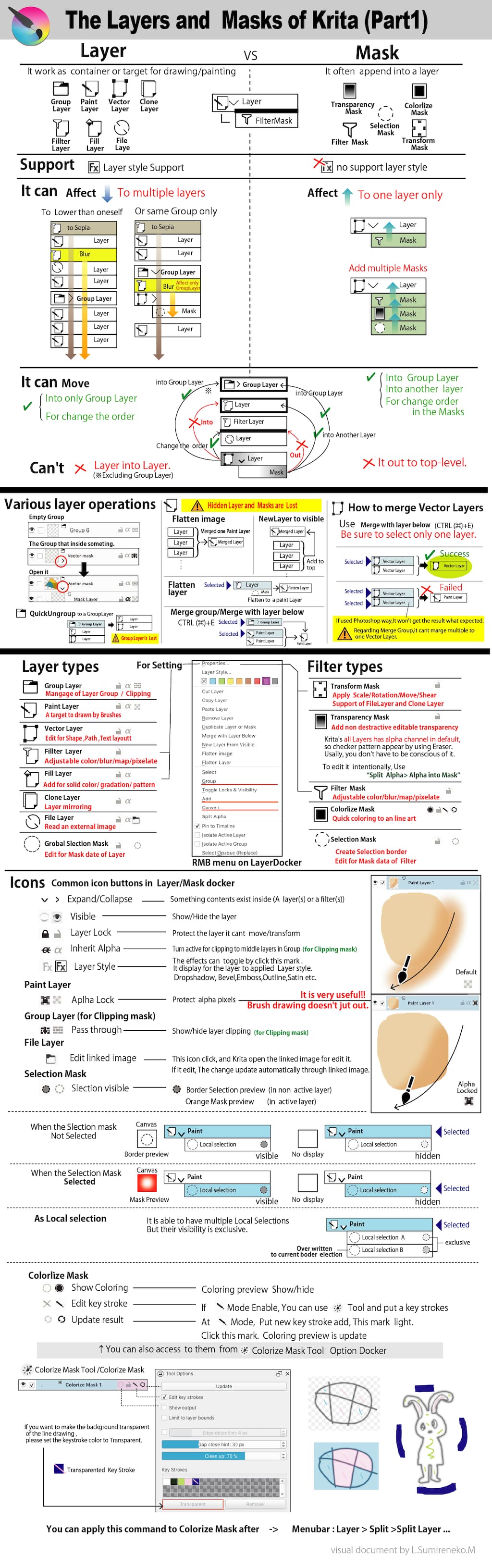
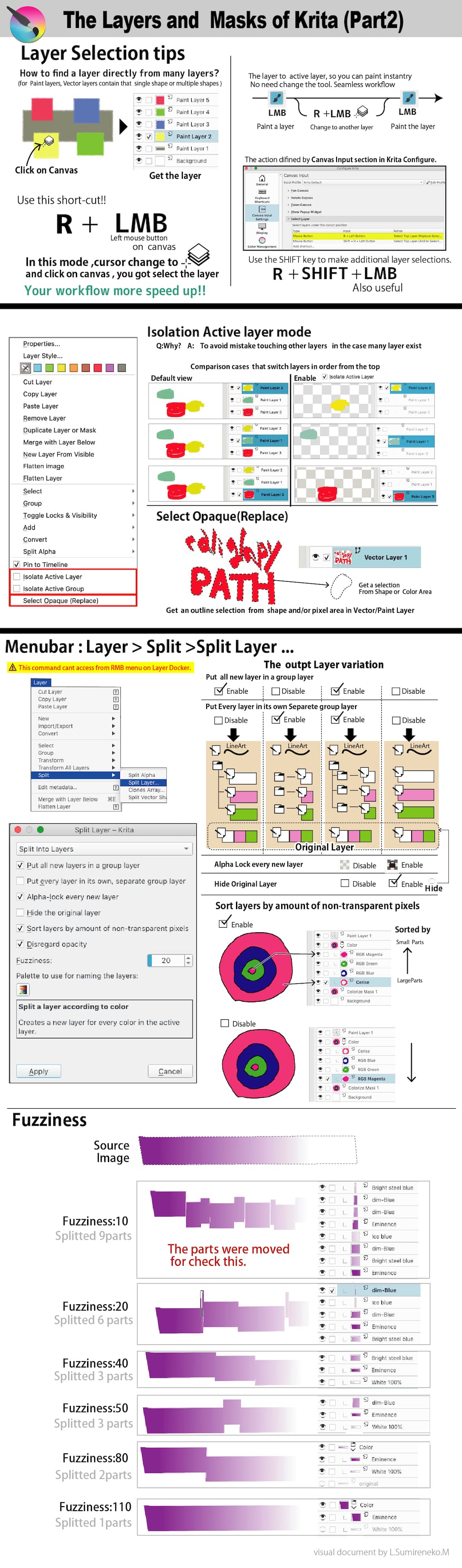
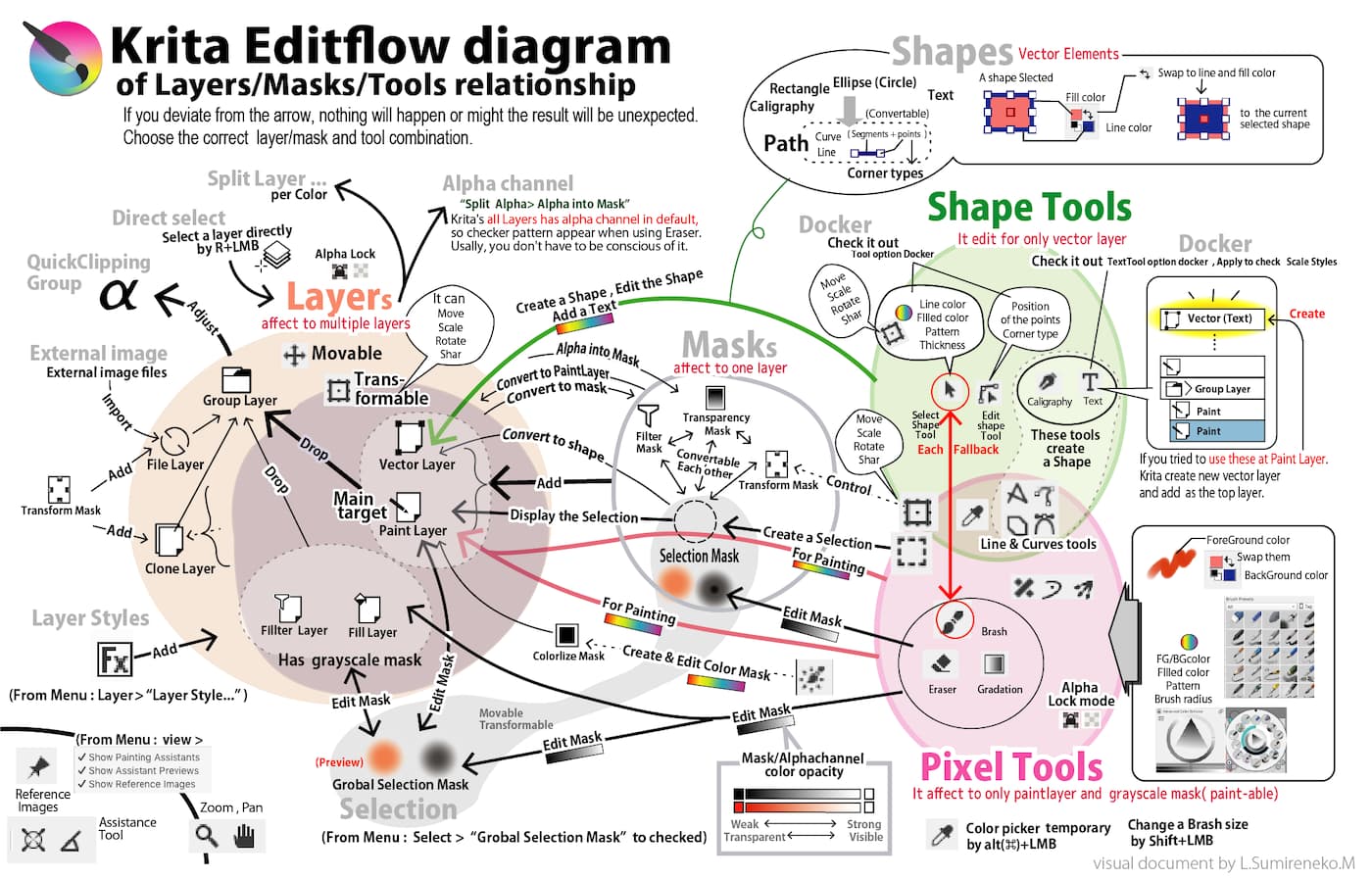
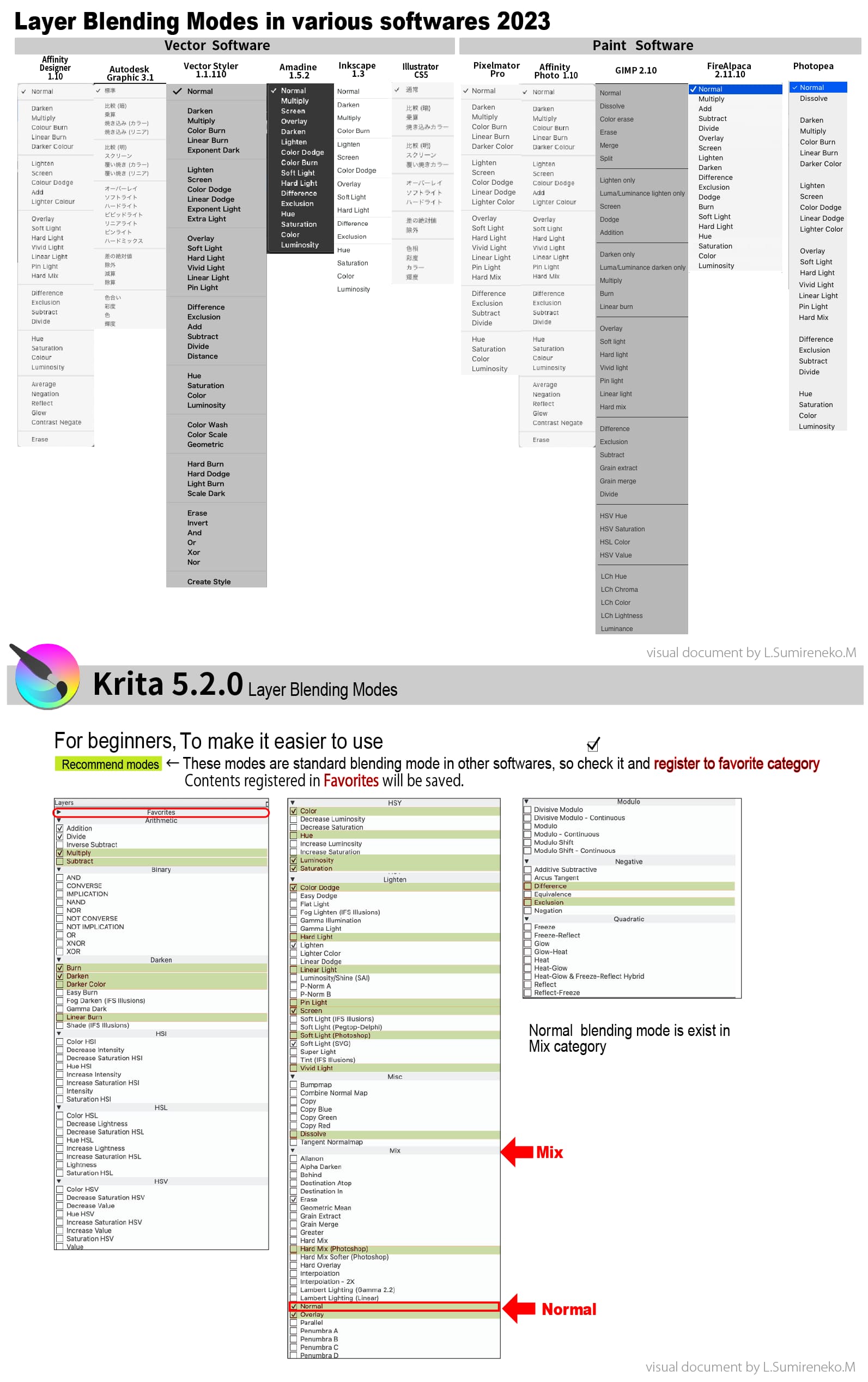
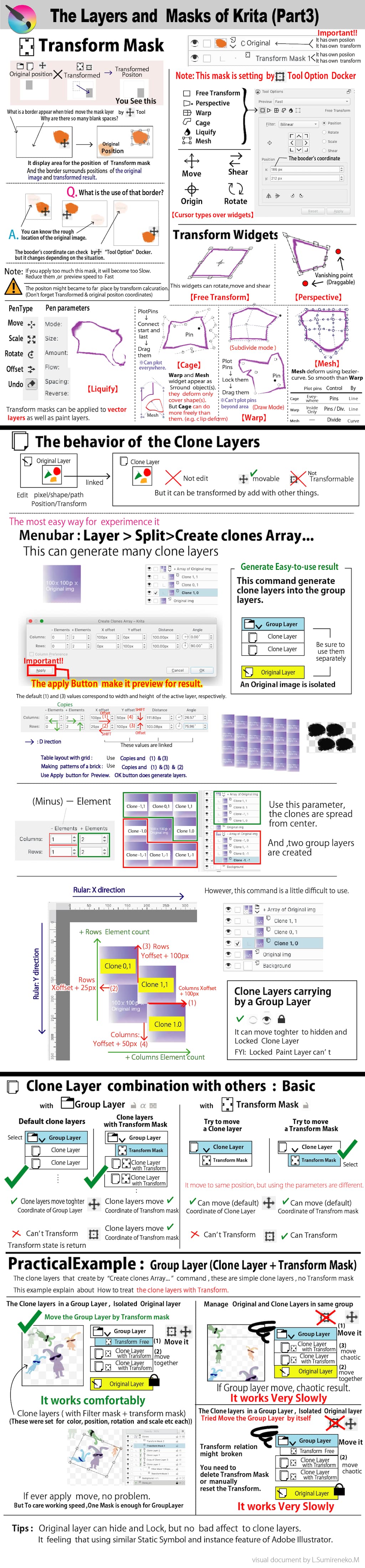
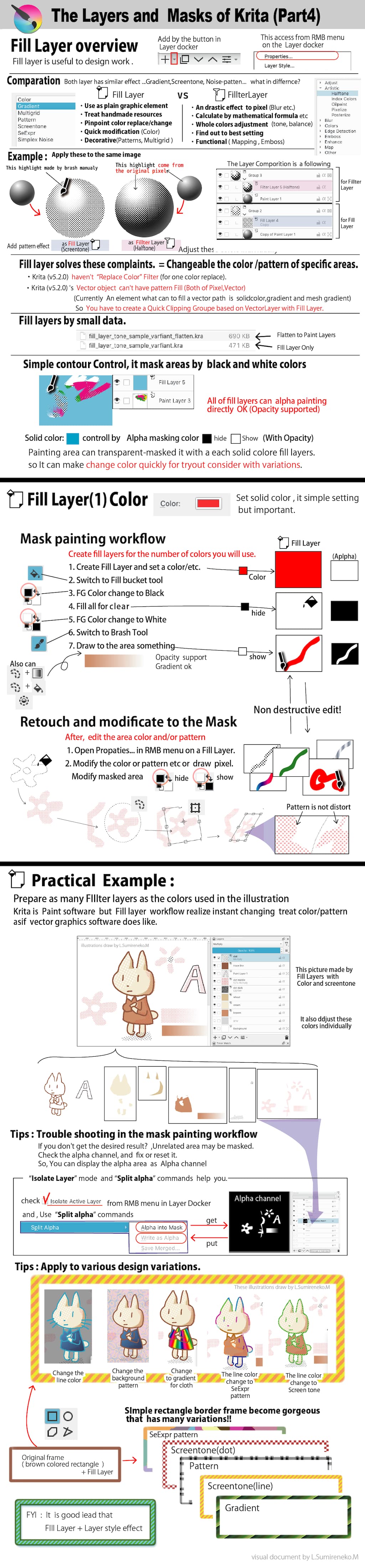
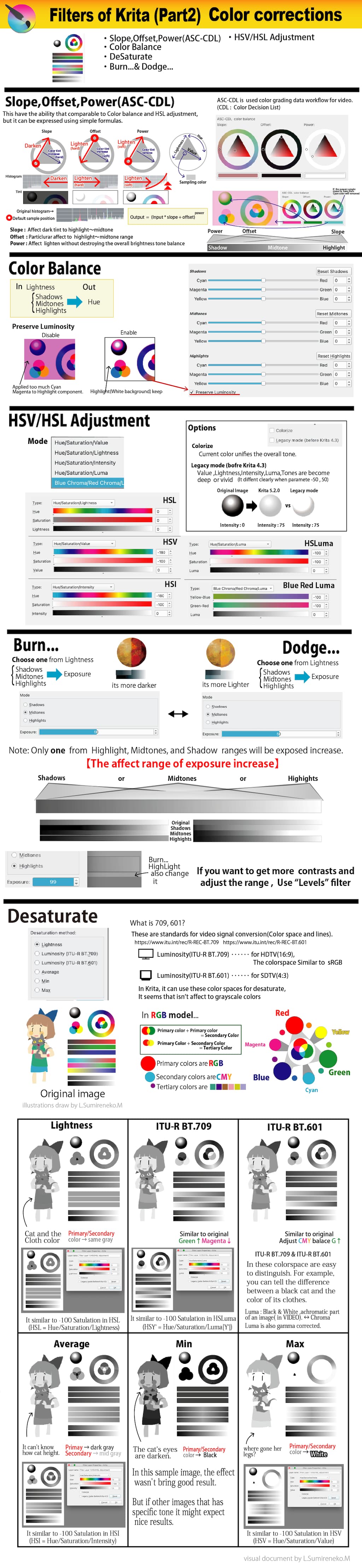
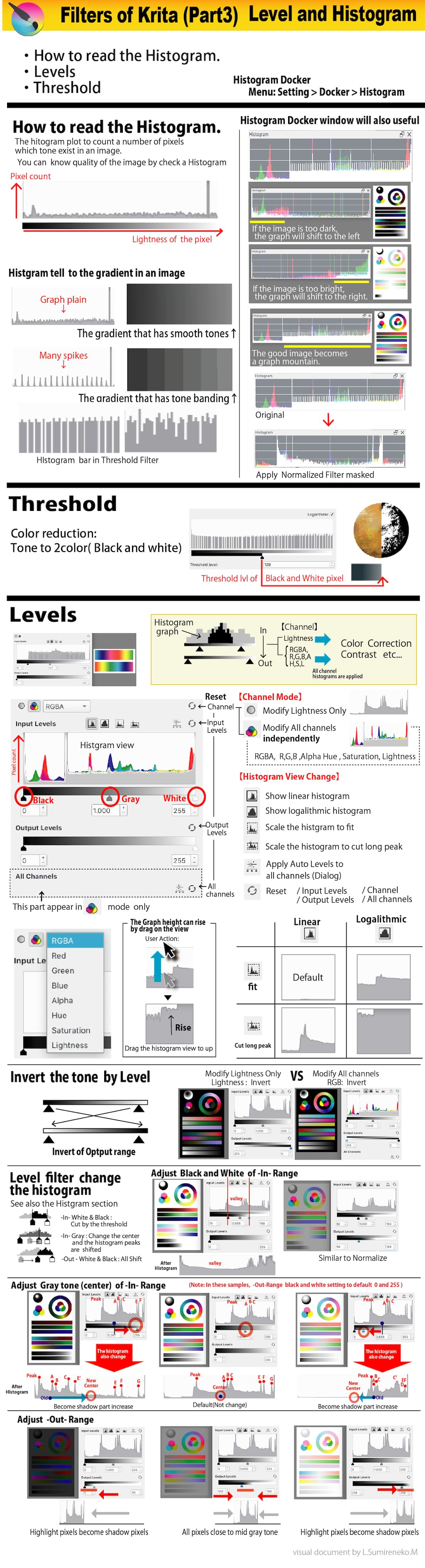
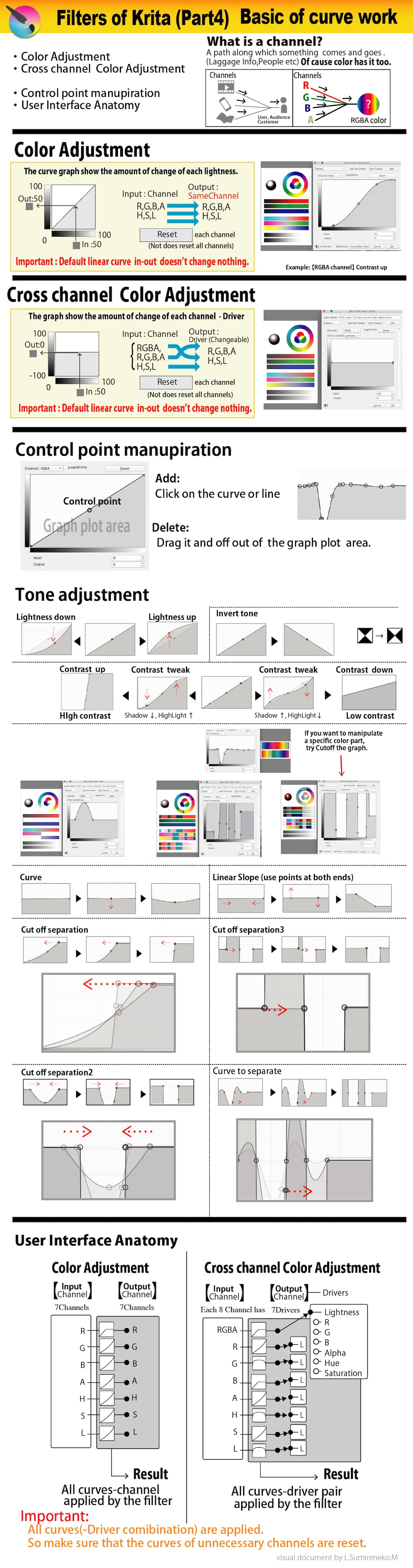
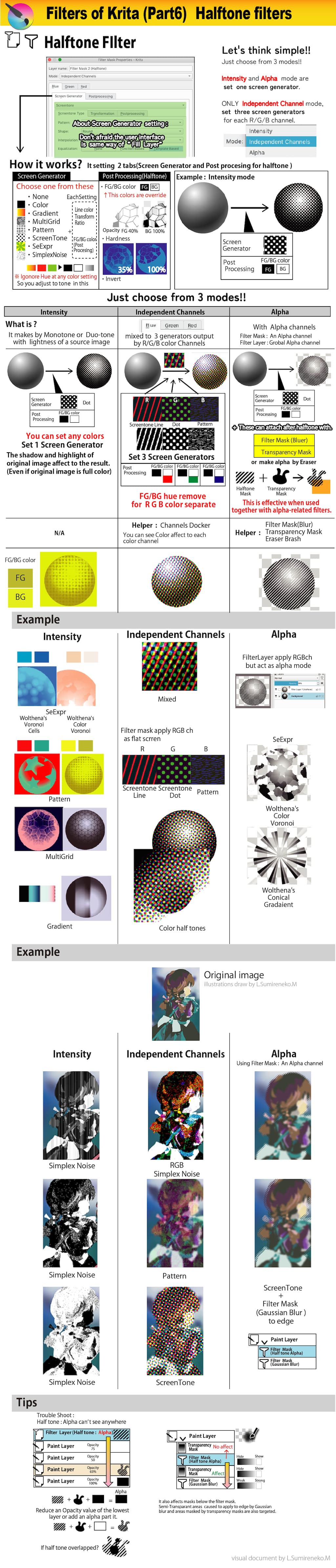
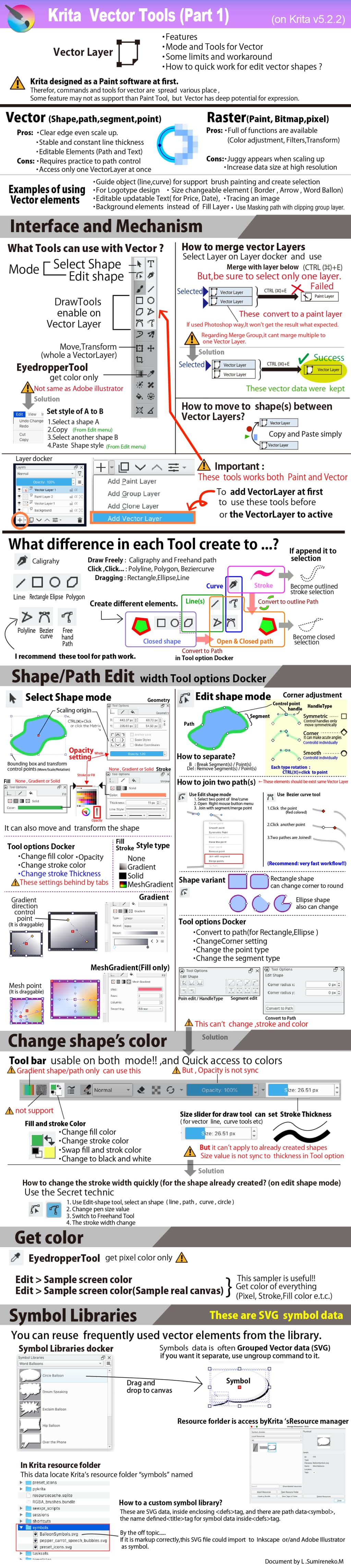
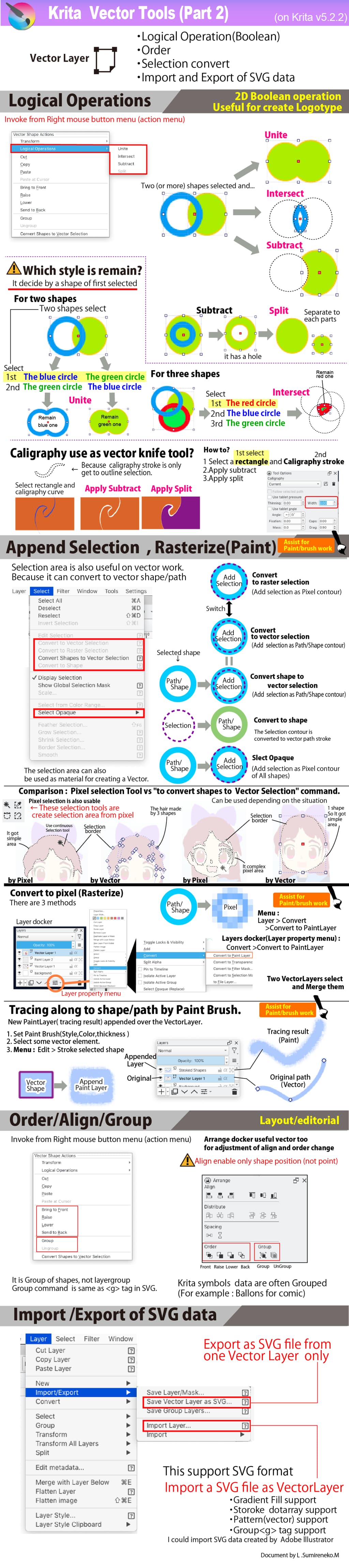
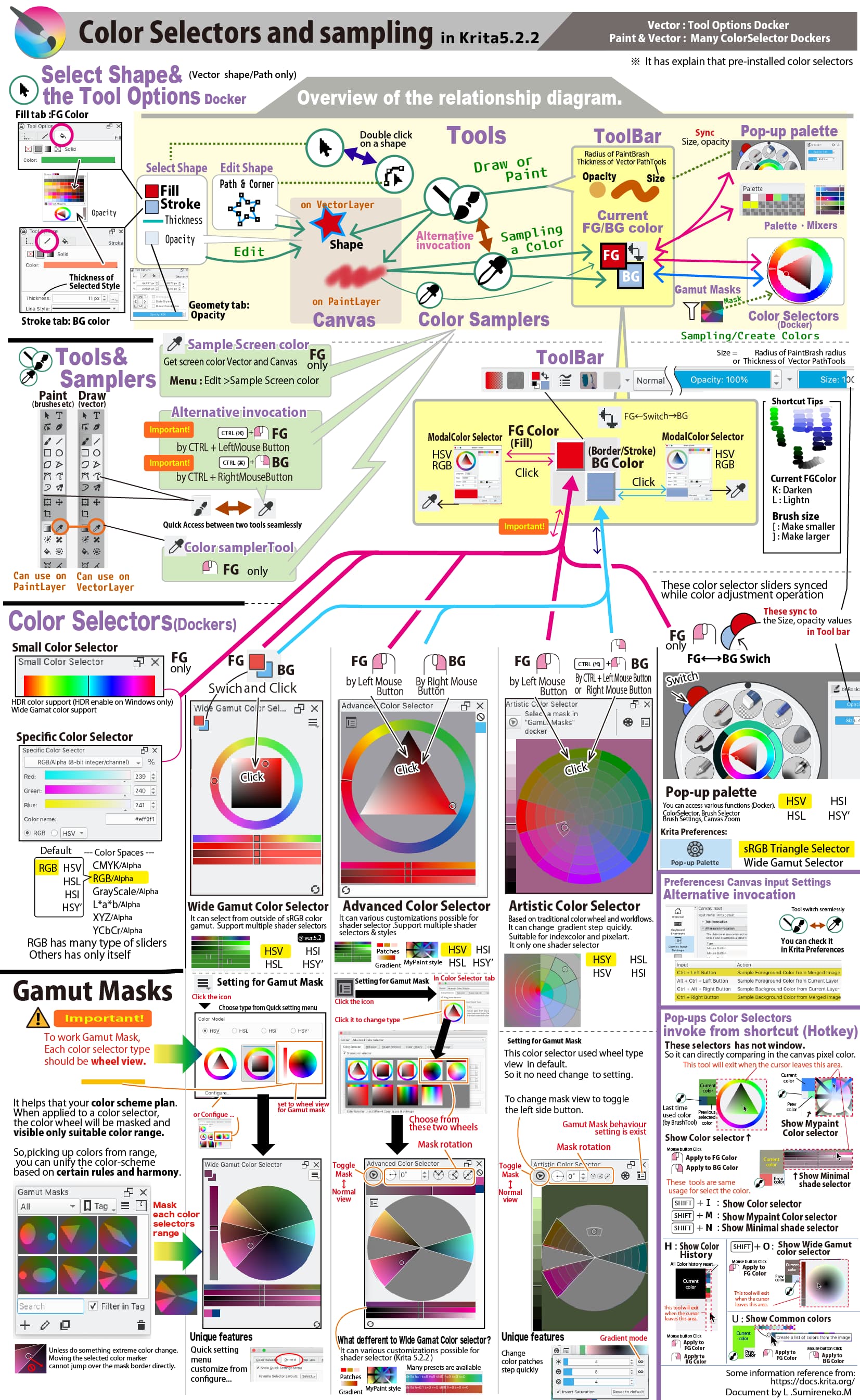
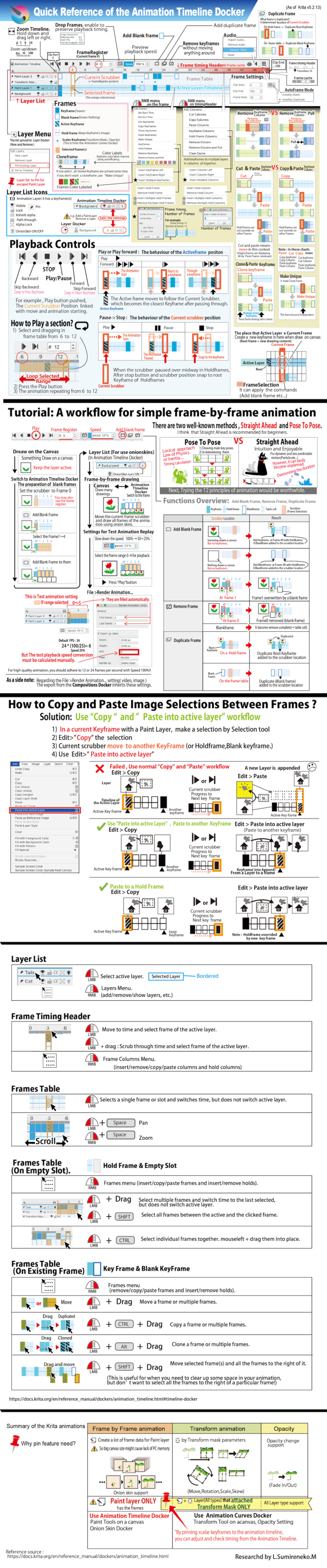
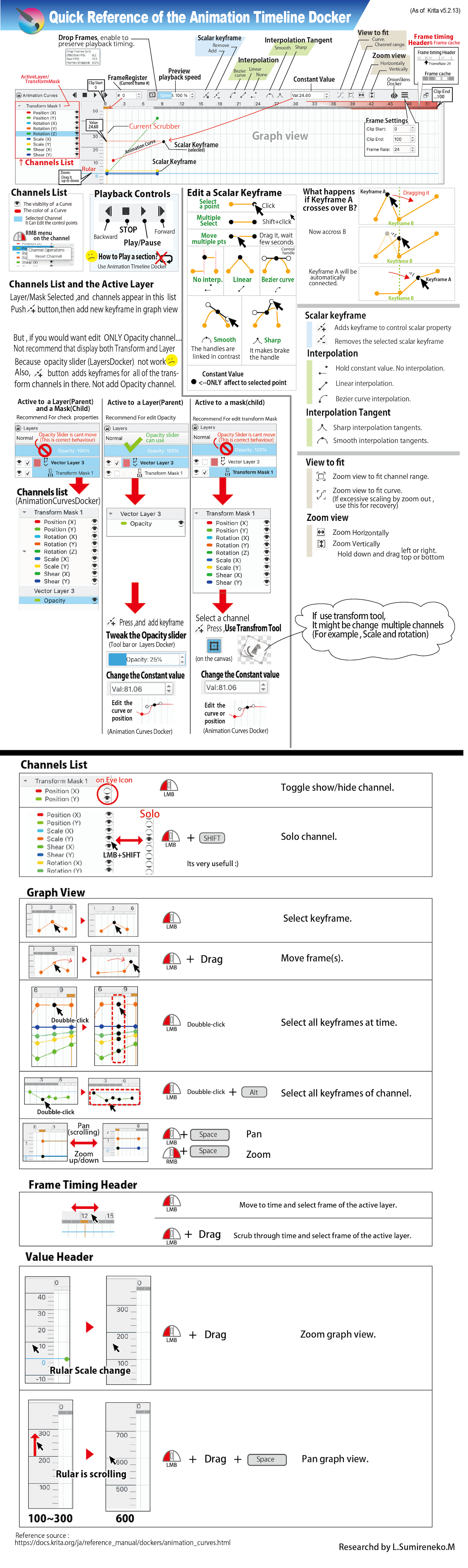
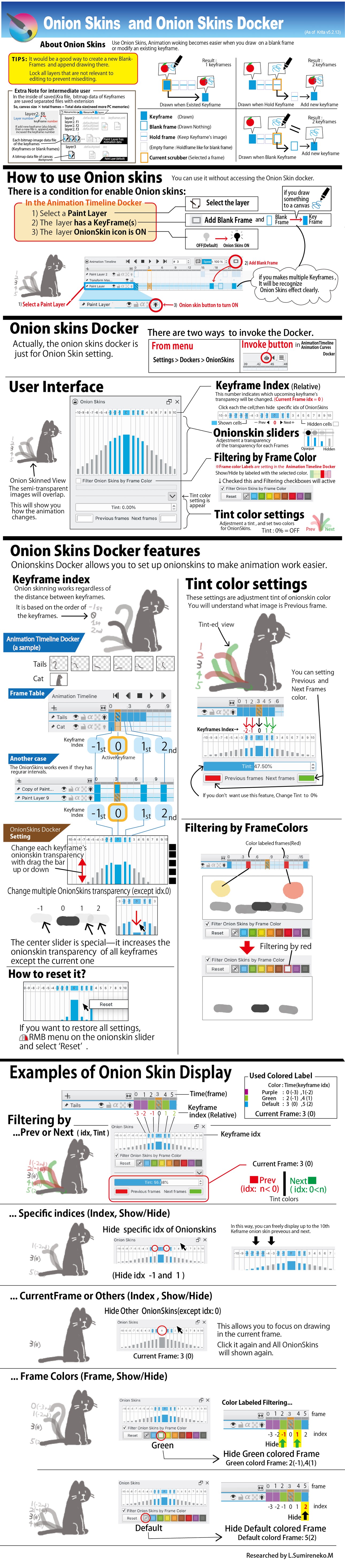
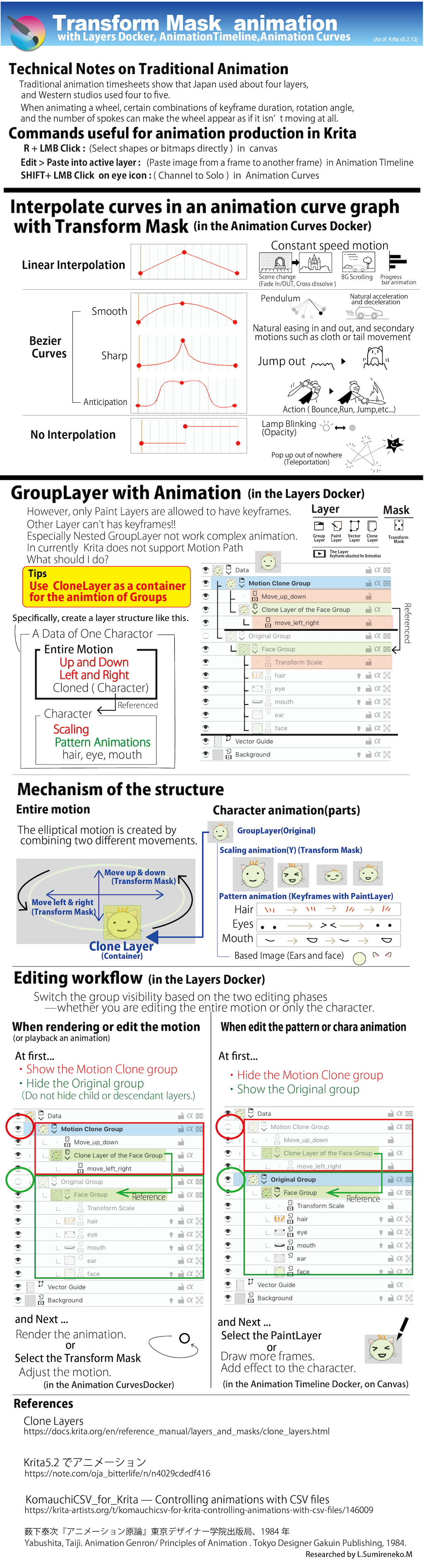
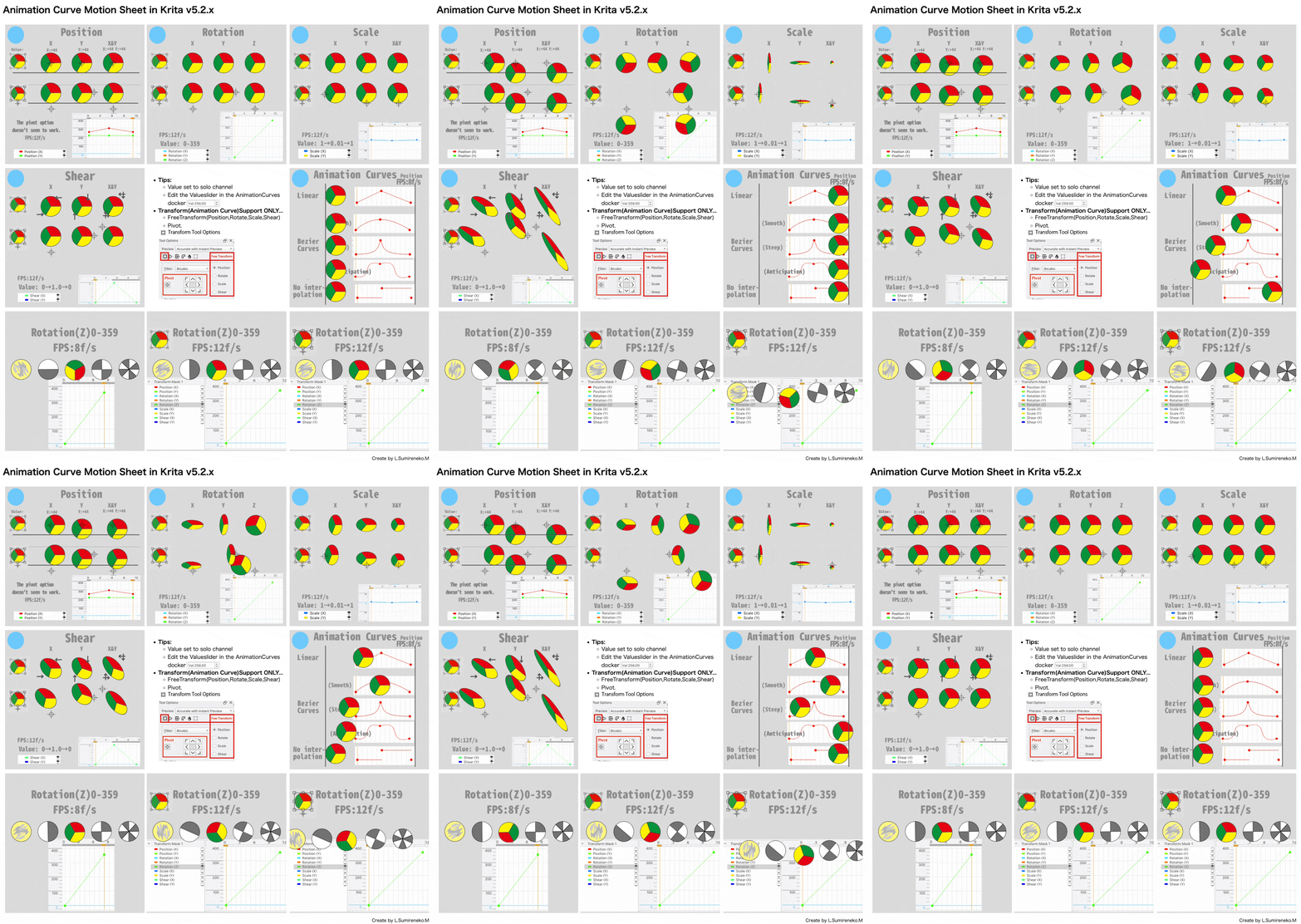
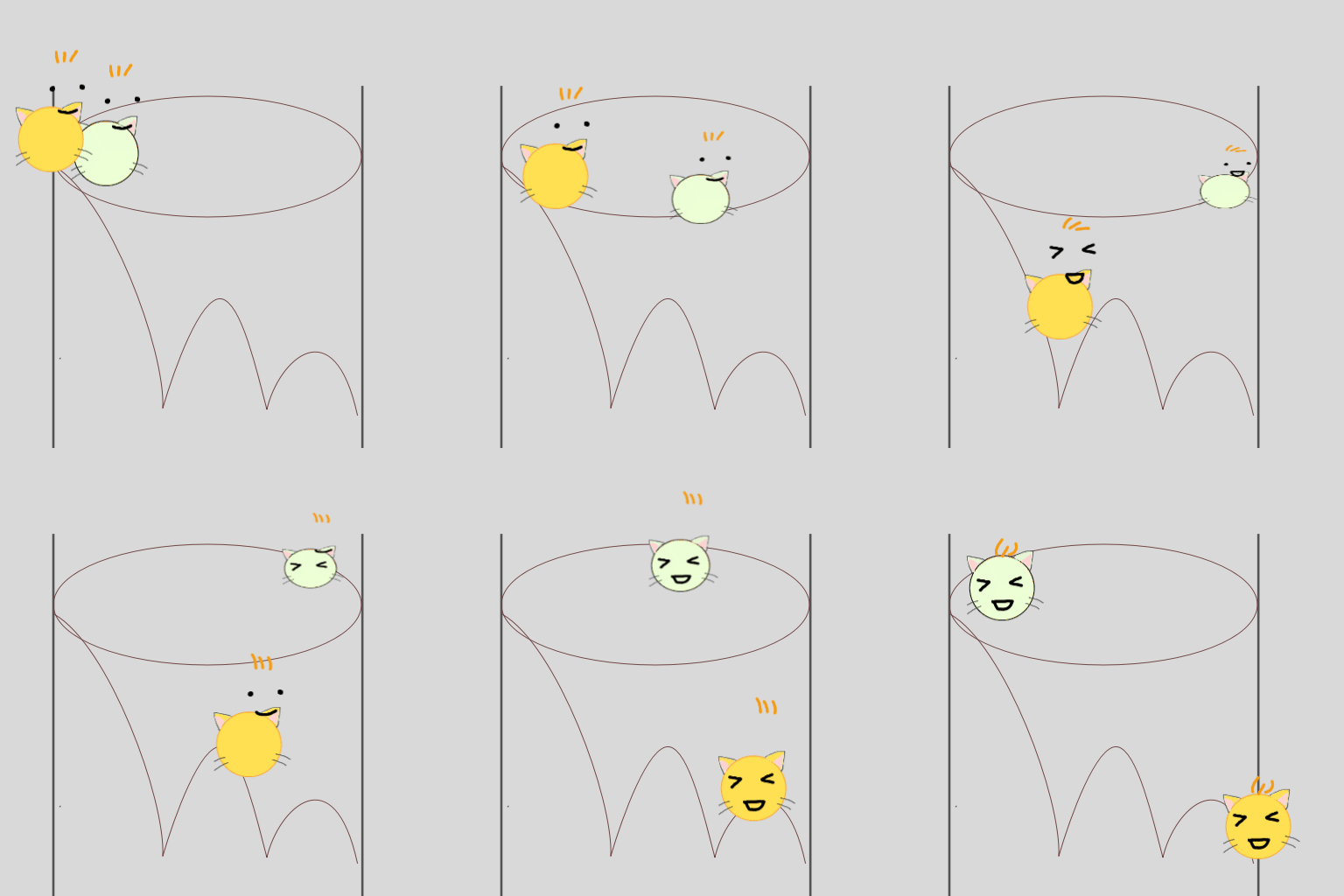
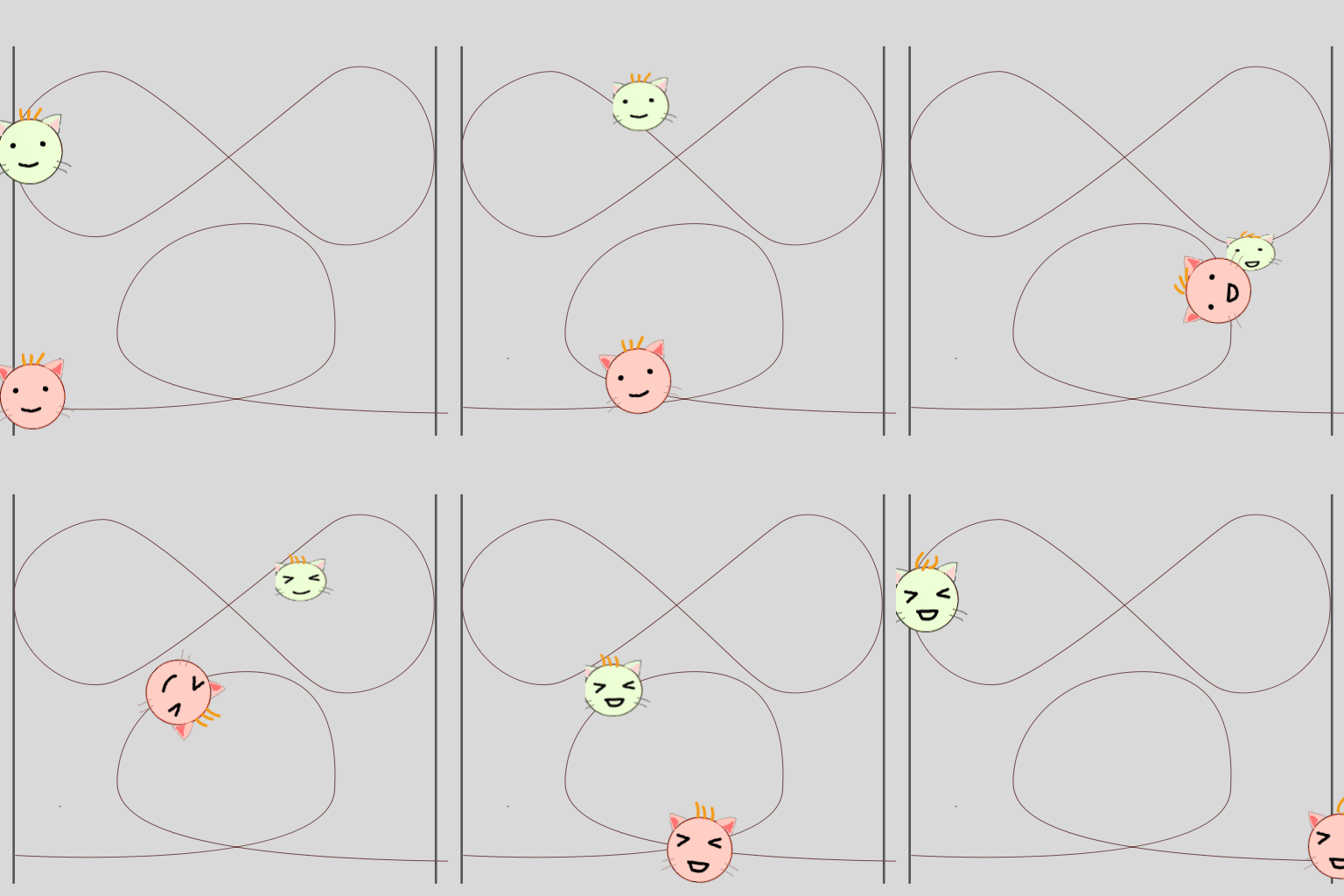
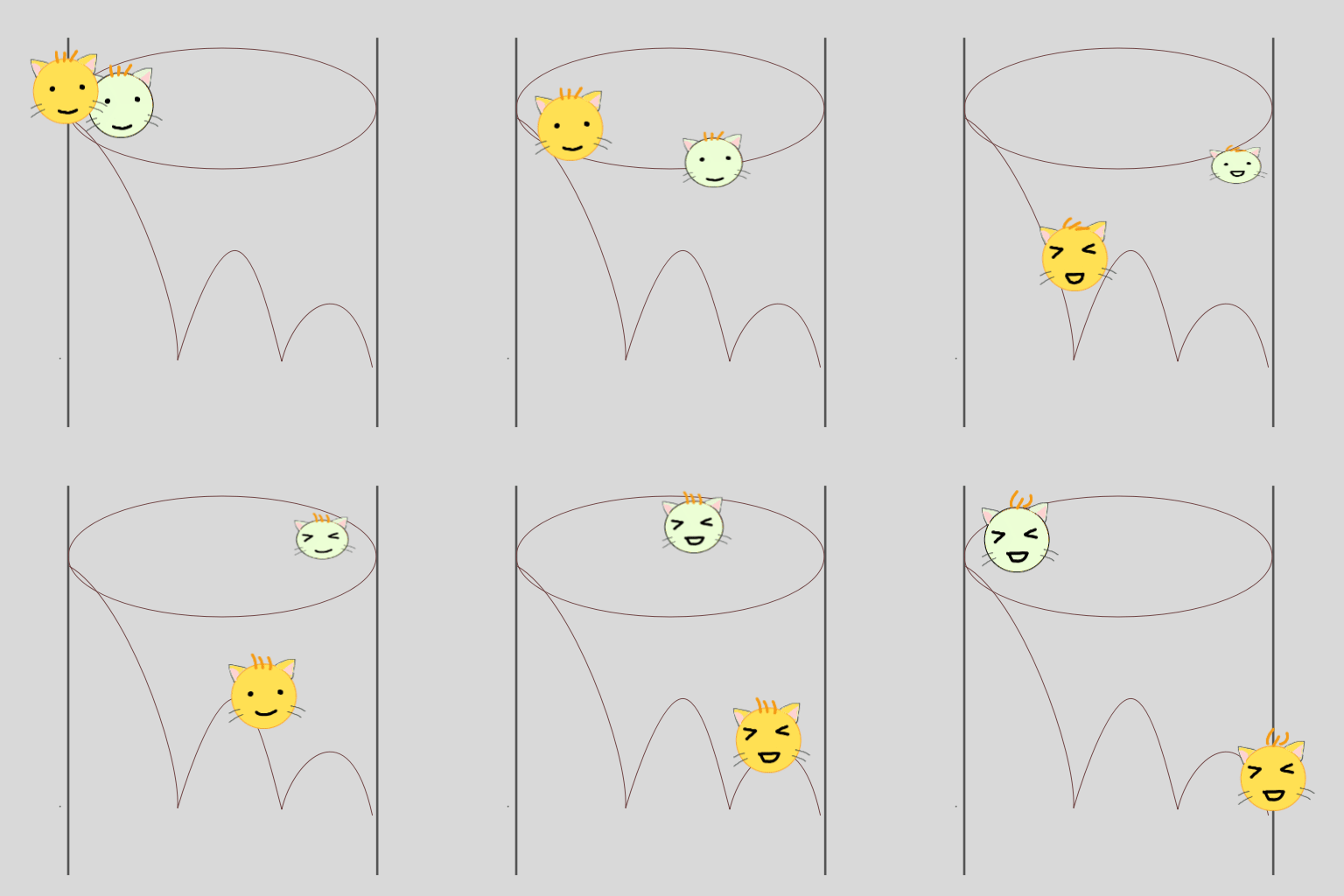
These resources are structured by my organized memos that I left when start study to use Krita 5.0~5.2 ever.
Because I feel that need to more additional explaination for using some good Krita plug-ins.
(Note:There may be happen difference in the content due to plugins or Krita updates.)
For the first few years,I only used Krita for apply a couple of G’MIC filter…
But one day I discovered the “10 Brushes” script from menu.
This was impressive because it invoke brushes I want quickly,and motivated me.
So I started having a little fun drawing by Krita and started looking into other features.
I hope it will be easier to understand Krita.too.
The add infor of this time .
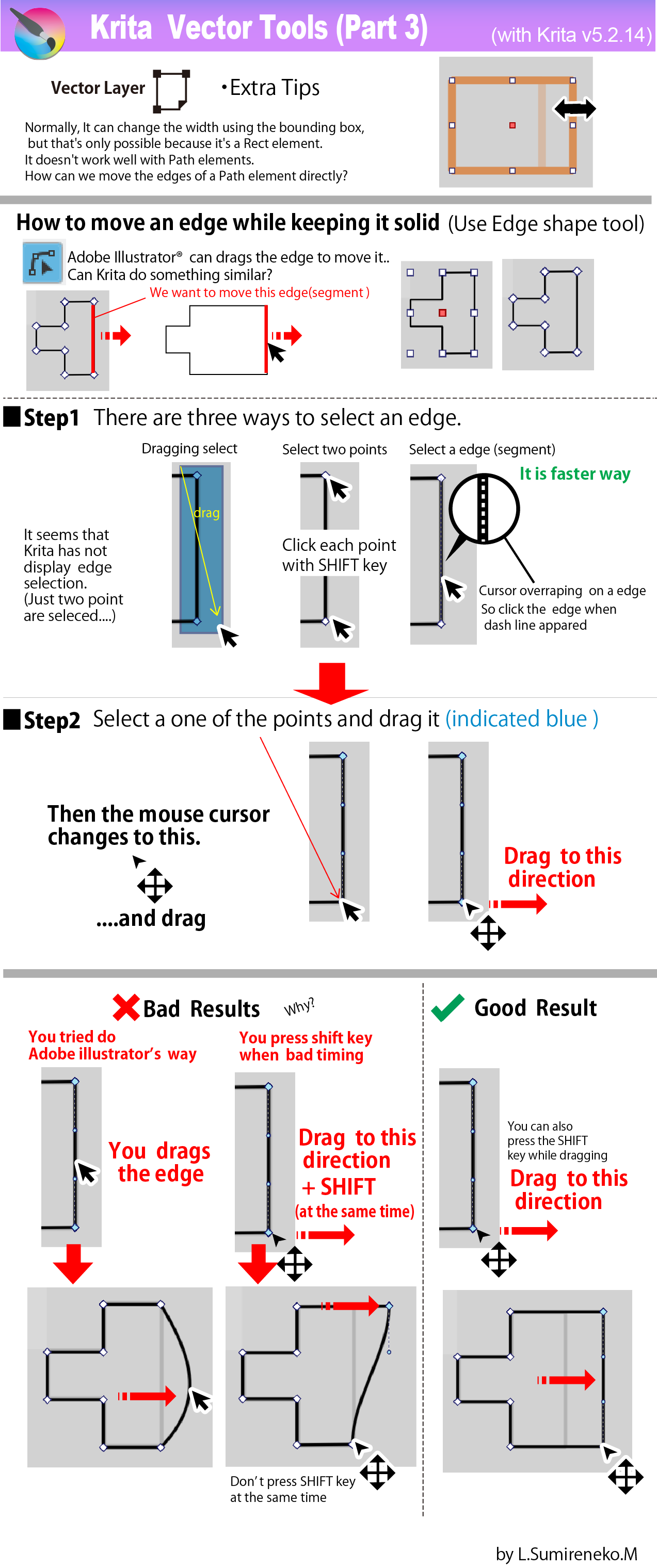
Layer (Part 4: Fill Layer:Color )
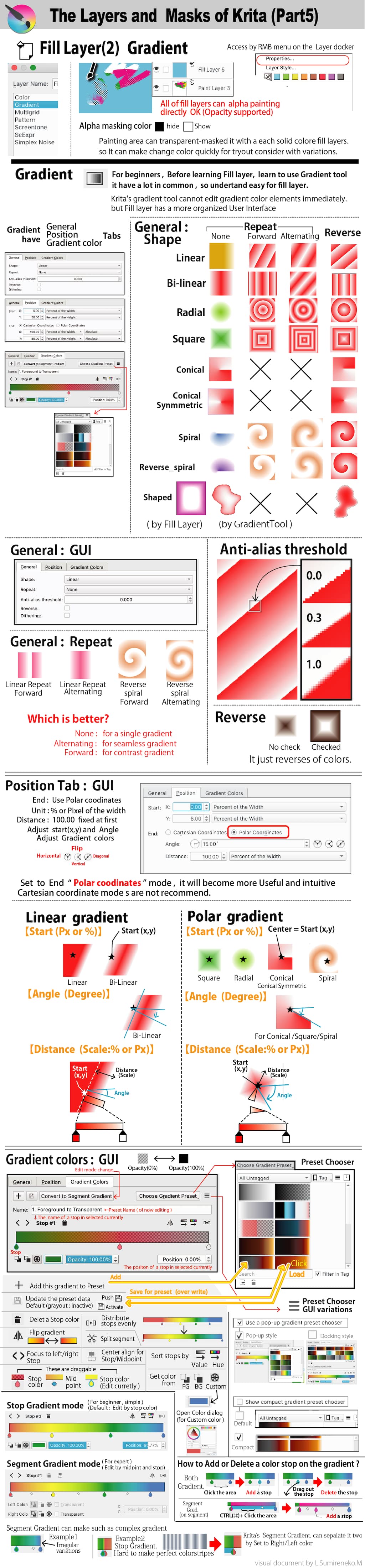
Layer (Part 5: Fill Layer:Gradient)
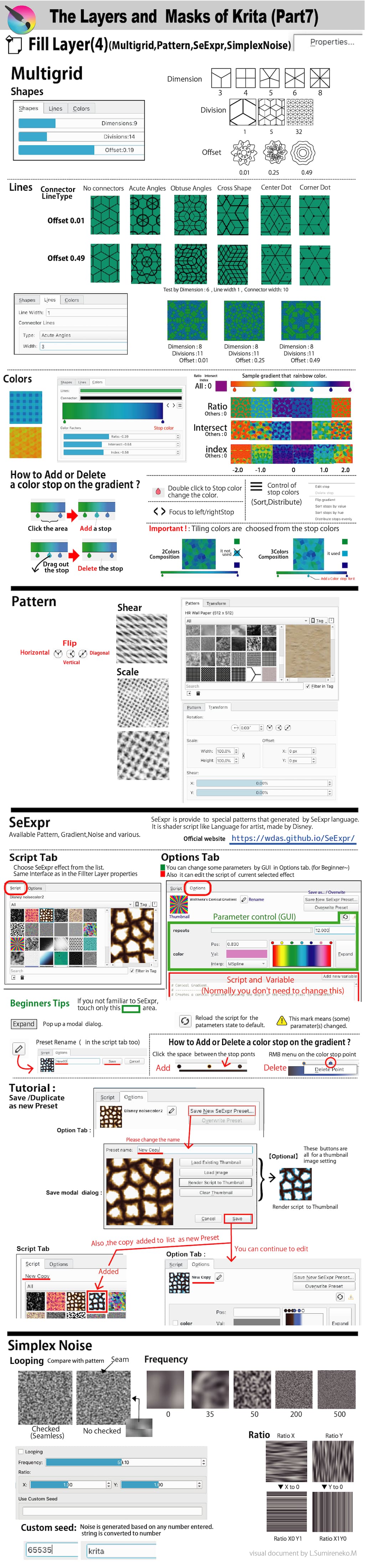
As I investigated Fill Layer, I understood the strange mystery of why there is no pattern in Shape Object’s FIll.
Also, I realized that there is room for improvement in the UI and UX of Layer Dorcker.
@CadillacRancher,Thanks for reply.
I think it would be difficult to include this as is in the Krita manual.
Because there are formats and rules for to editing krita documents.
But I hope could contribute in some way.
I might check it that a bit once the series settle down.
Just curious, do you have a background in producing similar infographic-type visuals?
Yes,I have been made before some infographic images,but small posters for personally.
Because it needed them to organize what I had learned(for interesting fields).
In this series for Krita, a lot of try and error,it would became long height size and many volumes unexpectedly.
For example image width fuzzy at first, and finally it became decide to 1024px.
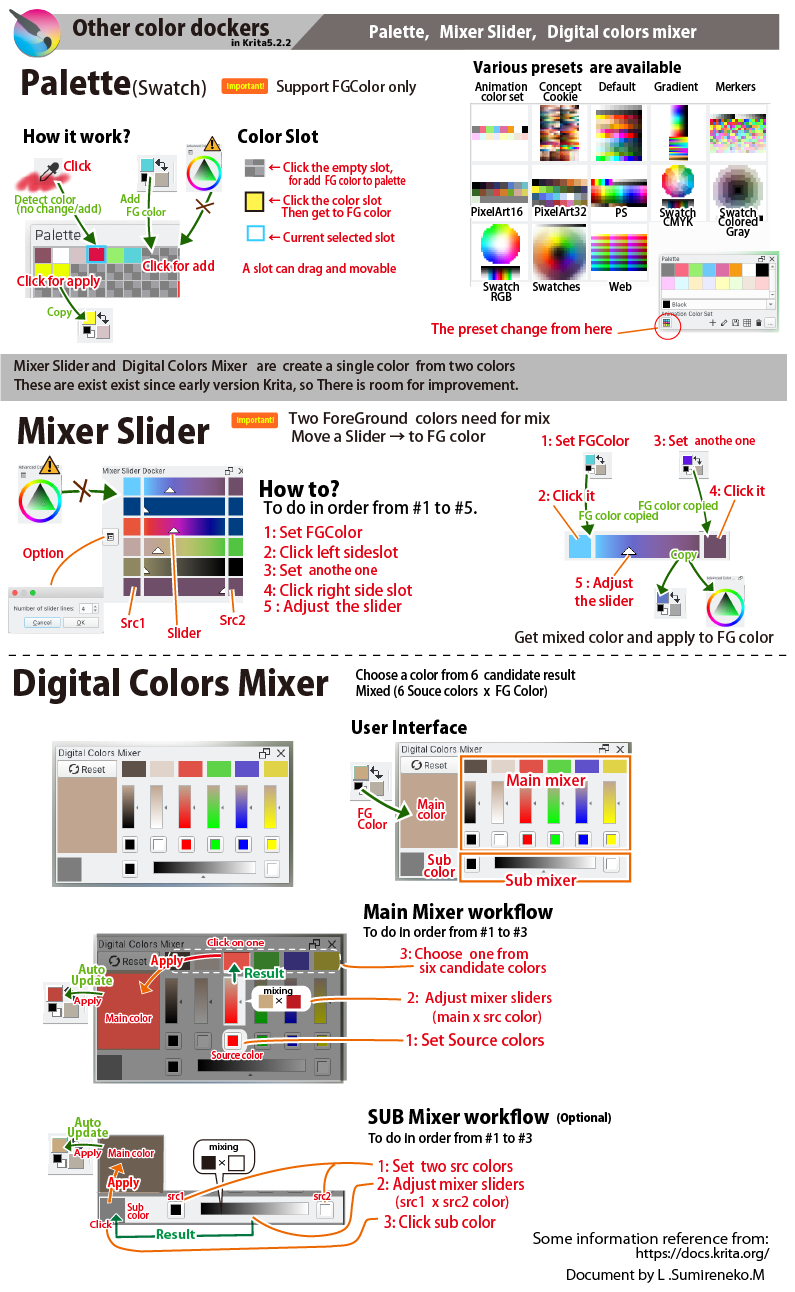
Thanks to release Krita 5.2.14, I was able to investigate the palette docker
Note about Palette docker:
It has been discovered that Palette docker and Palette Editor has some bugs
and issues that need to be improved.(Undo,Redo)
Also,In the Palette management,
I felt that difficult to predict wether colors will be remove ,replace or keep.
But if you know about the pitfalls beforehand, you can avoid them.
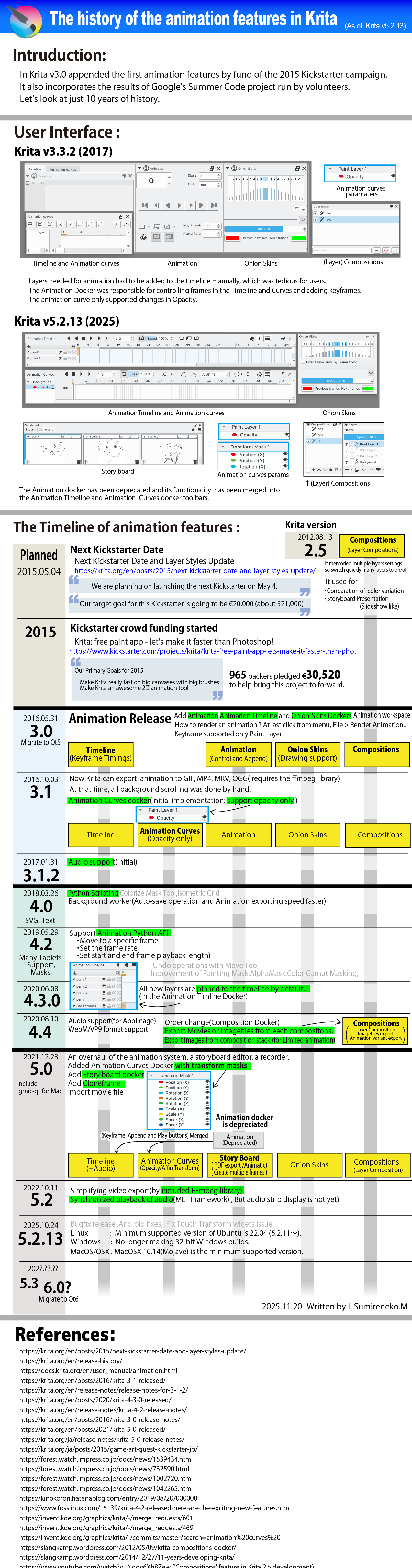
I’ll share what I’ve history about Krita’s animation features.
This will give you a macro view of what’s implemented and what’s missing.
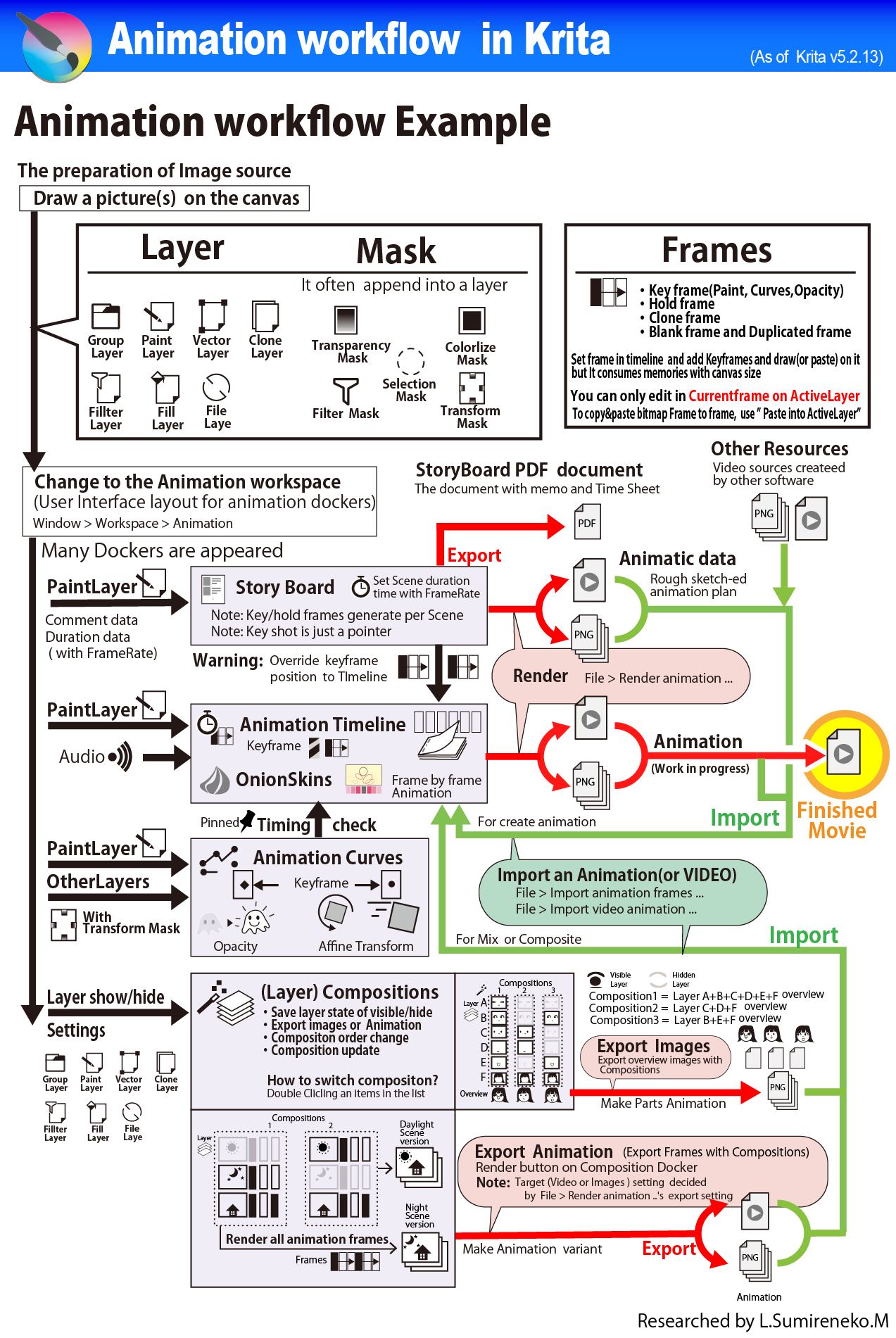
Compositions Docker can output animations of only the layer composition too, which has the potential to be useful. However, it can be difficult to understand at first glance.