I saw in Photoshop that there are blending brushes that can be used to paint with two colors. These colors are clicked one after the other and are then painted next to each other. Does Krita have one too?
I don’t think there’s a specific brush or engine for that - at least I couldn’t find one.
I think you could achieve what you want using the gradient map option in the brush tip selector. That maps the active gradient to the lightness information of the tip - so if you want two colours adjacent to each other, you would need a tip with a greyscale gradient (or just two distinct values if you want them clearly delineated). Then you choose a gradient with two colours or more as desired, select the colours you want on the gradient, and they should be painted out in the stroke.
It’s not something I’ve really used before though - so this is just my best guess! 
@Mythmaker Good guess 
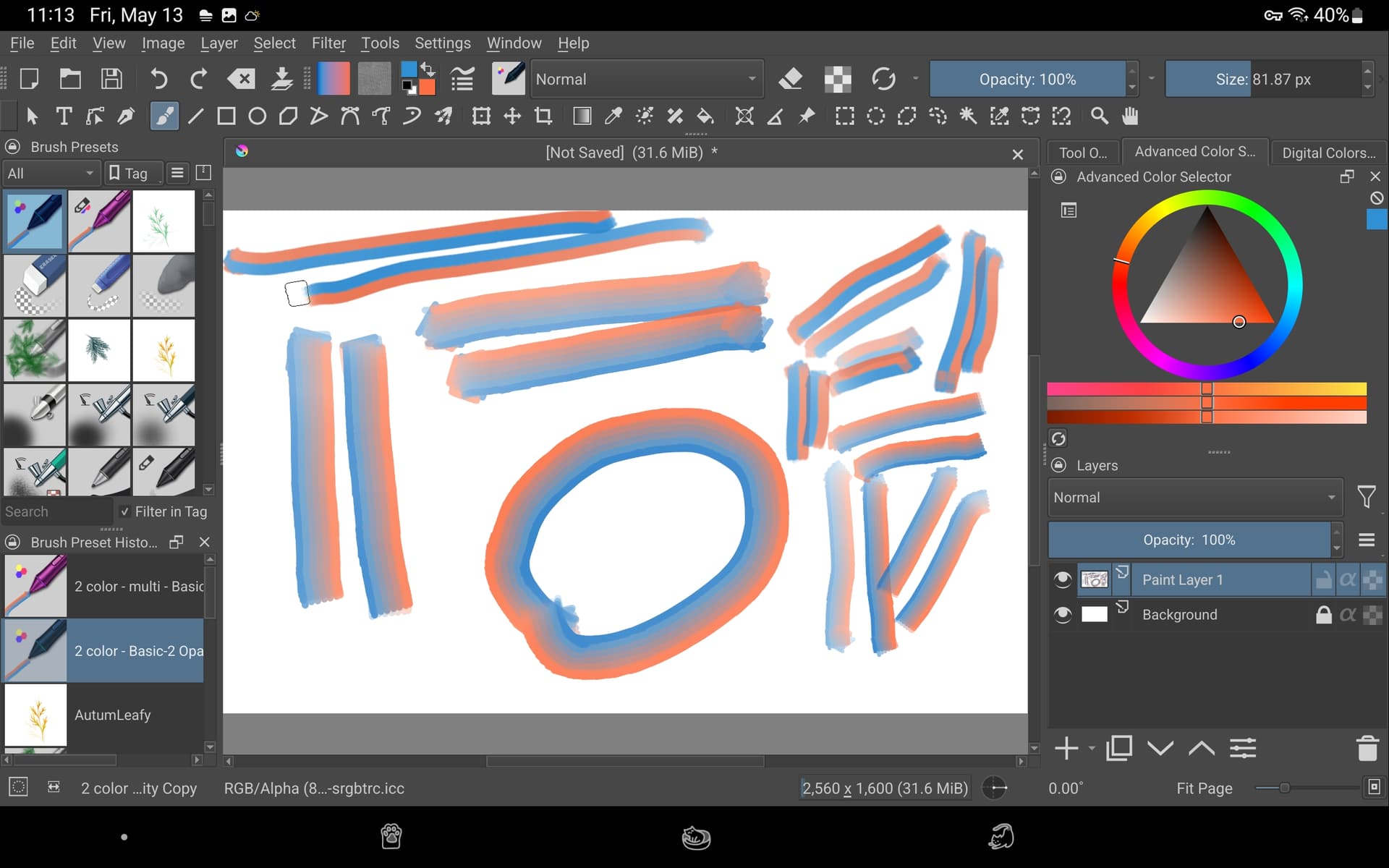
The upper two strokes are with a FG to BG gradient.
The lower two are with more complex gradients.

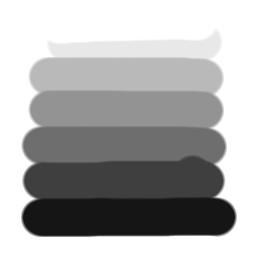
The brushes (transparent background):
Krita doesn’t have a brush that does that but you can emulate the same result using the colour picker.
Set the colour picker to 25% or 50%.
Lay down a colour.
Choose a second colour to combine into first colour.
Ctrl+click on the second colour to paint with a slightly influenced version of the first colour.
Ctrl+click again to further influence the first colour with the second.
I went searching for a video that might demonstrate how to do this in Krita but instead found this discussion:
And it ends with this post:
Buy I haven’t heard about this in Krita until now.
Looking for any video demo on how to do this.
Hmmm… is it possible to use “gih” brushes in Krita? If so, you could create it in Gimp, as shown in this tutorial.
See this in the manual:
There’s also a tutorial on making such a brush in Krita:
@CrazyCatBird I could put some simple instructions together if you like because it is simple to do:
The brush tip image file has to be made in RGB otherwise you can’t select Brush Mode as Gradient Map.
The brush tip images I posted can be downloaded and used, if you want some quick playing around for practice.
However, they’ll download as greyscale so you’ll have to convert then to RGB and re-export to be able to use them. I think this is a forum thing where it simplifies the uploaded image, which was originally RGB.
As I understand it, as noted by @Mythmaker, it’s the Lightness value of the tip image that selects from the gradient value along the length of the gradient.
I used shades of grey because I found it easier to think about Lightness values that way as I ‘designed’ the brush tip image but you can use a coloured RGB image if you like.
When painting with the brush preset, you select a gradient from the Toolbar and edit its stops/colours if you want to.
In the example above, for the FG → BG gradient, the FG was red and the BG was blue.
Is that enough information for you to start trying it?
This is quite cool, I was kind of dissatisfied with the lightness map option because it ends up desaturating the overall colour. Using an FG/BG gradient helps with that but unfortunately it also means the average value of the stroke is changed, since the output doesn’t contain any colours “brighter” than the chosen colours are. So I guess a different brush mode would still be neat.
I’d like to see the painted results of some proper ‘artistic’ brushes made using this method, instead of the ‘technical experiment’ ones I showed above.
My personal recommendation would be to use GIMP to make .gih brushes because you can specify that a layer image be divided into cells for each ‘stamp’.
That way you can see the stamps more easily.
Krita has each stamp on a separate layer so it’s impossible to see them together as a collection on the canvas.
I’ve made two dimensional .gih brushes in GIMP and in krita and I much prefer to use GIMP for it. You can make exactly the same animated brush in krita but the UI/UX at the design/build stage is more pleasant in GIMP.
If you go above two dimensions of control then using additional layers in GIMP becomes necessary. I’ve made four dimensional brushes and that is an interesting experience
Another question: if the brush tips get downloaded as grayscale and I’ll have to convert them to RGB, couldn’t I just use any grayscale tip and convert that for use?
I did an experiment here. Based on this tutorial, I created a gih picel in GIMP. Instead of those “happy faces”, I created a selection with a feather of 10 pixels… and applied a common “black to white RGB” gradient with three different application modes.
I exported it as a brush and put it in Krita and GIMP using this path: (GIMP) C:\Users\username\AppData\Roaming\GIMP\2.10\brushes • (Krita) C:\Users\username\AppData\Roaming\krita\ brushes.
I was able to use it in Gimp, but it is not possible to change the brush color (screenshot below). In Krita, although I put it in the folder, the brush did not appear for me, in the program…

Yes. The brush editor needs to see colour channels in the brush tip image before it will let you use them for Brush Mode: Gradient Map.
So, you can convert a greyscale colour space brush tip image to RGB/A in krita and then Export it as a .png image for use as a brush tip.
I think I should have used a desaturated yellow colour instead of grey then it would be more clear what they were when looking at them.
I’m sure you’ll sort it all out fairly quickly so please show what you’ve done when you do it
@Guerreiro64 I think this should be dealt with as a separate topic because we’re drifting far away from the original question by @SooniX.
I’ve had no major problems (except for confusion) when making .gih brushes in GIMP and krita and no problem using them in GIMP or krita, no matter which application they were made in.
If you want to make those .gih files available in a separate topic then i’d be happy to look at them when I have time.

OK! At the moment I won’t need such a brush, I prefer to blend different colors using layers and layer masks.
Sorry if I caused an inconvenience…
I did find a problem with GIMP brushes last year which I detailed in this post: Problem with failing presets in Krita 5: My findings and how to replicate. 🖌
It happens if the tip is bigger than 6MB, or if the total exceeds that for a masked preset.