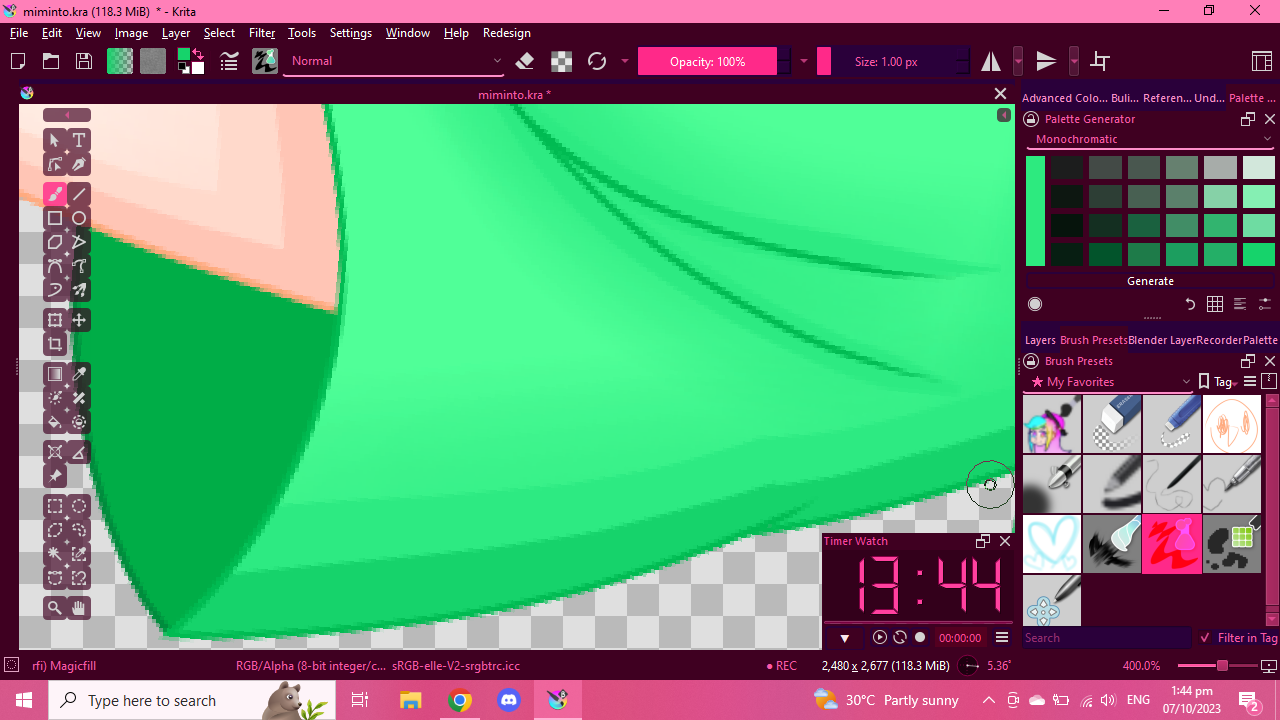
it worked! thank you!
I tried to import your plugin with URL to github. It doesn’t import, as i get error 404 popup. Downloaded it as ZIP file. It works now.
Great plugin.
OS: Arch Linux
TypeError
Python 3.11.3: /usr/bin/python3
Wed Aug 16 09:00:24 2023
A problem occurred in a Python script. Here is the sequence of
function calls leading up to the error, in the order they occurred.
/home/uisum/.local/share/krita/pykrita/PaletteGenerator/PaletteGenerator.py in generatePalette(self=<PaletteGenerator.PaletteGenerator.PaletteGenerator object>)
283
284 if(self.combo_color_opt.currentIndex() == 0):
285 self.generateMonochromatic(cm)
286 elif(self.combo_color_opt.currentIndex() == 1):
287 self.generateAccentedAchromatic(cm)
self = <PaletteGenerator.PaletteGenerator.PaletteGenerator object>
self.generateMonochromatic = >
cm = <PaletteGenerator.PG_ColorManager.ColorGenerator object>
/home/uisum/.local/share/krita/pykrita/PaletteGenerator/PaletteGenerator.py in generateMonochromatic(self=<PaletteGenerator.PaletteGenerator.PaletteGenerator object>, cm=<PaletteGenerator.PG_ColorManager.ColorGenerator object>)
355 def generateMonochromatic(self, cm):
356
357 hsv = self.getHSV(cm)
358
359 self.main_color.setColorHSV( hsv[“hue”], hsv[“sat”], hsv[“val”])
hsv undefined
self = <PaletteGenerator.PaletteGenerator.PaletteGenerator object>
self.getHSV = <bound method PaletteGenerator.getHSV of <Palett…erator.PaletteGenerator.PaletteGenerator object>>
cm = <PaletteGenerator.PG_ColorManager.ColorGenerator object>
/home/uisum/.local/share/krita/pykrita/PaletteGenerator/PaletteGenerator.py in getHSV(self=<PaletteGenerator.PaletteGenerator.PaletteGenerator object>, colmgr=<PaletteGenerator.PG_ColorManager.ColorGenerator object>)
348 return { “hue” : FG.hsvHue(), “sat” : FG.hsvSaturation(), “val” : FG.value() }
349 else:
350 random.seed(datetime.now())
351 return { “hue” : colmgr.setHue(), “sat” : colmgr.setSat(), “val” : colmgr.setVal() }
352
global random = <module ‘random’ from ‘/usr/lib/python3.11/random.py’>
random.seed = <bound method Random.seed of <random.Random object>>
global datetime = <class ‘datetime.datetime’>
datetime.now =
/usr/lib/python3.11/random.py in seed(self=<random.Random object>, a=datetime.datetime(2023, 8, 16, 9, 0, 24, 148884), version=2)
158
159 elif not isinstance(a, (type(None), int, float, str, bytes, bytearray)):
160 raise TypeError(‘The only supported seed types are: None,\n’
161 ‘int, float, str, bytes, and bytearray.’)
162
builtinTypeError = <class ‘TypeError’>
TypeError: The only supported seed types are: None,
int, float, str, bytes, and bytearray.
cause = None
class = <class ‘TypeError’>
context = None
delattr = <method-wrapper ‘delattr’ of TypeError object>
dict = {}
dir =
doc = ‘Inappropriate argument type.’
eq = <method-wrapper ‘eq’ of TypeError object>
format =
ge = <method-wrapper ‘ge’ of TypeError object>
getattribute = <method-wrapper ‘getattribute’ of TypeError object>
getstate =
gt = <method-wrapper ‘gt’ of TypeError object>
hash = <method-wrapper ‘hash’ of TypeError object>
init = <method-wrapper ‘init’ of TypeError object>
init_subclass =
le = <method-wrapper ‘le’ of TypeError object>
lt = <method-wrapper ‘lt’ of TypeError object>
ne = <method-wrapper ‘ne’ of TypeError object>
new =
reduce =
reduce_ex =
repr = <method-wrapper ‘repr’ of TypeError object>
setattr = <method-wrapper ‘setattr’ of TypeError object>
setstate =
sizeof =
str = <method-wrapper ‘str’ of TypeError object>
subclasshook =
suppress_context = False
traceback =
add_note =
args = (‘The only supported seed types are: None,\nint, float, str, bytes, and bytearray.’,)
with_traceback =
The above is a description of an error in a Python program. Here is
the original traceback:
Traceback (most recent call last):
File “/home/uisum/.local/share/krita/pykrita/PaletteGenerator/PaletteGenerator.py”, line 285, in generatePalette
self.generateMonochromatic(cm)
File “/home/uisum/.local/share/krita/pykrita/PaletteGenerator/PaletteGenerator.py”, line 357, in generateMonochromatic
hsv = self.getHSV(cm)
^^^^^^^^^^^^^^^
File “/home/uisum/.local/share/krita/pykrita/PaletteGenerator/PaletteGenerator.py”, line 350, in getHSV
random.seed(datetime.now())
File “/usr/lib/python3.11/random.py”, line 160, in seed
raise TypeError(‘The only supported seed types are: None,\n’
TypeError: The only supported seed types are: None,
int, float, str, bytes, and bytearray.
To help the author of the plugin: Do you use the one and only recommended version of Krita, the AppImage from the Krita homepage, and which version-number of Krita do you use?
Michelist
Hello.
This is noted issue;
There is a bug i think for newer python. Im still testing my change.
1 Like
Palette Generator have been updated:
It’s now working in Krita 5.2 beta.
6 Likes
not sure how I missed this plugin, this is so amazing that this should be the default part of Krita long with cold to warm palettes.
Great Job Man!
1 Like
Hey, I love the plugin but I am having a problem where it doesn’t select the right colour when I click on any of the colours in the tool. There is no error message and I already tried updating Krita from 5.0.5 to 5.1.5. I suspect that I am doing something wrong but I have tried everything I could think of to no avail.
I would really like to get this to work but I don’t know if this is the right place for that.
Thank you in advance.
1 Like
Ill look into it when I get back home.
2 Likes
Good Day again, I check and its working on my system.
Can you help me by providing a video of your issue for me to diagnose?
And also some info about your system [like your OS]
2 Likes
Hey, I’ve made a video of the issue, got the Krita system information for bug reports and my computer’s system information in mp4, txt and png format respectively, but the forum doesn’t allow me to upload files due to this being a new account created for this issue specifically. Is there a way I can get them to you via another route?
you can dm me and link the video there 
1 Like
Sorry for having to ask but where do I do that?
Can’t find an option here for DMs and the chat button up top sends me to a Matrix chat where I am also unable to locate you 
If you click my icon/profile pic, i think an option to send message will appear. Ill send you a message.
Palette Generator have been updated:
Change color setter from manually setting RGB to using ManageColor QColor
This now allow color to be set from the generator to foreground/background in other bit channel/ profile.
4 Likes
I was watching eye shading timelapse and tuto recently [im doing some practice]
one of which is this . which goes into how they pick their color.
This is also close to how i pick colors.
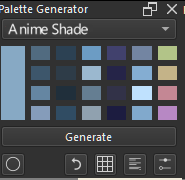
And I thought maybe i could add a Anime Shade Picker as one of the theme.
What do you think? I dont really know what to name it.
4 Likes
Why not, could be useful! 
Michelist
1 Like
Thank you Michelist. I took a crack on it. Im not yet that satisfied.
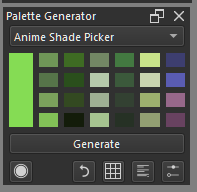
What was generated compared to what i made manually.
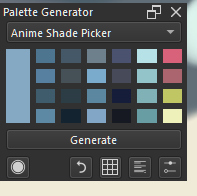 vs
vs
6 Likes
This is a very comfortable, very useful tool. Thank you for sharing it. I love how it takes no space on my work layout. In all versions i tried, Krita requires to be ran as administrator for the “use foreground color” radio button to turn on and work (win10). As a feature request i’d like for the tool to have a “load palette” button for all the palettes saved with it.
I tried this plugin. While it’s cool, I’m not that satisfied because it always gives dull colors even if I try to tweak it. I have a passion for art with high saturated colors (like this, like this, btw these are official game artwork) so is there a way to tweak the settings while I wait for the anime shade picker thing to be released? (Yeah I saw that and it looks interesting)
(Btw I gotta clarify that the brightness and vividness of my art aren’t even close to the vividness of the artworks I linked here, I don’t even plan to make my art that bright, just a little bit, I just wanted my art to be a little brighter lol)