I’ve mentioned this is the past but just wanted to express once more.
I really don’t like the way paper textures work in Krita (particularly in comparison to Painter).
In Painter the texture is associated with the canvas/layer NOT the brush. This is how natural media works. The Brush has it’s own characteristics and the paper has it’s characteristics - texture, absorption, etc. etc.
The additional thing (that might help) is that the texture changes size along with the brush. Bigger Brush, Bigger Texture. Smaller Brush Smaller Texture. Which totally screws up my painting and ability to create the painting. (the texture should be consistent across the image regardless of brush/brushes and brush size).
I know this is also a very fundamental aspect of the program design and it likely is impossible to change or add without completely redesigning Krita so I will have to live with it and will do my best to work with it and withhold criticism but man it really really annoys me.
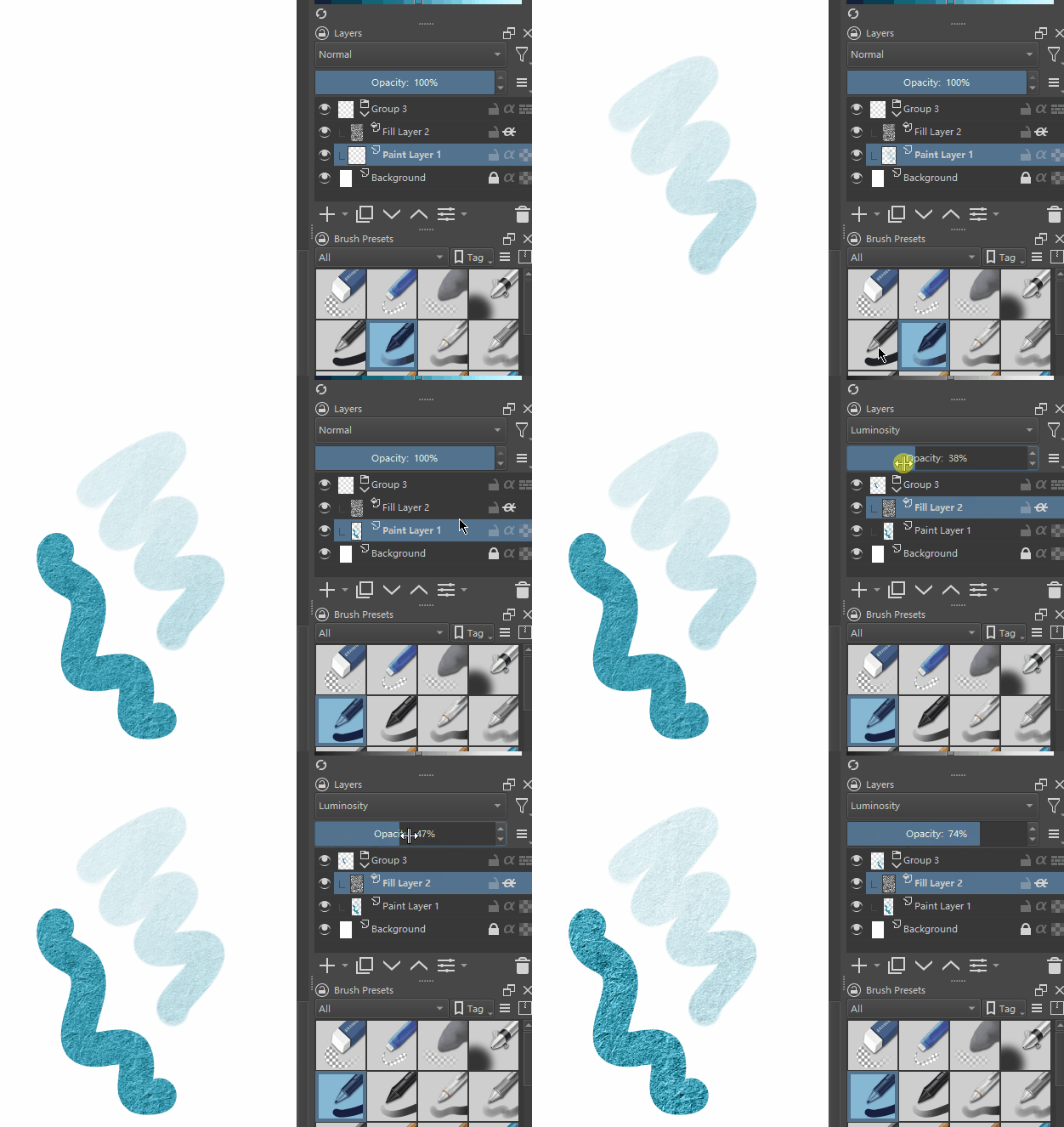
Krita can apply paper textures to layers.
I don’t know if you want this effect.
Create a new fill layer to fill the paper texture.
Put the fill layer on top.
Put the fill layer and other layers in the layer group.
Enable Inherit Alpha for the fill layer.
Adjust the blending mode of the fill layer to Luminosity.
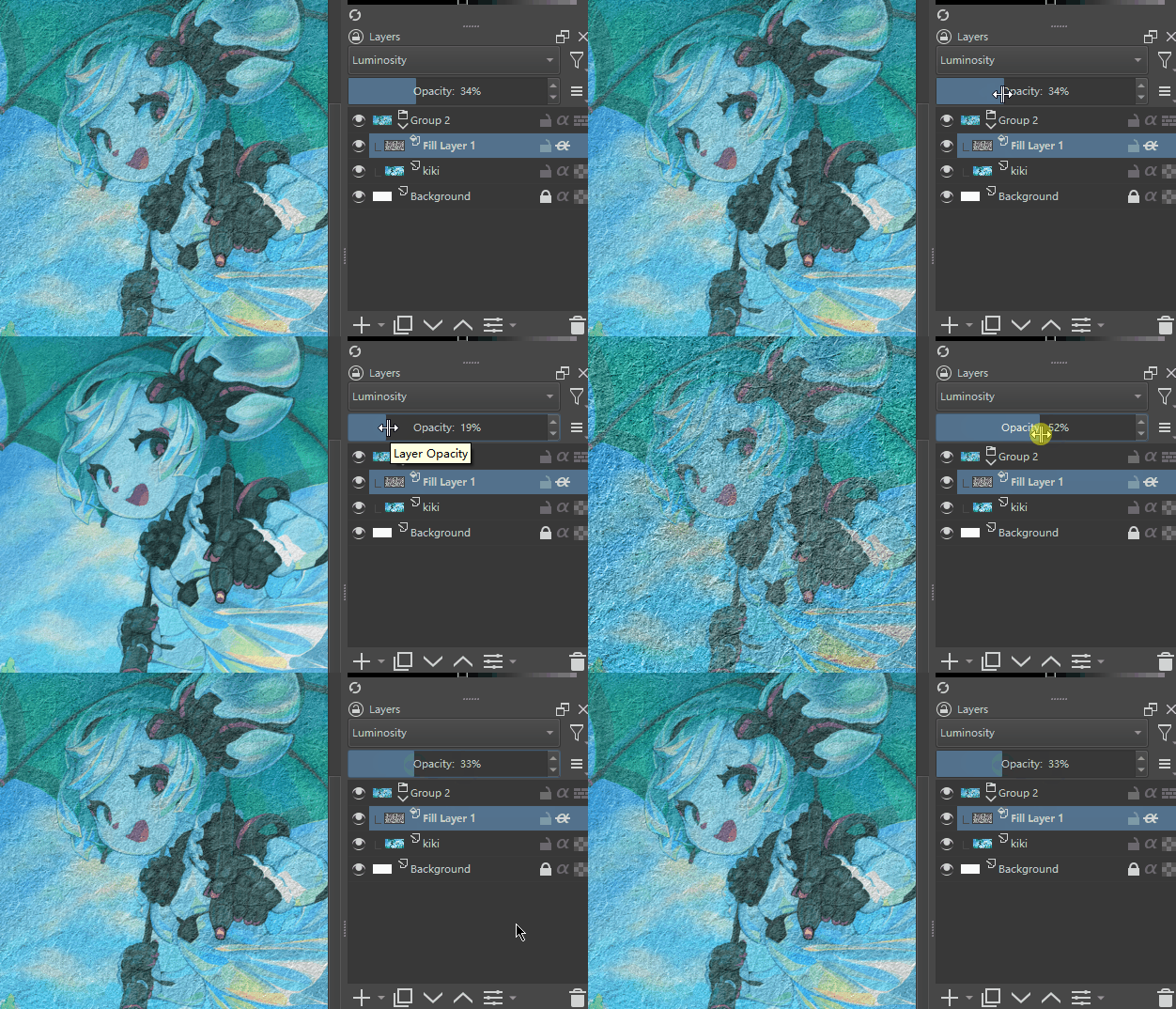
Adjust the opacity of the fill layer to control the strength of the paper texture.
The closer to 100% the paper texture is more prominent, the closer to 0% the less obvious the paper texture
edit.
If you want to show the paper texture even in the unpainted part, just don’t use inheritance alpha.
Edit again.
Now I know it works better with the “Grain Extract” blending mode.
This does not darken the paint color significantly.
I edited the content, it was wrong before.
The edited content can be applied to real-time painting.
I don’t quite understand what you mean by not being exactly the same as what you see in real-time painting, can you be more specific?
I know it’s more complicated to do this.
I also think it would be better if there was a simpler and more intuitive way.
It is worth separating the concept of the texture of the brush tip (which scales with the brush) and the texture (Frottage Pattern) I understand that you would like to see the texture of paper in Krita as a kind of simulation that would react individually to each brush, graphite or watercolor, in a generalized form, without trying to adjust each preset to the correct reaction. Have you watched Ramon Miranda’s video about a set of pencils? Ot showed how to extend Pattern to all brush presets by blocking one parameter
What? The size of the texture doesn’t change with the brush size. What are you talking about?
We might be facing some miscommunication here.
I think I understand your rant, maybe? My guess is that what you’re looking for is using some texture on the layer like in the Smart Canvas, and also set the brush texture to the same texture as the Canvas Layer.
You can then follow @Andreich_DMBL tip and ‘lock’ the texture in the brush editor, so every brush react the same way at the canvas texture. Without any further tinkering.
Yes and no… I’m looking for the texture to be in the paper/canvas not the brushes. The way Painter does it which is the way Natural Media does it. I don’t want it to be any more complicated than that and as I already said that is not gonna happen because it would be a from the ground up change for the way Krita is/was designed.
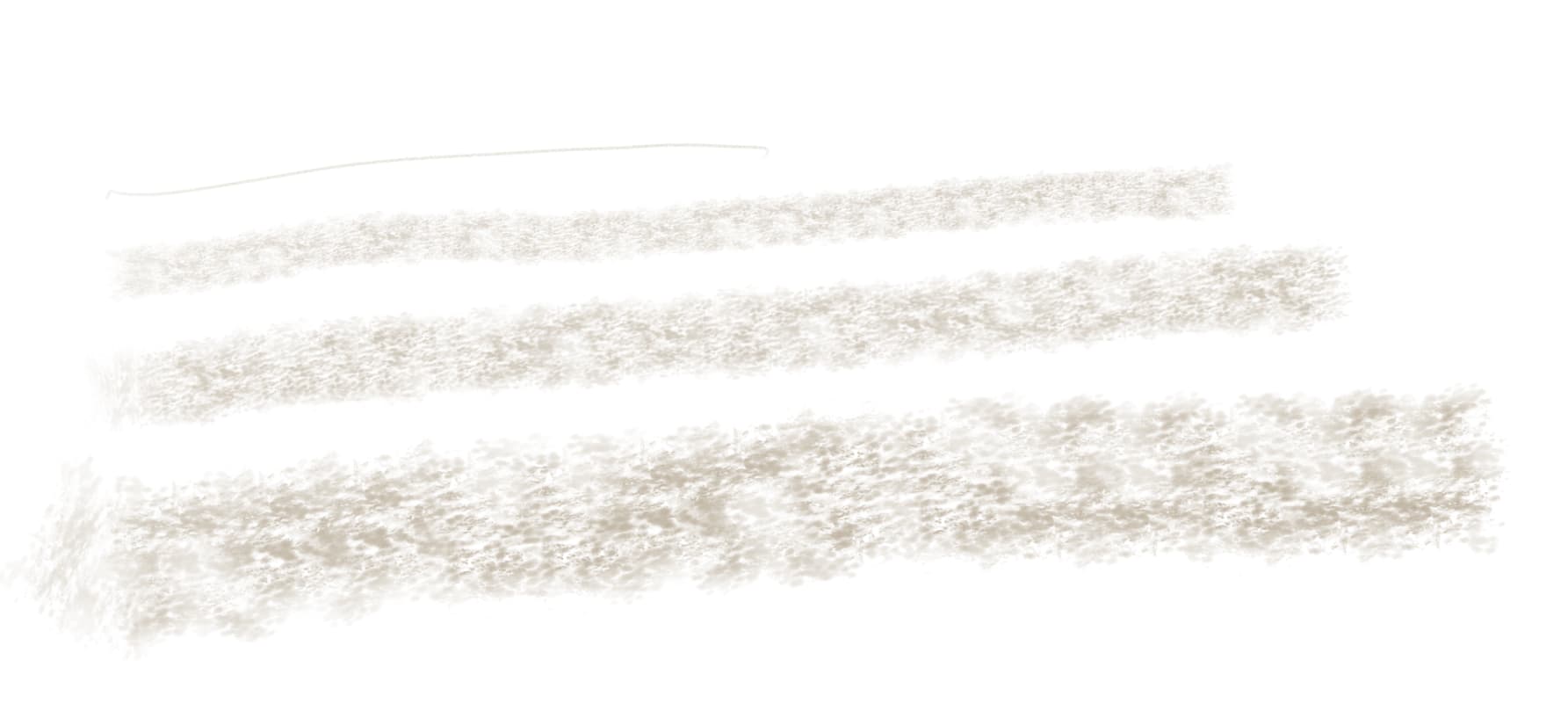
As far as the texture size changing, it definitely does - bigger brush size, bigger texture pattern, smaller brush size, smaller texture pattern.
And thus hinder every other artist, brush and workflow in Krita that don’t want to have this ‘way of doing things’. Because the canvas and brush having different option makes for more diversity, but it complicate the overall experience. No way around.
About complication: Like I said, too many option make for more possibilities but at cost of complexity.
The thing is, can the Painter behaviour being mimic (with the setup I proposed earlier) or is a lost cause?
This would be a task to someone who has access to painter (for example), and would be willing to implement a new layer type. A ‘natural media layer’ maybe.
Just don’t know if the Dev team would be willing to add to Krita, as it can be seen as a identity changing feature.
No, it’s exactly the opposite. It simplifies the artistic process instead of increasing the complexity. i did software development my entire career so I understand the situation. I don’t want to argue about it. Just wanted to express my take on the way Krita handles textures/patterrns. I know it’s not going to happen as I’ve said a couple of times in this thread already and yes the pattern size does change with the brush size. Try it with Chalk Grainy which is what I did and use predominantly.
“h) Chalk Grainy” brush doesn’t have any texture applied. What you’re seeing is the brush tip itself, which is why the size changes. If you added a texture to it, that would not resize with the brush.
We are definitely not meeting eye to eye here.
What I meant:
Krita: More options → More complex (Maybe more possibilities)
Painter: Less options → Less complex
Don’t know what this sentence means. You lost me with Krita’s various options in texturing, and software development.
I’m talking about the end user experience only here. How a user my having more options available and thus more complicated setup.
Like @Voronwe13 said. This brush don’t have a texture, it is the brush tip itself that has those ‘transparent dots’. You could use a flat brush tip and enable the pattern option in the brush editor.
That may be the confusion here then, I guess I fail to see also then why the texture of a brush tip would change (I understand why it is happening, but I’m thinking it shouldn’t - small chalk or giant block the pattern shouldn’t change just the size of the brush/block of chalk )
I’ll just finish up by saying I’d love it if Krita/digital painting were more closely aligned to natural media in most cases. I know others have a different take. (I’m a graphite/pencil artist other than digital)
in any case I seem to be stirring people up so I’ll just let stop posting. I mainly just wanted to express my frustration at how the pattern/paper situation is handled.
I understand about the options…that’s a bit of my objection. I don’t want to spend my time fiddling with options, textures, brushes, tips, paper, paper textures, etc. I just wanna paint. but I want it to emulate the natural media experience. (Painter started out with this as it’s goal, but it had become way too complicated, complex and too many options (even with out considering the price and subscription bs)
Don’t get me wrong I love Krita and will continue using it and promoting it - I’ve kicked Painter to the curb.
Everyone present is trying to convey one idea to you, the brush can use two textures. The first texture you complain about is the tip of the brush, it is the shape of the object you are using, or in other words, what points the object touches the canvas, and Yes, this texture is scaled, if you draw with a large object it will give large spots. - There is no violation of logic in this. The second texture Pattern or let’s call it otherwise “Frottage texture” describes the canvas, which points of the canvas will be the first to touch the brush, its size is fixed relative to the canvas. As a result, you use the first texture to show the contents of the second texture, just as the roughness of cardboard or text previously squeezed out on paper appears under the pencil lead.
You don’t seem to understand that I understand. I’m saying I wish it were different. Yes, even in natural media there are two textures/patterns…the paper and medium so that is not necessarily different.
As far as the tip texture changing with brush size I understand but think it is wrong as I explained which I’ll do again for your benefit a small piece of chalk or a frigging huge piece of chalk will have the same texture not different because it is a different size. That’s just wrong but I understand it from a programming perspective…that the simpler programming solution but it is antithetical to the artistic experience.
If you were to make the exact same piece of chalk much bigger (using a shrink/grow ray, if such a thing existed), the texture on it would increase in size. Just like the texture on a physical piece of chalk rotates when you rotate the piece of chalk. That’s what the brushtip is. It’s a representation of the tip of the brush, or the tip of the piece of chalk, irrespective of what medium you are using it on.
If you want to refer to texture as being related to the medium you are drawing on rather than the tool you are painting/drawing with then you are talking about the “pattern” setting of the brush (which does not change with the size or rotation of the brush), or a pattern applied to the canvas itself, which is where layers, layer modes, and blending modes come in. I think @RamonM has some smart files that are designed to give you a paper experience, but I can’t find them, or even find where I saw them used right now.