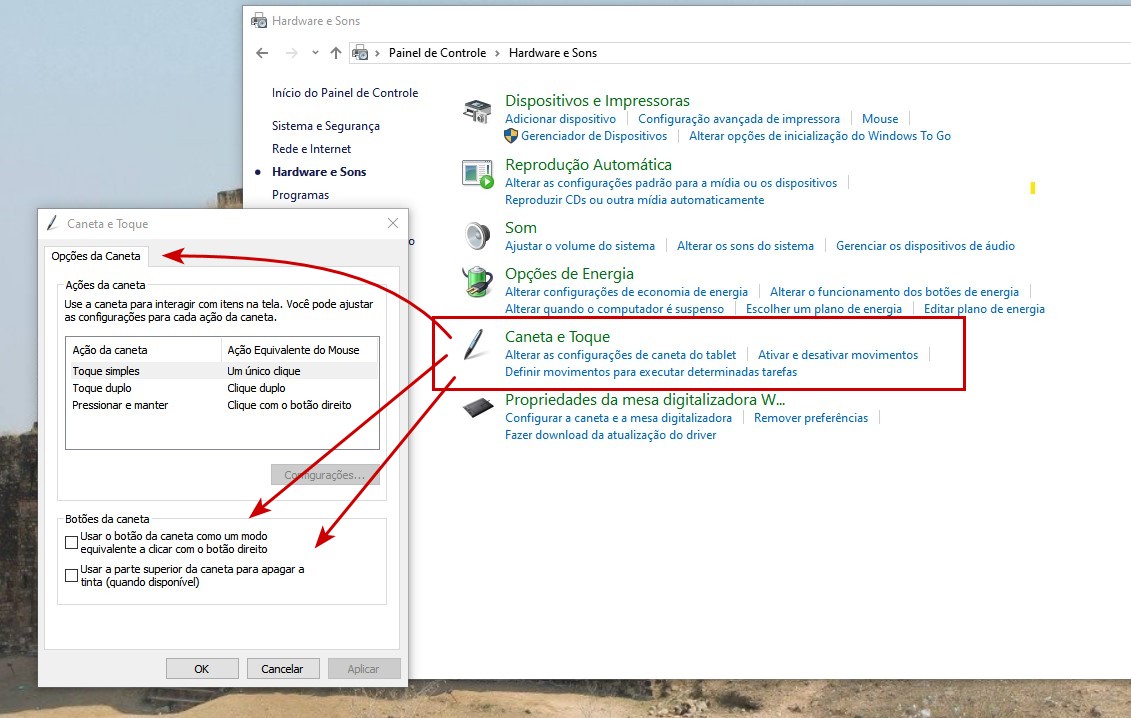
I had instability on my Wacom because of this activation of Windows Ink, as I reported in this topic. The thing is that it is not enough to disable it only in the options of your tablet: you also need to disable other options in Windows itself.
So, you need to go to “Pen and Touch” and in “Pen Options”, disable the options. I use Windows 10 and in Brazilian Portuguese… but I believe that these options should still be in the “Control Panel” of your Windows: