1.1GB image?
My picture is 4961 * 7016 pixels (A2) 300 PPI and with 3 levels has 1.1 GB in size… isn’t that a bit heavy?
or normal?
Best wishes
DAB
1.1GB image?
My picture is 4961 * 7016 pixels (A2) 300 PPI and with 3 levels has 1.1 GB in size… isn’t that a bit heavy?
or normal?
Best wishes
DAB
That seems awfully big. Are you using a lot of filters in your layers?
Hi
What do you mean by:
3 layers?
Assuming that 4961 * 7016 = 34806376 pixels (32MP)
| Color space | Size | Size for 3 layers fully (all tiles) used |
|---|---|---|
| 8bit/RGBA | 132MB | 398MB |
| 16bit/RGBA | 265MB | 796MB |
| 32bit/RGBA | 531MB | 1593MB |
| 8bit/CMYKA | 165MB | 497MB |
| 16bit/CMYKA | 331MB | 995MB |
| 32bit/CMYKA | 663MB | 1991MB |
Also, this doesn’t take in account eventual pixels outside canvas (if you draw outside canvas, even if you don’t see it, you have pixels that are used)
You need to ne more precise about the 1.1GB
From where do you get this information?
Here the information you can provide to help to understand:
Also, I assume you’re talking about size in memory, not size on disk?
If it’s size on disk, usually (considering the canvas size + number of layer) the problem might be related with some data that has been drawn outside canvas…
Grum999
If you’ve accidentally created off-canvas content, you can remove it with Image → Trim to Image Size.
If you’ve been working on your .kra file for a long time inside krita then the RAM used can increase.
One way to see if this is happening is to Save the document, Quit and then restart krita and Open the document.
You may find that the RAM used decreases if you do that.
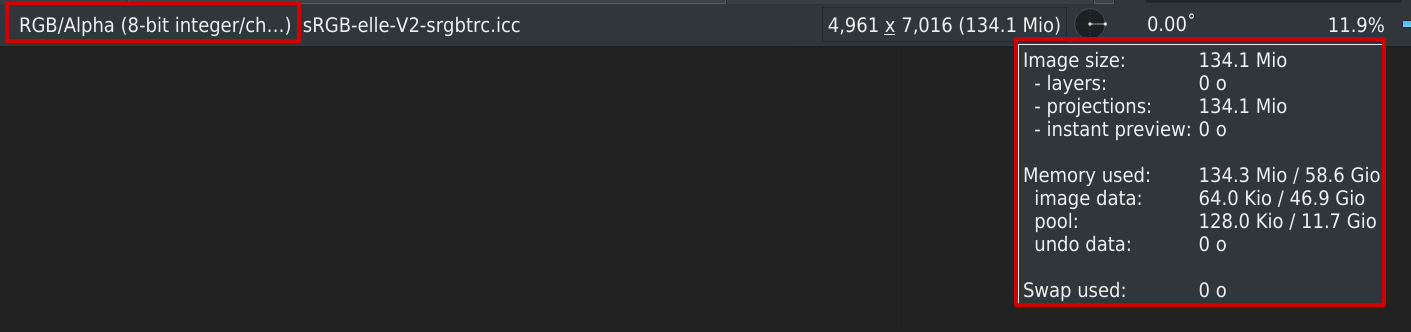
hmmm… IMAGE - PROPERTIES
4961*7016 - 300PPI
Model: RGB/Alpha
Depth: 8-bit
sRGB-elleV2 profile
And at the top LEFT is the name of the picture and behind it is 1.1 GB. There are about 4 levels where only sketched … NO FILTERS or anything else
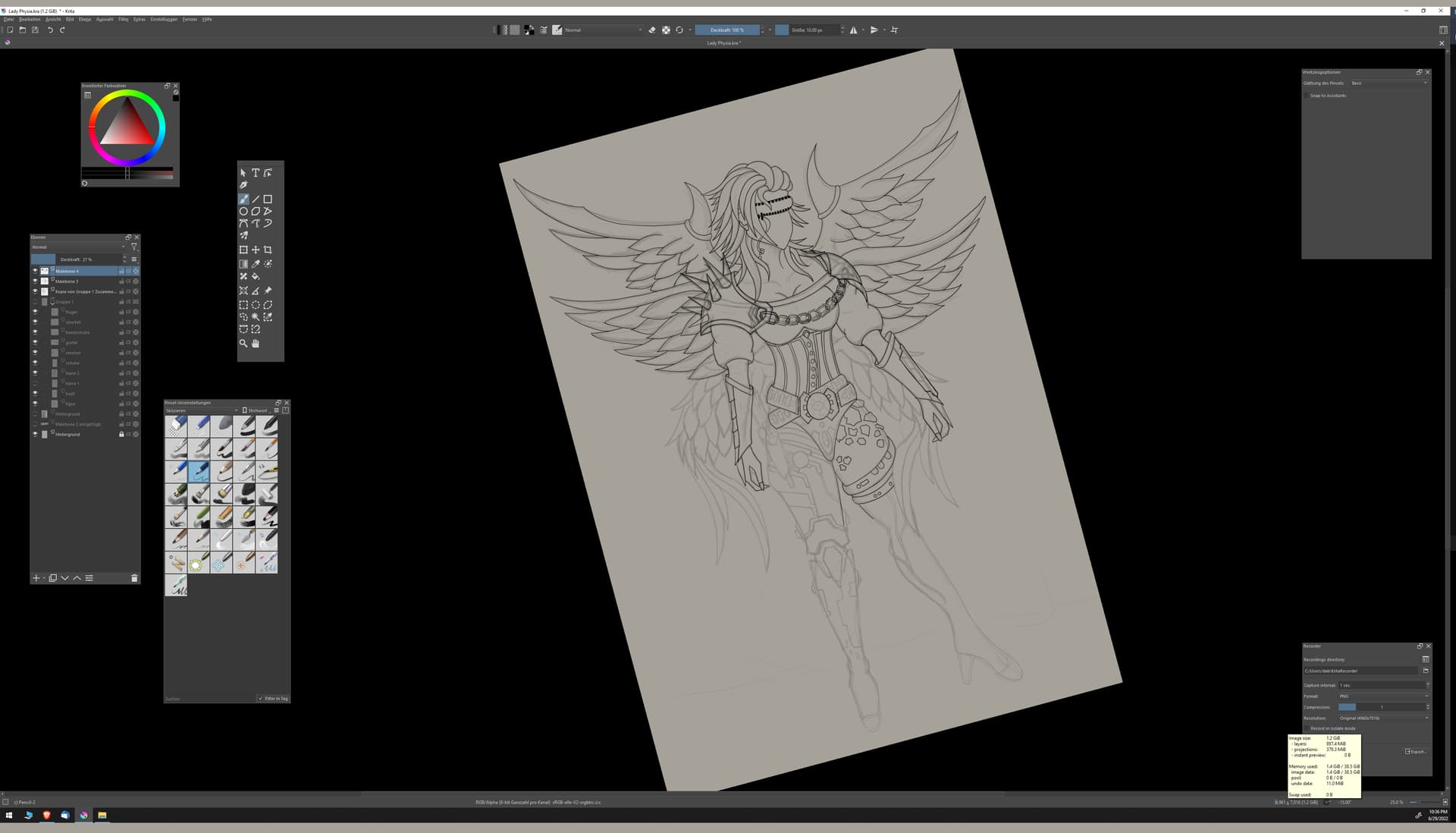
Your Layers Docker seems to show a lot more than three layers.
It’s difficult to see what’s in there from that screenshot.
there are only sketched things… NO FILTERS NOTHING ELSE
4961*7016 - 300PPI test image
has 16 MB without level
1 Just added the picture has 134 MB and on the wildly scrawled it increases to 170 MB.
Each level adds a few MB and if I just sketch it rapidly increases to 200-300 MB with only 2 levels
There is no need to shout.
If you can make the .kra file available via a link to a file sharing service or website, someone may be able to analyse it to see what is happening.
I’m not screaming =) it should be for better understanding
share .kra file? That someone can look at them? Strange, that doesn’t work without it? What or who wants to analyze what?
there are only a few levels sketched with pencil nothing more!!!
I have described it in detail.
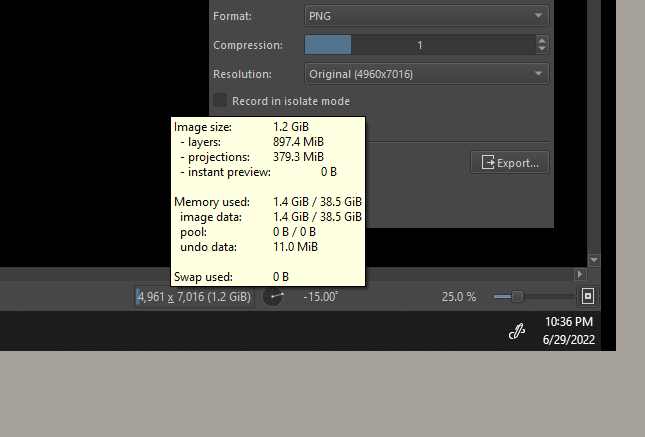
I count 16 layers not 3. @Grum999 made a pretty good list for how much memory a single layer needs and your project actually uses less. About 900 MB for the layers + what Krita needs for displaying them. I had bigger projects taking up more than 20 GB in RAM. 1.4GB isn’t much for a project of that size.
Every layer, even those that are hidden, contribute to the size of memory used. You draw on a pretty big canvas, and I can see that your drawing is taking up nearly whole canvas (nearly touching the sides), so the 130MB/layer is a good estimate in your case. So, with just 10 layers it can fill up a whole 1GB.
The content of the layers - whether it’s just sketched or fully colored - doesn’t matter much. You could use some advanced tricks to reduce the amount of memory used for the sketch and lineart layers, but it’s only for advanced users (you need to know color spaces and profiles etc.), and considering you have plenty of RAM space left, it doesn’t look like you need to be wary of RAM filling up, at least for a while. You have really good amount of RAM, there is no need to let it go to waste, better let Krita use it  (Unless you have been experiencing problems with RAM, maybe some other programs using all of the RAM and causing lags?).
Btw, if you used filters, I think it would use a bit more “Projections” memory but no more than a group layer (unless you painted on the filter layer mask, which is not common to do), and no more than a fully filled paint layer.
achsooooooooo the list of Grum999 is based on a LEVEL? Laugh, that’s hard of course, then I misunderstood.
Then it is clear that it is so big at the moment.
Then, are the wait times for SCALING and SNOWING normal? Because if I scale something, then move it and press enter, I have to wait a moment before I see the result.
There are also problems with the recorder, as you can see here.
maybe one of you has a tip
thank´s
The list is based on number of LAYER, color space, and bit depth.
I’m still not sure what you’re talking about when talking about LEVEL
I supposed that LEVEL is LAYER but…
Please avoid to start to talk about many different problem in the same topic: one problem, one topic
Grum999
I guess he uses Krita in German and translated Ebene with level.
mmh… 
“Layer” is not translated as “Schicht”?
I don’t speak German 
Grum999
That would be a more fitting translation but Ebene is already an established term in German for layers in graphics software. Sometimes things have weird names in German for different reasons which makes translation hard in some cases, its when you just have to know it.
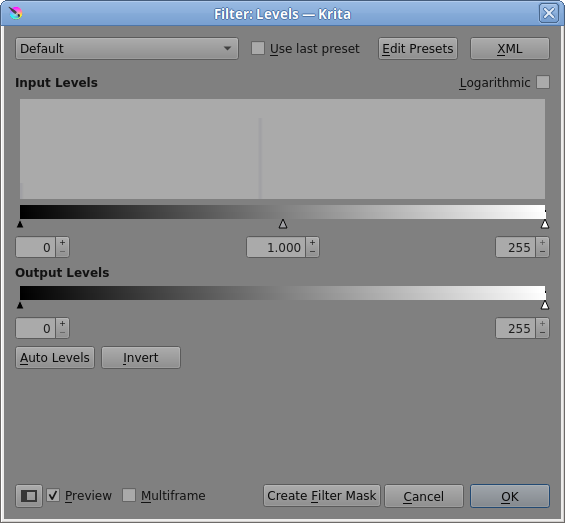
@Takiro So what is the translation for Filter → Adjust Levels?
In English, the word ‘level’ is often used as a technical term for ‘amount’ or ‘strength of signal’.
Filter is Filter also in German.
Michelist
@Michelist It was the word ‘Levels’ that I was wondering about:
Sorry for going on beside-topic…
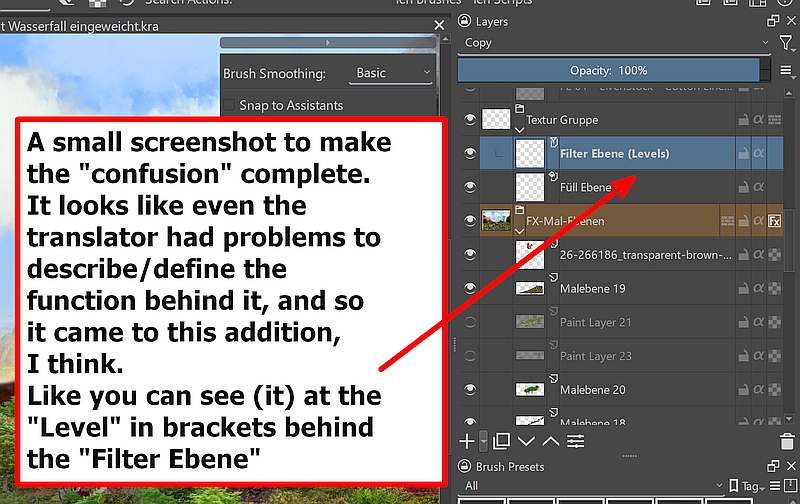
I think here you can see well in what difficulties a translator can occasionally be stuck to decisions for a specific term when terms to be translated are similar. Be it in the spelling or the meaning, or also the different use, depending on the application. I assume the text of @DABurghardt was translated by machine, or he himself had a problem with the decision-making, there also does not help the dictionary further, one must already find the correct one, one which differentiates different use cases.
Screenshot of the filter/level/layer-translation-difficulty: 
Michelist