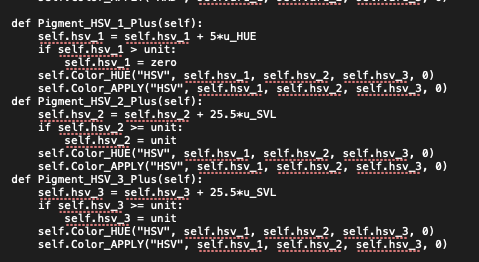
Hey, I was about to give it a try but it didn’t initialized with krita instead giving me this error log:
> TypeError
Python 3.10.5: /usr/bin/python3
Fri Jul 29 00:42:10 2022

A problem occurred in a Python script.  Here is the sequence of
function calls leading up to the error, in the order they occurred.

 /usr/lib/krita-python-libs/krita/dockwidgetfactory.py in createDockWidget(self=<krita.dockwidgetfactory.DockWidgetFactory object>)
   14         super(DockWidgetFactory, self).__init__(_id, _dockPosition)
   15         self.klass = _klass
   16
   17     def createDockWidget(self):
   18         return self.klass()
self = <krita.dockwidgetfactory.DockWidgetFactory object>
self.klass = <class 'pigment_o.pigment_o_docker.PigmentO_Docker'>

 /home/demian/.local/share/krita/pykrita/pigment_o/pigment_o_docker.py in __init__(self=<pigment_o.pigment_o_docker.PigmentO_Docker object>)
  327         self.Harmonys()
  328         self.Color_ofthe_Day()
  329         self.Panels()
  330         self.Gamut()
  331         self.Dots()
self = <pigment_o.pigment_o_docker.PigmentO_Docker object>
self.Panels = <bound method PigmentO_Docker.Panels of <pigment_o.pigment_o_docker.PigmentO_Docker object>>

 /home/demian/.local/share/krita/pykrita/pigment_o/pigment_o_docker.py in Panels(self=<pigment_o.pigment_o_docker.PigmentO_Docker object>)
  551
  552         # Panel UVD
  553         self.panel_uvd = Panel_UVD(self.layout.panel_uvd)
  554         self.panel_uvd.SIGNAL_UVD_VALUE.connect(self.Signal_UVD)
  555         self.panel_uvd.SIGNAL_UVD_RELEASE.connect(self.Pigment_Release)
self = <pigment_o.pigment_o_docker.PigmentO_Docker object>
self.panel_uvd undefined
global Panel_UVD = <class 'pigment_o.pigment_o_modulo.Panel_UVD'>
self.layout = <PyQt5.QtWidgets.QWidget object>
self.layout.panel_uvd = <PyQt5.QtWidgets.QWidget object>

 /home/demian/.local/share/krita/pykrita/pigment_o/pigment_o_modulo.py in __init__(self=<pigment_o.pigment_o_modulo.Panel_UVD object>, parent=<PyQt5.QtWidgets.QWidget object>)
  324         # Start
  325         self.Variables()
  326         self.Cursor()
  327         # Size Hint Expand
  328         self.setSizePolicy(QtWidgets.QSizePolicy.MinimumExpanding, QtWidgets.QSizePolicy.MinimumExpanding)
self = <pigment_o.pigment_o_modulo.Panel_UVD object>
self.Cursor = <bound method Panel_UVD.Cursor of <pigment_o.pigment_o_modulo.Panel_UVD object>>

 /home/demian/.local/share/krita/pykrita/pigment_o/pigment_o_modulo.py in Cursor(self=<pigment_o.pigment_o_modulo.Panel_UVD object>)
  357         self.cursor_size = 20
  358         self.cursor_half = self.cursor_size / 2
  359         self.cursor_lmb.setGeometry(QtCore.QRect(-self.cursor_half, -self.cursor_half, self.cursor_size, self.cursor_size))
  360         self.cursor_rmb.setGeometry(QtCore.QRect(-self.cursor_half, -self.cursor_half, self.cursor_size, self.cursor_size))
  361         self.cursor_rmb.resize(0, 0)
self = <pigment_o.pigment_o_modulo.Panel_UVD object>
self.cursor_lmb = <PyQt5.QtSvg.QSvgWidget object>
self.cursor_lmb.setGeometry = <built-in method setGeometry of QSvgWidget object>
global QtCore = <module 'PyQt5.QtCore' from '/usr/lib/python3.10/site-packages/PyQt5/QtCore.abi3.so'>
QtCore.QRect = <class 'PyQt5.QtCore.QRect'>
self.cursor_half = 10.0
self.cursor_size = 20
TypeError: arguments did not match any overloaded call:
  QRect(): too many arguments
  QRect(int, int, int, int): argument 1 has unexpected type 'float'
  QRect(QPoint, QPoint): argument 1 has unexpected type 'float'
  QRect(QPoint, QSize): argument 1 has unexpected type 'float'
  QRect(QRect): argument 1 has unexpected type 'float'
    __cause__ = None
    __class__ = <class 'TypeError'>
    __context__ = None
    __delattr__ = <method-wrapper '__delattr__' of TypeError object>
    __dict__ = {}
    __dir__ = <built-in method __dir__ of TypeError object>
    __doc__ = 'Inappropriate argument type.'
    __eq__ = <method-wrapper '__eq__' of TypeError object>
    __format__ = <built-in method __format__ of TypeError object>
    __ge__ = <method-wrapper '__ge__' of TypeError object>
    __getattribute__ = <method-wrapper '__getattribute__' of TypeError object>
    __gt__ = <method-wrapper '__gt__' of TypeError object>
    __hash__ = <method-wrapper '__hash__' of TypeError object>
    __init__ = <method-wrapper '__init__' of TypeError object>
    __init_subclass__ = <built-in method __init_subclass__ of type object>
    __le__ = <method-wrapper '__le__' of TypeError object>
    __lt__ = <method-wrapper '__lt__' of TypeError object>
    __ne__ = <method-wrapper '__ne__' of TypeError object>
    __new__ = <built-in method __new__ of type object>
    __reduce__ = <built-in method __reduce__ of TypeError object>
    __reduce_ex__ = <built-in method __reduce_ex__ of TypeError object>
    __repr__ = <method-wrapper '__repr__' of TypeError object>
    __setattr__ = <method-wrapper '__setattr__' of TypeError object>
    __setstate__ = <built-in method __setstate__ of TypeError object>
    __sizeof__ = <built-in method __sizeof__ of TypeError object>
    __str__ = <method-wrapper '__str__' of TypeError object>
    __subclasshook__ = <built-in method __subclasshook__ of type object>
    __suppress_context__ = False
    __traceback__ = <traceback object>
    args = ("arguments did not match any overloaded call:\n  Q...ct(QRect): argument 1 has unexpected type 'float'",)
    with_traceback = <built-in method with_traceback of TypeError object>
The above is a description of an error in a Python program. Here is
the original traceback:
Traceback (most recent call last):
  File "/usr/lib/krita-python-libs/krita/dockwidgetfactory.py", line 18, in createDockWidget
    return self.klass()
  File "/home/demian/.local/share/krita/pykrita/pigment_o/pigment_o_docker.py", line 329, in __init__
    self.Panels()
  File "/home/demian/.local/share/krita/pykrita/pigment_o/pigment_o_docker.py", line 553, in Panels
    self.panel_uvd = Panel_UVD(self.layout.panel_uvd)
  File "/home/demian/.local/share/krita/pykrita/pigment_o/pigment_o_modulo.py", line 326, in __init__
    self.Cursor()
  File "/home/demian/.local/share/krita/pykrita/pigment_o/pigment_o_modulo.py", line 359, in Cursor
    self.cursor_lmb.setGeometry(QtCore.QRect(-self.cursor_half, -self.cursor_half, self.cursor_size, self.cursor_size))
TypeError: arguments did not match any overloaded call:
  QRect(): too many arguments
  QRect(int, int, int, int): argument 1 has unexpected type 'float'
  QRect(QPoint, QPoint): argument 1 has unexpected type 'float'
  QRect(QPoint, QSize): argument 1 has unexpected type 'float'
  QRect(QRect): argument 1 has unexpected type 'float'
Summary
This text will be hidden