You should be using something more like script>install from file or link. And then doing the boring restarts.
im trying to run the script but when I go to tools > script> import plugin from file the pigment.io action can’t be clicked on?
0- Requires “Python Plugin Importer” script to be active
this is the first line from the instillation method, im not sure how to make the plugin importer to be active?
from the manual it says You need to ensure that you have the plugin in a *.zip file. Inside the zip file there should be a file pluginname.desktop and a folder pluginname (instead of pluginname there should be an actual unique name of the plugin).
how do I ensure I have a zip file of pigment, I click download zip but cannot find a zipped file in downloads.
sorry for the questions but im determined to get this working I would love pigment in my workflow!
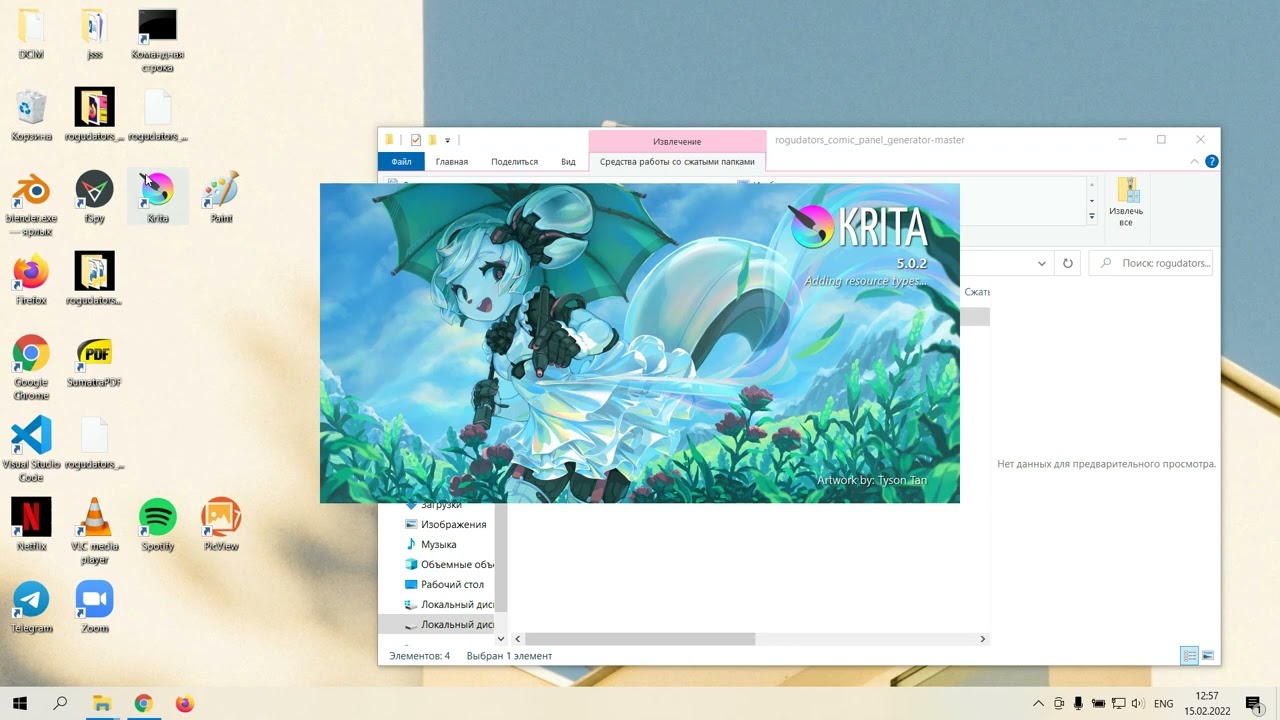
Try this. Long way around but works every time.
1 Like
hey it worked!! I now have a little plugin for pigment on the docker! you really made my day, the plugin is so cool !
3 Likes
This is kinda unfortunate for me, seems like AUR (en) - qt5-svg-git is the only svg module I can find for Manjaro, which I already have installed. I’ll tryyyy converting the .deb of python3.pyqty5.svg to be usable with Manjaro, but this might just be a limitation of using Arch, I guess.
im curious if there’s any way to save the sphere pigment swatches so I don’t need to re enter values every time?
I thought modules in Linux were like shared between all. That explains linux complains more frequent in certain distros. I love to hear if manage to convert it.
The sphere palette saves automatically all the time. It is like use last session colours kind of thing. Only when you delete them all will it revert back to the default colours.
Hi,
I recently converted my Windows 10 PC into a GNU/Linux, and I noticed a lag on Pigment.O when I use my pen compared to when I use my mouse. In the video, I first showed the lag when I use the pen, and then when I use my mouse. I wanted to know what caused this and if it could be fixed.
Thank you for your help!
Extra Information
Computer Details:
Distro/OS: Linux Mint 20.3 “Una” with Ubuntu 20.04 Focal
Desktop Environment: KDE Plasma 5.18.8
Graphics Card: AMD Radeon RX Vega 56/64
Pen Display: XP PEN Artist 22E Pro
Additional Notes:
This also occurs with “On” and “P>K”, though I mostly prefer to use “On” to test the color on my canvas.
@LaTor
That happens because the stylus is more sensitive than a mouse and sends way more signals than the mouse. Either way Linux is horrible handling signals and you can easily flood it with signals that is why Advanced Color Selector only applies color on mouse release once and you should activate Performance>Release option on Pigmnet.O too because your computer clearly can’t handle it on Linux.
In the past this option was forced on all Linux users to not have this issue but now you have to manually activate to let Linux users still use Pigment.O as it was designed to be used but not all can handle it. Sorry.
1 Like
Thank you for telling me and for helping! I’ll try to use it with the mouse then.
Hi, I;m not really sure where to post to ask this.
I just installed the plugin, when I was messing around with the settings, I went to set Panel to HUE and got an error saying something like there was no asset for “circle”
Krita then crashed and I have not been able to open it properly since. The startup window appears it say it’s loading the window and then nothing. I get a sort of outline of what the program’s window should be and the top bar of my desktop goes into Krita, but If I click anything at all, the program crashes.
I dont know that the plugin is responsible but it’s the only variable. I’m wondering if there is a way i can disable pigmento outside of krita and see if i can get it to start up then.
Any help would be greatly appreciated.
Thank you!
Hellos @Baxter_wilhelm.
For that you need to access a hidden folder.
I am on Windows10 so my path is:
C:\Users\EyeOd\AppData\Roaming\krita\pykrita\
“EyeOd” is my user name “EyeOdin” you need to replace it with your user name.
The Krita manual site is down so to be able to show you the other OS paths, but there they explain the various paths to the pykrita folder.
Inside this Folder you will find a sub-folder (pigment_o) and a file (pigment_o.desktop). delete both and then restart Krita. if Pigmento is the cause this will clean it and make it run again.
However I would love to see a screenshot or a copy of the error message you get.
Your report in terms of wording is odd because panel HUE does not have any assets to be loaded, everything is done programmatically as I tend to work. So I would believe more your just expressing yourself this way due to experience with 3D and or game engines? So I would want to understand better what you mean and locate the error also. A report like this leaves me in a “hear say” position that is unsolvable.
if your a Linux user you probably are just missing modules to do a correct install as I explain on the Github page.
Either way I hope it helps regardless of choice.
Huge fan of this plugin, multiple sliders + color wheel is a must have so thank you for making Krita accessible for me! Please let me know where I can support you if anywhere. (found it)
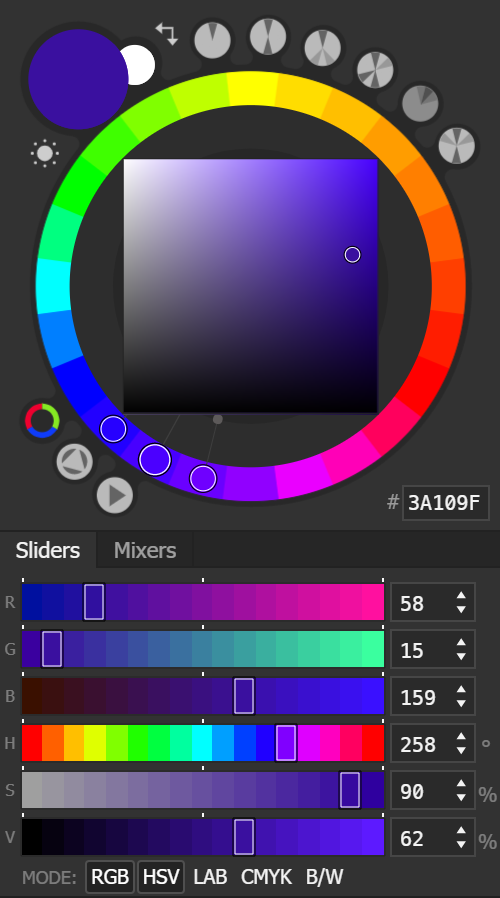
Is there currently a way (or any future plans) to display the color sliders in discrete steps like in Coolorus?
example:
1 Like
Why just not test if SVG module is available, and stop plugin to load with a dialog message information rather than let application crash? 
Example:
And then in plugin do what you want if QTSVG_AVAILABLE equals False…
Qt SVG might be included with AppImage I think
Concerning why on non AppImage version sometime you have, sometimes not, it’s just about the default packages provided or not by distro.
In Linux, using AppImage, you use something that provides all dependencies as developpers takes care of that.
Also AppImage provides a patched Qt version
=> Windows binaries work in the same way, everything is provided in bundle build by developpers
In Linux, when using a version of Krita provided through distro package manager, this means using a Krita version not build by developpers but by distro mainteners.
They’re using or not the right dependencies (and clearly, they are not using the patched version of Qt)
And do not provide Qt SVG module by default
(resurrecting an old post but this need explanation  )
)
Grum999
1 Like
You can do so on the GitHub page of Pigment.O, where you’ve downloaded it, just scroll down on that page, and you’ll find a PayPal-Button.
Michelist
2 Likes
I am glad you like it @cheebo. Support via donations can be done at the end of my GitHub pages as referenced before yes.
As for plans I can’t say I have any for the plugins. I just wake-up with a new ideia and just do it. What is true today can be false tomorrow.
For now my current plan is to redo pigmento from scratch but the ideas need some time to mature. I do need to review the sliders, I can take it into consideration.
I will be working on my other plugins for a while though. Now I am still creating imagine board, then I need to retouch the others.
Currently you can press ctrl to snap but seeing it again it does work better on the hue wheel. Also the alt key helps with minut adjustments on the sliders and the value box has also some shortcut with the arrows and page up/down.
That is a really cool approach I will do that. A especial error message will be made.
And that explaination, I did not know Linux worked like that. I thought Devs would create something and then it would propagate through the repositories over time not be rebuilt elsewhere.
1 Like
I’ve heard there’s a manual for this plugin, but I have had zero luck finding it. Could I get a link to this manual if it exits? I would appreciate it since I like this plugin but I’m confused sometimes.
Manual:
Settings > Configure Krita > Python Plugin Manager > select Pigment.O > Manual is underneath
Got it, thanks for all of your hard work. Hats off to you!