@EyeOdin thank you so much.
@Michelist Thanks for explaining TIC.
Here is some info on total ink coverage but… It is so technical, at least for my liking.
I’ve just learned how to add the RGB sliders to PigmentO and this is a wonderful plug-in. As important as Shortcut Composer. I believe there are only a few things I still don’t know about it. One of them is HEX Copy/Paste. How is it done? The words, “Hex Copy” and “Hex Paste” appear below but I don’t know how to use it.
It is copying and pasting the code from your clipboard.
copy sends and paste receives the information.
when receiving it reads in various syntax’s as the Hex line block accepts. I wrote down all the variants on the post above.
2 Likes
Thanks a lot. So HEX must be first copied (CTRL+C) as text. I think I got it. But I see that I mentioned to turn HEX on to be seen under the panel. Now that I’ve done it, I will try this feature.
Can someone please tell me what the difference between the on write read off modes please? I am unable to make sense of them because I do not see any affect, onlytime this makes a diff is when it is set to auto then I can change the brush color for real.
I see the write mode is one way from plugin to Krita color, but read or off makes no diff. 
On - connection goes both ways
Write - pigmento only applies colour and ignores krita. This helps if you have performance issues.
Read - pigmento is off but still reads the colour and prints it to the log viewer. It is meant for my use only. Caught a bug with it. Don’t worry about read.
Off - is just everything off. when conflicts arrise this helps it is for just in case.
Pigmento now works with vector perfectly now but something might change so read and off are good to have. Oh yeah I forgot to say that on the post 
3 Likes
So on write, “applies color and ignores Krita” meaning it doesn’t cooperate with the color picking of Krita but works on its own?
these modes are still a mystery to me
Mixer problem. The mixer doesn’t show the colors in-between. It used to but no longer.
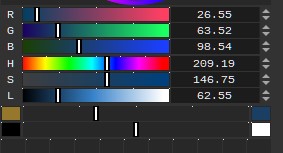
Am I doing something wrong?
That is a bug that I still have not been unable to locate as each time I search, it goes away. Try restarting or resaving the pins, resizing the widget or changing values for now. If I manage to know how to trigger it I will be able to find the root cause and fix it so if you notice something about it tell me please.
3 Likes
Thanks. I will.
Just tried to resize the docker and change its place and Krita crashed 
Now, I continuously get this error:
TypeError
Python 3.10.7: D:\SteamLibrary2\steamapps\common\Krita\krita\bin\krita.exe
Sun Nov  5 16:34:18 2023

A problem occurred in a Python script.  Here is the sequence of
function calls leading up to the error, in the order they occurred.

 C:\Users\Deniz\AppData\Roaming\krita\pykrita\pigment_o\pigment_o_modulo.py in paintEvent(self=<pigment_o.pigment_o_modulo.Color_Header object>, event=<PyQt5.QtGui.QPaintEvent object>)
  306             if self.other_show == True:
  307                 point = w1 - self.other_a
  308                 painter.drawRect( point, 0, self.other_a, self.widget_height )
  309         # Mode BG
  310         if self.mode_ab == False:
painter = <PyQt5.QtGui.QPainter object>
painter.drawRect = <built-in method drawRect of QPainter object>
point = 72.4
self = <pigment_o.pigment_o_modulo.Color_Header object>
self.other_a = 47.6
self.widget_height = 30
TypeError: arguments did not match any overloaded call:
  drawRect(self, QRectF): argument 1 has unexpected type 'float'
  drawRect(self, int, int, int, int): argument 1 has unexpected type 'float'
  drawRect(self, QRect): argument 1 has unexpected type 'float'
    __cause__ = None
    __class__ = <class 'TypeError'>
    __context__ = None
    __delattr__ = <method-wrapper '__delattr__' of TypeError object>
    __dict__ = {}
    __dir__ = <built-in method __dir__ of TypeError object>
    __doc__ = 'Inappropriate argument type.'
    __eq__ = <method-wrapper '__eq__' of TypeError object>
    __format__ = <built-in method __format__ of TypeError object>
    __ge__ = <method-wrapper '__ge__' of TypeError object>
    __getattribute__ = <method-wrapper '__getattribute__' of TypeError object>
    __gt__ = <method-wrapper '__gt__' of TypeError object>
    __hash__ = <method-wrapper '__hash__' of TypeError object>
    __init__ = <method-wrapper '__init__' of TypeError object>
    __init_subclass__ = <built-in method __init_subclass__ of type object>
    __le__ = <method-wrapper '__le__' of TypeError object>
    __lt__ = <method-wrapper '__lt__' of TypeError object>
    __ne__ = <method-wrapper '__ne__' of TypeError object>
    __new__ = <built-in method __new__ of type object>
    __reduce__ = <built-in method __reduce__ of TypeError object>
    __reduce_ex__ = <built-in method __reduce_ex__ of TypeError object>
    __repr__ = <method-wrapper '__repr__' of TypeError object>
    __setattr__ = <method-wrapper '__setattr__' of TypeError object>
    __setstate__ = <built-in method __setstate__ of TypeError object>
    __sizeof__ = <built-in method __sizeof__ of TypeError object>
    __str__ = <method-wrapper '__str__' of TypeError object>
    __subclasshook__ = <built-in method __subclasshook__ of type object>
    __suppress_context__ = False
    __traceback__ = <traceback object>
    args = ("arguments did not match any overloaded call:\n  d...f, QRect): argument 1 has unexpected type 'float'",)
    with_traceback = <built-in method with_traceback of TypeError object>

The above is a description of an error in a Python program.  Here is
the original traceback:

Traceback (most recent call last):
  File "C:\Users\Deniz\AppData\Roaming\krita\pykrita\pigment_o\pigment_o_modulo.py", line 308, in paintEvent
    painter.drawRect( point, 0, self.other_a, self.widget_height )
TypeError: arguments did not match any overloaded call:
  drawRect(self, QRectF): argument 1 has unexpected type 'float'
  drawRect(self, int, int, int, int): argument 1 has unexpected type 'float'
  drawRect(self, QRect): argument 1 has unexpected type 'float'
1 Like
That is more serious than I thought it would be.
Oh nice
1 Like
I think it may have something to do with the docker’s (and/or of the other dockers around it) resizing and replacing.
After shutting Pigmento down, closing Krita (and unshowing the docker and showing it back again) it’s now back with the mixer working.
Give me a couple of hours and I will fix it but this will only fix the crashes. Not the mixer not displaying colours sadley.
Yeah the load system essentially re writes the mixer settings to get rid of empty blocks so it cleans akot. That is why I need to trigger it.
1 Like
That’s already a lot. Thank you so much.
Still getting the error from time to time
Disable pigmento for a while then.
But if you can go to the kritarc file and give me the pigmento values there it would be nice but only if you know and then you could clean it after and it will work again.
I am still busy to fix now.
1 Like
I wish I knew how to do that.
@terbas
Try updating now and see if it works funky or not. the mixers will probably still not work but it won’t crash.
2 Likes