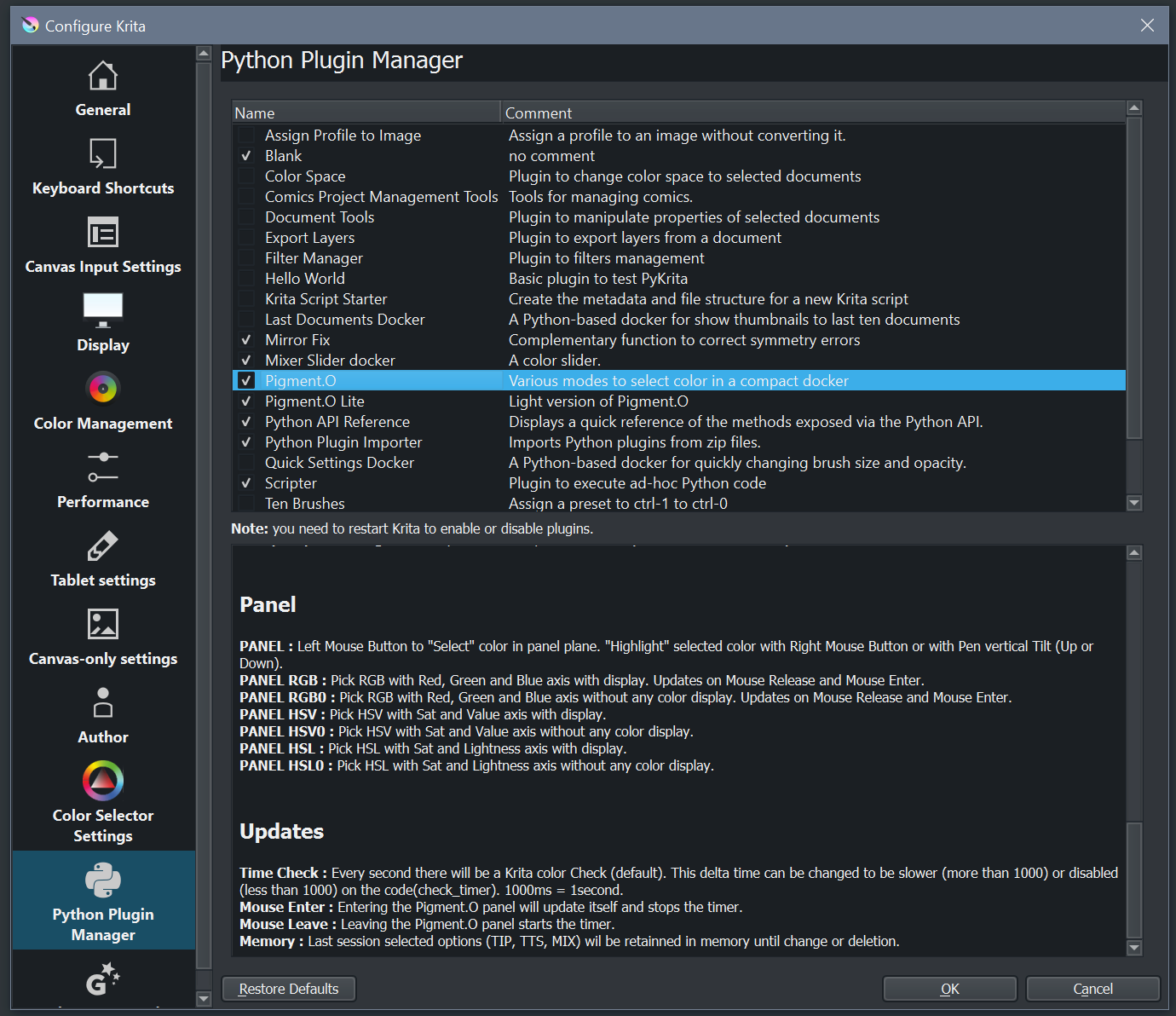
Update Both: Krita Float channel Flip accommodated.
I was thinking and I doubt they even will view it as a bug. Since it comes as a Qt thing and well. it’s like it’s wrong but like that. And you just work around it I guess :\ I just hope they don’t change to right all of the sudden…
I did tests on all bit depths on all considered color spaces (Greyscale, RGB, CMYK). and it seems only RGB color space U8 and U16 are wrong in BGR. the rest is all rights and responding.
I think you did. I just thought it would apply to all other color depths in RGB at the time.
I might have miss read it since i am not a native speaker of english.
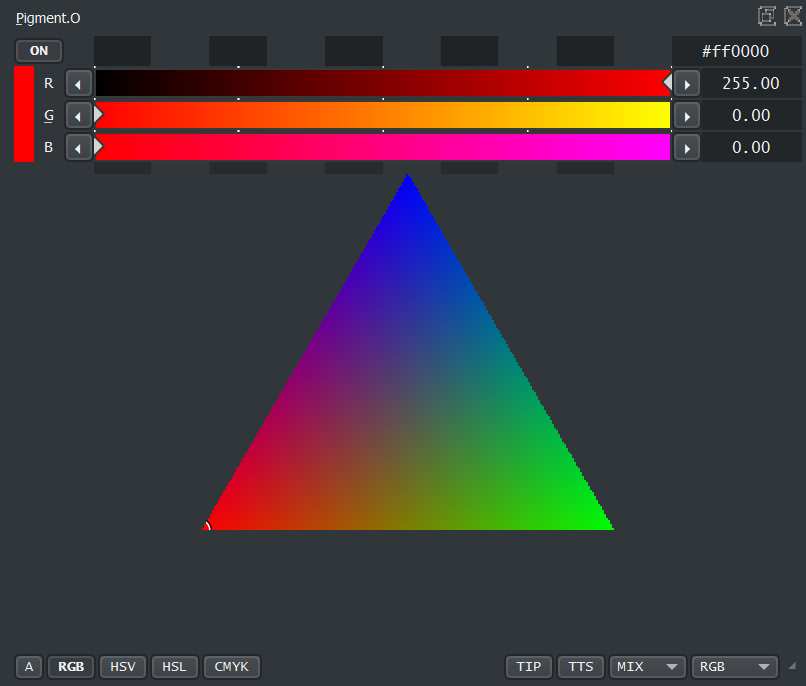
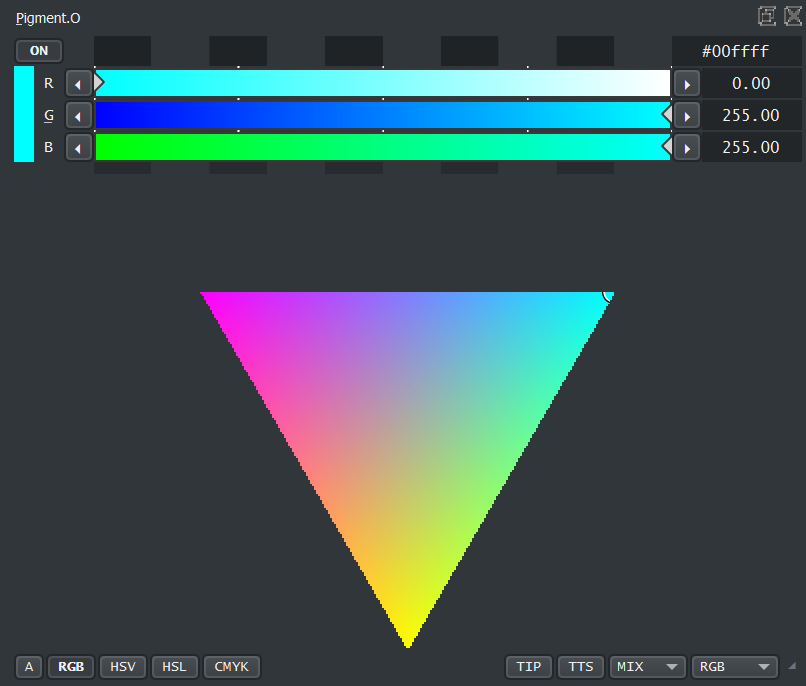
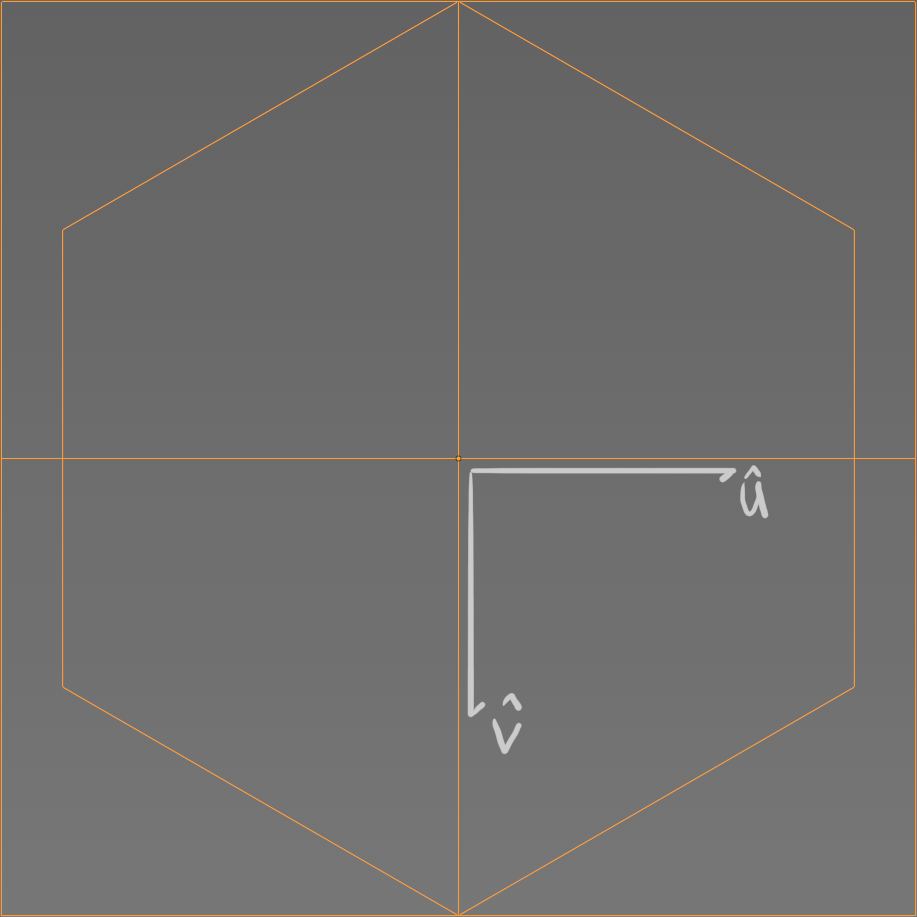
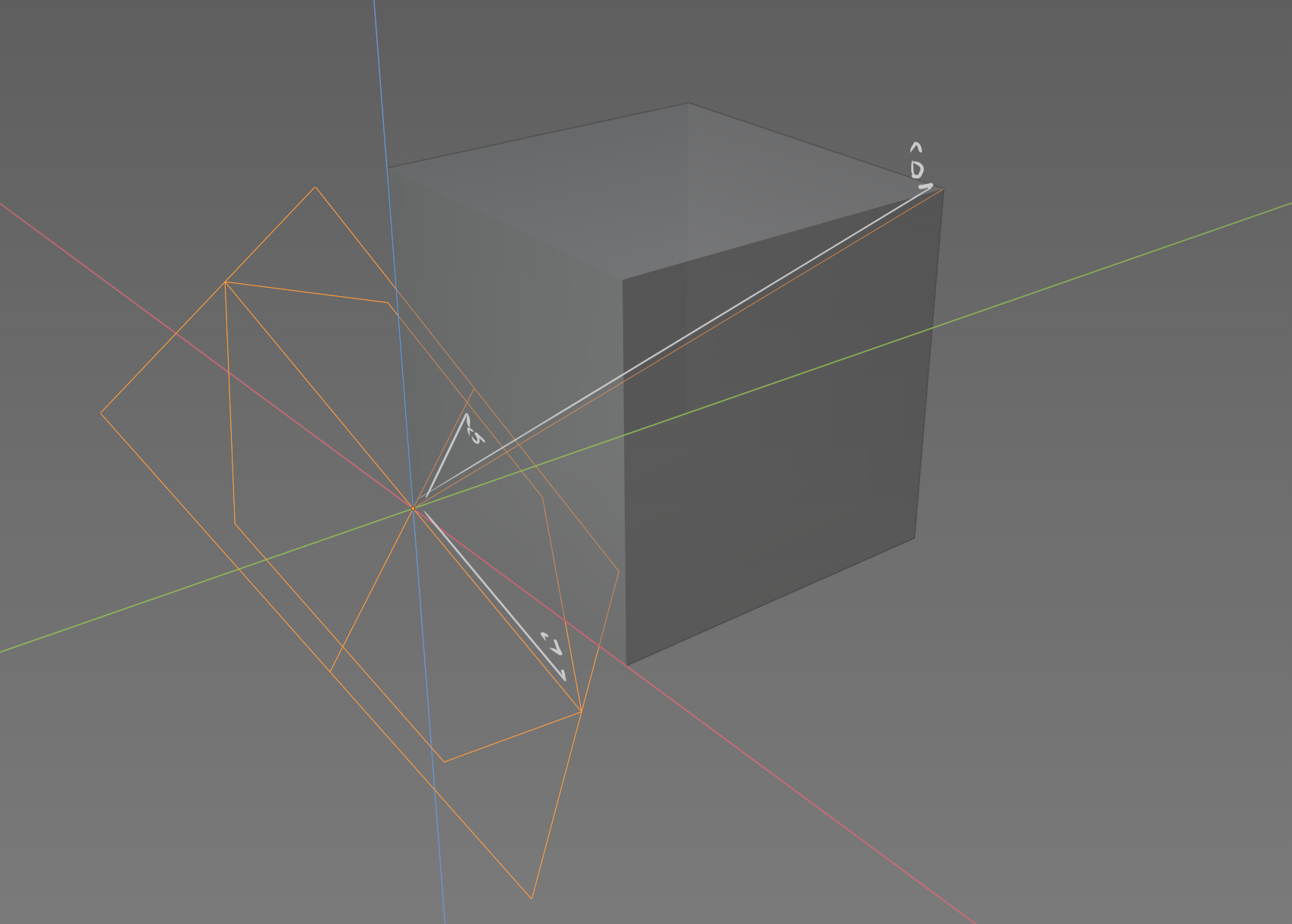
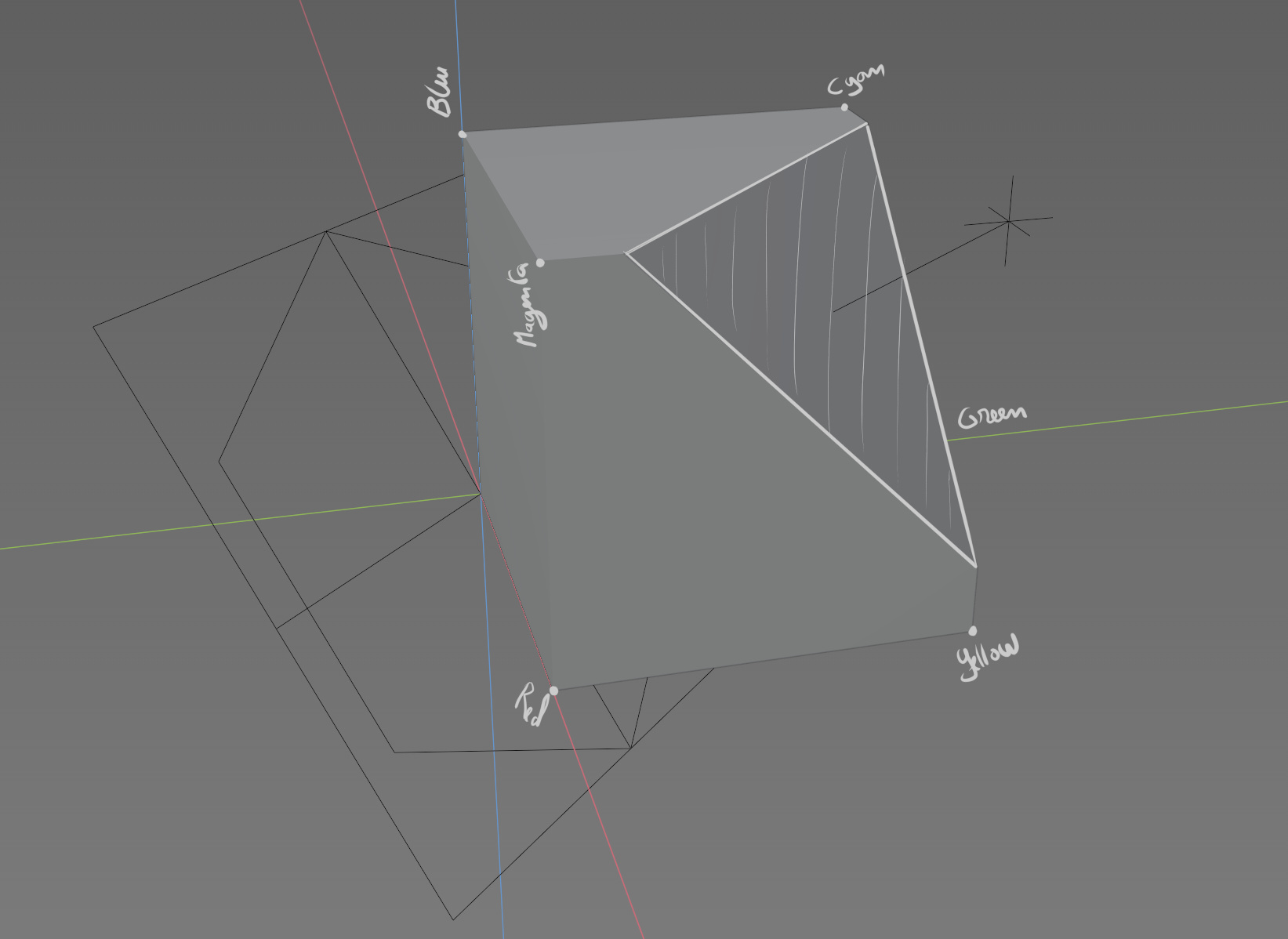
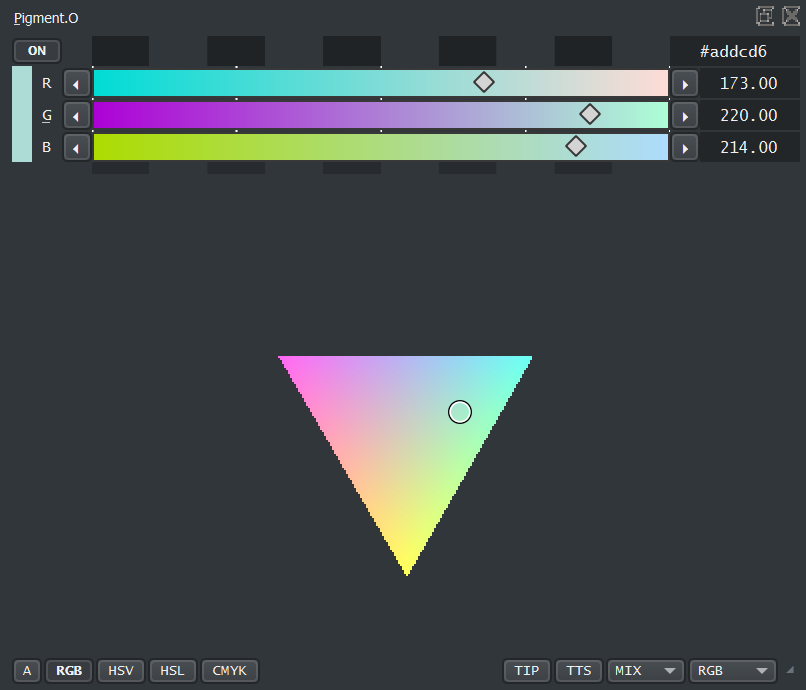
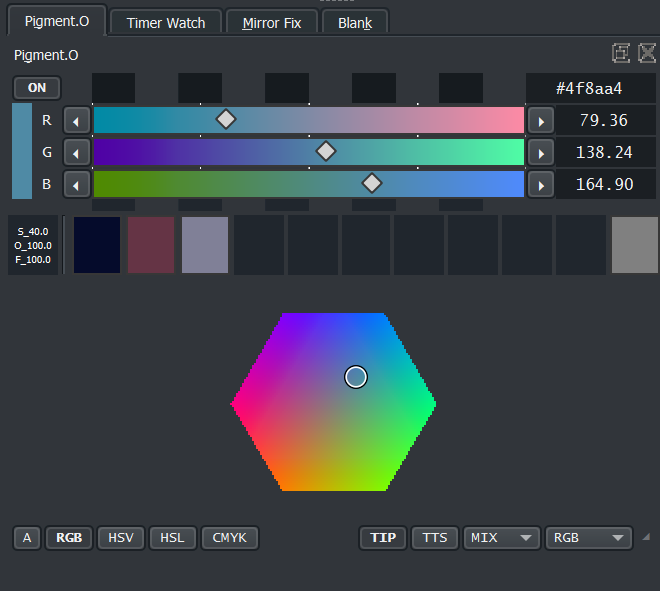
The RGB panel uses the RGB sliders but works internally in a subset Axis to the RGB color space called internally UVD. This creates some perspective advantages and other disadvantages that are mitigated humanly that can show weird behavior occasionally.
In case it feels confusing it works internally like this:
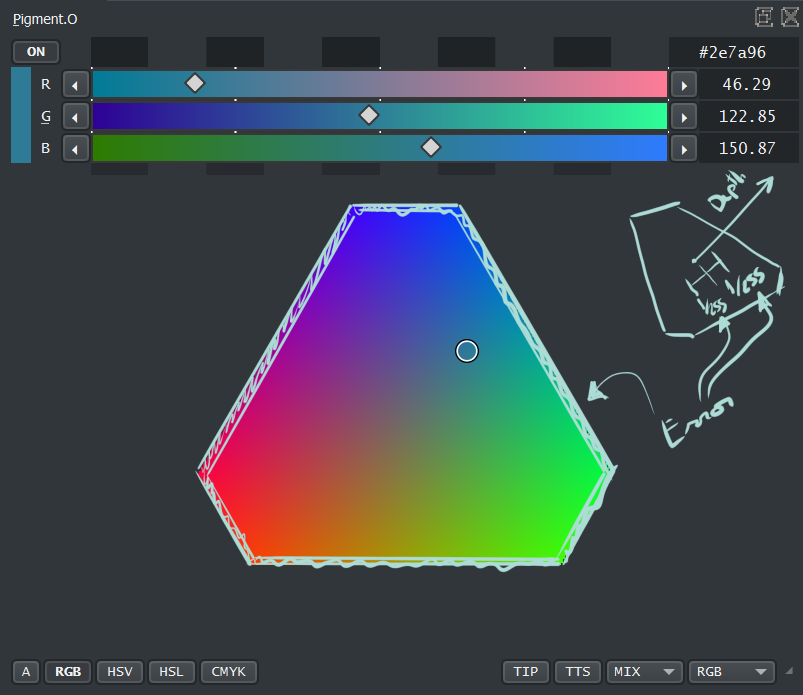
Considering your selecting on a Tiny widget with diagonal lines and a UVD color space that is also diagonally to the original RGB color space there is some error on the edges and on depth of the color too that was mitigated.
This widget in the color form is quite expensive to calculate. Sorry Linux users I cant help you on this I have not tested it but I can only imagine >3> Despite that, the widget is scalable so the bigger you make it, the longer it will take to calculate!!! You have been WARNED!!! To help on this the color display is only updated in 2 cases: “Mouse Click Release” on controllers and “Mouse Enter” on the docker, and the calculation is only done IF the panel is open so it should not bog people down if it is not being used.
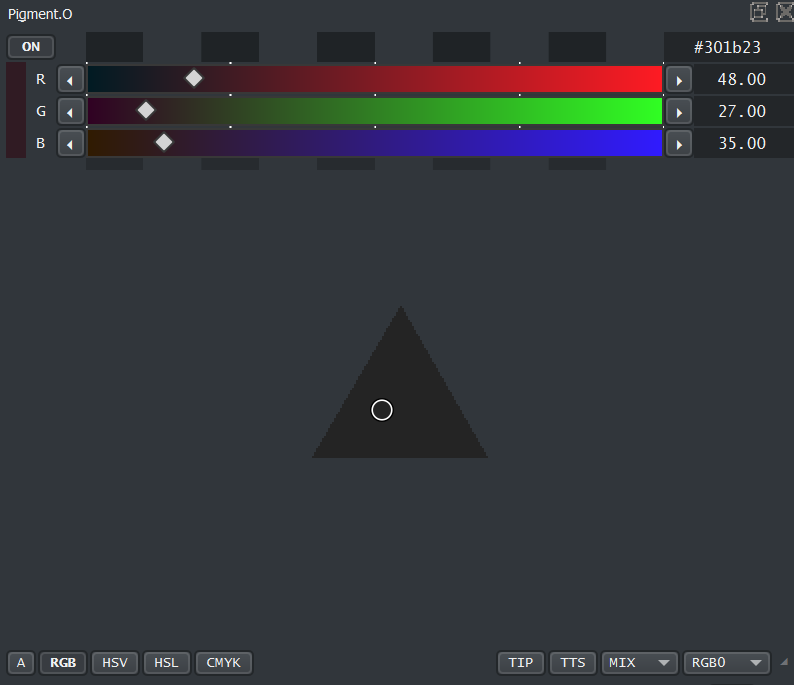
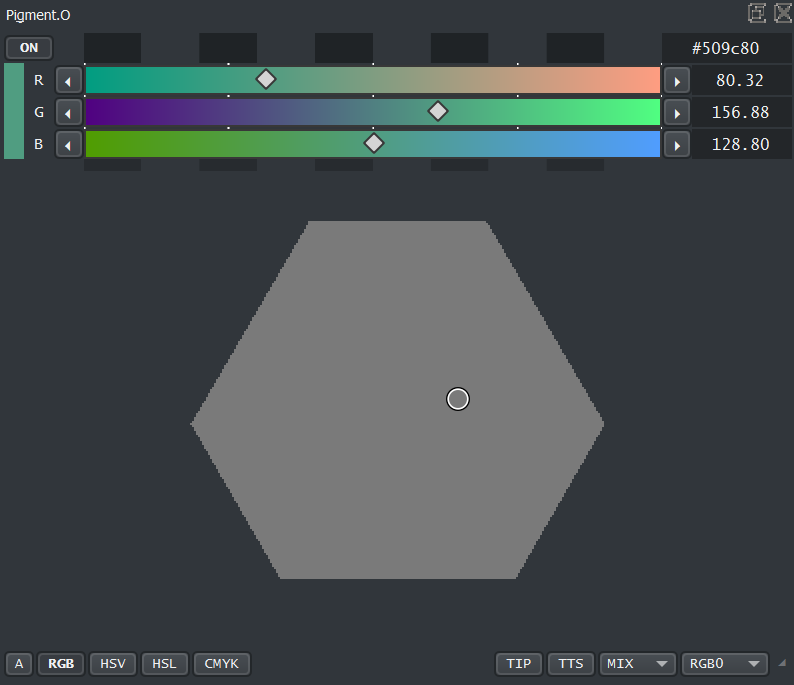
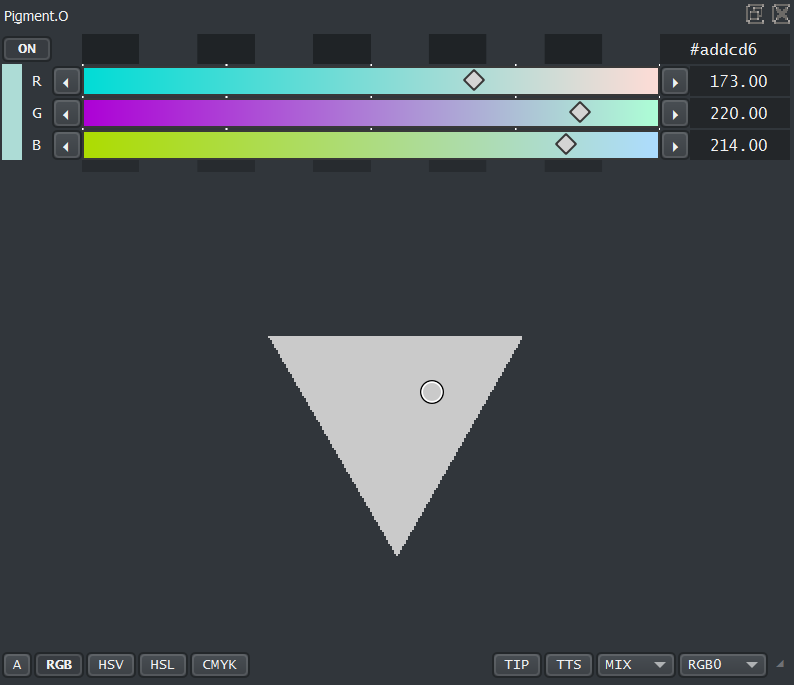
In Case your an Epileptic and shifting colors are a issue you also have a Zero Color version on this Panel and it will display the D vector depth with a Grey Color Scaling like this:
An Experiment to see if selecting colors in this diagonal plane will be able to select colors of the same intensity considering the amount of black or white.
To try and make an Actual RGB color picker that does not suck or is simply on another color space.
After I wrote about the error of the UVD color space on the last post, I woke up the next day to the thought that I was trying to “distort” the input of the user too much so the error would never happen. But I thought it I was sacrificing too much precision doing it this way.
I did a change of position considering this error and made a “I did a Opseys” attitude and then “correct when it happens” because I know what it should be.
The “Error” technically still exists but was reduced to the point it does not seem to be there, as it takes care of the “bad cases” while letting all the still “good cases” still be themselves. it does the same for the user but is closer to what you expect if you compared both side by side.
so like this thread grew a bit more than I expected as the scope of this project, so the information in here is like hard to skim through and find on the various solutions available for various situations. So I thought something like tool tips or a FAQ as I will slowly forget about various things in here over time.
These tips would be made based on the questions made on this thread.
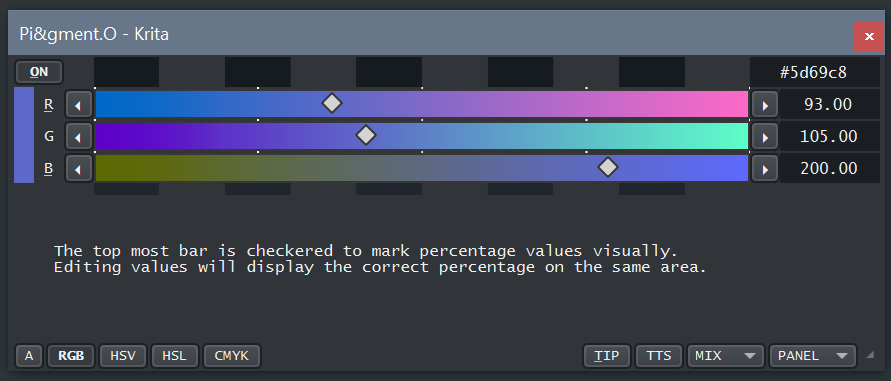
as to test the tool tip thing I tryed this as a new panel to display them:
Yeah reflecting on it by seeing them side by side I do think the on the manual is the best option.
No weird mechanics to make it usable and it displays everything right away.
My initial thought when I woke up was to make a random case to display a tip. but that is really not the best option if someone is trying to find info on something that is not working properly. The extra stress of the random would be horrible.
Think that is the right call even though the manual is not as popular I think, but it is with in expectations for a manual.
Minor Update: Small quality of life Tweaks (nothing really changed)
RGB panel needs less updates to load up when starting Krita. However still not perfect because it reads the wrong window size every time on start up until it updates again by the user.
When saving the Brush (size(S), opacity(O), flow(F)) settings it displays a letter to say which is which, because.
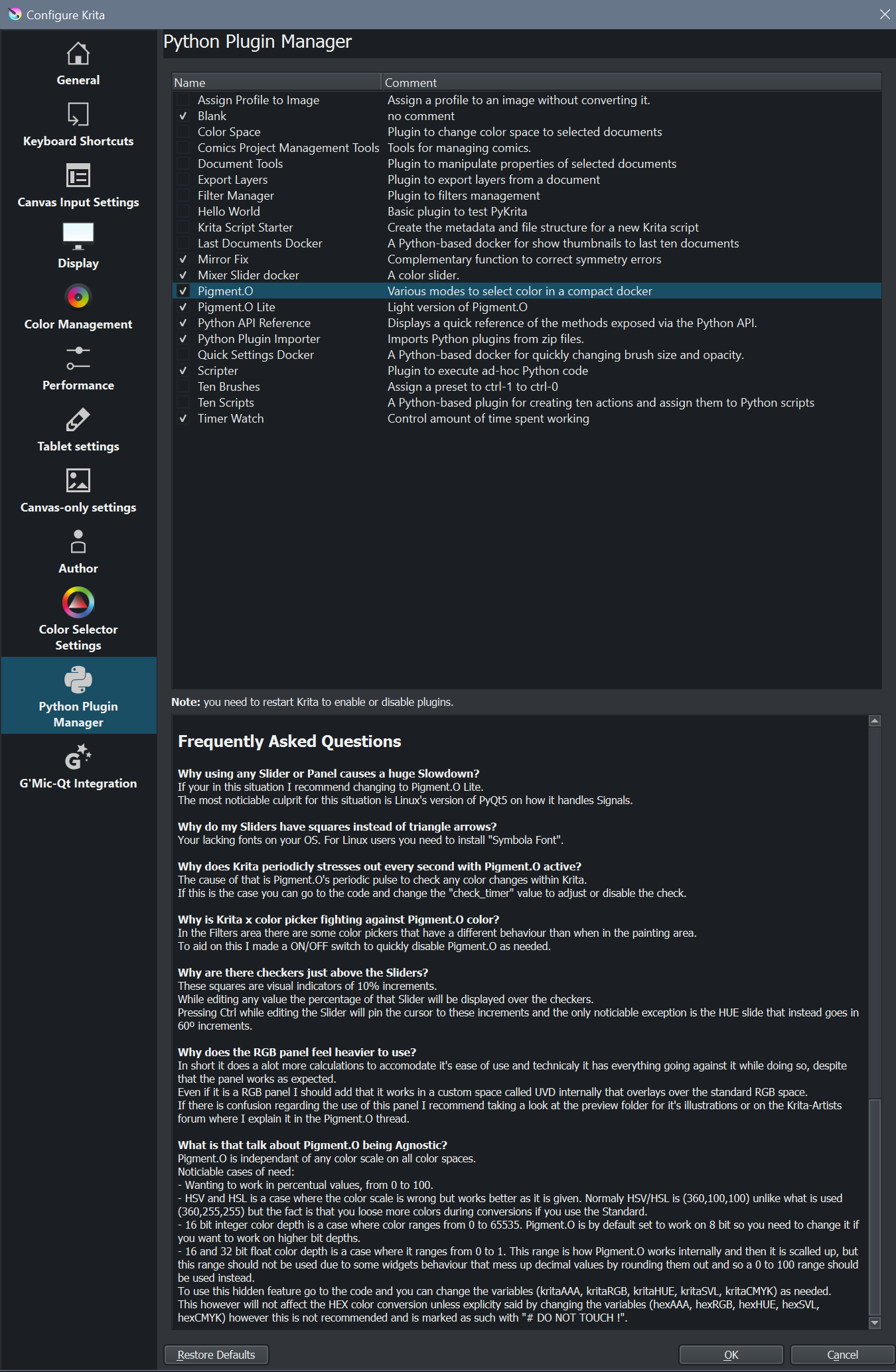
Addition of a tiny FAQ section in the manual as a compendium of user doubts that arouse in this thread and the answers given. This as a means for future reference for other users with the same question despite some having solutions while others not. I tested some and one or two might be outdated issues but I placed them none the less just it case. Not to mention as time goes by the more I will be forgetting about them and it will be harder to find the answer in this thread.
One of questions in the FAQ explains a code hidden feature and it’s use cases which is alot of nit picking over color ranges but it can happen and how to handle them as a user that I think I explained only once in detail but will become harder and harder to find with in the thread or even know its existence or know how to take advantage of it.
Notes on path choose for the user on the Agnostic stuff:
All variables that I indicate to be changed by the user are exposed right at the beginning even though there loads of them there for sake of convenience alone, so these changes to the code are pretty simple like change 255 to 100 and save and start Krita and now your working in percentages. I set it up this way because swapping color ranges from one range and back causes loss of decimal point value and instability as a consequence. So it is better to have the change take effect on boot and maintain a stable color conversion at all times on run time. But explaining to the user that it is there but you cant see it on the UI is weird without the WHY first.
Okay this was a interesting one.
While writing more on the FAQ that I had before I still had more questions popping up in my mind. One question I there was meet with a work around answer. I tested my work around answer and it did not work. I was horrified. I did 2 other other work arounds and the last one was the only one that managed to respond but it was heavily handicapped still. Conclusion all of them sucked!
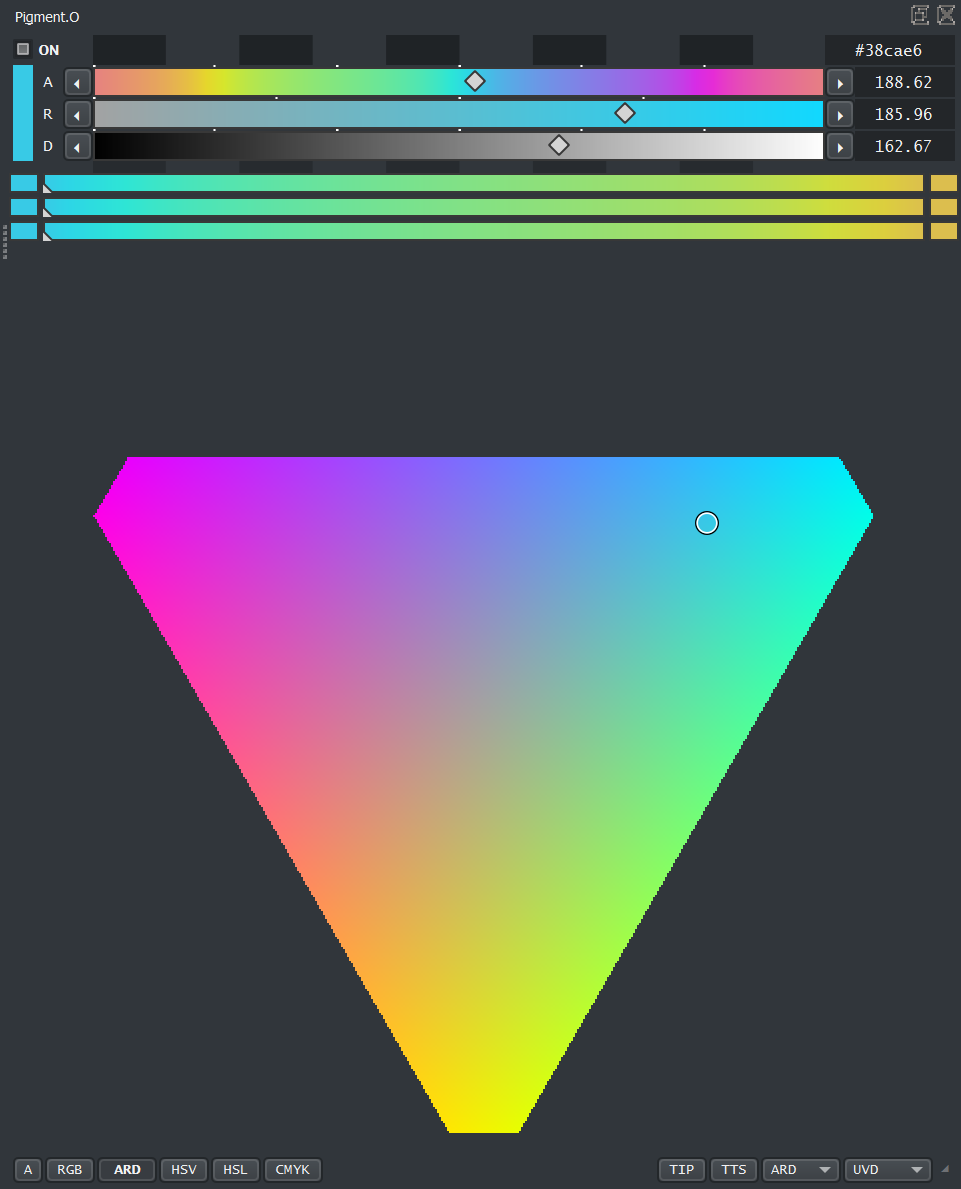
ARD is just polar coordinates to the UVD display in order to make it more humanly interactable. I made UVD for RGB display and you can still use it with RGB, but ARD is more like HSV/HSL in the way you select. SO you have RGB and ARD for the UVD panel, hence the name change of the panel now.
Sliders:
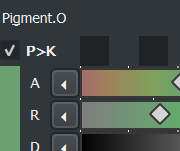
A - Angle. Works like Hue.
R - Ratio. Percentage to the edge of the current shape. Works like Saturation + Gain.
D - Diagonal. Works like Base Value/Lightness but is affected by Ratio after. Selecting on the UVD panel will never edit this value.
As a side note you can use the A slider to monitor the amount of Lightness your getting as a result.
Hopefully this will give a better experience to use the UVD panel.
Of course you have a ARD custom mixer now too because of the sliders.
While working on the performance issues I did some choices…
Pigmento ON/OFF switch now has a new mode called P>K. In this mode Pigmento will not check Krita and will only send colors. This helps with the situation where the UVD panel is up and your painting and suffering from lag as you draw. However despite that situation it is no longer required as it has been solved but it is there in case of need.
This was made based on the conversation I had with @fizzyflower.
I was quite against it but I restricted the UVD panel to update for the sake of performance. As it stands now it updates:
when you move/edit any pigment.o value and mouse release - it does a full update.
when you pick a color outside of pigment.o - it only updates the Polygon Shape and Cursor location. Color Display will not be updated.
when you move the mouse inside pigment.o area - it updates the color Display and the Polygon.
Also did alot of clean up on the code and especially on the mixer, now it should give better results than before.
Also did some Readme’s for the GitHub, on the addons I did. Sorry for cluttering your hardrive with a useless file on on your Pykrita Folder. Sorry Sorry.
@EyeOdin Feature Request: I would like to see options to scale the number to 0-1 range or 0-255 range . This would be a boon to game developers that use hsv8 color space or rgb32F color space. Right now, I do gmic rgb2hsv8 on a duplicated layer, and then put it to 0% opacity to find the correct hsv8 value with color picker.
Your kinda late to request a feature that already exists.
Read the manual FAQ to see the instructions on how to set that up and mind the restrictions.
However you I would like some clarifications on what you mean on some expressions you say just to be sure I’m on the same page.
hsv8 - this is just working in HSV color range when your in 8bit integer depth? If yes it is on the manual.
rgb32F - this is just working in RGB color range when your in 32bit float depth? if yes it is on the manual
rgb2hsv8 - where is this filter you talk about?
That is more than expected and nothing can be done about it that I know of. Closing the udx panel should help.
You can try using the new P>K mode to see if it helps any but I doubt it.
Honestly that is bad, but I was expecting much worse there.
My recommendation is to just use the Lite version that was made accounting for that Linux Lag. It has everything the normal version has except the things that drag you down.
As you can see on my end(windows) and same code it goes like this:
Actually I’m using windows.
Also I assumed that that’s how it usually worked, until I saw that video you posted above, where you were moving the color sliders with ease.
And I’m not on a 10 year old machine …maybe 3-4.
I’m using the nightly versions , maybe there is the issue.
Since your UI is so different your using any ui addons there? Maybe it is a conflict of commands or resources.
I am giving a shot In the dark here but try disabling all other addons and test if you have any performance increase. Maybe like in Blender some addons don’t work well together.
yeah I tried the stable version just now…but the same, no addons no nothing.
I guess it’s something specifically on my end…or how krita handles my hardware
I have been trying to see if I could think of something to help, but I don’t know what to say in that situation then. it should be working. sorry about it.