Yes, I already implemented it, will be available in the next release after this one (not in 5.1, but maybe in 5.2 or earlier).
I also have a suggestion: I would like an undo history like in Blender. So that a more previous change can be referred to.
I don’t think this has any relation to the assistants though besides there is already the undo stack docker which is an undo history
Can you please add an angle to the parallel ruler. So wherever the ruler is angled, it shows the degree, like the measurement tool but in ruler mode, so i can line it properly at certain angle. Also like in the picture below it shows both angle and measurement. The measurement can be choose from cm, m, inche, etc.
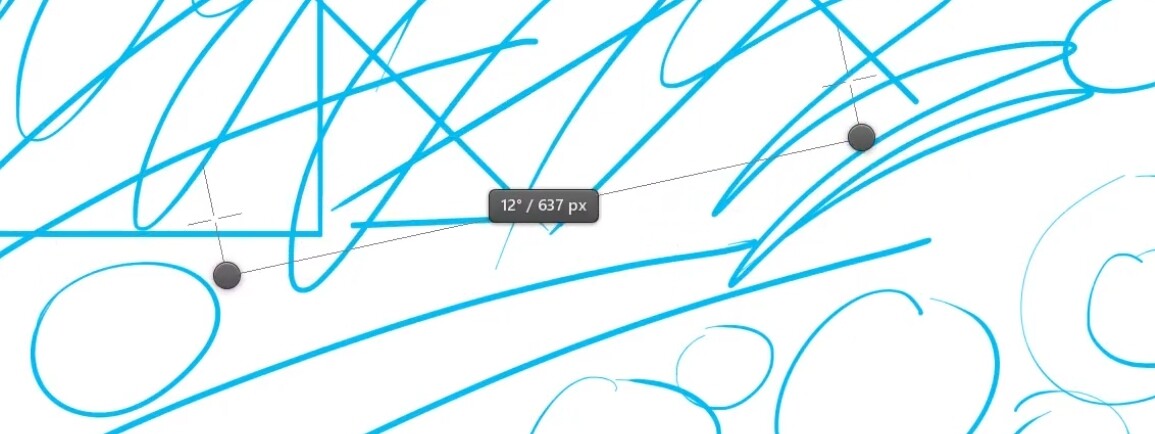
This picture just an example i found from leonardo app.
Hi
The cry remark 

oh no
why?
I’m using this tool, especially since the subdivisions has been implemented
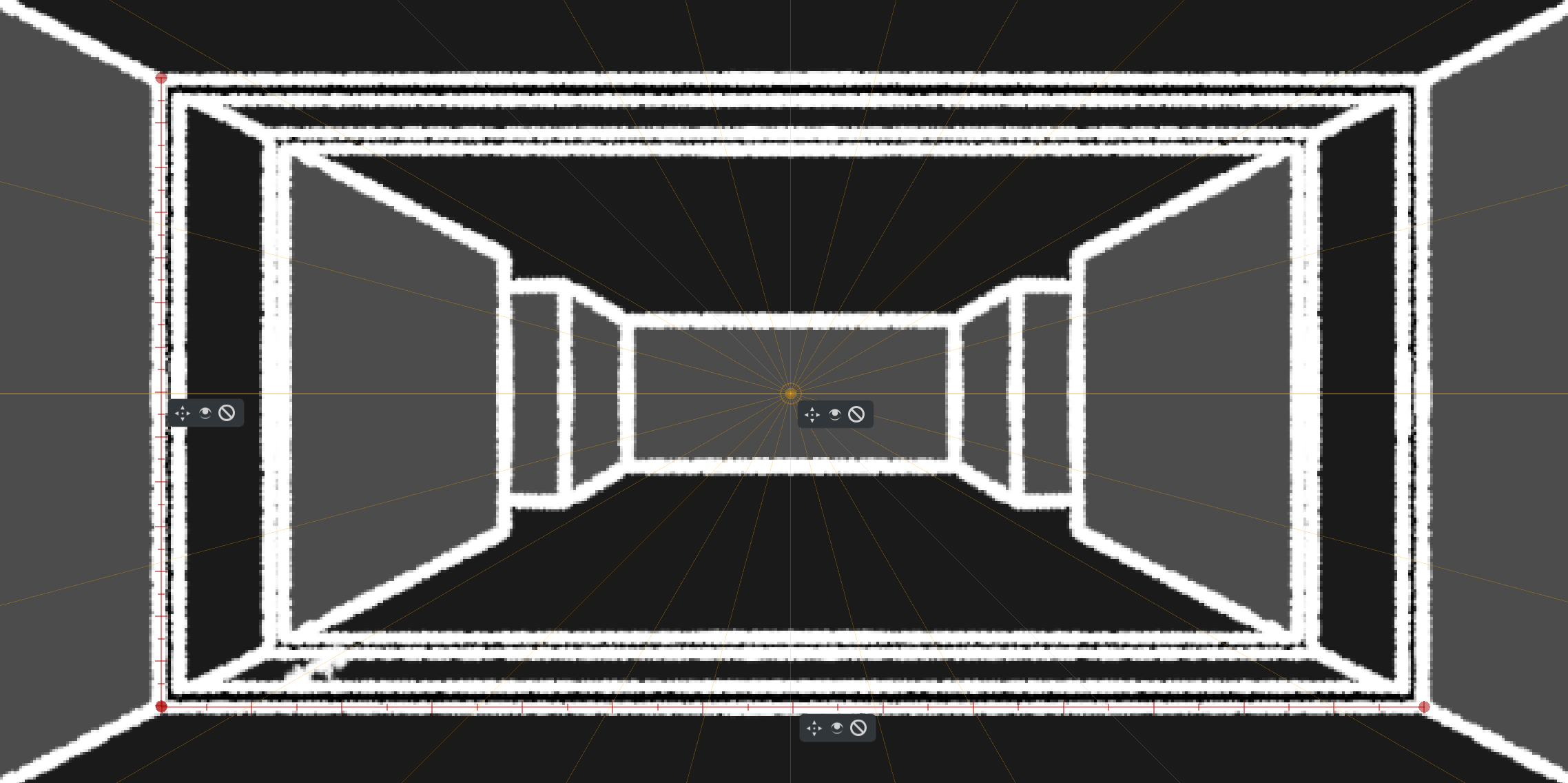
Ok I’m not using it as an assistant for my pencil, but more as an assistant to get proportions in space
Really useful especially for animated frames..
Some ideas I don’t see in your already very loooong list
Duplicate assistant
I often need to have same assistant, but an another place
Having possibility to duplicate an assistant would be really great (an additional icon in hint window for example could be an interesting way to access to it)

Window hint color
Currently, there’s a blue border to window
Having it to the same customized color of assistant would help to find which windows is linked to which assistant, when multiple colored assistants are defined
Linked nodes
The possibility to links nodes of different assistants
Here 3 nodes of 3 assistant are on the same location
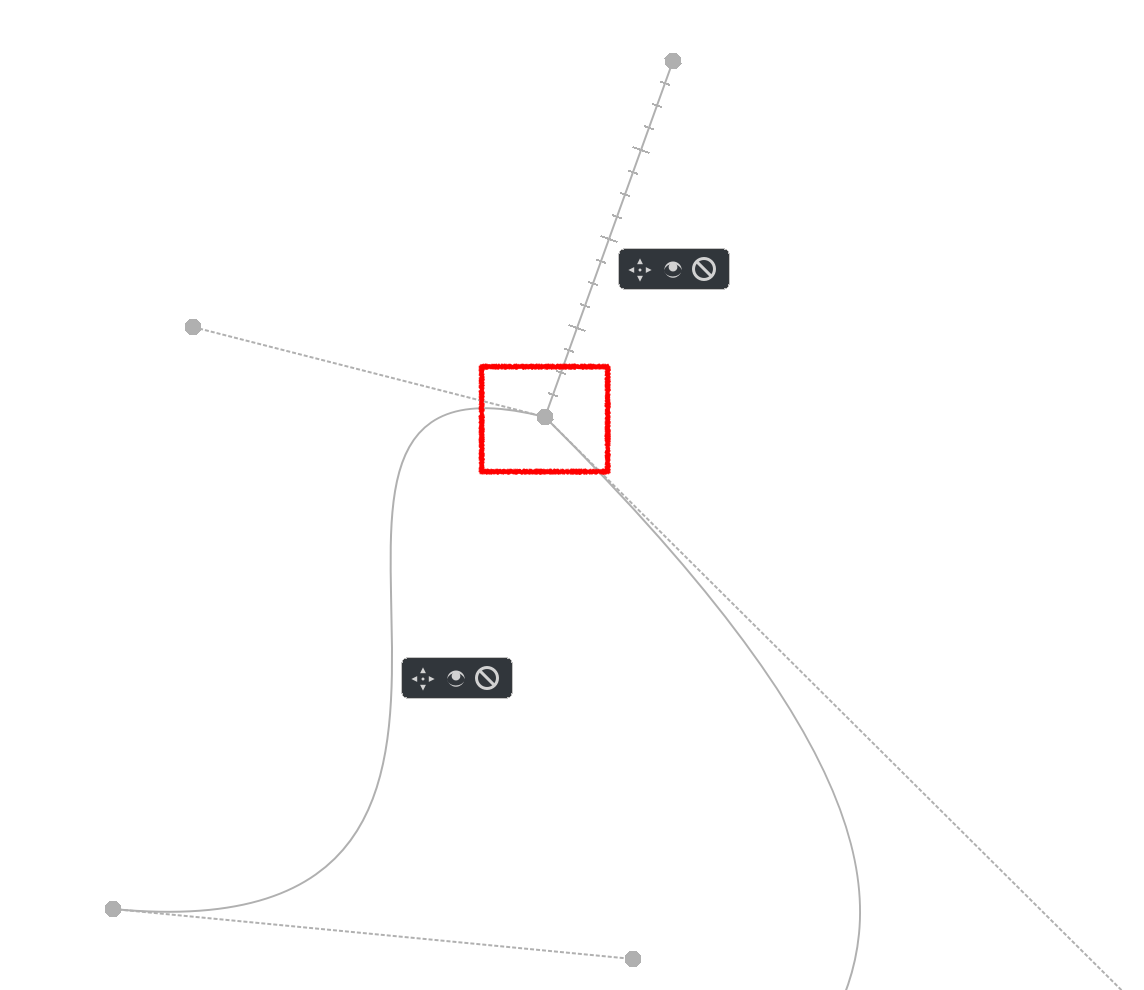
I would be able to move the 3 nodes (in red square) at once 
Grum999
A 3 point perspective assistant is my proposition, one that is similar to the one in csp.
It would offer the possibility to display 3d planes like so : XY plane, YZ plane, and XZ plane.
Toggling the 3D perspective grid for each plan wouuld be accessible via the tool options menu.
I do intend to keep the subdivisions, I just want to move it to one assistant called “Ruler” (most probably) and it will only work in either infinite or parallel way. Though I’m not sure, maybe adding a checkbox for limited ruler (limited to the begin and end of the assistant) is a good idea too? Do you use it? Does anyone use it?
Added to my spreadsheet as F152.
That’s a good idea. Added as F153.
I am thinking of solving it like this:
- by default, all assistants are not selected, or the last created assistant is selected. You can select an assistant by clicking on its editor widget, and probably select multiple ones by ctrl+clicking.
- when the assistant is selected, you can move its handle.
- when there are multiple assistant selected and there are multiple that have a handle in one place, all of the handles will move if you try to move them.
- a handle will snap to other handles when moving
That way it should be possible to both move just one handle out of the three (just select one assistant instead of three) and all three at once (just select all three assistants and move the handles).
Does it sound good to you?
Currently I only use the ruler for graduation 
But if i use an infinite ruler with graduation, here is the result:
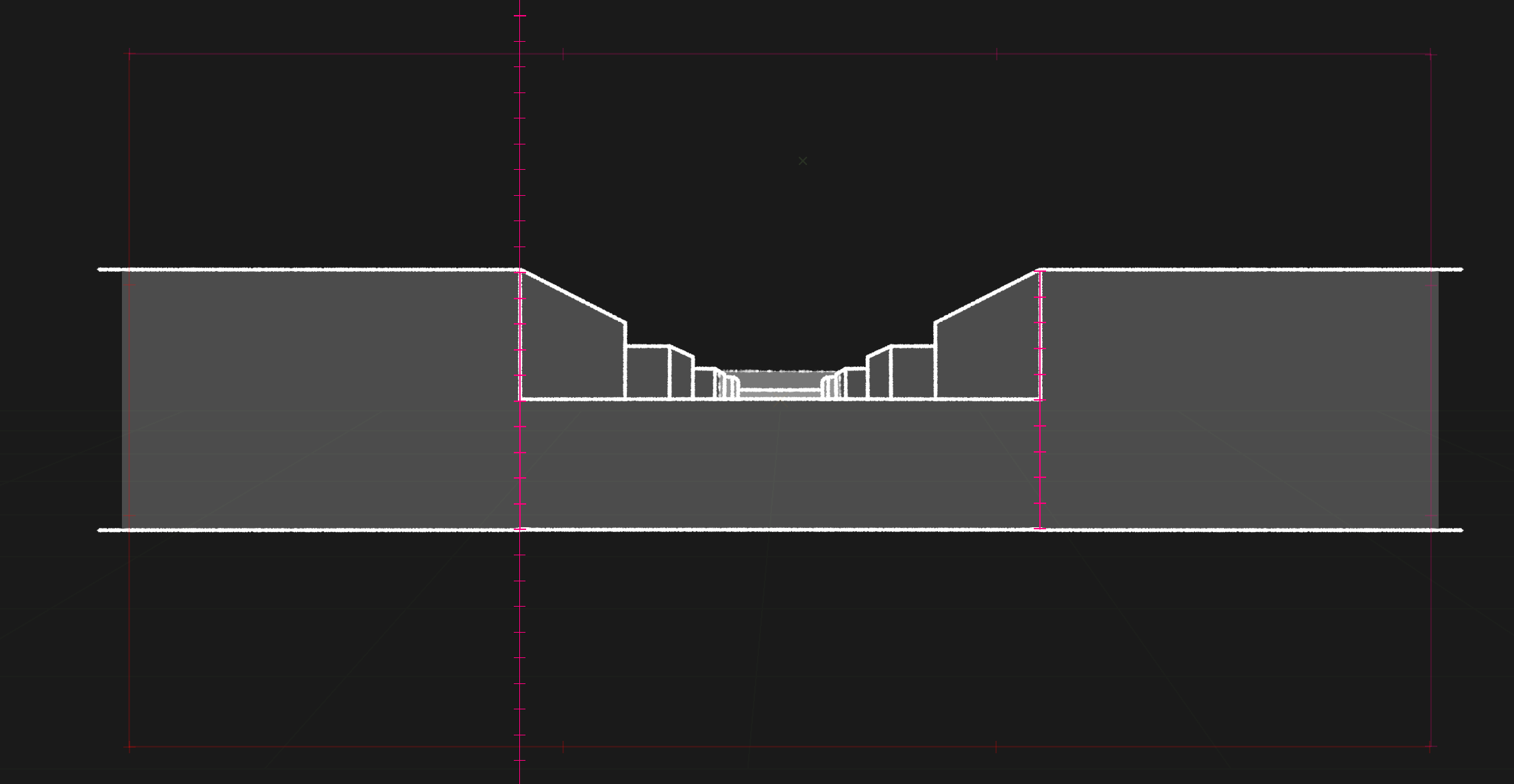
Left side: infinite ruler
Right side: ruler
If you start to have more than one infinite ruler, it start to have many visual and useless lines on your canvas, with the additional risk to be snapped by error when drawing
If I understand, the goal is to reduce number of assistant types from:
- Ruler
- Infinite ruler
- Parallel ruler
To one “Ruler” tool with a radiobutton or combobox list option:
- Infinite ruler
- Parallel ruler
If yes, I think an additional option “Ruler” could be useful.
I agree, it’s probably not really used, even by me 
But as there’s no other tools that let the ability to split a line in segments to get a measure…
Thanks! 
Yes like this it seems really useful and intuitive to use 

Grum999
What would be more handy than perspective is a 3D Layer. Gmic is one right path G'MIC - GREYC's Magic for Image Computing: A Full-Featured Open-Source Framework for Image Processing - Managing 3D Vector Objects
Some update with pictures:
Implementing F51 - concentric ellipses in Perspective Ellipse Assistant:
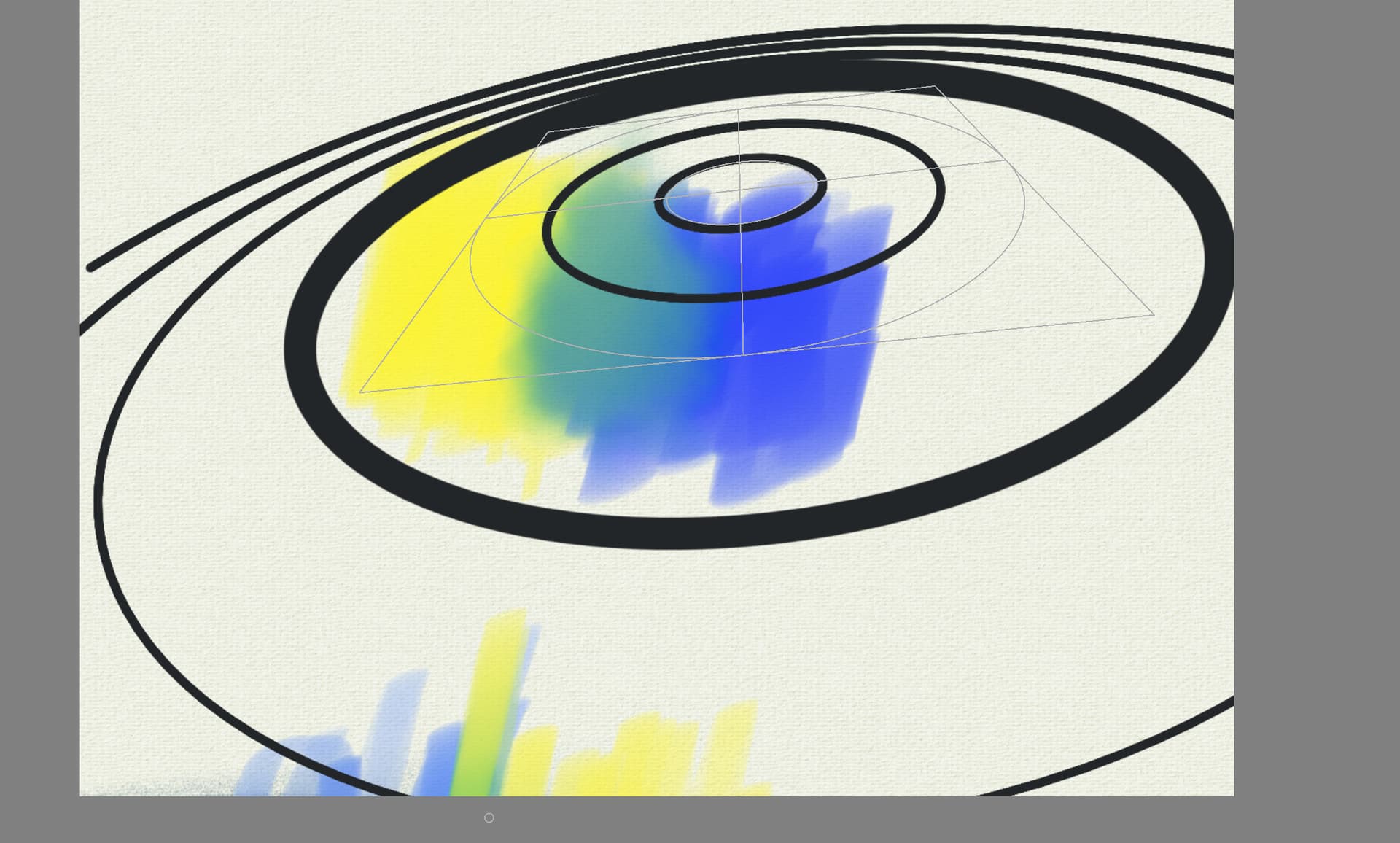
Except that it seems like at some point the ellipse stops being an ellipse and becomes a hyperbole. In my current code, it just stops growing, but it’s very jarring for users, so I’ll have to implement the hyperbola part too  And possibly even mirrored image on the other side of the horizon, too… so, I guess 3x more work than I expected
(Biggest ellipse below:)

Will post MR link when I create it.
I’m looking forward to this! I was just working on a piece with a big, elliptical window in fairly acute perspective and found myself wondering where things stood with this new assistant 
amazing stuff here WOW.
Well, you know how it works, if it doesn’t crash you ship it as a new feature ;0.
Hey, Krita is NOT Windows!


Michelist,
who apologizes for slipping into off-topic again.
 It’s the other way around though, maybe I wrote it unclearly: the ellipses should become hyperboles, but instead my code refuses to calculate them so it just gets stuck on the biggest ellipse it can make. It’s terrible to use. The only way I could not implement hyperboles and still make it usable without frustration for artists would be to constrain the ellipses to only those within the polygon. But I think extending the assistant to handle the hyperbole issue would be better.
And I could even with a very small additional work add a hyperbole assistant Is there anyone even in interested in having that? Because if I had the work done, it would be very easy and quick to add a new dedicated assistant as well. (And then people would point to it as “another unnecessary feature that was added for unknown reasons” ).
You guys are making a proverbial hyperbole out of this lol
Like yeah, who would want that!? Why can’t I draw caternary curves then!  < this is a pitchfork. /s
Sounds good! You do you. Don’t mind the entitled haters.
Now when I look at a rectangle with an assistant deployed in 3D space, I am haunted by the thought of its combination with the multi-brush tool (with all its mirrors and symmetries) That is, when symmetry does not work in the plane of the screen, but in the plane of the assistant. This is an extremely specific application that will allow you to get a slightly different result, which is difficult to achieve at the moment…
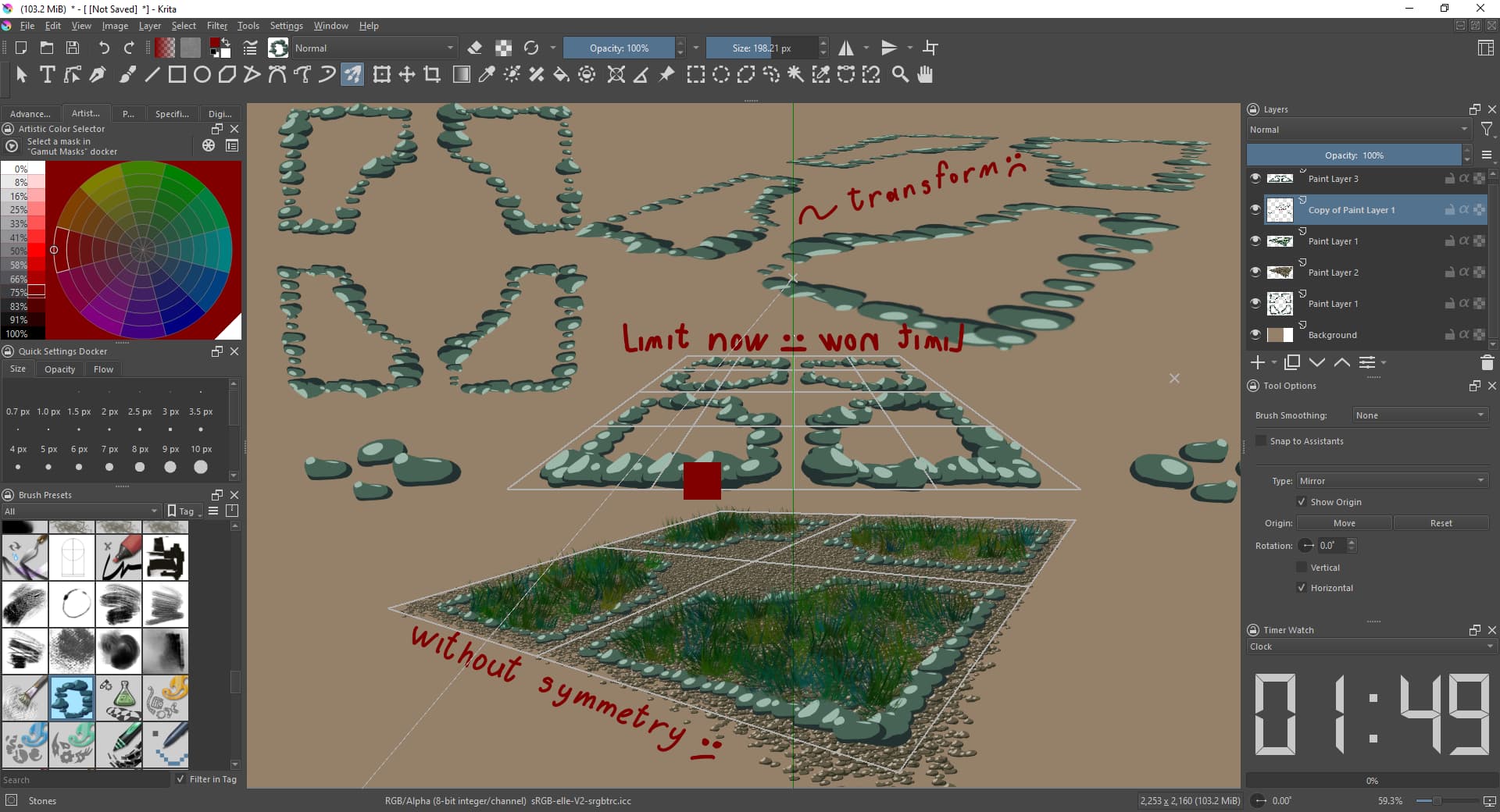
Although I should probably reread the development plans, there are so many of them that I could have missed such an offer.
I don’t know if you are into games or not but when developers behind demon’s souls/dark souls got into this situation they decided to call the frustration a feature and shipped it ;).
Just a little something for inspiration xD.
Having worked on the 2PP assistant I’m generally in agreement that a lot of these changes are needful improvements. Only have a couple of things to say for now:
On combining assistants
I’m somewhat wary of the ideas that involve programming specific snapping behaviours for specific combinations of assistants (F62, F128, F129). I understand the intuition that motivated them, in fact the earliest version of the 2PP assistant I wrote started off that way: trying to create useful snapping behaviour between 2 separate Vanishing Point assistants.
I moved away from this approach for 3 reasons:
-
Mainly because I’m a bad programmer and it was terribly buggy and hard to get a nice UX for.
-
I realized that the intuition comes from a “scarcity” mindset, ie “we have problem X, and the only tools available to us to solve it are thing A and thing B. We have no choice but to figure out how to combine A and B to solve problem X”.
Turns out, it is perfectly okay to have a brand-new thing C that solves problem X directly.
-
Krita should be pleasurable and fun to use, but it isn’t a puzzle game. Users shouldn’t need to have an inquisitive personality that understands the implications of combining multiple assistants to unlock functionality. That functionality – within reason – should just be available from the start.
I’m on the fence about it so my mind can be changed. Basically I think it is better to consolidate the use-cases satisfied by cleverly combining multiple assistant types, into just one assistant.
(If selecting multiple assistants gets implemented, maybe we can also have a button in Tool Options that consolidates useful combinations of the selected assistants into one assistant?)
Actionable things
I’m interested in investigating these improvements, in order of how confident I am in preparing an MR for them (most to least):
- I will need this for the future 3PP assistant. Without multiple colors support, the 3pp grid will be incredibly visually noisy.
- This might need UX ideas. I suspect this will require introducing more Handle/SideHandle objects to the assistant and/or more stuff in the Tool Options.
- Might not be necessary if something like
F62were actually implemented
- This suggestion came from CSP so I can investigate their UX and see if can also be done well in Krita
How about #457799 from the Krita bugtracker? Such cube assistant would be perfect for Krita as it would make it easy to move/rotate it as well as moving planes of the cube, resulting in a clean perspectives, unlike with the current perspective ruler where it’s easy to make a mess due to you having to declare each point of a perspective plane separately.