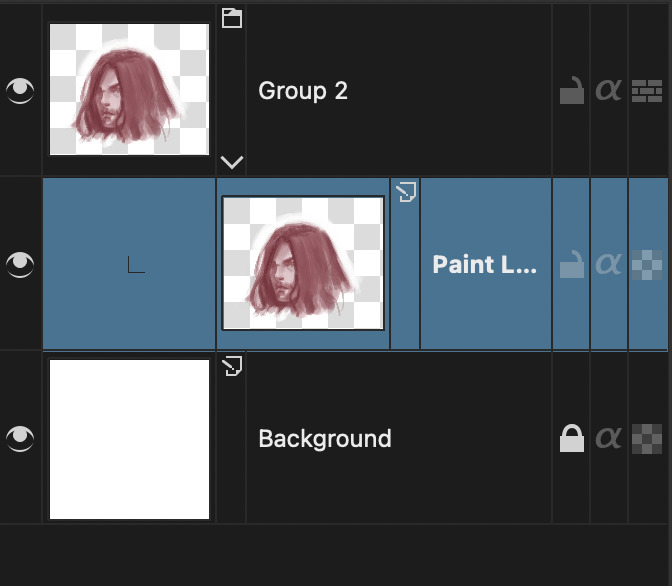
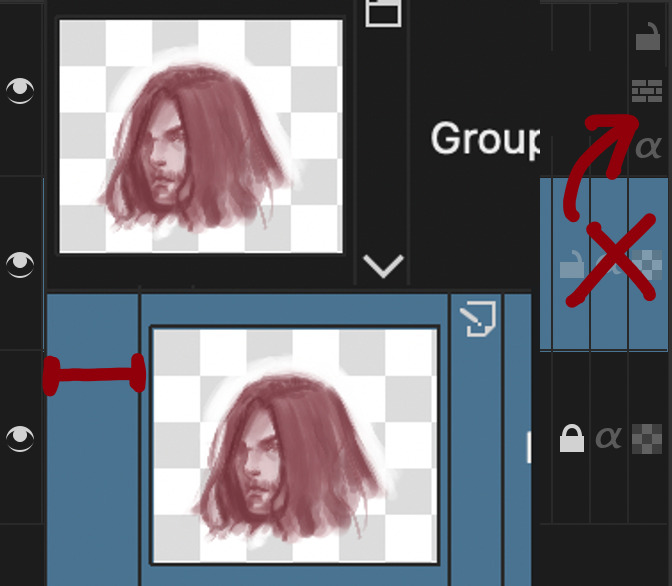
This is the representation of the smallest group when drawing comics.
I didn’t purposely make many groups. this is a one folder project if other apps. Just Krita needs many grouping.
I saw the post last year same topic as this.
Everyone just argued about what is right or wrong. (then their topic has gone totally off course.)
Anyways, Isn’t It okay to have an indentation size option under the thumbnail size option?
So I can make it a large thumbnail with small indentation and others can do whatever they prefer.
The current indentation seems logical/simple/obvious but does reduce available layer name space with large thumbnails.
If it was reduced to half the thumbnail width then the sense of group structure/relationship would still be obvious.
not a solution to your problem but in the same spirit, it recalls me I had a reflexion about the whole layer columns that could be reorganized to leave more width to thumbnail and layer name:
alpha lock
inheritance lock
layer lock
could all be piled one over each other in a single column with 3 rows so they leave more width for other things.
This actually brings up another argument because some people hate small indentation.
That’s why I said the ‘option’.
If the open-source developer fell into the dilemma of 50:50 then making an option is the best way to go.
I may never think this subject go into the 50:50 problem if I didn’t see some people extremely negative about small indentations.
I would like it as an option independent from the thumbnail size.
I think it would be good to have. I can see why it was done the way it was, and it might be good to keep that default, but it wouldn’t be a bad idea to add a new slider there (under the thumbnail size) with indentation…
from PyQt5.QtWidgets import QTreeView

# So close, but no cigar
kisLayerBox = next((d for d in Application.dockers() if d.objectName() == 'KisLayerBox'), None)
kisLayerBox.findChild(QTreeView, 'listLayers').setIndentation(10)
there is already method for setting the indentation, but ItemDelegate get confused, and indentation also resets on resizeEvent()
Well the indentation value is managed by the layer docker itself after all, but the code sure has some very…“creative” ways to handle stuff
It could do with some spring cleaning…
I’ve found if I have to inherit alpha on a multiply layer, I have to make a pass-through group again.
And then the pass-through group can’t have a mask or filter mask, so I have to make a group bunch of layers AGAIN!
I give up.
This is not healthy.
This uncontrolled humongous grouping makes layer docker unreadable and makes Krita slower than apps I’ve used to work with.
I am having trouble understanding this, i can inherit alpha from a multiply layer and make a multiply layer inherit the alpha without any problems no need to put in pass through.
Sorry. There was the premise of if I have to group for inherit alpha on the blending layer(multiply or whatnot) then it should be a pass-through group.
Because if you just group then the blending layer changes to a normal layer.
If you don’t know what it is then you missed something of the nature of Krita.
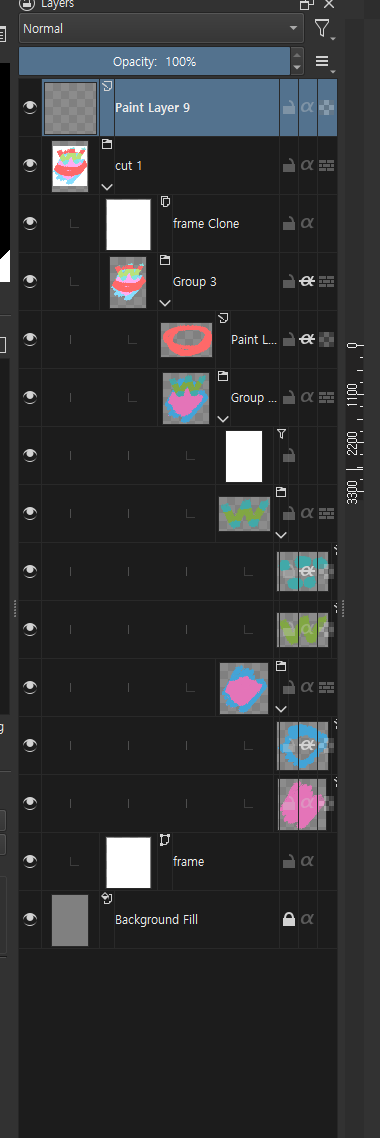


 I’m just talking about a way to have the three columns to the right of the layer rows to be more compact.