No problem at all! It’s a pleasure to test, and my low skill in code and script gives me already a good idea of the massive work you put into this very convenient plugin. Thank you for the update!
2 Likes
@tenzindraws Very sorry for late answer. It works fine.. I like it alot!! Great work!!
1 Like
v1.0.8 Release
Major optimization:
The older plugin would use compute power to hash images and to scan for thumbnail changes every 2 seconds. This new update removes the hashing comparison system altogether and simply updates the currently selected brush’s thumbnail when Brush Editor is closed.
No potential way to cause stuttering, fast thumbnail update when you overwrite a brush preset
2 Likes
@tenzindraws, thanks for the plugin that enables must has-in-default feature! But I have some issue: the plugin invokes stutters while zoom and pan. Here the video.
I use plugin with “Docker under cursor” plugin (that’s why there is no “Preset Groups” panel on screen), so I can invoke it with hotkey. Additionally I use couple other plugins to control brush presets. Idk, may be “Preset Groups” conflicts with them? Also I tried experimenting with GPU canvas acceleration settings – nothing changes until I disable the plugin.
1 Like
Hi I9S, I’m glad to hear the plugin has been useful to you.
In the video posted, is it showing you using the latest version of the plugin? If not, install the latest update which has optimizations to eliminate stuttering (don’t forget to backup your config folder to save your added brushes!)
Yes, I use latest version (1.0.8). I also disabled all plugins except Krita’s default and “Presets Groups” - nothing changes.
How many brushes do you have added to the plugin?
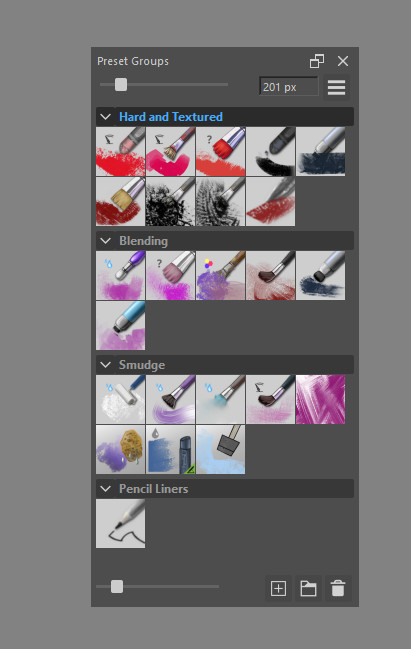
@I9S Thank you for the info, I tested it and also see the stuttering.
I’ve released a new version, the latest download link is updated and the github’s changelog is updated. It should stop stuttering now and use no resources when the docker is hidden.
Let me know if this fixes it for you
2 Likes
Yeah i tested this plugin and it is quite heavy on the brush.
Thank you, it’s ok now.
1 Like
v1.1.2 Release
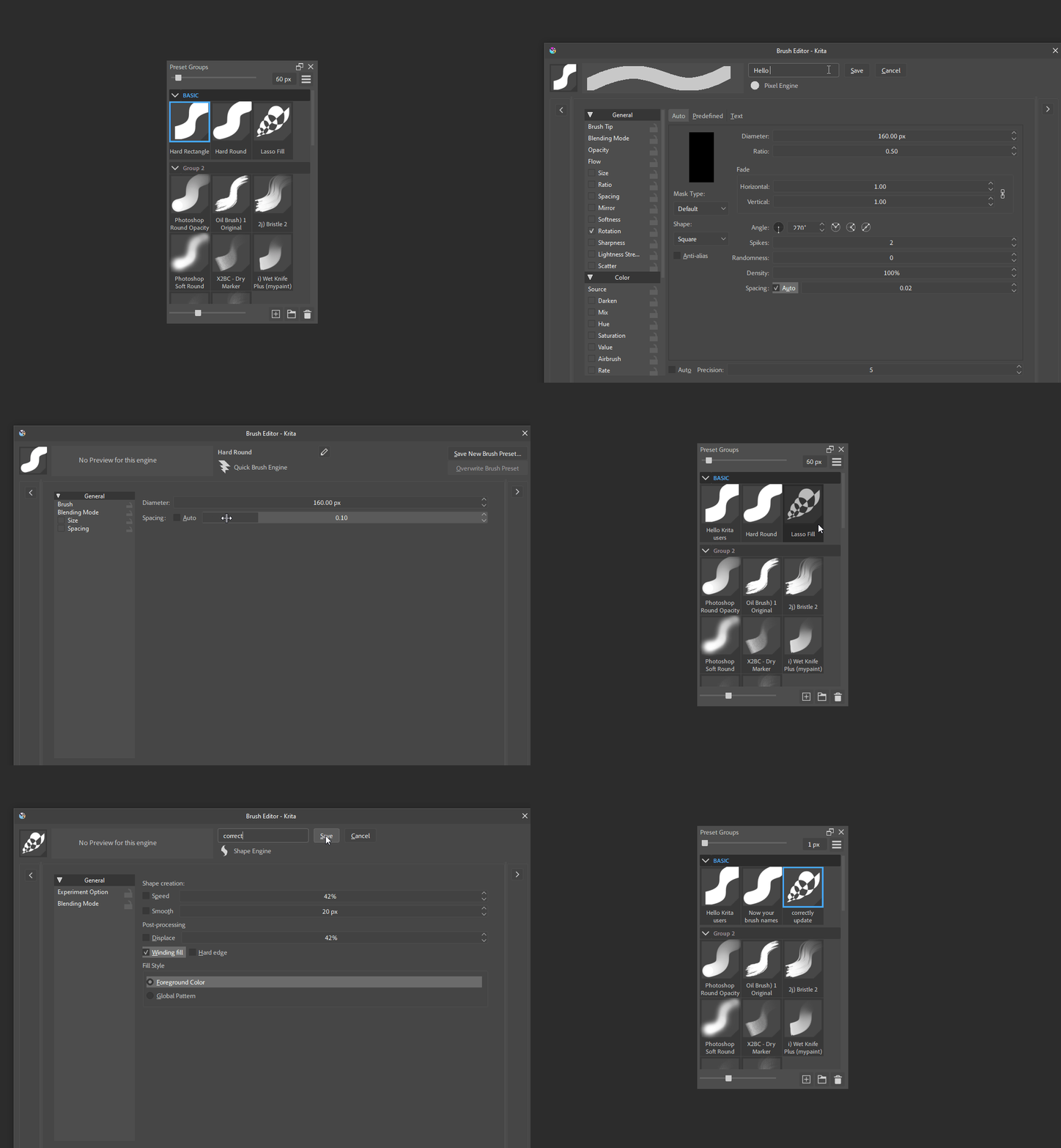
The plugin updates your brush name if you renamed it in Brush Editor. Was not working in the previous version.
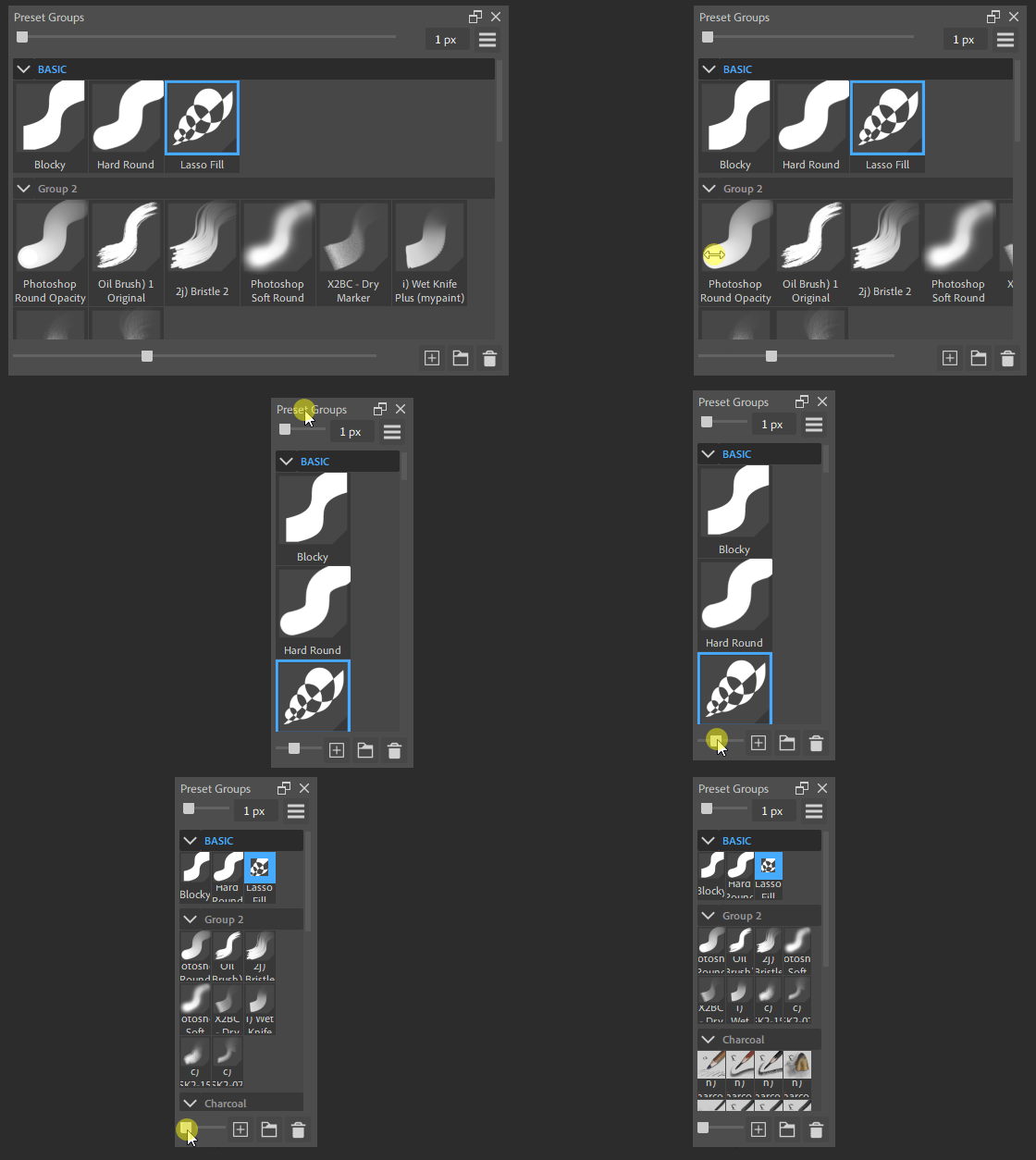
Preset Groups docker can be resized to an even smaller width. Made for those with very compact setups.
9 Likes
Thank you for your contribution to the community, such a wonderful plugin
1 Like
Awesome plugin, good work! This should definitely be a Krita feature.
1 Like
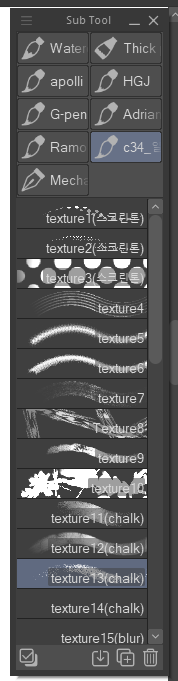
Hey I’m absolutely in love with this plugin, but is this possible to group/view mode for groups like in csp?
So that the groups look like this and when you select one, the brushes are shown?
I also know your other plugin what look close to it Brush Tag Selector Plugin
It’s a bit uncomfortable to use because it and the brushes are two separate dockers.
I’m curious to know if a similar update is possible for this or Brush Tag Selector Plugin
I was just thinking about writing one myself, using one of yours as a basis, but I’m a complete novice at coding, so before I go to all this trouble, I decided to ask about that 
1 Like
Welcome to the community!
Have you tried the exclusive uncollapse option? It has a similar effect by only keeping one group open at a time. Otherwise, if you still want to edit the plugin you could probably do something like this:
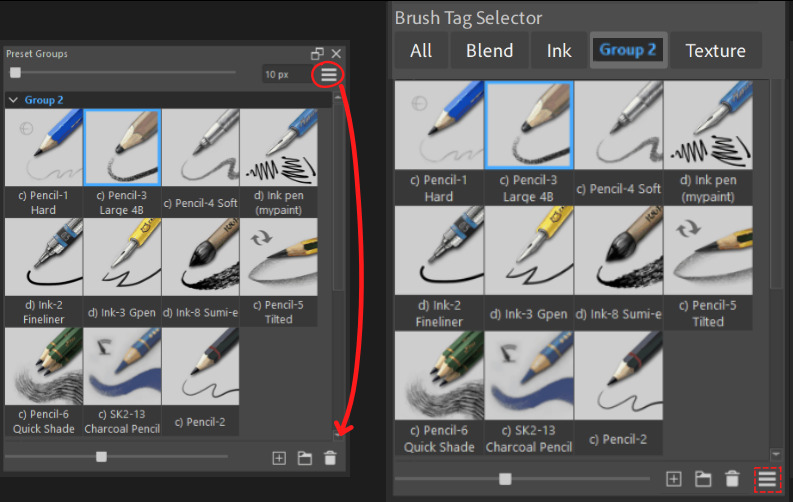
A new option would have to be added to the plugin’s setting menu to give users the choice to turn on/off the group tag display feature.
An update like this would be possible for the plugin but I’m personally not interested in implementing it because modifying Krita’s source code instead gets you closer to CSP with real stroke thumbnails like so:
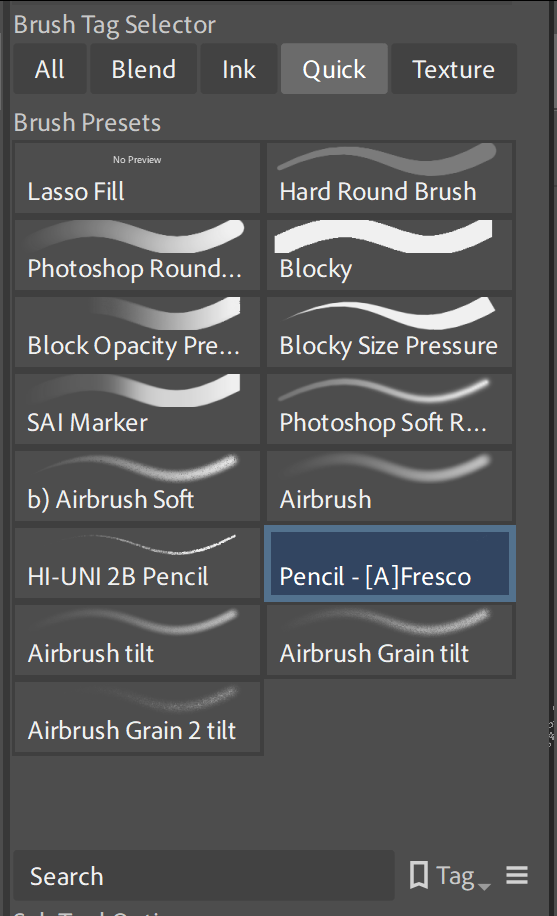
If you do write up an optional feature for the Preset Groups plugin that does what you describe, feel free to share it here.
1 Like
Thank you very much for your reply and ideas. I’ll try to write an update for the plugin, and if it works, I’ll definitely upload it!! 
Since this is my first time doing this, I can’t promise I’ll succeed, but I’ll try, as this folder system is incredibly convenient for me
2 Likes
Hi, thanks for the plugin!
Would it be possible, to make the UI’s color customizable/set to match the current Krita’s theme, its not a big deal, but it would be great! Right now there’s so much contrast its a bit jarring.
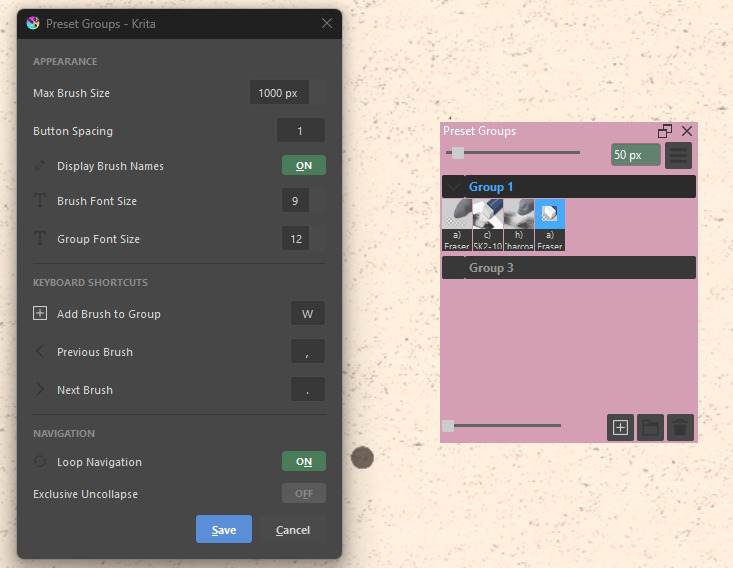
Another thing i’ve noticed is that thumbnail resizing isn’t consistent with Krita’s (ctrl+scroll). Do you intend for that to be a feature?
Thank you for your time!!!
1 Like
Thanks for bringing these to attention, I was especially unaware you could ctrl + scroll to resize thumbnails in the Brush Presets docker! I’m working on that right now for the plugin and the theme compatibility feature. Mind sending/referring me the pink theme you have so I can double-check if the new version will work correctly?
1 Like
Of course, I’m glad to be of help!
Here’s a link since its custom made