Hello everyone, I’m a newbie and so far my full switch is due to the impossibility of recreating the brush from SAI2.
Brush behavior:
If there is alpha under the current pixel, then the brush source is the selected color; if there is a color under the current pixel, then the brush source is this color.
(Since I am a new user, can’t make an attachment so here demonstration on YT: Behavior and Usage.)
As far as I know, it is impossible to achieve such behavior using standard Krita methods. If everything is clear with the first condition, then the second condition is implemented on the Color Smudge Engine, but on alpha it either does not draw (‘Color Rate’ Strength 0), or mixes in the selected color (‘Color Rate’ Strength > 0).
I understand programming enough to try to figure this out, only if I haven’t missed something and such behavior can really be achieved.
Btw, this thread didn’t clarify this moment and didn’t help me:
I am not a programmer, but based on what I know about Krita’s brush engines, the feature you want will require either extending an existing brush engine or even developing a new standalone brush engine that will be added to Krita’s existing engines.
The functionality you describe is definitely interesting and would be nice to have, but it will require some work beforehand. I don’t have the expertise to say whether it will be a lot of work or a little.
That answer is from a long time ago and was specific to that case. Currently, I would say that I understand Krita’s brush engine better and there would be many more things to add to that post.
Well, this is the closest I could get, but I still notice that your version of SAI2 is quite old, because the new one has options to disable pressure in blending and dilution, so I had to try it in SAI2 first.
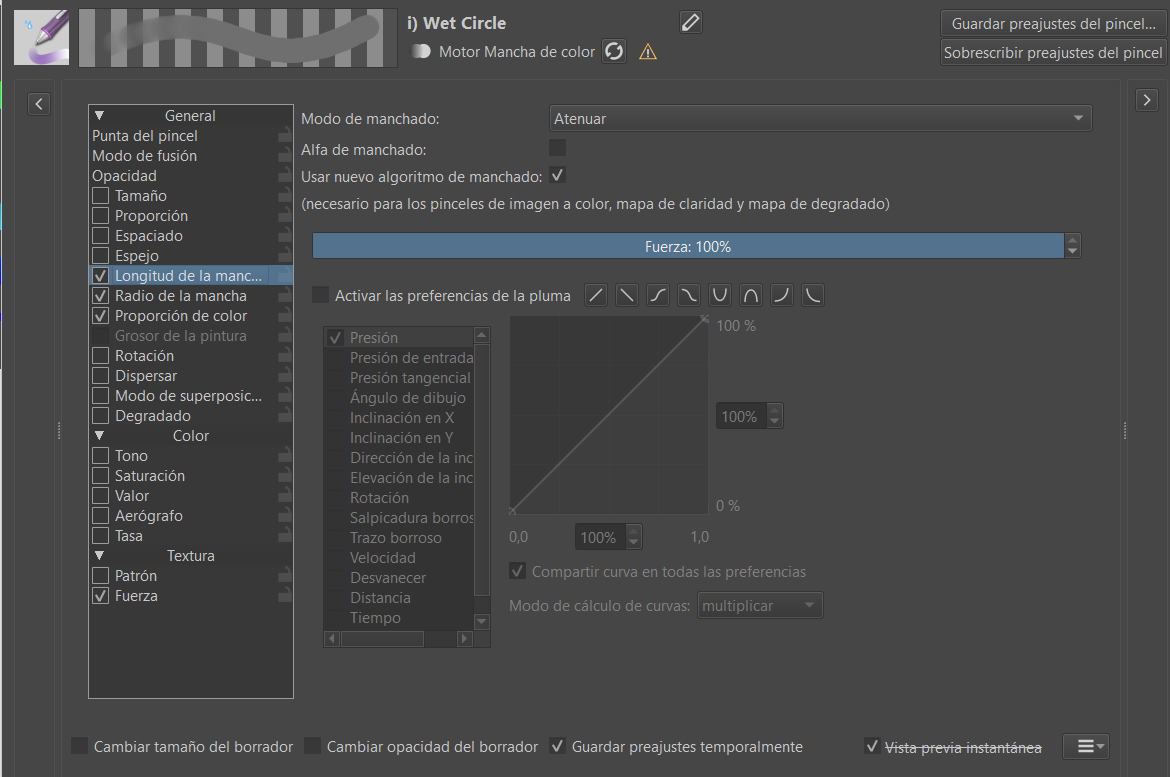
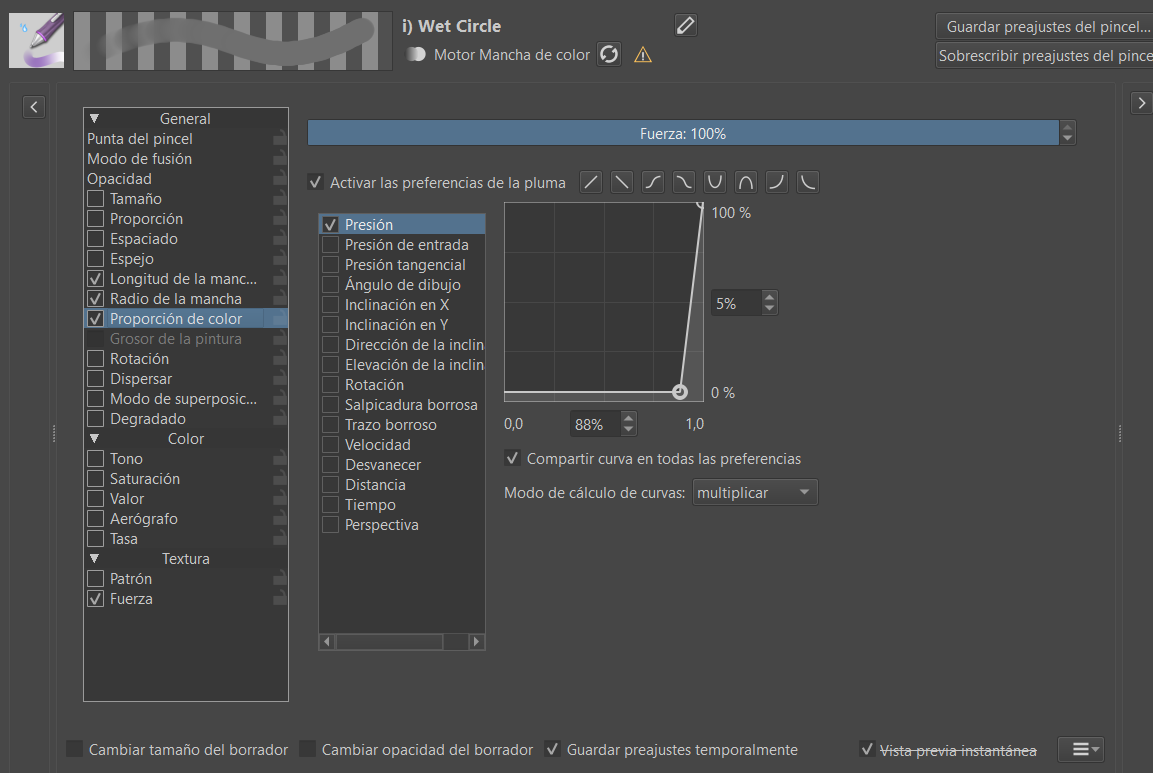
Use the wet circle brush and modify only the length and color ratio. The new blending algorithm is used and the alpha of the smudge is disabled.
Thanks a lot for the reply, it really helped move the issue forward!
I wasn’t precise enough in my original description due to (still) fundamentally misunderstanding how brushes and mods work. Apparently Blending Modes work wonders! But unfortunately, that doesn’t solve the original problem.
Current behavior:
With Blending Mode ‘Behind’, the brush only paints on the alpha with the selected color because it is the result of smudging the (ignored) alpha and the selected color (which results in just the selected color). Otherwise, the result is ignoring the selected color (because some color is behind). So smudging is constantly active, not just at the moment of initially picking up the color.
Problem:
Color fading to selected (as a result of constantly smudging all the components: the selected color, the color underneath, and the ignored alpha). This is not noticeable until Opacity appears.
Since Opacity implies alpha, the selected color is mixed into this part of the ignored alpha, which is why it is visualized as if Smudge Length (although it has nothing to do with it!) That is, Opacity in this case is responsible for the percentage of color restoration.
This behavior is expected, regarding the brush behavior on alpha, but not expected from the intuitive behavior of Opacity.
Expected behavior:
Opacity have to works as transparency. In simple terms, smudging happen once, during clicking on the canvas, and the rest of the time brush works like a Pixel Engine one.
It seems that the only way for me is to either reimplement the Smudge Engine or make a plugin that will change the two brushes automatically… Sounds like a duct-tape solution…
Sorry to bother you… In OP I just pointed out that one of the solutions I saw didn’t help with my problem, which is why I came back “again”.
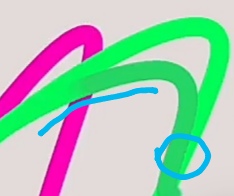
Unfortunately, this solution didn’t help because the colors mixing into each other. In your example, the green became “pinker” after it collided with the pink.
 Hello
Hello