I’ve looked through the manual online but I cannot find anything on using reference images. When I do a painting I like to have an image of what I’m painting alongside the canvas. Is there a way to do this in KRITA?
1 Like
One way would be Krita’s native Reference Image Tool, it looks like a push-pin and is (usually) found on the left in the so-called Toolbox of Krita.
The other option would be to install this plugin from our user @freyalupen:
Plugin - Reference Tabs Docker
You install plugins in Krita by clicking on “Tools” >> “Scripts” >> “Import Plugin from File” and in the dialog that opens, select the file you just downloaded, confirm the selection, then confirm Krita’s activation request and the message that the plugin is installed, and restart Krita.
If you missed letting Krita activate the plugin during the steps above:
Then you have to search in Krita under ‘‘Settings’’ >> ‘‘Configure Krita’’ >> ‘‘Python Plugin Manager’’ for the plugin you just installed and activate it by checking the box in front of it. Then confirm with “OK” and restart Krita a second time to be able to use the plugin.
Michelist
Edit/Add: There are other options based on external software, but I personally don’t like them.
Hi @Jackamus
Here is a screenshot showing the built-in reference image tool @Michelist mentioned:
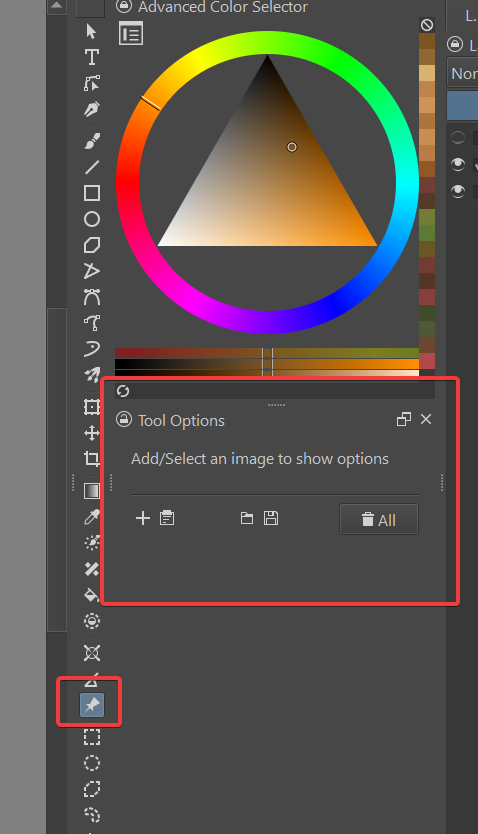
(I prefer my toolbox to be next to the dockers - in case you’re wondering why mine looks different from your setup.)
Once you click the reference image tool (pushpin), look at the tool options docker and you will see several choices. The + icon allows you to bring in images you have saved on your device. The clipboard will bring in images saved to the clipboard.
2 Likes
I also like to use this: I open the two images I want (in this example they are two files in the kra format, native to Krita, but they can be others like jpg and png) and go to Window>Tile. They are side by side:
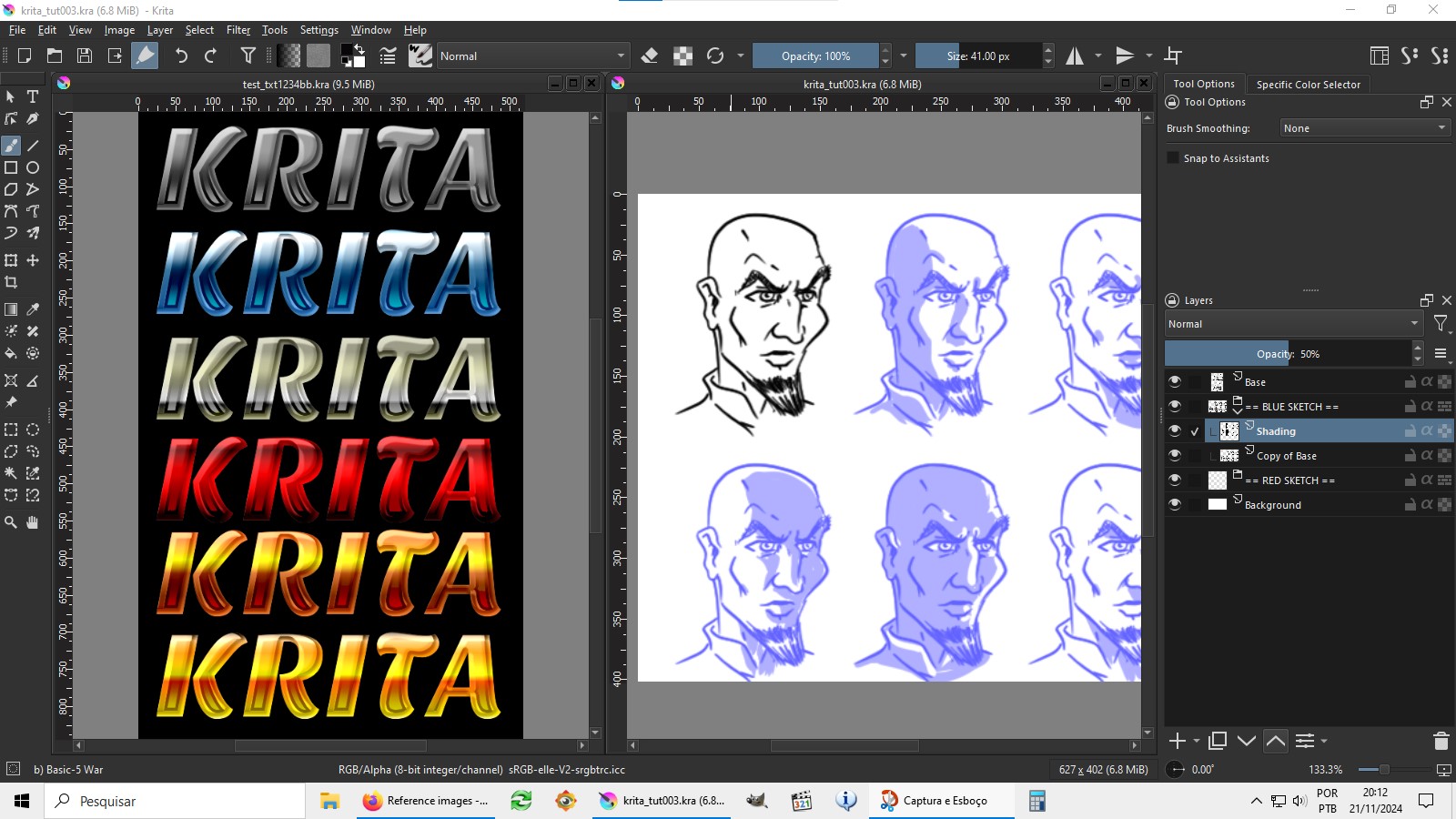
Of course, if you want to use more references, this path won’t be as practical…
3 Likes
Adding to @Guerreiro64 suggestion, for users who may have Krita setup to use “Tabs” (which I believe may be default?). You’ll first need to go to Settings > Configure Krita > General > Window and set the Multiple Document Mode to “Subwindows”. You can then use Window > Tile as Guerreiro mentioned to have both opened files side by side.
Additionally, you may also right click on the reference windows header bar and select “Stay on Top” (see attached). This allows you to maximize the main drawing canvas, while allowing you the freedom of resizing and positioning the reference canvas to your liking.
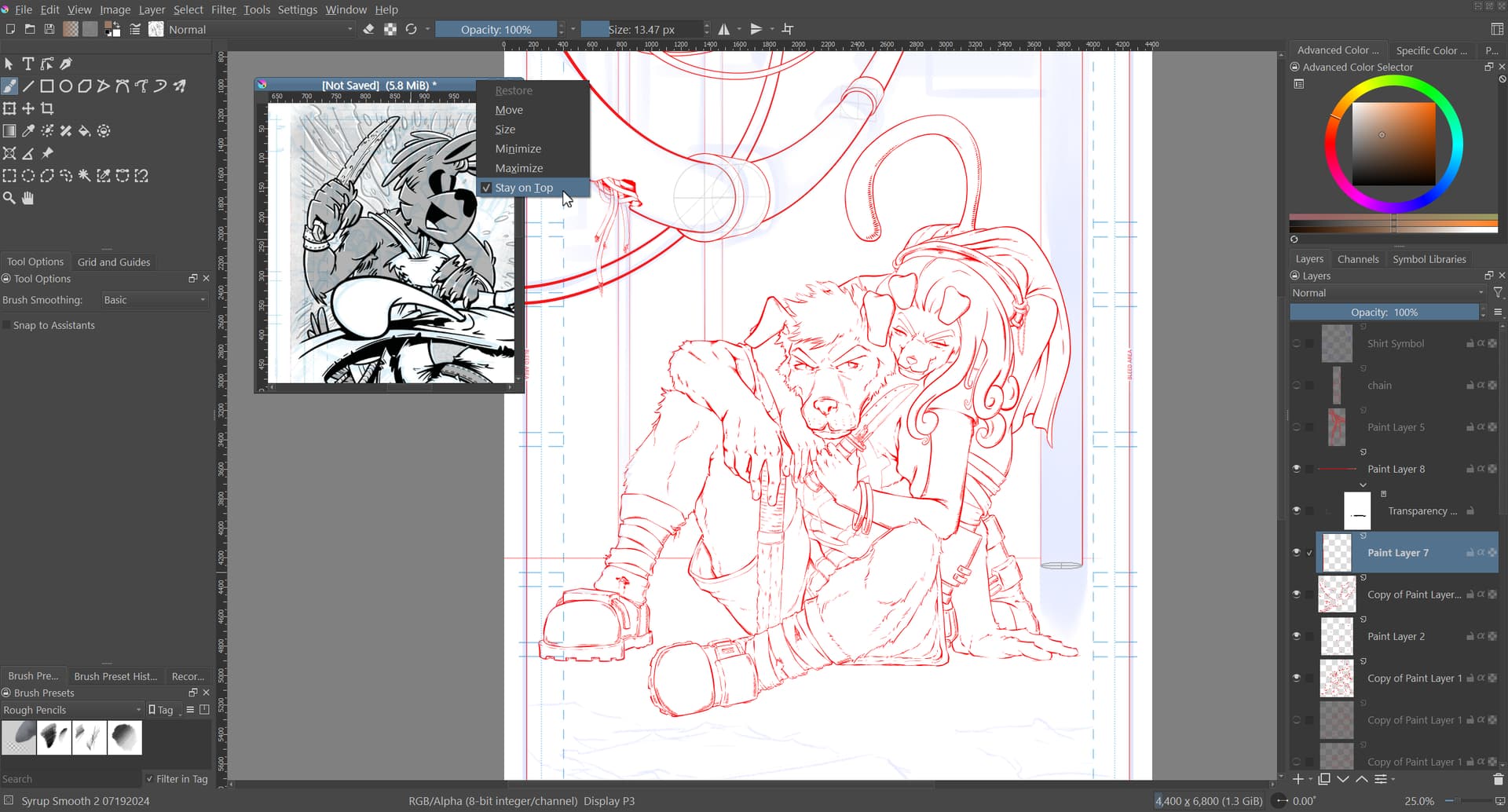
3 Likes
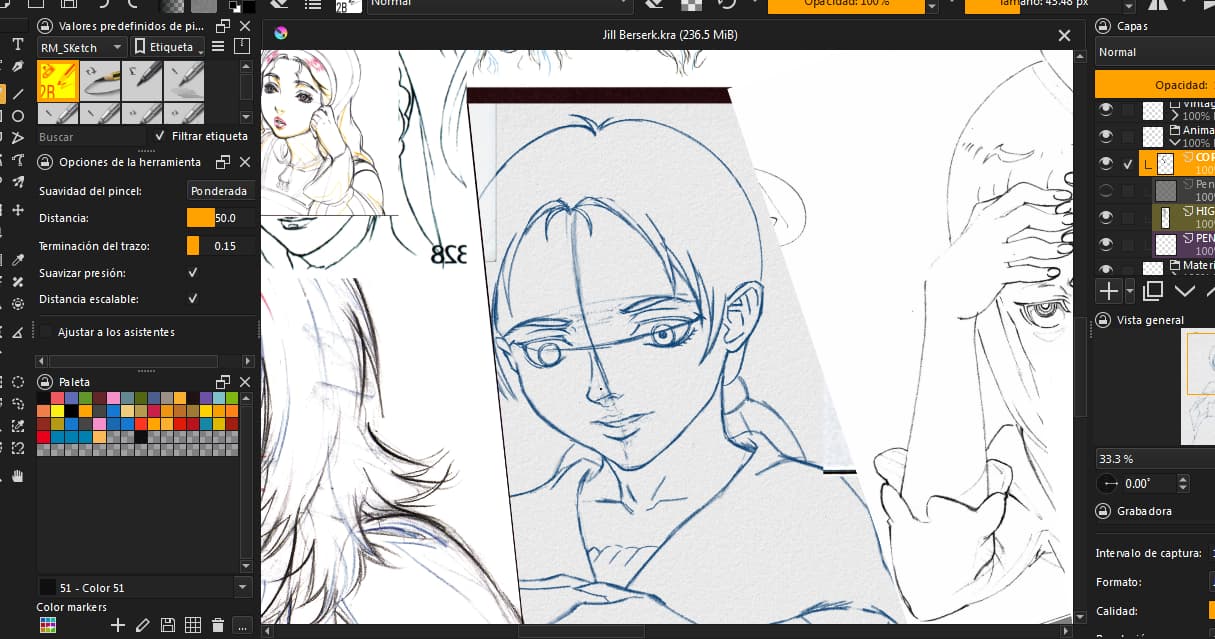

This is my own space of a lot a of references images wich its crazy i have to pin many of them very cluttered and mess and the same time. Of course if you wanting something like less of messy, there is a plugin for the Reference Tabs Dockers, in my case the Reference Pin Up images they are trying to updated long time ago.
I should suggest you can waited if this feature would be open again or not.
But you can use the reference native tool of Krita at least.
1 Like
This topic was automatically closed 30 days after the last reply. New replies are no longer allowed.