Hi, I’ve been postponing this comment for quite a while, because I am well aware that you don’t want to do like the other programs and it scared me when I read it. I understand where you’re coming from with this. But, I can’t ignore it anymore.
Here’s my problem : The clipping group feature is very bad for reasons that I will list.
1 - Handling the feature takes too much time and manipulation.
Let’s say I have a figure, and I used the wrong color in certain areas of it. Or that I want to add shadows.

In Krita I have to do the following process (my interface is in french):
Right click on the file I want to modify :
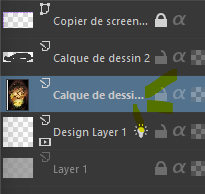
Open group > Quick Clipping group
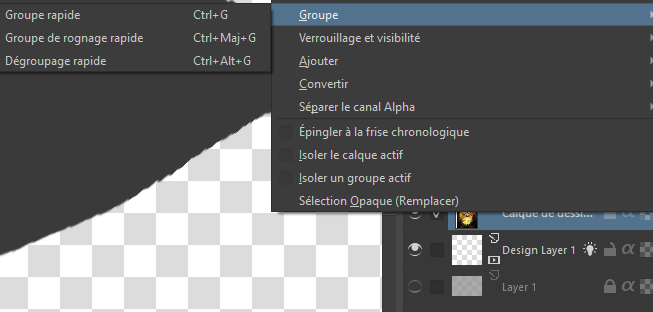
And I have a group ! it take me 2-3 clicks. I could always do Ctrl+Maj+G.

But, I already made a pre-existing mask that needs to be used for my correction, because I need the saturation layer on top of my colour layer (or similar reason. it’s mostly an excuse to show my point) I can’t dismiss it.
So I slide the layer in the group and alpha lock it. 4-5 clicks.
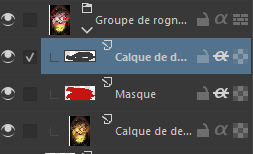
And Also, if I want to just make a clipping group with only my preexistent layers, I would need to select which layers (which adds more manipulations), than either right click and select Group>Clipping Group, or Ctrl+Maj+G. BUT IT ADDS A NEW LAYER THAT I DON’T WANT.
That’s only one example, but there’s more because, what if I don’t want a group layer ?
So I’m only using the alpha lock here.

It doesn’t take the tranparency of the layer under because it’s not clipping, it’s only in alpha lock. Which leads me to my next point :
2- It takes more memory space in my computer ?
I think ? I’m not a pro at memory management, but I’m pretty sure that group layer counts in the file’s weight. Correct me if I am wrong. Plus with the pre-existent layers + new-mask-that-I-don’t-even-want-in-the-first-place doesn’t help…
3- Layer management
As showcased earlier, if I want to make a pre-existent layer into a clipping mask, I would need to slide it in the clipping group and put the alpha lock. And I don’t think there is a shortcut for that.
4- Very not beginner friendly.
Krita is already a hard software to learn for a lot of reasons, but the clipping group is probably one of the biggest reasons. When I started, I usually had to select the zone I wanted to modify, and it was YEARS LATER that I learned there WAS a clipping group option, but I needed to do all of those manipulation in order to do so.
And alright, you can aim at a certain demography, but it would be such a missed opportunity to not let beginners or even new artists that wants to test your software.
So, how about in another software ? Let’s take SAI for example.

I add a new layer and click on the ‘Clipping Group’ button and call it a day, two manips only :
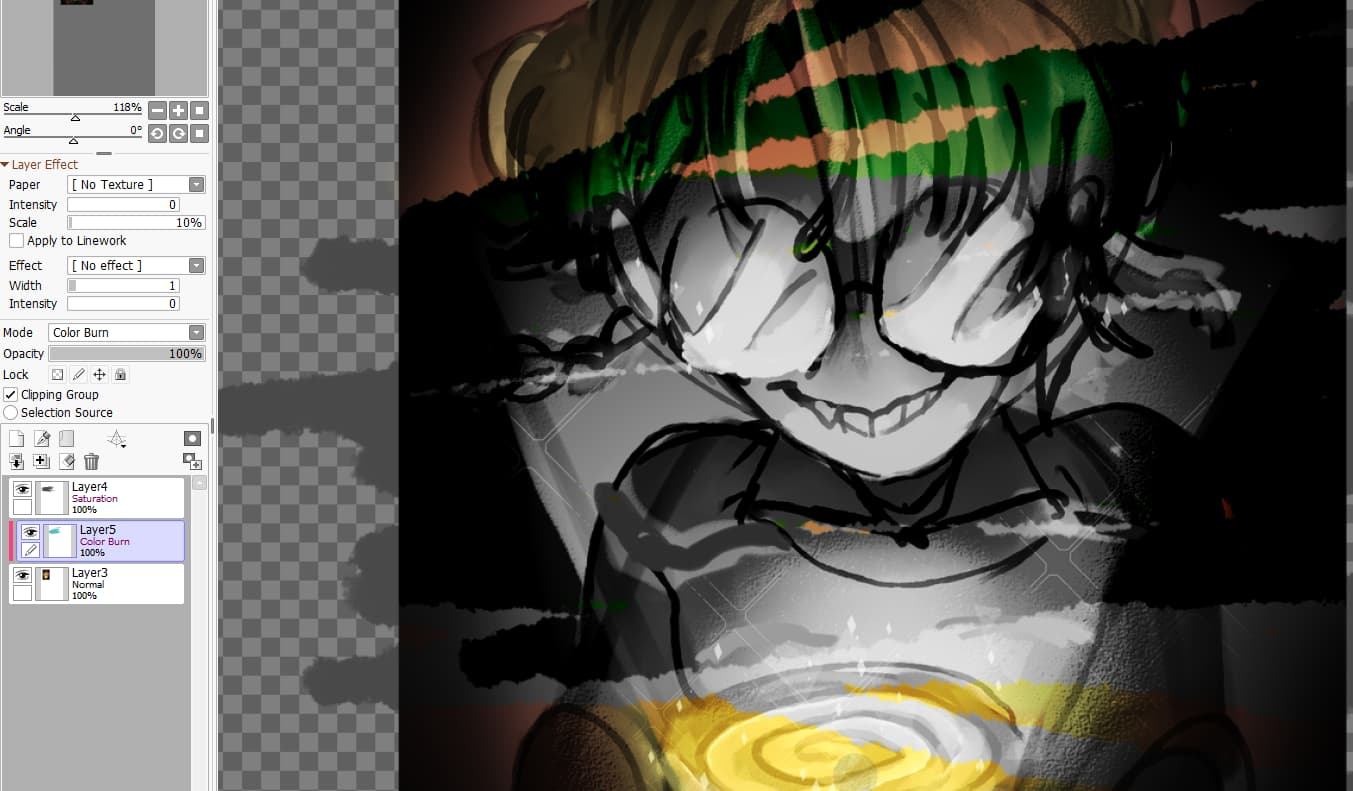
And I don’t need to add a group layer for that. ACTUALLY I CAN USE A GROUP LAYER AS A CLIPPING GROUP FOR THE LAYER UNDERNEATH !
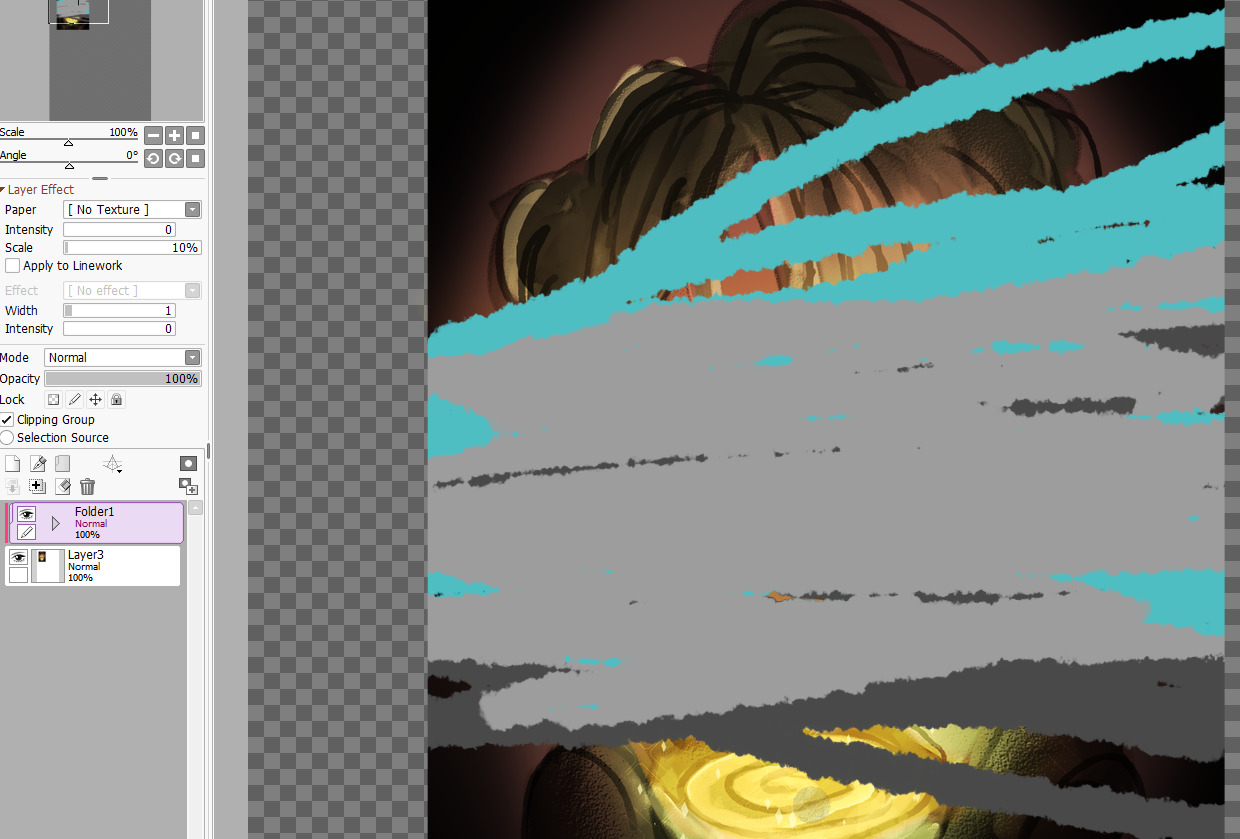
And it’s pretty much the same with other softwares like FireAlpaca, Medibang, Clip Studio, etc. (even Photoshop, but they’re also weird with their clipping group function.)
I know I sound very harsh and sarcastic, and you could ask me why I don’t go pay for another program if I’m already using SAI. The thing is I’m using Krita because of its amazing and improving animation feature, and it’s for free. SAI don’t do that, Medibang also, FireAlpaca has a poor-ish onion skin feature, Clip Studio Paint EX is expensive and now there’s a license apparently, and Adobe Suite is even more expensive with Photoshop being a photo editing program, not an art program. And I need plugins to animate on it apparently.
Krita ? okay, just need FFMPEG to export, but once there, it’s doing a great job at animation.
So really, for your Clipping Group function being very complicated for reasons I can’t comprehend is a real shame.
Is it possible to have a button Clipping Group ? Or can you at least explain why it’s like that ?
(sorry for the harsh tone.)

