Which brushes should I download in order to have such a results??
I’m impressed.
I was thinking about buying Corel PhotoPaint and invest 225€
Thanks in advance.
1 Like
 Hello @Jose_Ramirez, and welcome to the forum!
You need the brushes from the second Google Drive-Link (memileo_360light_02.bundle) in the first post of this topic, it is a so called Krita-Bundle. You can install such a bundle in Krita via the menu ‘‘Settings’’, there choose ‘‘Manage Resource Libraries…’’ where you have to click on the + Import-Button and in the opening dialog browse to the “memileo_360light_02.bundle” on your hard drive, select it and confirm the selection. If this was your first bundle, now you have installed it!
For me, the “memileo 360light A 4-dab” works best, but you should make your own experiences with these brushes.
If you need more brushes or brush-tips like these for this phenomenal new creation, then, currently, you have to create your own or have to wait until other users will come up with more brush-presets and brush-tips for this and like these.
I believe it will be worth waiting for.
Otherwise, @emilm has described how to create these brush-tips, and I think there will be more of these brushes in the, hopefully, not so far future.
If you like to experiment, jump on the bus and try to create your own. But in case you are new to digital painting in general, and brush-making in special, then this will be most probably an extremely hard task.
If you’re not afraid of setbacks, however, it can be a fun path to follow.
But, as an honest hint beforehand, many newcomers despair at the beginning of creating new brushes, some even at the modification of existing brushes, because they want too much at once. On the other hand, if you embark on this journey, digital painting, sooner or later you will want to or will have to play with brush making to achieve a brush that does a thing exactly the way you want it to. Just like @emilm did it with these brushes.
In any case, I believe you will have endless fun and satisfaction when your first brush exactly does what you wanted it to do.
But even now there are excellent brushes for Krita, okay, not like these, but still first-class brushes to achieve very good results, to give the impression of depth, watercolor, pencils, crayons, chalk, charcoal, etc. Some benefit from using them in combination with special canvases, others do not explicitly need these canvases.
You said you were thinking about investing €225 in Corel PhotoPaint. I’ll be honest, if that’s what you want, that is, to spruce up existing images, photos, turn them into “oil paintings”, “acrylic” or whatever kind of cheat-painting, then I believe these three brushes alone won’t make you happy, whether in Corel PhotoPaint nor in Krita.
But, if you are interested in real painting, then I don’t know if you shouldn’t try Krita instead.
Okay, even with Krita, you could “re-paint” photos into paintings, but this would be like casting pearls before swine, in my eyes, the real fun is in creating something of your own, and for me, Krita is my tool of choice there, but I admit, I’m a Krita addict.
It may be different for you, but trying Krita, even for “re-painting”, doesn’t have to cost you anything, while Krita desperately needs any donation, no matter how small, you can download and use it for free. Maybe instead of throwing that €225 down the throat of a multi-billion dollar software corporation, it would be better to spend some of it on good hardware and donate another part to Krita, if Krita makes you happy?
So, why not put that money aside and give Krita a try, test it? If it is not what you were looking for, you may have lost time, otherwise if it is what you are looking for, you have saved your money to spend it on better things.
As I already assumed, I think three brushes are not enough to make you happy. But there are so many great brushes for Krita, you just have to take the time to discover these brushes for yourself, and also almost all of these brushes are free, the best ones anyway.
So if you’re looking for more resources like brushes, patterns, brush tips, etc., you can ask for them in the forum or just visit the “Resources” section on the forum home page. There you will already find a small but fine selection of brushes and other stuff, and there are more of them on the internet. If you want, I can give you sources for more brushes than you could try in two years, even if you try 5 brushes a day.
Of course, you have to separate the wheat from the chaff there, like in any other painting software, but the potential is huge, it is the old story, not everything that glitters is gold, but to determine this, in the world of Krita, costs you at worst again only the time to determine it. In the world of Corel, Adobe and the like, you not seldom have to pay for the resources you want to use.
So, if I had €225, I don’t know for what I could spend €225 better than in a donation to Krita and cool hardware to support my Krita-Experience, may it be a graphics tablet, or a controller like TourBox Elite, or other cool gadgets you like. Sorry, I’m a Krita Nerd. 
But, okay, I admit, there are also quite a few users who use a horde of painting apps, jumping from app to app just to use that one killer feature that app A has but app B doesn’t, because those users think that’s the only way to achieve something great in art, or think they can’t create great artwork any other way. And, why shouldn’t they, if it makes them happy?
Sure, there are apps that can do a task easier and faster than other apps, that is absolutely true, so if you hop intelligently from app to app, you may achieve your goals faster.
But I’m convinced that you can achieve anything with Krita’s possibilities and its brushes alone, because if I look at the paintings of the great masters of all eras before digital painting, they created the most fantastic images only with brush and paint, no digital tricks, nothing. It just took longer, so what?
And with the possibilities that Krita offers us, we have such a much larger toolbox than those old masters that it borders on unfairness.
Painting has almost always been the deliberate attempt to deceive the viewers of the works of art, to show them something that is not here at all. Be it the depiction of a successful hunt in cave painting, or simple, like the Eiffel Tower or a forest to bring into the living room, or the paintings of Escher, which are to deceive our senses intentionally.
Michelist
Edited once
10 Likes
Corel Painter (re-branded to just Painter now) might be the one for hand painted digital oil painting results like these brushes in Krita rather than Corel Photo Paint. There is a site called Humble Bundle where they often sell the Corel Painter and related programs for around $20 a few times a year (usually around Black Friday).
2 Likes
Coming from a traditional painting background, this is the first time I have ever been left in awe of a digital brush. When I started playing around with these and blending the colors, I couldnt believe just how realistic the blending appeared. Hands down, the most impressive use of Krita’s brush engine yet. I’ve experimented a ton with animated tips and RGBA brushes but i’ve never gotten it as good as this, these need to be included as default with the program in future updates. Genuinely inspiring stuff, bravo.
14 Likes
I second this. The other memileo bundle/thread are also excellent.Memileo Brushes
1 Like
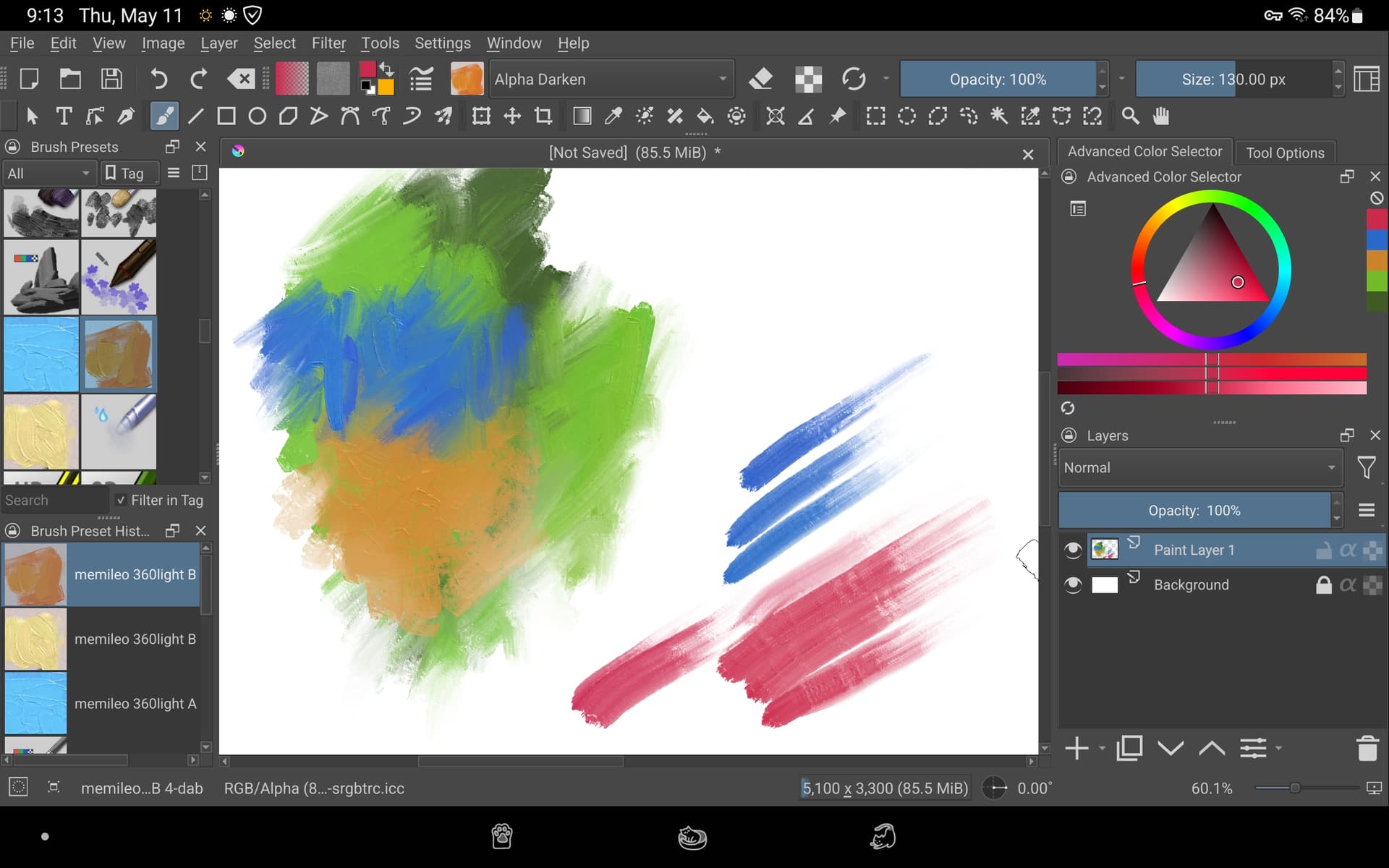
These are awesome! They work great on Android!!
Question: how do I get the initial dab to last longer? 
2 Likes
Under Color Rate, Paint Thickness and Texture Strength you can adjust the duration for the Time sensor.
Or you could change it to Fade sensor if you prefer a consistent length.
1 Like
@emilm Do you mind if I feature this thread on Krita-Artists’ Mastodon account? Please let me know. I won’t do it unless you tell me it’s okay. If you agree, I’ll credit you using your K-A username (unless you want a different user name to appear).
4 Likes
I don’t mind. Feel free to share.
2 Likes
Absolutely love those brushes and their behavior! I’ve been trying to make some brushtips from your Krita template to complement the ones you have.
I’ve tried to make a sort of palette knife brush or a wide brush to simulate this type of brush: Mike Hernandez (@squatchgouache) | Instagram
I have wasn’t able to find a solution to a problem though, I try to use the Tilt direction for the rotation instead of Drawing angle, as it allows to draw some nice shapes with such a wide brush. It mostly work when I draw in one direction, but if I draw on the opposite direction, the shading kinda breaks.
Do you have an idea how this would be achievable ?
Thanks again for sharing those!
1 Like
Thanks, @emilm. Done. You can see the post on Mastodon.
2 Likes
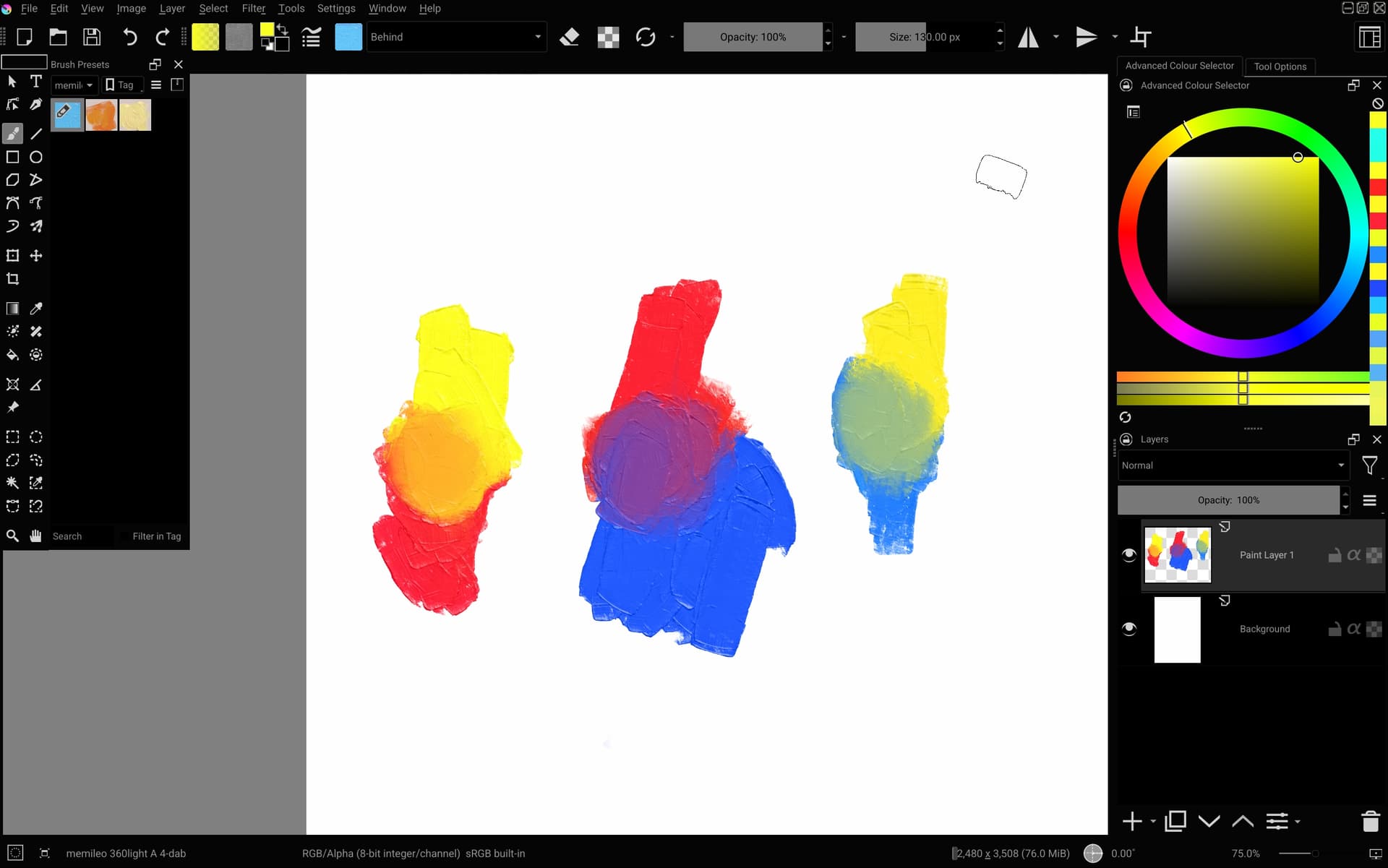
@Quentin I don’t think it’s currently possible as there is no tilt direction option in the gih format and Krita doesn’t look to have the x- and y-tilt options of gih implemented.
(Regular RGBA brush tips might be sufficient to achieve a similar look of the image you linked however.)
@lonku Interesting find. Behind blending mode behaves like turning color rate to 0 but only for the parts that already have paint.
5 Likes
Amazing brush @emilm , thanks for sharing 

56 Likes
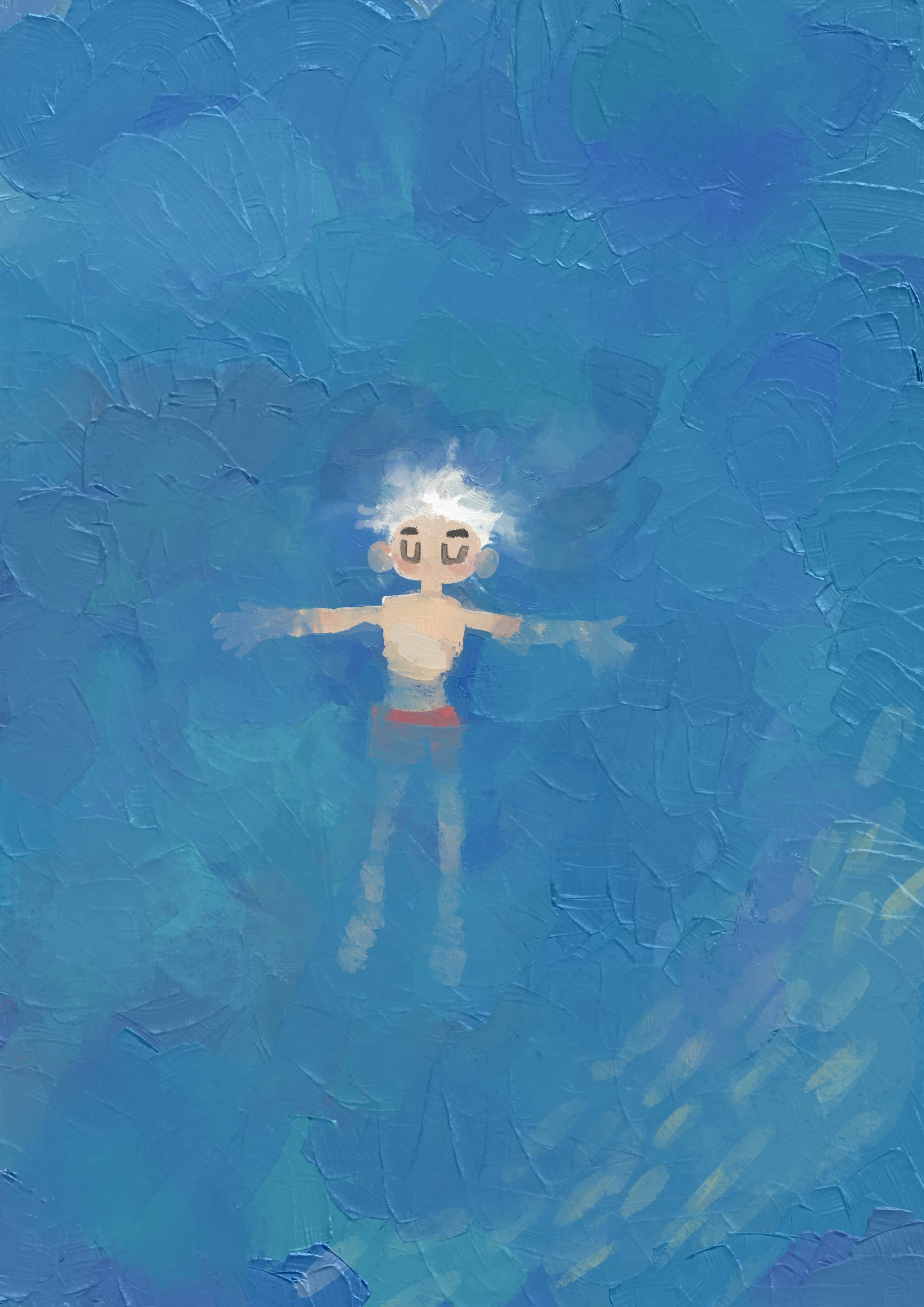


It took me a while to create my own derivatives and learn how control them, but they both look and feel great to use. Big thanks once more - I really missed being able to achieve that effect
22 Likes
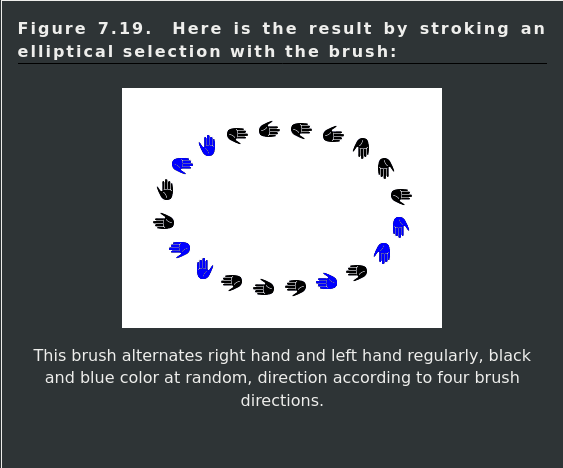
Could someone explain me the essence of ability to mantian the same light angle?
Is it right I understood that .gih brushtip format contains several brushtips with various angles that is in coherence with angle control in Krita, and the light effect was rendered in Blender first?
Yes. The .gih Doc page from Gimp is better at explaining the format. Even has some nice images to illustrate some parameters.
Gimp gih Doc
As a spolier / TL.DR.:
7 Likes
Updated bundle with more experiments: memileo_360light_03.bundle - Google Drive 
I remade the Blender setup with a sculpted edge, shape keys and way less shader nodes. You can see it on the brush with “J” in the name. I might try adding a layer of fine grain displacement next.
Do you think I should make it more narrow and with less spacing to get a more continous edge on curved strokes, or is it good enough as is?
8 Likes
Does this update replace the previous one, or do I have to deactivate it first?
1 Like