Either is fine. The “A” brush has some updated settings (and with an added “2” to the name). Removed the other two presets from the previous bundle.
3 Likes
Thank you for the update!
Now I know what I’ll do this evening!

Michelist
1 Like
When I created the Lightness Map feature, I knew this was a possible way to get around the limitations of the fake impasto method, but never got around to trying it. I’m blown away by how good it looks!!
6 Likes
Really satisfying brushes. Thank you a lot! It definitely feels like Artrage oil brush – actually almost single interesting feature of that program.
You mean brushtip gap? Narrower gap makes sense for smaller stroke. I think each user could easly tweak for they needs.
Or do you mean narrower brushtip itself? A sort of thin flat brush will make bundle more versatile.
4 Likes
I meant a thinner brush tip shape. You’re right, the spacing setting can stay the same. (While testing the effect with the ratio setting it had to be adjusted for.)
A thinner tip requires more stamps to cover the same distance and so will perform worse. And a thinner tip will have less variation in it per dab version (which each is 18 images).
1 Like
Collaborative work create amazing things, thanks for your work :3
2 Likes
Here is a thinner version of the J brush tip: memileo_360light_J_02-random.gih - Google Drive
6 Likes
I searched for that kind of brushes for a while. You are a freaking legend!
1 Like
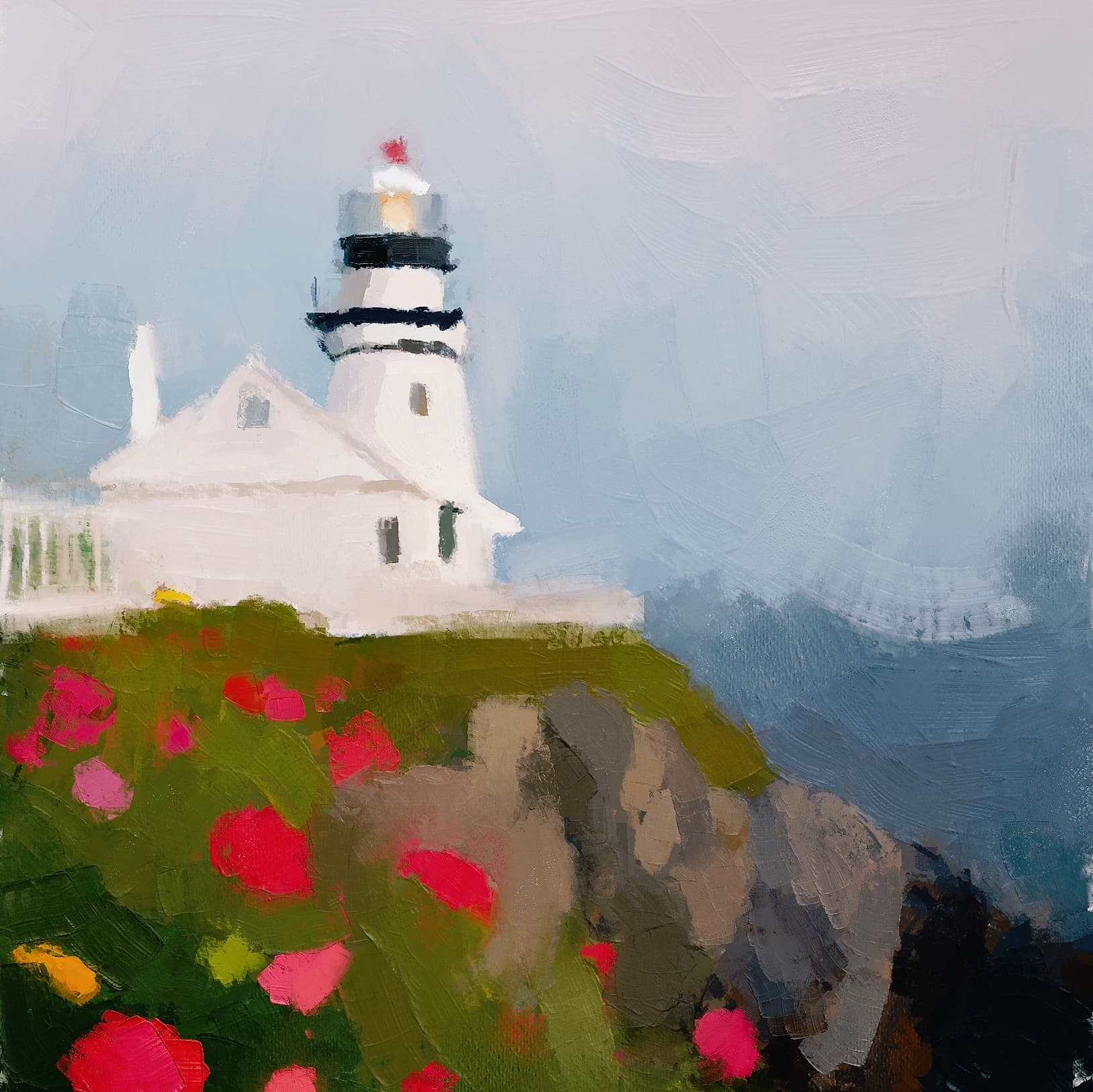
That’s really nice. Welcome to the forum.

Hey! I just wanted to say “thank you” for your effort creating these brushes. I painted this image using your brush presets and I love them all! The “old” version included. Cheers!
50 Likes
That’s really nice work!
Why not post it in the finished artworks section? - Then I can do a feature request so it gets the attention it deserves!
6 Likes
Very impressed in the “Oil Paint” feel of these brushes.
1 Like
These brushes are wonderful but I am noticing an odd behavior and I can’t seem to fix it on my end. When I resample a color that is already on the canvas it seems to go up a shade and desaturates the color a bit. I tried disabling the fuzzy hue & value options but it still seems to do this, just less so. How would be able to make sure that when I sample the color it keeps as close to the original tone as I can? This brush is gorgeous but the color sampling issue makes it really hard for me to use.
Providing an image to illustrate what I mean. I sampled the previous stroke, did a new stroke, sampled the previous stroke, and so on. You can see how quickly and dramatically the lighting and desaturation happens.

1 Like
I’m unable to recreate the hue-shift with the Hue and Value options disabled and with 8-bit sRGB color profile. Which color profile are you using?
The brush tips don’t have a perfect middle grey base color (but Krita does a really good job still so I didn’t bother ^^).
In the Brush Tip settings you can adjust the Brightness and Neutral point slider to adjust for the value shift. Feel free to share which tip settings works for you.
Some of it might also be that you sample the highlights of the stroke. With the Sample tool selected, in the Tool Options docker, you can set it to sample more than one pixel. (Also very useful for when painting with heavily textured brushes.)
1 Like
So I ended up playing around with the brightness option in the brush tip menu – even thought was set to 0 messing with it and setting it back ti 0 seemed to fix the issue. I also had to disable the value fuzziness but I kept the hue one but lowered the strength because I loved the effect. Not sure why it worked but glad it did!
Want to restate these are truly gorgeous and amazing brushes. Thank you for making them and sharing them with us!
2 Likes
love every single brush thank you for your effort @emilm would love to see more about this topic

20 Likes
Hi @emilm,
first of all, love the brushes, I like using it to emulate textured impasto painting.
I also like using the brush tips on other brushes but noticed something weird:
When I used the brush tips on pixel brush while enabling texture with random offset, altering the brightness and contrast in the lightness map setting will cause a slight delay whenever I made stroke. I’m not sure if it is performance issues since the stroke moves fine afterwards, the lag just happen everytime I laid down a stroke with my pen. The issue did not happen in smudge engine though, only in pixel engine.
I don’t know if it is a bug, since the other rgba brush tips, both static and animated, have no issue. I was wondering if others experience the same thing.
P.s I have yet to try it in the nightly builds.
Thanks in advance.
Carina
1 Like
Thank you for sharing the brushes!!
2 Likes
Hello.
How i can open .bundle file on Macbook M1? I want try use your brush but i can’t open it 
Thanks for your answering