Scratchpad Docker

Yeah, no problem.

As I’ve said it would be just a “nice to have” function. and if it is an extension of the canvas than all good. If the canvas is started with a background color other than white the scratchpad should load the same background color, correct? If that’s the case being able to change the background of the scratch pad as I’ve suggested would be a very user specific feature not really worth losing sleep over in the first version.

Thanks for the reply.

I can’t wait till it’s released! It looks great so far!

Just an update. I just merged the Scratchpad Python API stuff into master. This means it will be in Krita 5.0 when eventually that comes out. If you are curious with what that code looks looked like you can see here… https://invent.kde.org/graphics/krita/-/merge_requests/329

The next step is taking my script and turning it into a plugin which will make it a docker. Right now it is just a script in Scripter. Once I get a plugin going, I can share instructions if anyone wants to test it out.

How would the scratchpad docker work with the multi-channel spectral color blending feature to emulate CMYK blending? Hopefully such a feature could be used to facilitate color blending for artists used to blending colors on a paint palette. I have discussed this potential on another thread in this forum (CMYK Color Blending Mode).
I have also discussed the possibility of using the mixer palette to facilitate the loading of color gradients on a brush tip in yet another thread (Feature request: to use two or more colors at the same time at the same brush tip); however, other methods of multi-color loading onto brush heads were also discussed there, such as creating a separate brush engine or modifying the clone brush engine.

@Rigognos - The scratchpad docker just creates another portable canvas. It doesn’t touch the brushes at all with things like blending or brush tips. It is just using the existing brush back-end that is already in use.

Just an update that this is getting closer. I just made it into a plugin…and submitted the C++ changes needed to get the plugin working. I had to do a couple fixes once I turned it into a plugin, and also got a bit of feedback from another developer.

Here is the request. I also attached the plugin file when developers are testing it out.

Once this gets merged, I can put the plugin in a place where people can easily see and download it. You will be able to try it out from the Krita nightly builds then.

The changes are in, so there is officially a Scratchpad API to be able to write your own in Python. Starting tomorrow the changes should be in the nightly Krita Next build (Krita 5.0)

Here is the plugin I made showing what it can do.

You can download Krita Next and this plugin if you want to play around with it.

Great news Scott! :grin: Excited to test it out!

Nice, looks like the latest Linux nightly already has it, but not the others OSes. Going to have to give it a try later tonight. Thanks a lot for all the work you put into seeing this through, should come in very handy for many of us.

It is very nice, I like its functions! But I miss using my shortcuts for panning and especially colour picking. Switching between “Paint Mode”, “Pan Mode” and “Color Pick Mode” makes it feel slow. When I mix colours I like to quickly pick colours with a shortcut, then paint -> pick colour -> paint -> pick colour -> paint, and so on. If I have to switch between “Paint Mode” and Color Pick Mode" on the Scratchpad, I lose the effectiveness of blending that way.

Other than that, great work so far!

Are shortcut support for pan and colour picking planned for the Scratchpad?

@Rakurri - I am just using the existing scratchpad functionality that is in krita and what is used in the brush editor. I didn’t really add much functionality. The whole “paint mode” “pan mode” and “color pick” mode was something already built-in to the scratchpad so I just used that.

There really aren’t plans for anything further right now. Doing this initial work was also not planned. It was kind of just me randomly wanting to do it. If this starts being used and there is a lot of feedback, we can see about what things people are wanting and go from there.

It’s such a fantastic feature for something you wanted to do on the spot! Thank you spending the time making this for us! :blush: I appreciate your work!

Is there any concrete project about this suggestion. It is very needed!!!

As said above, there’s a scratchpad docker in the form of a plugin for use in Krita 5.0 at https://invent.kde.org/scottpetrovic/krita-scratchpad-docker . This isn’t usable in the current stable 4.4.2 version due to missing APIs, and Krita 5.0 won’t be officially released for at least another couple months. I don’t think the plugin will come out-of-the-box either, so you’ll probably have to install the plugin yourself when the time comes.

Hi @scottyp

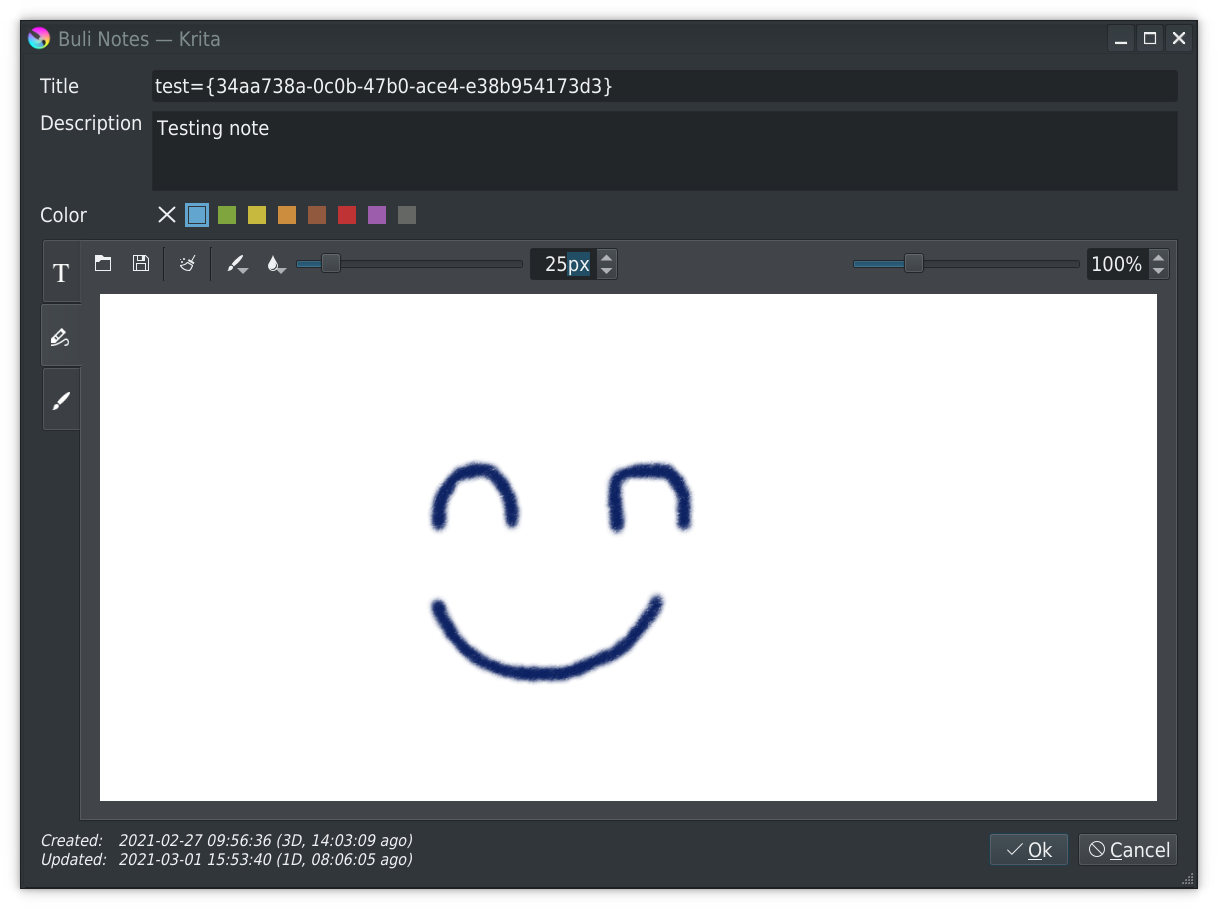
I’m currently playing with the Scratchpad you’ve provided through the API to build a plugin to take (among others) handwritten notes :slight_smile:

Example of scratchpad used in plugin editing note UI:

Here some remarks concerning the Scratchpad.

Method setMode()

The method can take 3 values:

  • 'painting'
  • 'panning'
  • 'colorsampling'
  1. It could be useful to give these values in comments used to build the doc (Scratchpad.h), it can help to use the function without having to go in code to find which values are allowed :slight_smile:
  2. In your Python plugin example, you’ve set 'colorpicking' but source code on kis_scratch_pad.cpp define the value 'colorsampling' (and then, python plugin doesn’t work with color picking)

Additional methods

So, as I took a look in cpp source for scratchpad, and I saw interesting things.

If I may, here some methods that could be interesting to publish through python API (in order of priority I think):

  • fillTransparent() because it could be interesting to get a transparent background
  • fillGradient() because it could cool to have gradient :blush:
    Concerning this one, internal method define gradient from top-left to bottom-right, using the current selected gradient; if possible:
    – An optional QRect object as parameter could be interesting for this method (otherwise if no parameter provided, like now, define QRect from scratchpad bounds)
    – An optional gradient Resource object parameter could be interesting too

Other things

Still looking internal code, currently for what I see, all scaling is made using Qt::SmoothTransformation
That good for zoom out, for zoom in, it will depend… sometimes yes, sometime no.
If possible, adding an option: setSmoothTransform(True|False|Auto) (with auto: True on zoom out, False on zoom in)

There’s currently only one way to zoom: use linkCanvasZoom() method
This is not really useful, because if you want to zoom in/out on scratchpad, you have to linkCanvasZoom(True) and change zoom on canvas.
In other word, you can’t zoom scratchpad without zooming canvas :frowning:

It seems everything is here: setOnScreenResolution()

By adding an method setScale(), if linkCanvasZoom() is false, we can easily use the manual scale value provided to zoom in/out the scratchpad without changing zoom in canvas


I know that I’m probably able to do proposed improvments by myself (already found main lines of what to do and where to do it I think), and I know that currently there’s not enough developers to improve/implement everything..
But fighting with git as I did last time I tried to do a MR, currently it’s no way.

It’s not really important if proposed improvements are not implemented, that’s just ideas :wink:
The only real important thing I think is, if at least you could fix your plugin (colorsampled!) + comments for documentation it would be great :slight_smile:

Anyway, many thanks for the scratchpad API!

Grum999

I updated my plugin to reference the correct mode for the color sampling. Thanks for that. I also have a merge request in for making the documentation a bit better for the scratchpad API.

For the additional requests that add/update functionality, I can try to take a look at it. This request might have to sit a bit and I can come back to it later. There are a couple other requests and things I am currently working on, and I am not good at multi-tasking.

:slight_smile: :+1:

Don’t worry, that’s just ideas to improve API, there’s no urgency and currently can live without it.

Grum999

Hello @scottyp,

Sorry for reviving such old topic

Suddenly remember about this docker. I installed when you first publish it so I don’t know, but currently it comes bundled with Krita 5? If not wouldn’t be interesting to publish in the Resources page on Krita.org? So it is easier to divulge to others.

Cheers.