Hello,
New to Krita and about 25% of the manual read (Yes I am that boring.)
Before I jump headlong into coding up what I need, I suppose it makes sense to ask a couple of sensible questions first.
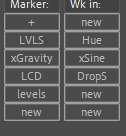
In Adobe products and Maya I spend a lot of time coding, and first port of call is creating UI’s for script launching, basically toolbars with buttons for launching scripts. In the (After Effects) one below I click ‘+’ to add a button, choose name and connect a script.
I see ‘10 scripts’ exists, but that would be a half way house.
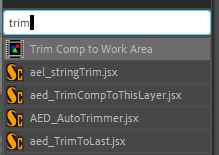
I have seen ‘Actuator’ which actually looks great and probably is the way to go for me, but I would like a simpler solution to just have text buttons on a toolbar to launch various scripts. Eventually I would have a LOT of scripts. I have other methods too in other apps, like type to find, but to start with a toolbar would be perfect.
I have seen the ‘Script School’ Menu tutorial too, which could be a good starting point too but I would like my buttons/triggers visible on screen.
Any pointers towards existing workflows (or existing plugins) for launching lots of scripts? Perhaps I could look at modifying something that already exists.
I’m personally not aware of another plug-in that comes close to exactly what you’d like, so in case you are going ahead and create it yourself, as a start: it sounds like you’d want a docker. Did you see this section on dockers of the Krita Scripting School? If you do go that route, I can recommend installing this plugin: Python Plugin Developer Tools
Sorry that I can’t be of much more help, just got started with Krita and its API myself
I just bought ‘Actuator’ too, so will play around with both. At least there is a quick method now for Buttons → scripts.
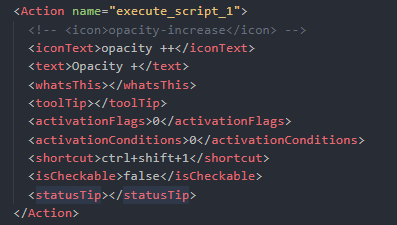
I also looked at the TenScripts plugin. I don’t know enough yet but I suppose I could modify/duplicate the components to extend it. The commands appear in the actions search / hotkeys / configuring toolbars.
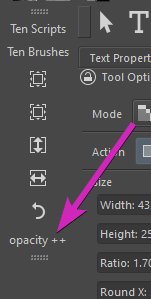
I did manage to hack tenscripts.action to add to current toolbars with text or icon.
Anyway lots of paths forward, better learn some more.
Thanks for the pointers.
If you consider Actuator option than this aspect is covered with this plugin.
Once you create a new Sequence (which can contain only single step with script), Actuator will create an action in Krita registry with the same name. After rebooting the application you will be able to search for this action with Ctrl + Enter command (forgot what is called) and execute directly. You may even hide the Docker if you will need only this pipeline.
The middle workflow will be using the Pie Menu - these are also triggered by actions and can contain groups of your scripts.
Yes Actuator is really superb. Great macros and making all the custom commands available to hotkeys is just what I need. I can mix scripts with your snippets and macros. Problem solved.
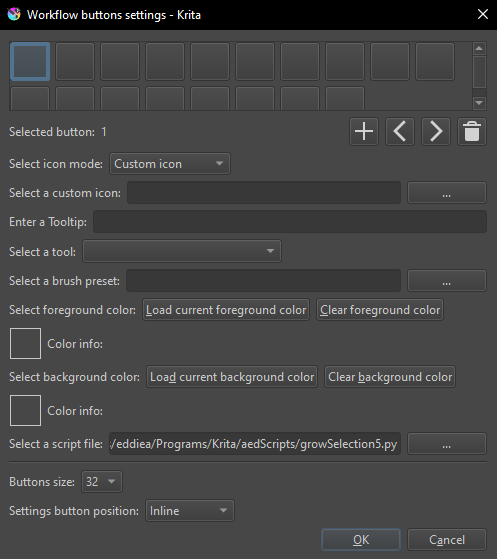
The new/upcoming Workflow buttons is great too but Actuator just goes a little further.
Thanks for all the replies.