18 Likes
Amazing results in fact. Good drawing and Iam happy becouse finally you have what you need.
1 Like
Beautiful, from beak to claw, and very lively and emotional
1 Like
Thank you very much Ramon! I’m loving them!
1 Like
Now is your turn @Zxeeon 
2 Likes
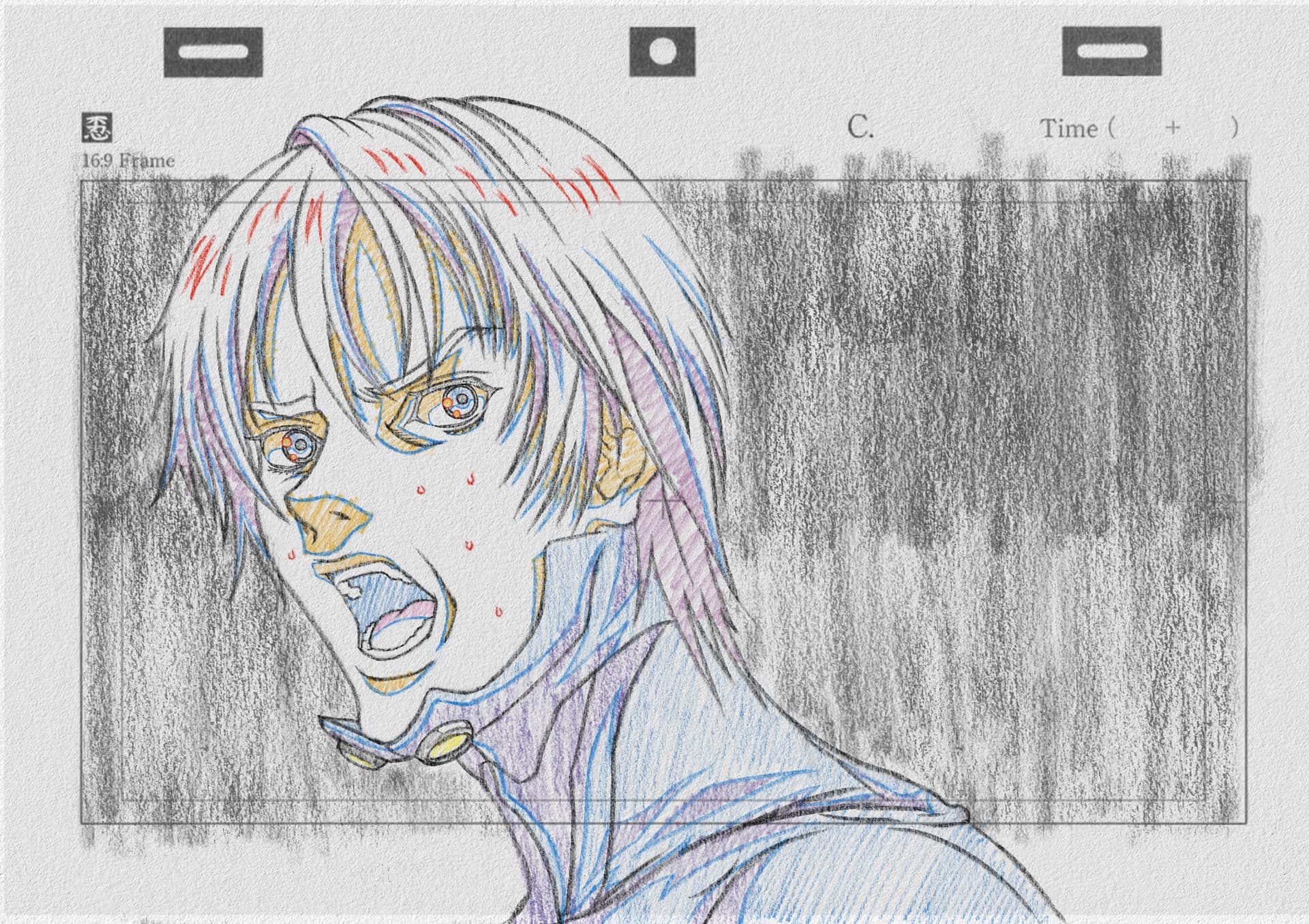
Thanks Mr. Ramon, when I used the pencil brushes most people said it was traditional, and I had to tell them it was digital. 
I was wondering if there will be more variations of these brushes in the future, as the result is very wonderful. 
In any case, thank you very much for this wonderful set of pencil brushes. 

5 Likes
That thing you say is very nice, Maybe that way more people could be interested in Krita. Talking about new pencils… I don’t know. It takes a lot of time. (investigation, design, Variants creation, Compare with olders, testing new curves and value combinations, refinament, versions, thumbs, tagging…)
Create a bundle of your modified brushes is not that hard, but creating new things is another task. anyway,
Thanks so much for your appreciation
4 Likes
I just tried these sketchy brushes and I think they are excellent for bashing out ideas through to finished images. Perhaps they’re all you need to get started, keeping it nice and simple.
2 Likes

I really love it!! 
You don’t know how happy you made me with these brushes!! 
2 Likes
Hello! I’ve been wanting to test out these brushes in Krita 5.1.4, but the file won’t open because Krita it isn’t supported. Is this an incompatibility issue?
The issue will be more that you do something wrong, but what?
This bundle is made for Krita, and it will work with any version from Krita 5.x on.
So the question is, what did you do that these brushes won’t work for you?
A bundle is installed in Krita via the menu ‘‘Settings’’ → ‘‘Manage Resource Libraries…’’ and in the opening dialog you have to click the button + Import in the next dialog browse to the downloaded bundle, select it and confirm the selection. Now Krita imports that bundle, and you can use its content, so the brushes in case of this bundle.
(In case a BUNDLE comes in an archive-file, like ZIP or RAR for instance, then you have to unpack the archive to get the BUNDLE-File it contains, then you can proceed as described above.)
Michelist
4 Likes
Oh, I’m dumb af. It wasn’t working before for me so I assumed it was an issue with my computer. It’s working now, though. Thank you!
1 Like
I’m happy that it is working for you now!
Can you explain what your issue was? Maybe others can profit from that knowledge?
Michelist
1 Like
I’m pretty sure I may have forgotten to extract the zip file, and when trying to import it in Krita, it said it doesn’t support the file type. Now that I had extracted it, though, it’s working and I can now use the brushes.
2 Likes
Absolutely incredible. do you post your art anywhere.
Thanks for SK brushes. Just starting with them but they look really good already.
Is there a recommended canvas size and ppi setting to start with?
1 Like
DinA 4 and 300dpi is a good point. Enjoy them
Yep, DinA4 and 300 dpi works well.
Out of curiosity:
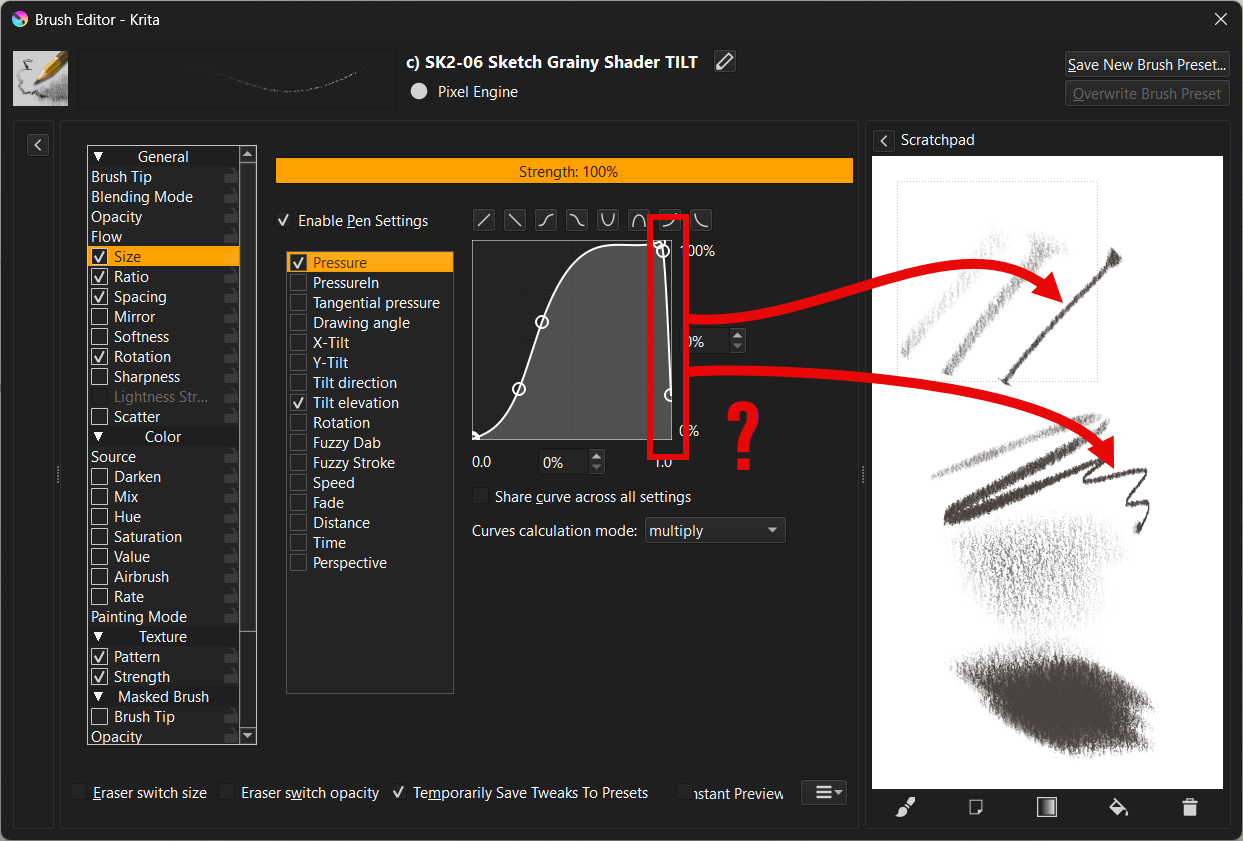
I was confused when using the brush: SK2-06 Sketch Grainy Shader TILT.
Its size grew with pressure and then suddenly shrunk again. After understanding its settings, I found the pressure curve has a weird shape at the highest pressure end.
Is there a special reason you created it like this?
For me it first felt like there is something wrong with my pen.